
步步为营-70-asp.net简单练习(文件的上传和下载)
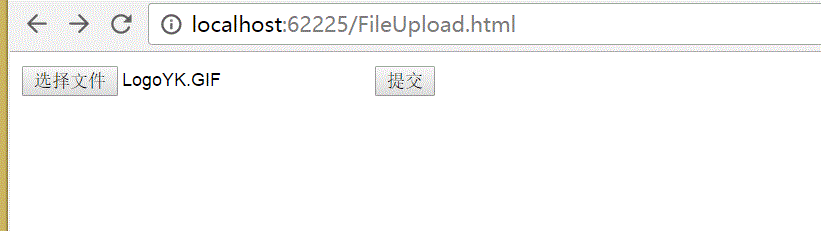
大文件的上传一般通过FTP协议,而一般小的文件可以通过http协议来完成
1 通过asp.net 完成图片的上传
1.1 创建html页面
注意:1 method="post" ;2 enctype="multipart/form-data"; 3 <input type="file" />
<!DOCTYPE html>

<html xmlns="http://www.w3.org/1999/xhtml">

<head>

<meta http-equiv="Content-Type" content="text/html; charset=utf-8"/>

    <title></title>

</head>

<body>

    <form method="post" action="FileUpload.ashx" enctype="multipart/form-data">

        <input type="file" id="imgUpLoad" name="imgUpLoad" />

        <input type="submit" value="提交" />

    </form>

</body>

</html>
FileUpload.html
1.2 创建一般处理程序.ashx
注意:1 创建文件保存路径
using System;

using System.Collections.Generic;

using System.IO;

using System.Linq;

using System.Web;

namespace _05_文件的上传与下载

{

    /// <summary>

    /// FileUpload 的摘要说明

    /// </summary>

    public class FileUpload : IHttpHandler

    {

        public void ProcessRequest(HttpContext context)

        {

            context.Response.ContentType = "text/html";

            //01 获取文件

            HttpPostedFile pf = context.Request.Files["imgUpLoad"];

            //02 创建文件保存路径

            string savePath = Path.Combine(AppDomain.CurrentDomain.BaseDirectory+"Upload/"+pf.FileName);

            //03 保存文件

            pf.SaveAs(savePath);

            //04 显示上传的文件

            context.Response.Write("<img src='Upload/"+pf.FileName+"'/> ");

        }

        public bool IsReusable

        {

            get

            {

                return false;

            }

        }

    }

}
FileUpload.ashx
2 上传文件格式的验证,假设规定只能上传,gif的图片
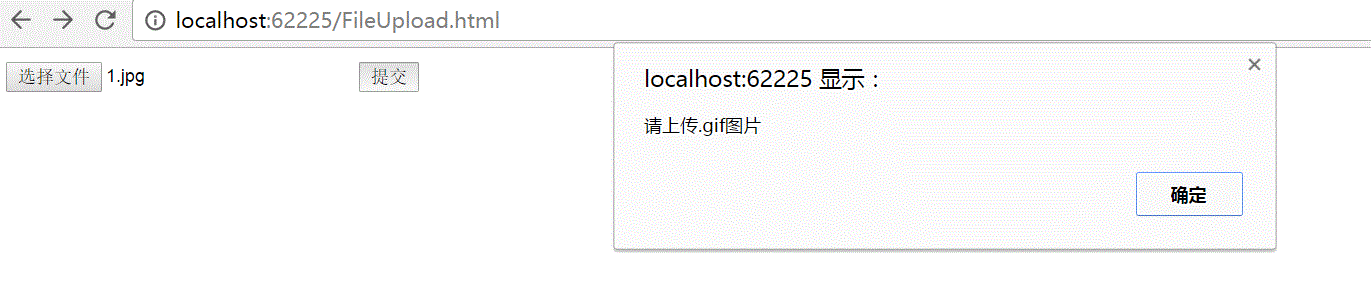
我们可以在HTML通过jQuery来进行验证,也可以在.ashx中进行验证
2.1 修改ashx文件
using System;

using System.Collections.Generic;

using System.IO;

using System.Linq;

using System.Web;

namespace _05_文件的上传与下载

{

    /// <summary>

    /// FileUpload 的摘要说明

    /// </summary>

    public class FileUpload : IHttpHandler

    {

        public void ProcessRequest(HttpContext context)

        {

            context.Response.ContentType = "text/html";

            //01 获取文件

            HttpPostedFile pf = context.Request.Files["imgUpLoad"];

            //01-01 获取文件后缀名

            string extName = pf.FileName.Substring(pf.FileName.LastIndexOf('.'));

            if (extName != ".gif" || extName != ".Gif")

            {

                context.Response.Write("请上传.gif图片");

                return;

            }

            //02 创建文件保存路径

            string savePath = Path.Combine(AppDomain.CurrentDomain.BaseDirectory+"Upload/"+pf.FileName);

            //03 保存文件

            pf.SaveAs(savePath);

            //04 显示上传的文件

            context.Response.Write("<img src='Upload/"+pf.FileName+"'/> ");

        }

        public bool IsReusable

        {

            get

            {

                return false;

            }

        }

    }

}
ashx

2.2 引入jQuery,修改HTML页面
<!DOCTYPE html>

<html xmlns="http://www.w3.org/1999/xhtml">

<head>

<meta http-equiv="Content-Type" content="text/html; charset=utf-8"/>

    <script src="http://localhost:62225/Script/jquery-1.7.1.min.js"></script>

    <title></title>

    <script>

        $(function () {

            $("form").submit(function () {

                var fname = $("#imgUpLoad").val();

                var extname = fname.substring(fname.lastIndexOf('.'));

                if (extname != ".gif" || extname != ".Gif") {

                    alert("请上传.gif图片");

                    return false;

                }

            });

        });

    </script>

</head>

<body>

    <form method="post" action="FileUpload.ashx" enctype="multipart/form-data">

        <input type="file" id="imgUpLoad" name="imgUpLoad" />

        <input type="submit" value="提交" />

    </form>

</body>

</html>
html
3 如果文件只放在Upload文件夹下,随着时间的增长,文件势必会越来越多不利于寻找,可以根据日期建立相应文件夹
using System;

using System.Collections.Generic;

using System.IO;

using System.Linq;

using System.Web;

namespace _05_文件的上传与下载

{

    /// <summary>

    /// FileUpload 的摘要说明

    /// </summary>

    public class FileUpload : IHttpHandler

    {

        public void ProcessRequest(HttpContext context)

        {

            context.Response.ContentType = "text/html";

            //01 获取文件

            HttpPostedFile pf = context.Request.Files["imgUpLoad"];

            //01-01 获取文件后缀名

            string extName = pf.FileName.Substring(pf.FileName.LastIndexOf('.'));

            if (extName != ".gif" && extName != ".GIF")

            {

                context.Response.Write("请上传.gif图片");

                return;

            }

            //02 创建文件保存路径

            string savePath = Path.Combine(AppDomain.CurrentDomain.BaseDirectory+"Upload\\");

            //02-01 根据日期创建文件夹

            DateTime dt = DateTime.Now;

            savePath += dt.Year + "\\" + dt.Month + "\\" + dt.Day ;

            if (!Directory.Exists(savePath))

            {

                //创建文件夹

                Directory.CreateDirectory(savePath);

            }

            //02-02文 件名为当前时间

            savePath += "\\"+ dt.ToString().Replace(':','-')+".gif";

            //03 保存文件

            pf.SaveAs(savePath);

            //04 显示上传的文件

             context.Response.Write("<img src='" + savePath.Substring(savePath.IndexOf("Upload")) + "'/> ");

        }

        public bool IsReusable

        {

            get

            {

                return false;

            }

        }

    }

}
ashx

4 文件下载
<!DOCTYPE html>

<html xmlns="http://www.w3.org/1999/xhtml">

<head>

<meta http-equiv="Content-Type" content="text/html; charset=utf-8"/>

    <title></title>

</head>

<body>

    <img src="" />

    <a href="FileDownload.ashx?f=Upload/2017.rar">Upload/.rar</a>

    <a href="FileDownload.ashx?f=Upload/2017-06-14%2017-25-19.gif">Upload/--%--.gif</a>

</body>

</html>
html
using System;

using System.Collections.Generic;

using System.IO;

using System.Linq;

using System.Web;

namespace _05_文件的上传与下载

{

    /// <summary>

    /// FileDownload 的摘要说明

    /// </summary>

    public class FileDownload : IHttpHandler

    {

        public void ProcessRequest(HttpContext context)

        {

            string f = context.Request["f"];

            context.Response.ContentType = "application/octet-stream";

            context.Response.AddHeader("Content-Disposition","attachment;filename=\""+f+"\";");

            context.Response.WriteFile(Path.Combine(AppDomain.CurrentDomain.BaseDirectory,f));

        }

        public bool IsReusable

        {

            get

            {

                return false;

            }

        }

    }

}
ashx

步步为营-70-asp.net简单练习(文件的上传和下载)的更多相关文章
- asp.net web开发——文件的上传和下载
HTML部分 <%@ Page Language="C#" AutoEventWireup="true" CodeBehind="index.a ...
- 简单的文件ftp上传
目录 简单的文件ftp上传 简单的文件ftp上传 server import socket import struct service=socket.socket() service.bind(('1 ...
- JavaWeb中文件的上传和下载
JavaWeb中文件的上传和下载 转自: JavaWeb学习总结(五十)——文件上传和下载 - 孤傲苍狼 - 博客园https://www.cnblogs.com/xdp-gacl/p/4200090 ...
- Apache FtpServer 实现文件的上传和下载
1 下载需要的jar包 Ftp服务器实现文件的上传和下载,主要依赖jar包为: 2 搭建ftp服务器 参考Windows 上搭建Apache FtpServer,搭建ftp服务器 3 主要代码 在ec ...
- 初学Java Web(7)——文件的上传和下载
文件上传 文件上传前的准备 在表单中必须有一个上传的控件 <input type="file" name="testImg"/> 因为 GET 方式 ...
- java web(四):request、response一些用法和文件的上传和下载
上一篇讲了ServletContent.ServletCOnfig.HTTPSession.request.response几个对象的生命周期.作用范围和一些用法.今天通过一个小项目运用这些知识.简单 ...
- java实现文件的上传和下载
1. servlet 如何实现文件的上传和下载? 1.1上传文件 参考自:http://blog.csdn.net/hzc543806053/article/details/7524491 通过前台选 ...
- Spring MVC 实现文件的上传和下载
前些天一位江苏经贸的学弟跟我留言问了我这样一个问题:“用什么技术来实现一般网页上文件的上传和下载?是框架还是Java中的IO流”.我回复他说:“使用Spring MVC框架可以做到这一点,因为Spri ...
- 文件的上传和下载--SpringMVC
文件的上传和下载是项目开发中最常用的功能,例如图片的上传和下载.邮件附件的上传和下载等. 接下来,将对Spring MVC环境中文件的上传和下载进行详细的讲解. 一.文件上传 多数文件上传都是通过表单 ...
随机推荐
- Create ISO library over NFS for XEN server templates
Based on Ubuntu – Server – install NFS on Ubuntu – aptitude -y install nfs-kernel-server create a “ ...
- .Net MVC发布出错 Server Error in '/' Application.
发布的时候遇到这个错误:Server Error in '/' Application. Could not load file or assembly 'SettingsProviderNet' ...
- python---ORM之SQLAlchemy(5)联合唯一的使用
# coding:utf8 # __author: Administrator # date: // # /usr/bin/env python import sqlalchemy from sqla ...
- Codeforces 954 G. Castle Defense
http://codeforces.com/problemset/problem/954/G 二分答案 检验的时候,从前往后枚举,如果发现某个位置的防御力<二分的值,那么新加的位置肯定是越靠后越 ...
- 用Emacs的这些年
读技术博客时发现又有人提起我曾写的那篇口水文章 为何Emacs和Vim被称为两大神器.写那篇文章时,我还在Vim和Emacs之间摇摆.当然主要在用vim,博士学位论文和所有的国际会议文章都是用Vim编 ...
- Linux之更改Nginx映射默认根目录
更改nginx映射默认根目录: 1.打开默认配置文件:sudo vi /etc/nginx/sites-available/default 2.修改配置:root /var/www/html/xx ...
- mysql数据库备份和恢复
1.数据库备份 mysqldump -uroot -proot jira736 > jira736.sql 2.数据库恢复 mysql -uroot -proot jira762 < ji ...
- Database学习 - mysql 数据库 索引
索引 索引在mysql 中也叫 '键',是存储引擎用来快速找到记录的一种数据结构.索引对于良好的性能非常关键,尤其是当表中的数据量越来越大时,索引对于性能的影响愈发重要. 索引优化应该是对查询性能优化 ...
- commons-lang3-3.2.jar中的常用工具类的使用
这个包中的很多工具类可以简化我们的操作,在这里简单的研究其中的几个工具类的使用. 1.StringUtils工具类 可以判断是否是空串,是否为null,默认值设置等操作: /** * StringUt ...
- CodeForces Contest #1137: Round #545 (Div. 1)
比赛传送门:CF #1137. 比赛记录:点我. 每次都自闭的 div1 啊,什么时候才能上 IM 呢. [A]Skyscrapers 题意简述: 有一个 \(n\times m\) 的矩阵 \(a_ ...