
Oracle 12c 单实例安装
一、准备工作
实验环境:Redhat 6.6 Oracle 12c 12.2.0.1
1、官网下载
2、安装所需rpm包
# rpm -q binutils compat-libcap1 gcc-c++ compat-libstdc++- gcc gcc-c++e2fsprogs e2fsprogs-libs glibc glibc-devel ksh libaio-devel libaio libgcc libstdc++ libstdc++-devel libxcb libX11 libXau libXi libXtst make net-tools nfs-utils smartmontools sysstat
所需要镜像中都包含,所以可以通过本地yum方式进行安装
3、创建用户组
[root@RmanDB tools]# groupadd -g  oinstall

[root@RmanDB tools]# groupadd -g  dba

[root@RmanDB tools]# groupadd -g  oper
4、创建用户
[root@RmanDB tools]# useradd -u -g oinstall -G dba,oper oracle
5、创建目录
mkdir -p /u01/app/oracle/product/12.2./db_1

[root@RmanDB tools]# chown -R oracle:oinstall /u01/app

[root@RmanDB tools]# chmod -R  /u01/app
6、配置环境变量
配置oracle用户
vim .bash_profile
#ORACLE

PATH=$PATH:$HOME/bin

export PATH

export ORACLE_BASE=/u01/app/oracle

export ORACLE_HOME=$ORACLE_BASE/product/12.2./db_1

export PATH=$ORACLE_HOME/bin:$ORACLE_HOME/Apache/bin:$PATH

export ORACLE_SID=gnnt1

ORACLE_HOSTNAME=RmanDB

export ORACLE_OWNER=oracle

export ORACLE_TERM=vt100

export LD_LIBRARY_PATH=$ORACLE_HOME/lib:$LD_LIBRARY_PATH

export NLS_LANG=AMERICAN_AMERICA.ZHS16GBK

export DISPLAY=192.168.10.2:0.0
7、配置内核
注意:配置大于系统数据需要配置更改,否则不需要配置。
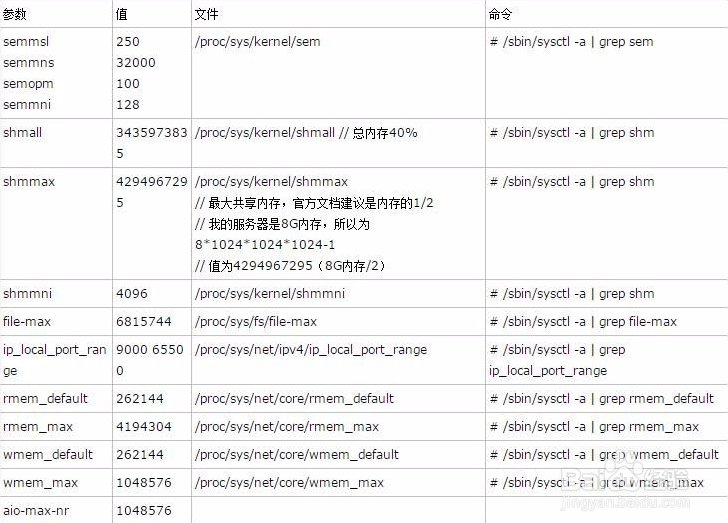
vim /etc/sysctl.conf

添加如下配置

#ORACLE

fs.aio-max-nr =

fs.file-max =

kernel.sem =

kernel.shmmni =

kernel.shmall =

kernel.shmmax =

kernel.panic_on_oops =

net.ipv4.ip_local_port_range =

net.core.rmem_default =

net.core.rmem_max =

net.core.wmem_default =

net.core.wmem_max =
配置完成 sysctl -p 刷新生效
8、设置进程数和最大会话数
vi /etc/security/limits.conf

添加使用如下设置。

oracle soft nproc

oracle hard nproc

oracle soft nofile

oracle hard nofile

oracle soft stack

oracle hard stack
二、安装过程
1、解压
[root@RmanDB tools]# mkdir -p /u01/app/tmp

[root@RmanDB tools]# chown -R oracle:oinstall /u01/app/tmp

[root@RmanDB tools]# chmod -R 775 /u01/app/tmp
将下载的安装包解压
[oracle@RmanDB tmp]$ unzip /tools/linuxx64_12201_database.zip

[oracle@RmanDB tmp]$ ll

total

drwxr-xr-x.  oracle oinstall  Jan   database
2、执行安装
[oracle@RmanDB ~]$ /u01/app/tmp/database/runInstaller

Starting Oracle Universal Installer...

Checking Temp space: must be greater than  MB. Actual  MB Passed

Checking swap space: must be greater than  MB. Actual  MB Passed

Checking monitor: must be configured to display at least  colors

>>> Could not execute auto check for display colors using command /usr/bin/xdpyinfo. Check if the DISPLAY variable is set. Failed <<<<

Some requirement checks failed. You must fulfill these requirements before

continuing with the installation,

Continue? (y/n) [n] y

>>> Ignoring required pre-requisite failures. Continuing...

Preparing to launch Oracle Universal Installer from /tmp/OraInstall2018--23_04--02PM. Please wait ...
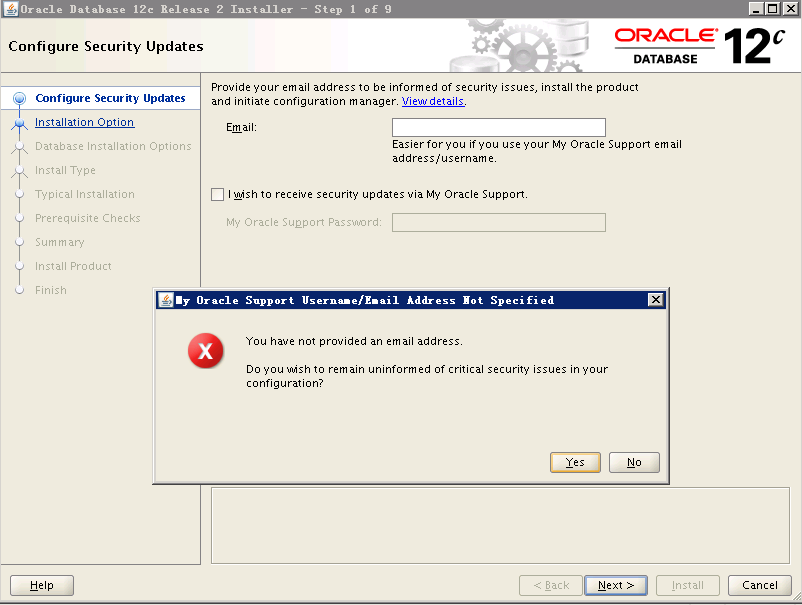
看你的需求选择是要只安装数据库软件还是软件+配置库
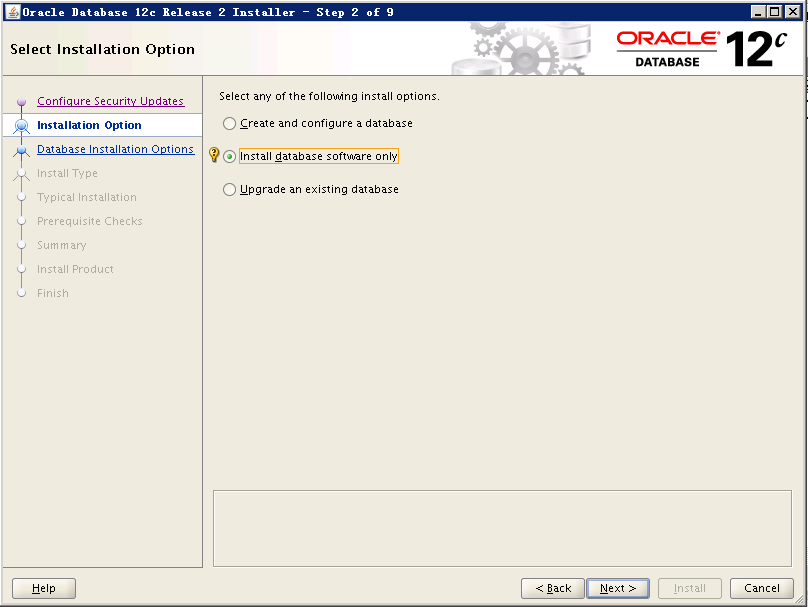
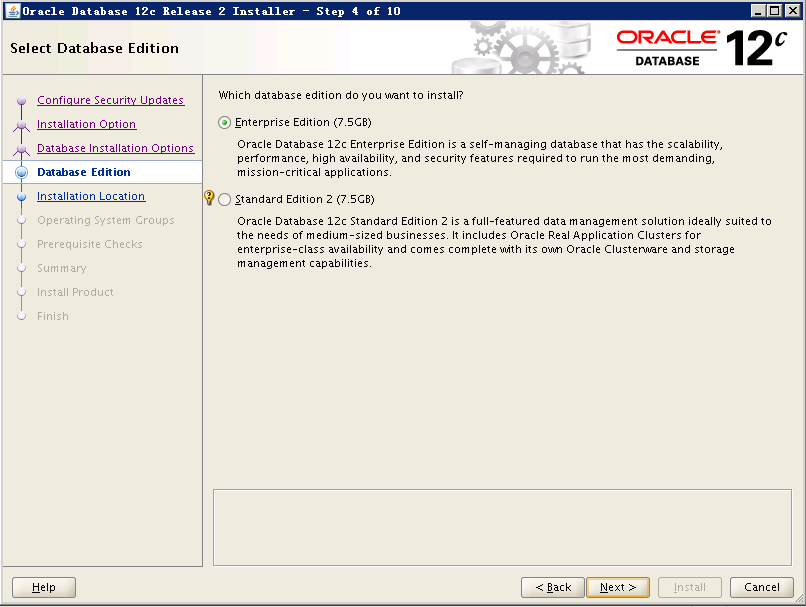
安装单实例

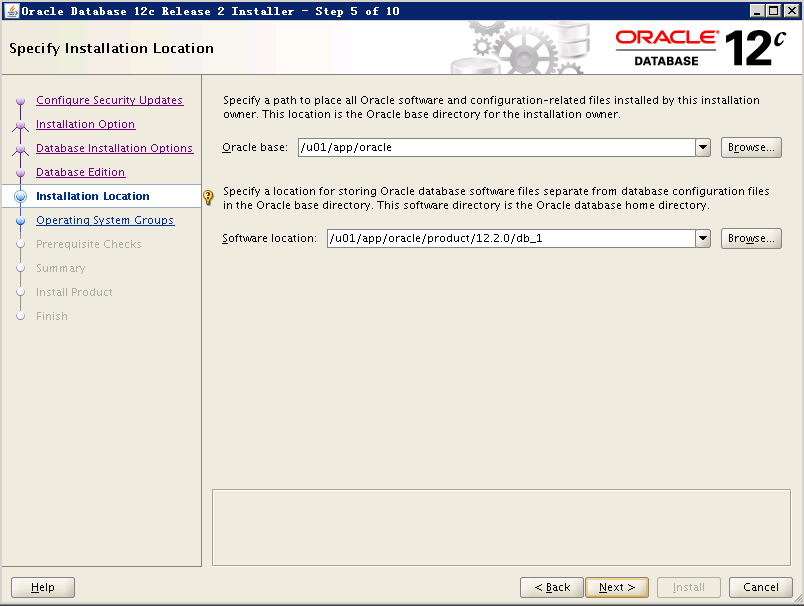
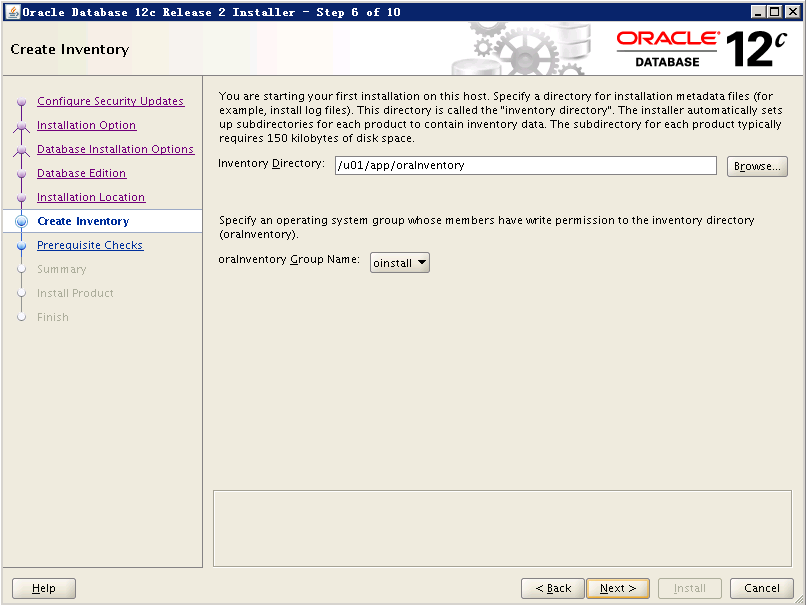
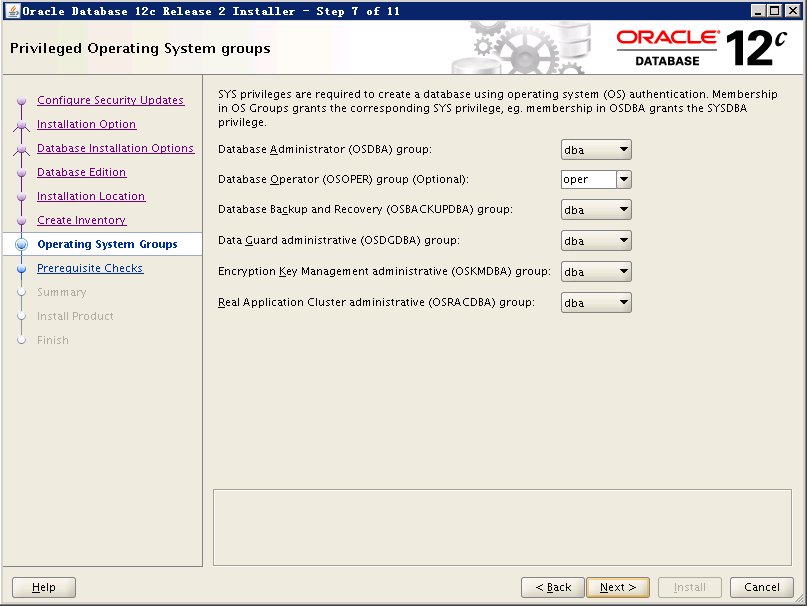
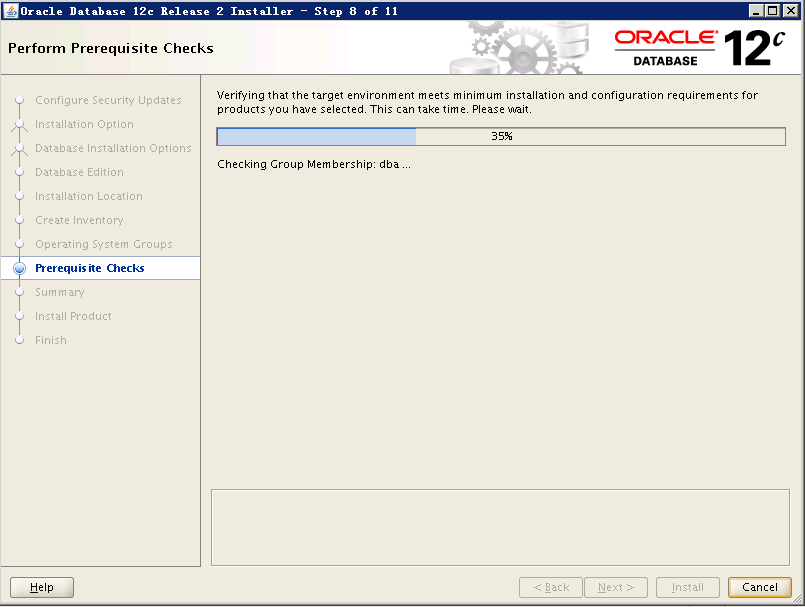
如果检查出问题,请先解决再行安装否则可能安装失败

等待安装
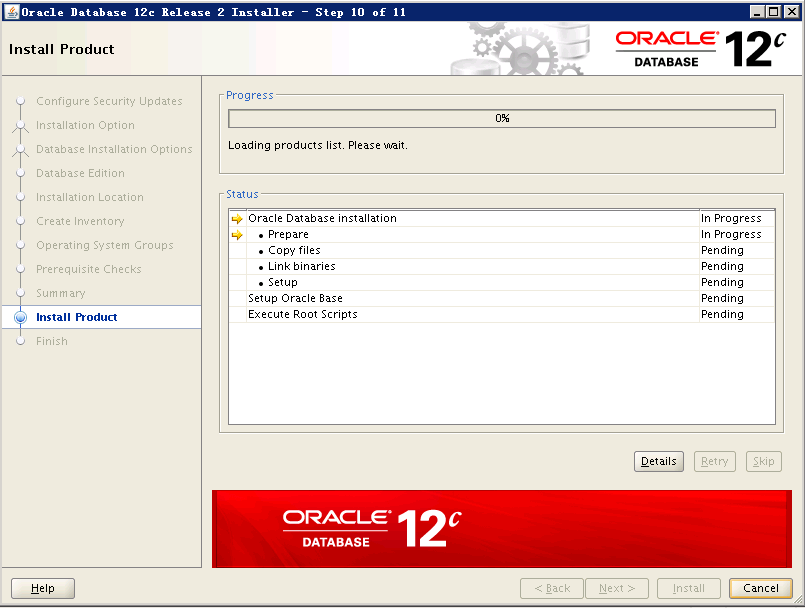
使用root用户执行脚本
[root@RmanDB tmp]# /u01/app/oraInventory/orainstRoot.sh

Changing permissions of /u01/app/oraInventory.

Adding read,write permissions for group.

Removing read,write,execute permissions for world.

Changing groupname of /u01/app/oraInventory to oinstall.

The execution of the script is complete.

[root@RmanDB tmp]# /u01/app/oracle/product/12.2./db_1/root.sh

Performing root user operation.

The following environment variables are set as:

    ORACLE_OWNER= oracle

    ORACLE_HOME=  /u01/app/oracle/product/12.2./db_1

Enter the full pathname of the local bin directory: [/usr/local/bin]:

The contents of "dbhome" have not changed. No need to overwrite.

The contents of "oraenv" have not changed. No need to overwrite.

The contents of "coraenv" have not changed. No need to overwrite.

Entries will be added to the /etc/oratab file as needed by

Database Configuration Assistant when a database is created

Finished running generic part of root script.

Now product-specific root actions will be performed.

Do you want to setup Oracle Trace File Analyzer (TFA) now ? yes|[no] :

yes

Installing Oracle Trace File Analyzer (TFA).

Log File: /u01/app/oracle/product/12.2./db_1/install/root_RmanDB_2018--23_16---.log

Finished installing Oracle Trace File Analyzer (TFA)
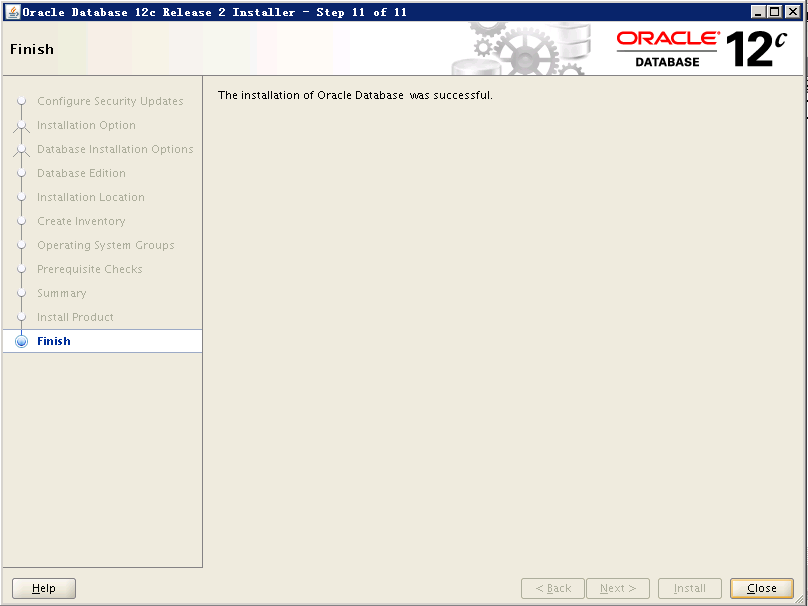
到此,数据库软件安装完成!
Oracle 12c 单实例安装的更多相关文章
- Redhat下Oracle 12c单节点安装
操作系统:Redhat6.7 64位[root@Oracle12CDB ~]# more /etc/redhat-release Red Hat Enterprise Linux Server rel ...
- oracle 12C单实例打PSU
前提: oracle不管打什么样的补丁,readme都是很好的参考资料. Oracle每季度都会更新一个最新的PSU,现在12.1.0.2.0的最新的PSU是Patch 26925311. 由于今天白 ...
- Oracle 11g 单实例安装文档
这里介绍在Red Hat Enterprise Linux Server release 5.7 (Tikanga)下安装ORACLE 11.2.0.1.0的过程,本文仅仅是为了写这样安装指导文档而整 ...
- Linux平台oracle 11g单实例 安装部署配置 快速参考
1.重建主机的Oracle用户 组 统一规范 uid gid 以保证共享存储挂接或其他需求的权限规范 userdel -r oracle groupadd -g 7 oinstall groupadd ...
- 1级搭建类103-Oracle 12c 单实例 FS(12.2.0.1+RHEL 7)公开
项目文档引子系列是根据项目原型,制作的测试实验文档,目的是为了提升项目过程中的实际动手能力,打造精品文档AskScuti. 项目文档引子系列目前不对外发布,仅作为博客记录.如学员在实际工作过程中需提前 ...
- Linux平台Oracle 12.1.0.2 单实例安装部署
主题:Linux平台Oracle 12.1.0.2 单实例安装部署 环境:RHEL 6.5 + Oracle 12.1.0.2 需求:安装部署OEM 13.2需要Oracle 12.1.0.2版本作为 ...
- Linux平台oracle 11g单实例 + ASM存储 安装部署 快速参考
操作环境:Citrix虚拟化环境中申请一个Linux6.4主机(模板)目标:创建单机11g + ASM存储 数据库 1. 主机准备 2. 创建ORACLE 用户和组成员 3. 创建以下目录并赋予对应权 ...
- Oracle 11.2.4.0 ACTIVE DATAGUARD 单实例安装(COPY创建备库)
Oracle 11.2.4.0 ADG 单实例安装(COPY创建备库) 规划: 主: OS: Linux Centos 6.5 X64 hostname:ORA11G-DG1 ipaddress:19 ...
- Oracle 11g 单实例静默安装实战记录(linux)
oracle 11g 单实例静默安装 AUTHOR:Oracle_Ran 环境规划: OS Version : Red Hat Enterprise Linux Server release 6.7 ...
随机推荐
- Python-第一章(开发基础)
1. 机器语言 = 机器指令 = 二进制代码 汇编语言就是把二进制变成了英文,开发效率低. 编译型语言:C C++ Delphi ... 解译型语言:Python php jav ...
- 内置函数-max、min、round、sorted、ord、chr、any、all、dir、eval、exec、map、filter、reduce
http://www.nnzhp.cn/archives/152 1.max,min,round print(max([3,4.563,3,6,2.5])) #取最大值,可循环参数即可,int类型的, ...
- js基础--数据类型
1,数据类型 Number:包括小数与整数,负数,NaN ,Infinity无限大String字符串:‘abc’Boolean布尔值:true or falsenull 空undefined 未定义 ...
- Jmeter简单的接口测试举例
推荐文章:http://www.cnblogs.com/puresoul/p/5092628.html 1.创建线程组 本次测试模块为一个线程组(可以在线程组内列出模块内的需要测试的接口) 2.在线程 ...
- 3.远程连接工具、JDK安装
1.实现Centos和windows的文件传输,可以使用Xshell和Xftp(实验指导使用的是winscp). (1).可以使用Xshell远程登陆Linux,具体安装过程略. (2).登陆Cent ...
- Centos7 HyperLedger Fabric 1.4 生产环境部署
Kafka生产环境部署案例采用三个排序(orderer)服务.四个kafka.三个zookeeper和四个节点(peer)组成,共准备八台服务器,每台服务器对应的服务如下所示: kafka案例网络拓扑 ...
- AIX 7.1 RAC 11.2.0.4.0升级至11.2.0.4.6(一个patch跑了3个小时)
1.环境 DB:两节点RAC 11.2.0.4.0升级至11.2.0.4.6 OS:AIX 7.1(205G内存 16C) 2.节点1.节点2(未建库) 2.1.patch 20420937居然用了3 ...
- Jenkins自动打包相关操作
Jenkins安装 Jenkins作为一个开源的集成工具,不仅可以用来进行android打包 ,也可以用来进行ios java 服务打包 官方地址https://jenkins.io/ 选择对应的系统 ...
- c# 有序链表合并 链表反转
using System; using System.Collections.Generic; using System.Linq; using System.Text; using System.T ...
- 2.第一个python 程序
第一个python程序 一..python程序的编写步骤 1.创建 xxx.py文件(文件名不要中文) 文件名要以py为扩展名,因为导入的时候其他扩展名会报错.如果不导入的情况可以不限制扩展名. 2 ...