
旋转动画用控件RotateView
旋转动画用控件RotateView
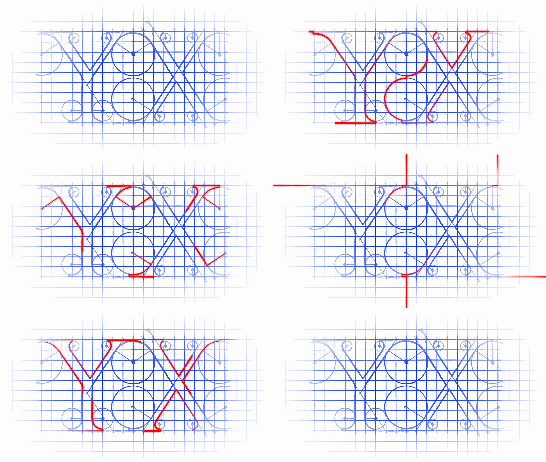
最终效果:
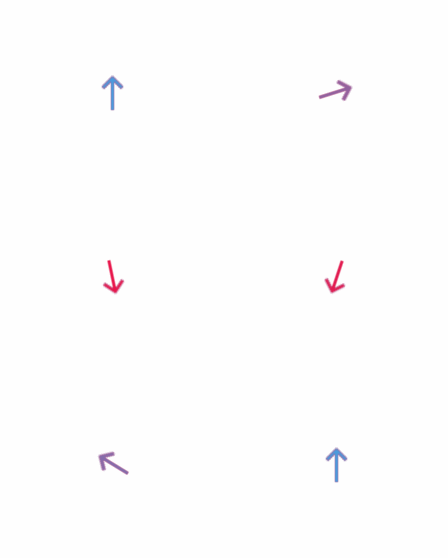
源码:
RotateView.h 与 RotateView.m
//

//  RotateView.h

//  RotateAnimationView

//

//  Created by YouXianMing on 14/12/8.

//  Copyright (c) 2014年 YouXianMing. All rights reserved.

//

#import <UIKit/UIKit.h>

/**

 *  要注意normalInputView与disableInputView的frame值最好与RotateView的bounds值一致

 */

@interface RotateView : UIView

/**

 *  显示常规的view

 */

@property (nonatomic, strong) UIView   *normalInputView;

/**

 *  禁用状态的view

 */

@property (nonatomic, strong) UIView   *disableInputView;

/**

 *  旋转时间

 */

@property (nonatomic, assign) CGFloat   rotateDuration;

/**

 *  view切换时间

 */

@property (nonatomic, assign) CGFloat   fadeDuration;

/**

 *  旋转到向上的位置(默认的位置)

 *

 *  @param animated 是否显示动画

 */

- (void)changeToUpAnimated:(BOOL)animated;

/**

 *  旋转到向左的位置

 *

 *  @param animated 是否显示动画

 */

- (void)changeToLeftAnimated:(BOOL)animated;

/**

 *  旋转到向右的位置

 *

 *  @param animated 是否显示动画

 */

- (void)changeToRightAnimated:(BOOL)animated;

/**

 *  旋转到向下的位置

 *

 *  @param animated 是否显示动画

 */

- (void)changeTodownAnimated:(BOOL)animated;

/**

 *  渐变到显示常规的view

 *

 *  @param animated 是否显示动画

 */

- (void)fadeToNormalInputViewAnimated:(BOOL)animated;

/**

 *  渐变到禁用状态的view

 *

 *  @param animated 是否显示动画

 */

- (void)fadeToDisableInputViewAnimated:(BOOL)animated;

@end
//

//  RotateView.m

//  RotateAnimationView

//

//  Created by YouXianMing on 14/12/8.

//  Copyright (c) 2014年 YouXianMing. All rights reserved.

//

#import "RotateView.h"

static CGFloat defaultDuration = 0.25f;

typedef enum : NSUInteger {

    UIVIEW_normalInputView = 0xEEFF,

    UIVIEW_disableInputView,

} EnumRotateView;

@interface RotateView ()

@property (nonatomic, assign) CGAffineTransform  defaultTransform;

@end

@implementation RotateView

- (instancetype)initWithFrame:(CGRect)frame

{

    self = [super initWithFrame:frame];

    if (self) {

        _defaultTransform = self.transform;

    }

    return self;

}

#pragma mark - 动画的执行

- (void)changeToUpAnimated:(BOOL)animated {

    if (animated) {

        [UIView animateWithDuration:(_rotateDuration >  ? _rotateDuration : defaultDuration)

                         animations:^{

                             self.transform = _defaultTransform;

                         }];

    } else {

        self.transform = _defaultTransform;

    }

}

- (void)changeToLeftAnimated:(BOOL)animated {

    if (animated) {

        [UIView animateWithDuration:(_rotateDuration >  ? _rotateDuration : defaultDuration)

                         animations:^{

                             self.transform = CGAffineTransformRotate(_defaultTransform, -M_PI_2);

                         }];

    } else {

        self.transform = CGAffineTransformRotate(_defaultTransform, -M_PI_2);

    }

}

- (void)changeToRightAnimated:(BOOL)animated {

    if (animated) {

        [UIView animateWithDuration:(_rotateDuration >  ? _rotateDuration : defaultDuration)

                         animations:^{

                             self.transform = CGAffineTransformRotate(_defaultTransform, M_PI_2);

                         }];

    } else {

        self.transform = CGAffineTransformRotate(_defaultTransform, M_PI_2);

    }

}

- (void)changeTodownAnimated:(BOOL)animated {

    if (animated) {

        [UIView animateWithDuration:(_rotateDuration >  ? _rotateDuration : defaultDuration)

                         animations:^{

                             self.transform = CGAffineTransformRotate(_defaultTransform, M_PI);

                         }];

    } else {

        self.transform = CGAffineTransformRotate(_defaultTransform, M_PI);

    }

}

- (void)fadeToNormalInputViewAnimated:(BOOL)animated {

    if (animated) {

        [UIView animateWithDuration:(_fadeDuration >  ? _fadeDuration : defaultDuration)

                         animations:^{

                             [self viewWithTag:UIVIEW_normalInputView].alpha = .f;

                         }];

    } else {

        [self viewWithTag:UIVIEW_normalInputView].alpha = .f;

    }

}

- (void)fadeToDisableInputViewAnimated:(BOOL)animated {

    if (animated) {

        [UIView animateWithDuration:(_fadeDuration >  ? _fadeDuration : defaultDuration)

                         animations:^{

                             [self viewWithTag:UIVIEW_normalInputView].alpha = .f;

                         }];

    } else {

        [self viewWithTag:UIVIEW_normalInputView].alpha = .f;

    }

}

#pragma mark - 重写setter,getter方法

@synthesize normalInputView = _normalInputView;

- (void)setNormalInputView:(UIView *)normalInputView {

    normalInputView.frame                  = normalInputView.bounds;

    normalInputView.userInteractionEnabled = NO;

    normalInputView.tag                    = UIVIEW_normalInputView;

    [self addSubview:normalInputView];

    [self bringSubviewToFront:normalInputView];

}

- (UIView *)normalInputView {

    return [self viewWithTag:UIVIEW_normalInputView];

}

@synthesize disableInputView = _disableInputView;

- (void)setDisableInputView:(UIView *)disableInputView {

    disableInputView.frame                  = disableInputView.bounds;

    disableInputView.userInteractionEnabled = NO;

    disableInputView.tag                    = UIVIEW_disableInputView;

    [self addSubview:disableInputView];

    [self sendSubviewToBack:disableInputView];

}

- (UIView *)disableInputView {

    return [self viewWithTag:UIVIEW_disableInputView];

}

@end
使用的源码:
//

//  ViewController.m

//  CircleView

//

//  Created by YouXianMing on 14/12/9.

//  Copyright (c) 2014年 YouXianMing. All rights reserved.

//

#import "ViewController.h"

#import "RotateView.h"

@interface ViewController ()

@property (nonatomic, strong) RotateView *rotateView;

@end

@implementation ViewController

- (void)viewDidLoad {

    [super viewDidLoad];

    // 输入图片与输出图片

    UIImageView *normalView  = [[UIImageView alloc] initWithImage:[UIImage imageNamed:@"normal"]];

    UIImageView *disableView = [[UIImageView alloc] initWithImage:[UIImage imageNamed:@"disable"]];

    // 旋转的view

    _rotateView                  = [[RotateView alloc] initWithFrame:normalView.bounds];

    _rotateView.center           = self.view.center;

    _rotateView.normalInputView  = normalView;

    _rotateView.disableInputView = disableView;

    [self.view addSubview:_rotateView];

    // 延时

    [self performSelector:@selector(excuteEventOne)

               withObject:nil

               afterDelay:.f];

    // 延时

    [self performSelector:@selector(excuteEventTwo)

               withObject:nil

               afterDelay:.f];

}

- (void)excuteEventOne {

    [_rotateView changeTodownAnimated:YES];

    [_rotateView fadeToDisableInputViewAnimated:YES];

}

- (void)excuteEventTwo {

    [_rotateView changeToUpAnimated:YES];

    [_rotateView fadeToNormalInputViewAnimated:YES];

}

@end
较为核心的地方:

旋转动画用控件RotateView的更多相关文章
- 侧边栏下拉时箭头的旋转动画(treeView控件)
//点击菜单时箭头旋转 let treeView = document.getElementsByClassName("treeview");//let解决闭包问题 let las ...
- 定制自己的动画 View 控件(Canvas 使用)
定制自己的动画 View 控件(Canvas 使用) 如果要定义自己的 View 控件,则需要新建一个类继承 android.view.View.然后在 onDraw 中写自己需要实现的方式. 这里定 ...
- WPF 动画显示控件
当我们要显示一个控件的时候,不仅仅要显示这个控件,还要有动画的效果. 主要用到了DoubleAnimation类. public static void ShowAnimation(object co ...
- android多框架实现短视频应用、3D手势旋转、banner控件、指南针、智能管家等应用源码
Android精选源码 android智能管家app源码 Android高仿拼多多分类列表 Android百度地图实例详解之仿摩拜单车APP RecyclerView的LayoutManager搭建流 ...
- WPF设置动画在控件载入时就立刻执行
<YourControl.Triggers> <EventTrigger RoutedEvent="YourControl.Loaded"><!--这 ...
- Android5.0新特性之——控件移动动画(初级)
最近开发,UI大牛们设计了好多很炫酷吊炸天的动画,不由得重新学习了一下5.0的ObjectAnimator动画. ObjectAnimator动画的原理,通过反射控件的setXXX方法,改变控件的实际 ...
- 自己定义控件三部曲之动画篇(十三)——实现ListView Item进入动画
前言:宝剑锋从磨砺出,梅花香自苦寒来 相关文章: <Android自己定义控件三部曲文章索引>: http://blog.csdn.net/harvic880925/article/det ...
- WPF ListView控件设置奇偶行背景色交替变换以及ListViewItem鼠标悬停动画
原文:WPF ListView控件设置奇偶行背景色交替变换以及ListViewItem鼠标悬停动画 利用WPF的ListView控件实现类似于Winform中DataGrid行背景色交替变换的效果,同 ...
- iOS:风火轮活动刷新视图控件UIActivityIndicatorView的详细使用
动态风火轮视图控件:UIActivityIndicatorView 介绍:它是一种类似于风火轮旋转的视图控件,可用作刷新数据时显示加载过程所用,继承自UIView. 类型: typedef N ...
随机推荐
- C#反射动态调用dll中的方法,并返回结果(转)
反射的作用是动态的加载某个dll(程序集),并执行该程序集中的某个方法,并返回结果:当然也可以给该方法传递参数 namespace assembly_name { public class assem ...
- 我的Python升级打怪之路【四】:Python之前的一些补充
字符串的格式化 1.百分号的方式 %[(name)][flags][width].[precision]typecode (name) 可选,用于选择指定的key flags 可选,可供选择的值有: ...
- 自适应网页设计(Responsive Web Design)别名(响应式web设计)转载阮一峰
随着3G的普及,越来越多的人使用手机上网. 移动设备正超过桌面设备,成为访问互联网的最常见终端.于是,网页设计师不得不面对一个难题:如何才能在不同大小的设备上呈现同样的网页? 手机的屏幕比较小,宽度通 ...
- c# Time类
直接上代码 public KBehaviour() { //间隔时间 System.Timers.Timer t = ); t.Elapsed += new System.Timers.Elapsed ...
- Struts2拦截器和标签
一.struts2拦截器 1.struts2是框架,封装了很多的功能,struts2里面封装的功能都是在拦截器里面. 2 struts2里面封装了很多的功能,有很多拦截器,不是每次这些拦截器都执行,每 ...
- 在myeclipse中换项目的jdk版本,你需要做哪些?
首先,我们必须把jdk在系统中安装好,环境变量配好,才能进行下一步的操作…… 然后在点击项目,右键选择Properties,找到Java Build Path,拉倒最下面,把原来的jdk版本给remo ...
- [转]Oracle 初始化参数之cursor_sharing
本文转自:http://www.cnblogs.com/Richardzhu/archive/2013/01/21/2869837.html 一.Cursor_sharing简介: 这个参数是用来告诉 ...
- Android 屏蔽recent task 按钮
Step 1 Add this permission to the manifest.xml file <uses-permission android:name="android.p ...
- HTML5坦克大战(韩顺平版本)
HTML5坦克大战(韩顺平版本) 2017-3-22 22:46:22 by SemiconductorKING 去年暑假学习了一下HTML5实现简单的坦克大战,觉得对JavaScript初学者来说, ...
- jQuery实现单击和鼠标感应事件。
1.实现单击事件动态交替http://www.cnblogs.com/ahthw/p/4232837.html讲到了toggleClass(),对于单击事件而言,jQuery同样提供了动态交替的tog ...