
PaaS平台– Google App Engine的开源实现AppScale环境搭建
搭建好开发环境介绍:
- 硬件平台:HP Z800 工作站 内存:24GB 硬盘:1TB
- 虚拟化环境:XenServer 6.2.0
- VM1:Ubuntu 12.04 amd64 server | IP:192.168.137.50
- VM2:Ubuntu 12.04 amd64 server | IP:192.168.137.51
- VM3:Ubuntu 12.04 amd64 server | IP:192.168.137.52
1、从Git安装Appscale
在Xen上安装好Ubuntu 12.04 server版本号后,使用root用户登录,然后执行:
wget -O – http://bootstrap.appscale.com | sh
然后会从git clone到本地。进行自己主动化安装。该命令会执行以下的操作:
安装git
apt-get install -y git-core
构建appscale
cd /root
git clone git://github.com/AppScale/appscale.git
cd appscale/debian
bash appscale_build.sh
构建appscale-tools
cd /root
git clone git://github.com/AppScale/appscale-tools.git
cd appscale-tools/debian
bash appscale_build.sh
不出意外,基本能够完毕自己主动化安装。假设报错,请Google。
2、VM准备
首先将上面安装的VM进行clone,这里使用,复制出VM1和VM2。
然后对每一个VM进行设置静态IP:改动每一个VM的/etc/network/interfaces文件
VM1:
1 |
auto eth0 |
2 |
iface eth0 inet static |
3 |
address 192.168.137.50 |
4 |
netmask 255.255.255.0 |
5 |
gateway 192.168.137.1 |
6 |
dns-nameservers 114.114.114.114 |
VM2:
1 |
auto eth0 |
2 |
iface eth0 inet static |
3 |
address 192.168.137.51 |
4 |
netmask 255.255.255.0 |
5 |
gateway 192.168.137.1 |
6 |
dns-nameservers 114.114.114.114 |
VM3:
1 |
auto eth0 |
2 |
iface eth0 inet static |
3 |
address 192.168.137.52 |
4 |
netmask 255.255.255.0 |
5 |
gateway 192.168.137.1 |
6 |
dns-nameservers 114.114.114.114 |
相应也改动每一个VM的主机名。(配置文件/etc/hostname)
3、准备启动
三个VM又一次启动后,在master上执行:
1 |
appscale init cluster |
初始化集群。
改动自己主动生成的配置文件:AppScalefile
1 |
ips_layout : |
2 |
master : 192.168.137.50 |
3 |
appengine : 192.168.137.50 |
4 |
database : 192.168.137.51 |
5 |
zookeeper : 192.168.137.52 |
4、启动集群
执行命令:
1 |
appscale up |
看到以下输出信息:
01 |
Starting AppScale 1.14.0 over a virtualized cluster. |
02 |
Log in to your head node: ssh -i /root/.appscale/appscale6099037d27e2439c8396c88148e5037b.key root@192.168.137.50 |
03 |
Head node successfully initialized at 192.168.137.50. It is now starting up cassandra. |
04 |
Copying over deployment credentials |
05 |
Starting AppController at 192.168.137.50 |
06 |
Please wait for the AppController to finish pre-processing tasks. |
07 |
08 |
Please wait for AppScale to prepare your machines for use. |
09 |
Copying over needed files and starting the AppController on the other VMs |
10 |
UserAppServer is at 192.168.137.51 |
11 |
Enter your desired admin e-mail address: admin@geekcome.com |
12 |
Enter new password: |
13 |
Confirm password: |
14 |
Creating new user account admin@geekcome.com |
15 |
Creating new user account admin@192.168.137.50 |
16 |
Your XMPP username is admin@192.168.137.50 |
17 |
Granting admin privileges to admin@geekcome.com |
18 |
AppScale successfully started! |
19 |
View status information about your AppScale deployment at http://192.168.137.50:1080/status |
这样就成功启动。
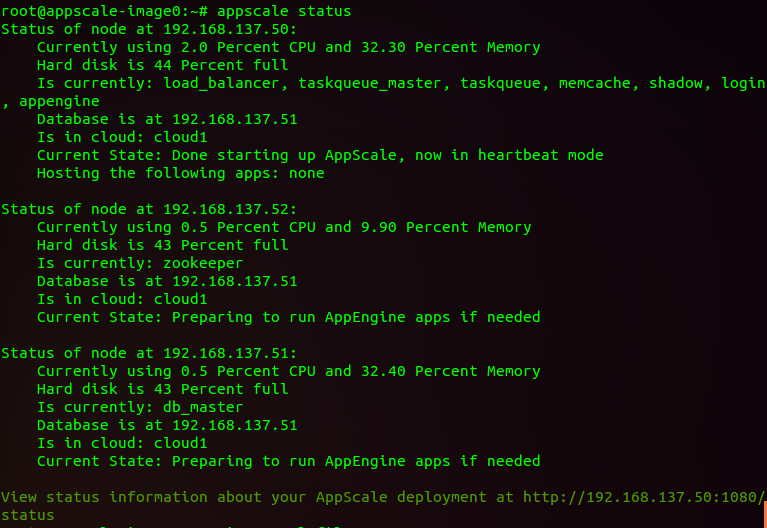
使用命令查看appscale status查看集群的状态:
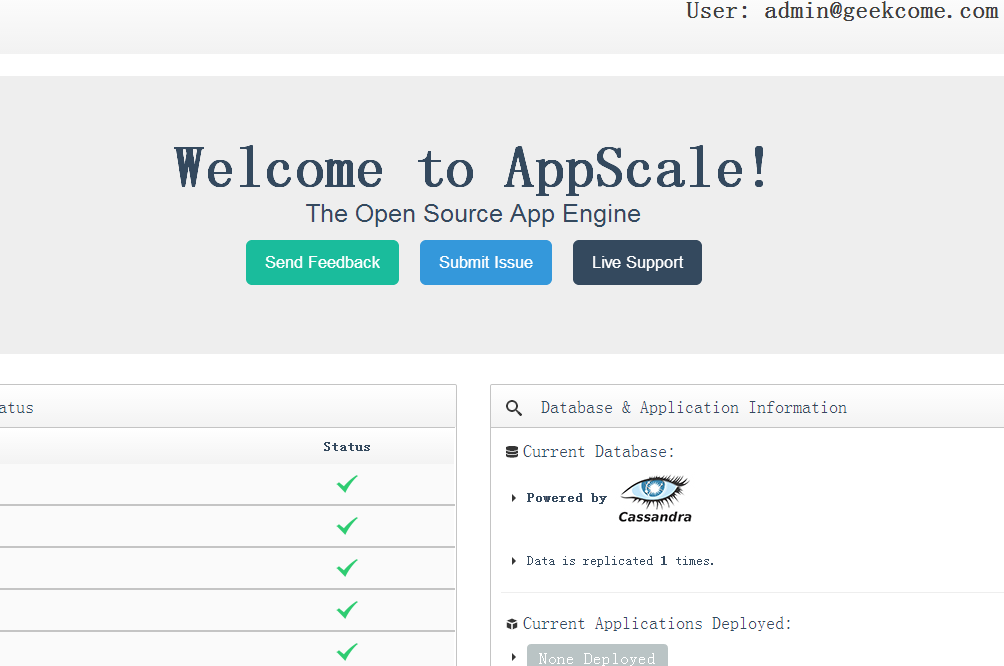
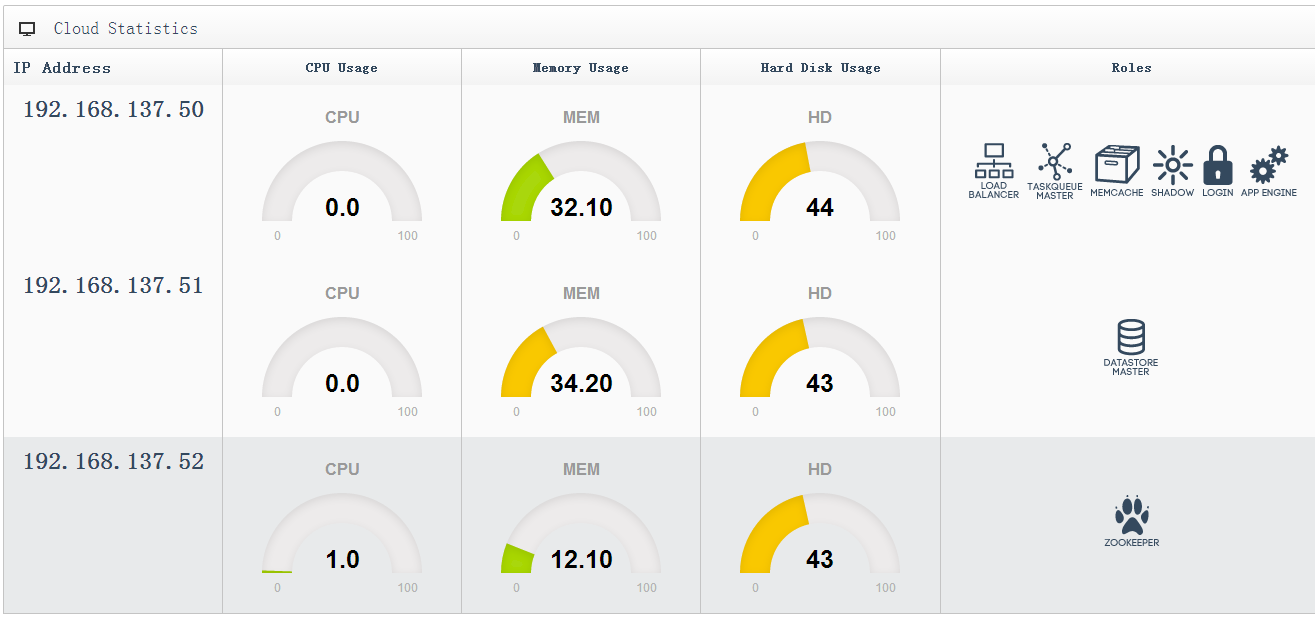
能够登录web管理端:https://192.168.137.50:1443/
(完)
PaaS平台– Google App Engine的开源实现AppScale环境搭建的更多相关文章
- 如何架设部署V2EX社区/论坛(Google App Engine版)
1.What's V2EX? 关于这个问题,我们可以看看其作者Livid早期自己的V2EX社区的介绍: What's V2EX? 这是很多人都问过的问题,而我一直都没有做出一个明确的解答.因为我实在觉 ...
- Google App Engine, Python2.7的UnicodeDecodeError bug
在跟Web Development,要在Google App Engine上写作业,出师不利,遇到以下bug: 2014-05-06 16:14:17 Running command: "[ ...
- [Ubuntu] Linux下使用google app engine,无法打开https网站的解决方法
为什么这里写的是 google app engine?原因我就不解释了.步骤如下: 1)安装证书导入工具:$ sudo apt-get install libnss3-tools 2)导入CA.crt ...
- 介绍Google App Engine
Google App Engine是一个网络应用托管服务(web application hosting service).所谓网络应用(By web application),我们的意思的可以通过网 ...
- Google App Engine Deployment 相关问题
1.GAE instance上传成功之后可以正常运行的情况下.在Google账户中“关联的应用和网站”,撤销Google App Engine appcfg对Google账户的访问权限. 再次上传时, ...
- Google App Engine 学习和实践
这个周末玩了玩Google App Engine,随手写点东西,算是学习笔记吧.不当之处,请多多指正. 作者:liigo,2009/04/26夜,大连 原创链接:http://blog.csdn.ne ...
- 使用Google App Engine开始新的网站开发学习
继长时间的迷茫后,我发现还是回归php网站开发更适合我,或者没有那么深刻,但至少要做点事情.不知道以后将从事什么样的工作,但现在找点事情做还是很好的.所以,为了激发我学习的热情,我在网上搜了一下免费云 ...
- Google Web Toolkit(GWT) 在windows下环境搭建
1.什么是GWT? Google Web Toolkit(简称GWT,读作/ˈɡwɪt/),是一个前端使用JavaScript,后端使用Java的AJAX framework,以Apache许可证2. ...
- 给Eclipse安装Google app engine插件
1.一般的做法: 参考:https://developers.google.com/eclipse/docs/install-eclipse-4.3 2. 因为 上面的做法一直没有成功,改为下载离线包 ...
随机推荐
- 怎样在 Azure 应用服务中生成和部署 Java API 应用
先决条件 Java 开发人员工具包 8(或更高版本) 已在开发计算机上安装 Maven 已在开发计算机上安装 Git Azure 订阅付费版或试用版 HTTP 测试应用程序,如 Postman 使用 ...
- C# 请求Https
/// <summary> /// Get请求 /// </summary> /// <param name="Url"></param& ...
- jvm工具及命令大全
虚拟机栈 栈桢大小缺省为1M,可用参数 –Xss调整大小,例如-Xss256k 堆 -Xms:堆的最小值: -Xmx:堆的最大值: -Xmn:新生代的大小: -XX:NewSize:新生代最小值: ...
- C#学习笔记-接口与抽象类
namespace ClassLesson { class Program { static void Main(string[] args) { ); Console.WriteLine(perso ...
- COCI2017-2018-2 San
题意 有\(n \leq 40\)个节点,每个节点有权值\(H \leq 1e9\)和贡献\(v \leq 1e9\),从任意一个点可以向右跳到一个权值不小于它的节点,并获得该点贡献 可以从任意一个点 ...
- UOJ169. 【UR #11】元旦老人与数列
传送门 考虑用 \(segment~tree~beats\) 那一套理论,维护区间最小值 \(mn\) 和严格次小值 \(se\) 那么可以直接 \(mlog^2n\) 维护前三个操作 考虑维护历史最 ...
- BZOJ3512:DZY Loves Math IV
传送门 Sol 好神仙的题目.. 一开始就直接莫比乌斯反演然后就 \(GG\) 了 orz 题解 permui 枚举 \(n\),就是求 \(\sum_{i=1}^{n}S(i,m)\) 其中\(S( ...
- 教程:让你的表单升级到CSS3和HTML5客户端验证
今天我们一起来看看如何创建一个实用并且功能强大的表单,表单使用如今最热门的技术HTML5和css3来创建,并且可以通过HTML5进行客户端验证. 查看预览下载附件 第一步:策划表单功能 首先,我们得为 ...
- jQuery全能图片滚动插件
插件开发背景 随着前端开发领域越来越受到重视,前端开发也变得越来越火热.各种优秀的前端组件层出不穷.尤其是jQuery插件,很多前端组件都是基于jQuery开开发的. 图片滚动是前端开发中可以说是非常 ...
- JavaScript自定义字符串格式化
在JS中没有字符串拼接的方法,如过要使用怎么办呢?这时我们可以通过字符串的prototype可以自定义方法. <script> String.prototype.format = func ...