
Program Hyundai i20 Smart Key with VVDI & Xtool X100 Pad2
How-to: generate and program Hyundai i20 smart key with VVDI Mini Key Tool and XTOOL X100 PAD2.
Step 1: Generate remote with VVDI Mini Key Tool
Insert Xhorse universal smart key into detection coil
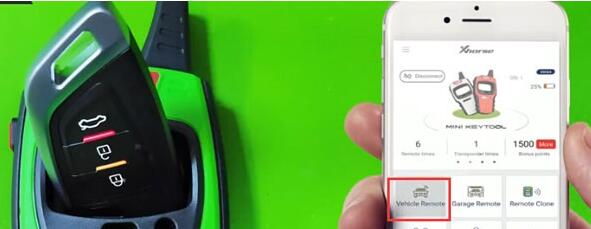
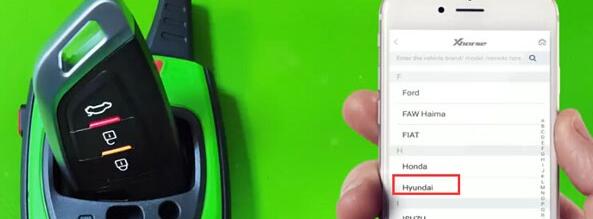
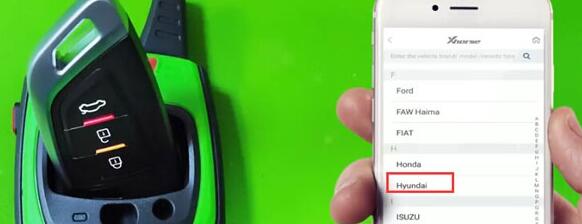
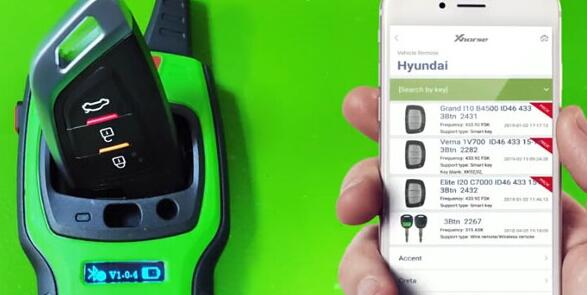
Select Vehicle Remote->Hyundai->Elite i20 C7000 ID46 433 15+ 3BTn 2432
Press Generate
Generating remote in progress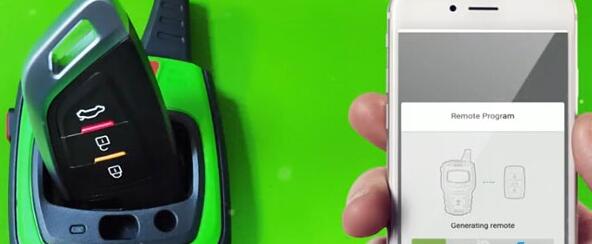
Generate remote succeed
Step 2: Program smart key with xtool x100 pad2
Connect X100 pad 2 with vehicle via OBD socket
Select Hyundai->Security Code->47 Authorization code (smart card)

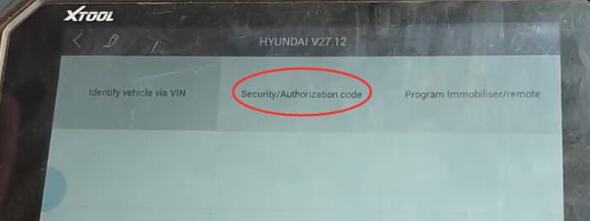
Enable network connection before reading security code
Turn on ignition switch
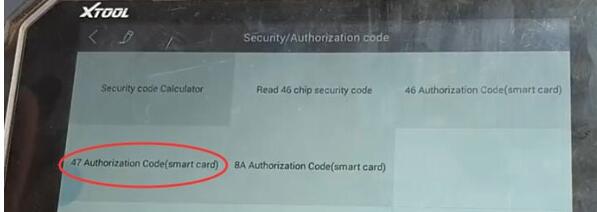
Read security code success
Select Program Immobilizer/remote->Smart key system->China-> Type 5 (without card slot)
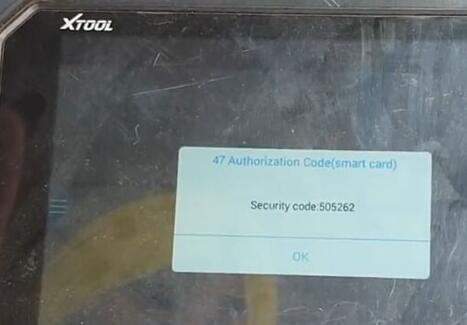
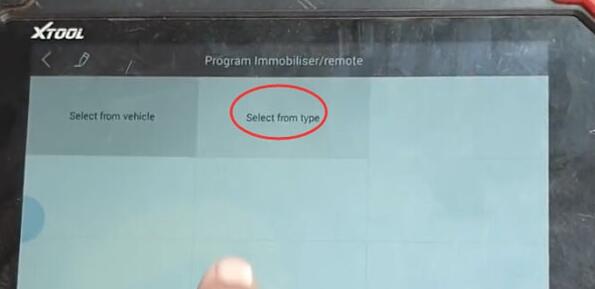

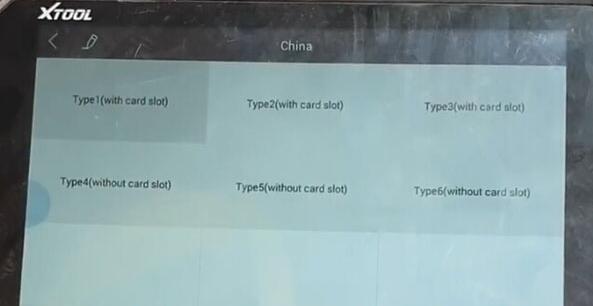
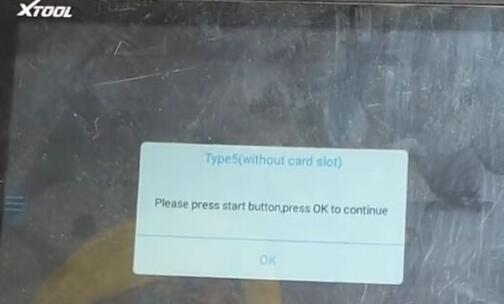
Press Start button to continue
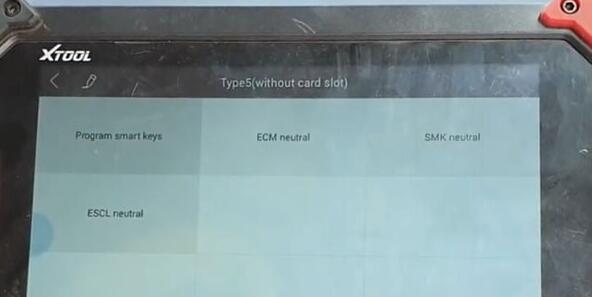
Select Program smart keys
Xtool X100 pad 2 will ask to enter security code to access
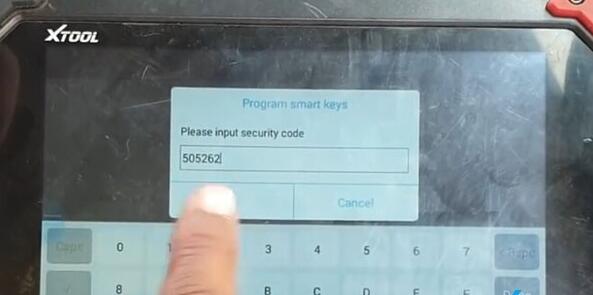
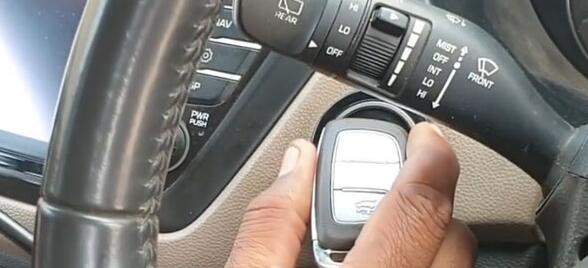
Put the original key close to the Start button
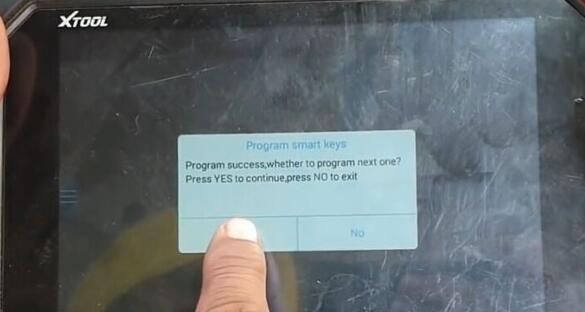
Program success. Press YES to program next key
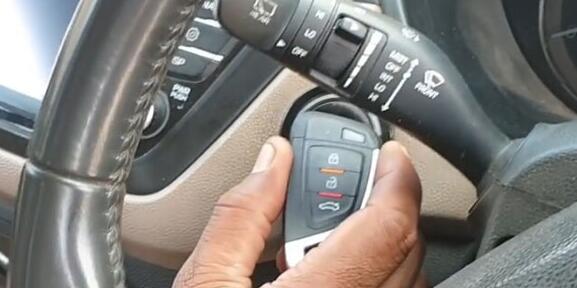
Put the smart key to be programmed close to the Start button
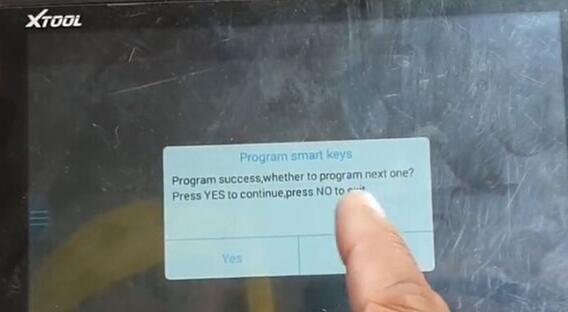
Program smart key success
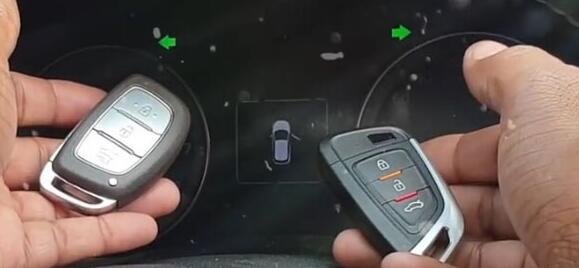

Test remote control and start car.
Done.
Program Hyundai i20 Smart Key with VVDI & Xtool X100 Pad2的更多相关文章
- The best way to use Xtool X100 PAD2 for FEM programming
Look here: XTOOL X100 PAD2 is new FEM programming. Possible to use Xtool X100 PAD2 for FEM programmi ...
- Lonsdor K518ISE free update news on what makes and year can work
Lonsdor K518ISE engineers recently tested a number of cars and verified working great, below are tes ...
- How to use BMW Multi Tool 7.3 to replace lost key for BMW X1
BMW Multi Tool 7.3 version is a high quality auto key programmer that supports CAS 1, CAS2, CAS3, CA ...
- Lonsdor K518ISE Key Programmer Review
Lonsdor K518ISE key programmer is the latest version of Lonsdor, with wider vehicle coverage in key ...
- Smart Contracts
A smart contract is a computer code running on top of a blockchain containing a set of rules under w ...
- Lonsdor K518ISE SCION 2011-2018 Models Enabled!
Lonsdor released the Lonsdor K518ISE Key Programmer update announcement on 14-03-2019, saying it can ...
- RFID 仿真/模拟/监控/拦截/检测/嗅探器
Sound card based RFID sniffer/emulator (Too tired after recon.cx to do draw the schematics better th ...
- SAP ECC MM 配置文档
SAP ECC 6.0 Configuration Document Materials Management (MM) Table of Content TOC \o \h \z 1. Genera ...
- linux - console/terminal/virtual console/pseudo terminal ...
http://en.wikipedia.org/wiki/System_console System console Knoppix system console showing the boot p ...
随机推荐
- thingsboard改造使用mysql数据库
thingsboard从2.2版本开始,兼容关系型数据库与非关系型数据库共用(关系型数据库保存实体类信息.非关系型数据库cassandra保存遥测数据信息).由于国内偏向使用mysql数据库,而非po ...
- 树莓派(Raspberry Pi 3)安装centos7后yum无法使用解决办法
树莓派(Raspberry Pi 3)安装centos7后yum无法使用解决办法 人穷,闲鱼淘了个二手的树莓派3 英国版,无奈咱也不会用,很无奈~ 安装教程百度到的差不多都可以,找个格式正常的一步一步 ...
- C# winform三种方法判断文本框textBox内容是否为空
使用系统API函数,需要使用命名空间:System.Runtime.InteropServices: 1.if (textBoxPath.Text == String.Empty ) 2.if (t ...
- 解决由于服务器调用删除或添加字段后CXF客户端未更新导致异常问题org.apache.cxf.interceptor.Fault: Unmarshalling Error: Unexpected element
采用CXF客户端调用Webservice服务,由于服务端时不时会对Webservice服务删除或添加一些字段,而CXF未及时更新客户端代码导致再次调用服务时报异常错误: Interceptor for ...
- [解决]RESTEASY003215: could not find writer for content-type text/html type: java.lang.String
一.问题描述 1)项目一开始采用JAX-RS 2.1+Jersey 2.26调用REST服务能正常调用并获得正确响应: 2)当项目引入dubbo 2.6.2后也用到rest而dubbo要用到RESTE ...
- vue与dajngo
怎么说,网上找的例子真的不是一般的坑,根本就是少了很多流程让人故意看不懂 第一步,创建好我们的app django-admin startproject weeklyapp 这是创建我们的整个系统ap ...
- 三剑客之awkd的基本使用
1.awk的使用 1.1 基本的awk执行过程 #passwd文件的第二行的第一列和第二列 [root@xiaojin oldboy]# awk -F ":" 'NR==2{pri ...
- dojo动态生成图片并按中心缩放
首先,本人在项目动态加载图片是根据点击图片名称来获取图片所在地址,从而使其打开一个新的窗口显示图片的.这里根据每个人的也许需求进行更改(要么就是在本页面底下打开要么就是新建一个窗口打开),不做探讨. ...
- shell脚本中获取当前所在目录地址
shell脚本中获取当前所在目录如下 #!/bin/bash work_path=$() cd ${work_path} work_path=$(pwd) cd ${work_path}/src
- node图片资源捉取
开头先简单说明一下,因为网络资源上最多的资源就是图片,所以在这里也只简单的捉取了图片资源,至于其他的文档,音乐等我是没有试过的.所以暂时还是以图片为案例!!! Step1 首先我们需要加载我们需要的资 ...