
【spring boot】3.spring boot项目,绑定资源文件为bean并使用
整个例子的结构目录如下:
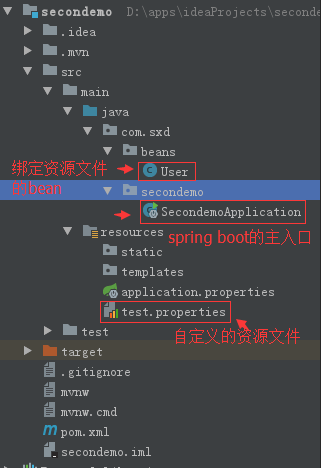
1.自定义一个资源文件
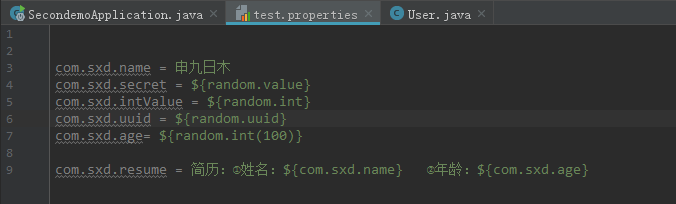
com.sxd.name = 申九日木

com.sxd.secret = ${random.value}

com.sxd.intValue = ${random.int}

com.sxd.uuid = ${random.uuid}

com.sxd.age= ${random.int(100)}

com.sxd.resume = 简历:①姓名:${com.sxd.name}   ②年龄:${com.sxd.age}
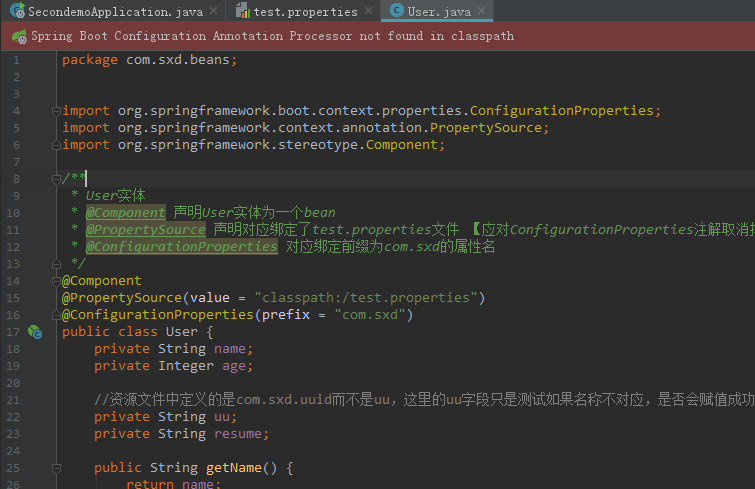
2.将资源文件中的属性绑定到一个bean上
package com.sxd.beans;

import org.springframework.boot.context.properties.ConfigurationProperties;

import org.springframework.context.annotation.PropertySource;

import org.springframework.stereotype.Component;

/**

 * User实体

 * @Component 声明User实体为一个bean

 * @PropertySource 声明对应绑定了test.properties文件 【应对ConfigurationProperties注解取消掉location的属性】

 * @ConfigurationProperties 对应绑定前缀为com.sxd的属性名

 */

@Component

@PropertySource(value = "classpath:/test.properties")

@ConfigurationProperties(prefix = "com.sxd")

public class User {

    private String name;

    private Integer age;

    //资源文件中定义的是com.sxd.uuid而不是uu,这里的uu字段只是测试如果名称不对应,是否会赋值成功

    private String uu;

    private String resume;

    public String getName() {

        return name;

    }

    public void setName(String name) {

        this.name = name;

    }

    public Integer getAge() {

        return age;

    }

    public void setAge(Integer age) {

        this.age = age;

    }

    public String getUu() {

        return uu;

    }

    public void setUu(String uu) {

        this.uu = uu;

    }

    public String getResume() {

        return resume;

    }

    public void setResume(String resume) {

        this.resume = resume;

    }

}
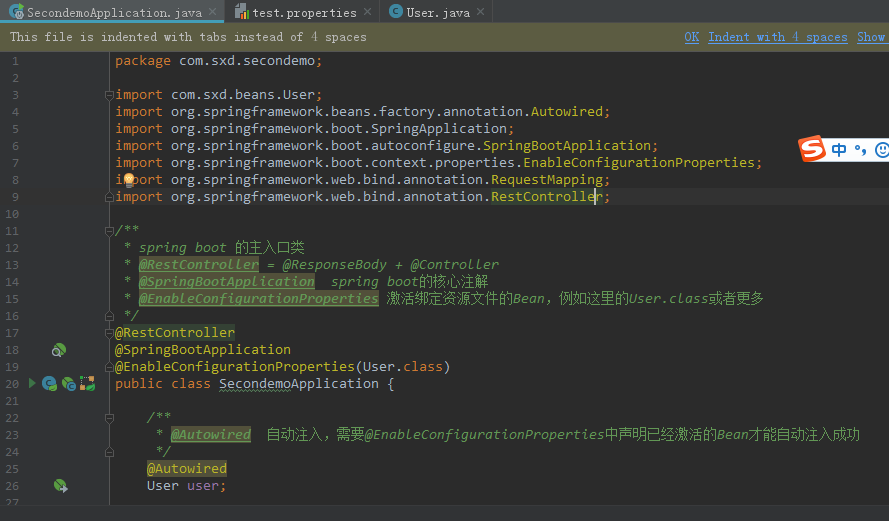
3.spring boot的主入口
package com.sxd.secondemo;

import com.sxd.beans.User;

import org.springframework.beans.factory.annotation.Autowired;

import org.springframework.boot.SpringApplication;

import org.springframework.boot.autoconfigure.SpringBootApplication;

import org.springframework.boot.context.properties.EnableConfigurationProperties;

import org.springframework.web.bind.annotation.RequestMapping;

import org.springframework.web.bind.annotation.RestController;

/**

 * spring boot 的主入口类

 * @RestController = @ResponseBody + @Controller

 * @SpringBootApplication  spring boot的核心注解

 * @EnableConfigurationProperties 激活绑定资源文件的Bean,例如这里的User.class或者更多

 */

@RestController

@SpringBootApplication

@EnableConfigurationProperties(User.class)

public class SecondemoApplication {

    /**

     * @Autowired  自动注入,需要@EnableConfigurationProperties中声明已经激活的Bean才能自动注入成功

     */

    @Autowired

    User user;

    /**

     * 请求地址为localhost:8080/即可访问到本方法

     * @return

     */

    @RequestMapping("/")

    public String hello(){

        /**

         * idea中 System.out.println()快捷方式为sout,然后Alt+Enter才能出来

         */

        System.out.println(user.getResume());

        return "打印简历:"+user.getResume()+"\n"+"uu是否有值:"+user.getUu();

    }

    public static void main(String[] args) {

        SpringApplication.run(SecondemoApplication.class, args);

    }

}
4.运行结果:

【spring boot】3.spring boot项目,绑定资源文件为bean并使用的更多相关文章
- 以Jar形式为Web项目提供资源文件
以Jar形式为Web项目提供资源文件 http://www.webjars.org/ Web前端使用了越来越多的JS或CSS如jQuery, Backbone.js 和Twitter Bootstra ...
- 在eclipse完成对Java_web项目里面资源文件的读取
Java_web项目的资源文件一般有两种: 一种是存放数据之间有联系的文件,使用xml文件 另一种是存放数据之间没有联系的文件,使用properties文件 这里我们对properties文件读写做示 ...
- Spring MVC程序中怎么得到静态资源文件css,js,图片文件的路径问题
问题描述 在用springmvc开发应用程序的时候.对于像我一样的初学者,而且还是自学的人,有一个很头疼的问题.那就是数据都已经查出来了,但是页面的样式仍然十分简陋,加载不了css.js,图片等资源文 ...
- Spring 加载类路径外的资源文件
原文:http://blog.csdn.net/gaofuqi/article/details/46417259 <bean id="propertyConfigurer" ...
- Eclipse 下如何引用另一个项目的资源文件
为什么要这么做?可参考:Eclipse 下如何引用另一个项目的Java文件 下面直接说下步骤:(项目A 引用 项目B的资源文件) 1.右键 项目A,点击菜单 Properties 2.在弹出的框中,点 ...
- eclipse导入maven项目,资源文件位置显示不正确
eclipse导入maven项目后,资源文件位置显示不正确,如下图所示 解决方法: 在resources上右键Build Path,选择Use as Source Folder即可正确显示资源文件
- c# 反射取其他项目的资源文件
反射获取其他项目里面的资源文件. dll或exe里面 try { System.Reflection.Assembly dll = System.Reflection.Assembly.LoadFil ...
- web项目获取资源文件
首页 博客 学院 CSDN学院 下载 论坛 APP CSDN 问答 商城 活动 VIP会员 专题 招聘 ITeye GitChat GitChat 图文课 写博客 消息 1 评论 关注 点赞 回答 系 ...
- Intellij IDEA项目添加资源文件
添加了一个资源文件,但读取的时候出错了 prop.load(Config.class.getResourceAsStream("/resources/dbconfig.properties& ...
随机推荐
- 数据结构-用C++实现一个二叉树,递归方法中序遍历
1:二叉排序树,又称二叉树.其定义为:二叉排序树或者空树,或者是满足如下性质的二叉树. (1)若它的左子树非空,则左子树上所有节点的值均小于根节点的值. (2)若它的右子树非空,则右子树上所有节点的值 ...
- linux环境下使用jmeter进行压力测试
linux环境下使用jmeter进行压力测试 linux环境下使用就meter进行压力测试: linux环境部署: 在Linux服务器先安装jdk: 2.以jdk-8u172-linux-x64.ta ...
- word2vec原理与代码
目录 前言 CBOW模型与Skip-gram模型 基于Hierarchical Softmax框架的CBOW模型 基于Negative Sampling框架的CBOW模型 负采样算法 结巴分词 wor ...
- HearthBuddy中_settings.txt的更详细参数解释
https://tieba.baidu.com/p/5275382967 默认的配置不是很合理,花了点时间读了下silverfish(也就是兄弟用的AI)的代码后也尝试修改了些参数,有没有效果仁者见仁 ...
- koa 项目实战(六)注册接口加密
1.创建工具类 根目录/config/tools.js const bcrypt = require('bcryptjs'); const tools = { enbcrypt(password) { ...
- mac 安装laravel
安装laravel之前先安装composer 使用 curl 指令下载: curl -sS https://getcomposer.org/installer | php 或是沒有安裝 curl ,也 ...
- Kafka API使用
- java数据机构之自定义栈
一.栈的特点 1.线性数据结构 2.后进先出 二.使用数组来实现栈 //使用数组来实现栈 public class MyArrayStack<E> { //保存数据 private Obj ...
- ASP.NET Core 入门笔记10,ASP.NET Core 中间件(Middleware)入门
一.前言 1.本教程主要内容 ASP.NET Core 中间件介绍 通过自定义 ASP.NET Core 中间件实现请求验签 2.本教程环境信息 软件/环境 说明 操作系统 Windows 10 SD ...
- Linux服务知识点总结
一.firewalld防火墙 1.firewalld简述 firewalld:防火墙,其实就是一个隔离工具:工作于主机或者网络的边缘.对于进出本主机或者网络的报文根据事先定义好的网络规则做匹配检测,对 ...