
在spring boot微服务中使用JWS发布webService
概述
详细
一、创建springboot项目
1.新建一个springboot项目,不需要添加任何依赖。
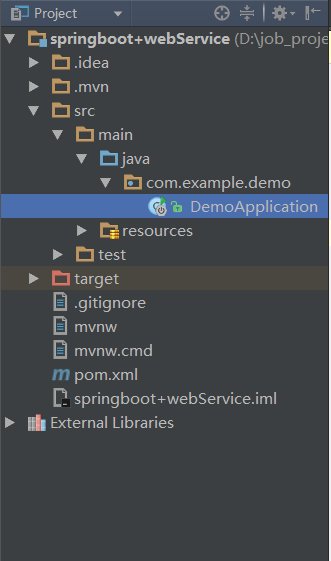
2.在启动类中编写一个接口,然后启动项目,访问http://localhost:8080测试项目是否存在问题。
package com.example.demo;

import org.springframework.boot.SpringApplication;

import org.springframework.boot.autoconfigure.SpringBootApplication;

import org.springframework.web.bind.annotation.RequestMapping;

import org.springframework.web.bind.annotation.RestController;

@SpringBootApplication

@RestController

public class DemoApplication {

   public static void main(String[] args) {

      SpringApplication.run(DemoApplication.class, args);

   }

   @RequestMapping("/")

   public String hello(){

      return "hello spring boot";

   }

}
二、编写webservice接口
在com.example.demo路径下新建webservice目录,并在该目录下新建webservice接口TestService.java,编写一个webService接口方法。
在该接口上使用javax.jws.WebServcie注解;在方法上使用javax.jws.WebMethod注解。
package com.example.demo.webservice;

import javax.jws.WebMethod;

import javax.jws.WebParam;

import javax.jws.WebService;

@WebService

public interface TestService {

    @WebMethod

    String hiWebService(@WebParam(name = "hi") String s);

}
3.在相同路径下新建TestService接口的实现类TestServiceImpl.java,实现接口方法。并且在该类上使用javax.jws.WebService注解和org.springframework.stereotype.Service注解,是该类即是一个webService接口服务类又是作为一个可以被spring管理的bean。
package com.example.demo.webservice;

import org.apache.commons.logging.Log;

import org.apache.commons.logging.LogFactory;

import org.springframework.stereotype.Service;

import javax.jws.WebService;

@WebService

@Service

public class TestServiceImpl implements TestService{

    private Log log = LogFactory.getLog(TestServiceImpl.class);

    @Override

    public String hiWebService(String s) {

        String msg = "获取内容:"+s;

        log.info(msg);

        return msg;

    }

}
三、启动配置
使用ApplicationContext事件机制来完成webService接口的自动发布。
使用ApplicationListener监听ContextRefreshedEvent事件。ContextRefreshedEvent就是在ApplicationContext被初始化(所有的bean被成功装载,后处理bean被检测或成功激活,所有的singleton bean被实例化,ApplicationConte容器已就绪可用)或刷新时,该事件被发布。
在webservice目录下新建一个类BeforeStartUp.java,实现ApplicationListene接口。
重写onApplicationEvent方法。在该方法中发布webService服务。使用javax.xml.ws.Endpoint的publish方法发布。该方法有两个参数,第一个是要使用的地址和传输/协议的URI。URI必须使用SOAP 1.1 / HTTP 绑定。第二个参数是webService的接口实现类。
该类也必须使用@Service,@Component或者@Configuration注解被spring管理,使其可以被自动装载。
package com.example.demo.webservice;

import org.apache.commons.logging.Log;

import org.apache.commons.logging.LogFactory;

import org.springframework.beans.factory.annotation.Autowired;

import org.springframework.beans.factory.annotation.Value;

import org.springframework.context.ApplicationListener;

import org.springframework.context.event.ContextRefreshedEvent;

import org.springframework.stereotype.Service;

import javax.xml.ws.Endpoint;

@Service

public class BeforeStartUp implements ApplicationListener<ContextRefreshedEvent>{

    private Log log = LogFactory.getLog(BeforeStartUp.class);

//    @Value("${spring.ws.address}")

    private static String address = "http://localhost:8002/ws/hello";

    @Autowired

    private TestService testService;

    @Override

    public void onApplicationEvent(ContextRefreshedEvent event) {

            Endpoint.publish(address,testService);

            log.info("webService 服务发布成功!!!");

            log.info("wsdl地址:"+address+"?wsdl");

    }

}
四、启动应用,自动发布
启动应用程序,观察控制台日志。出现如下日志即表示服务发布成功。
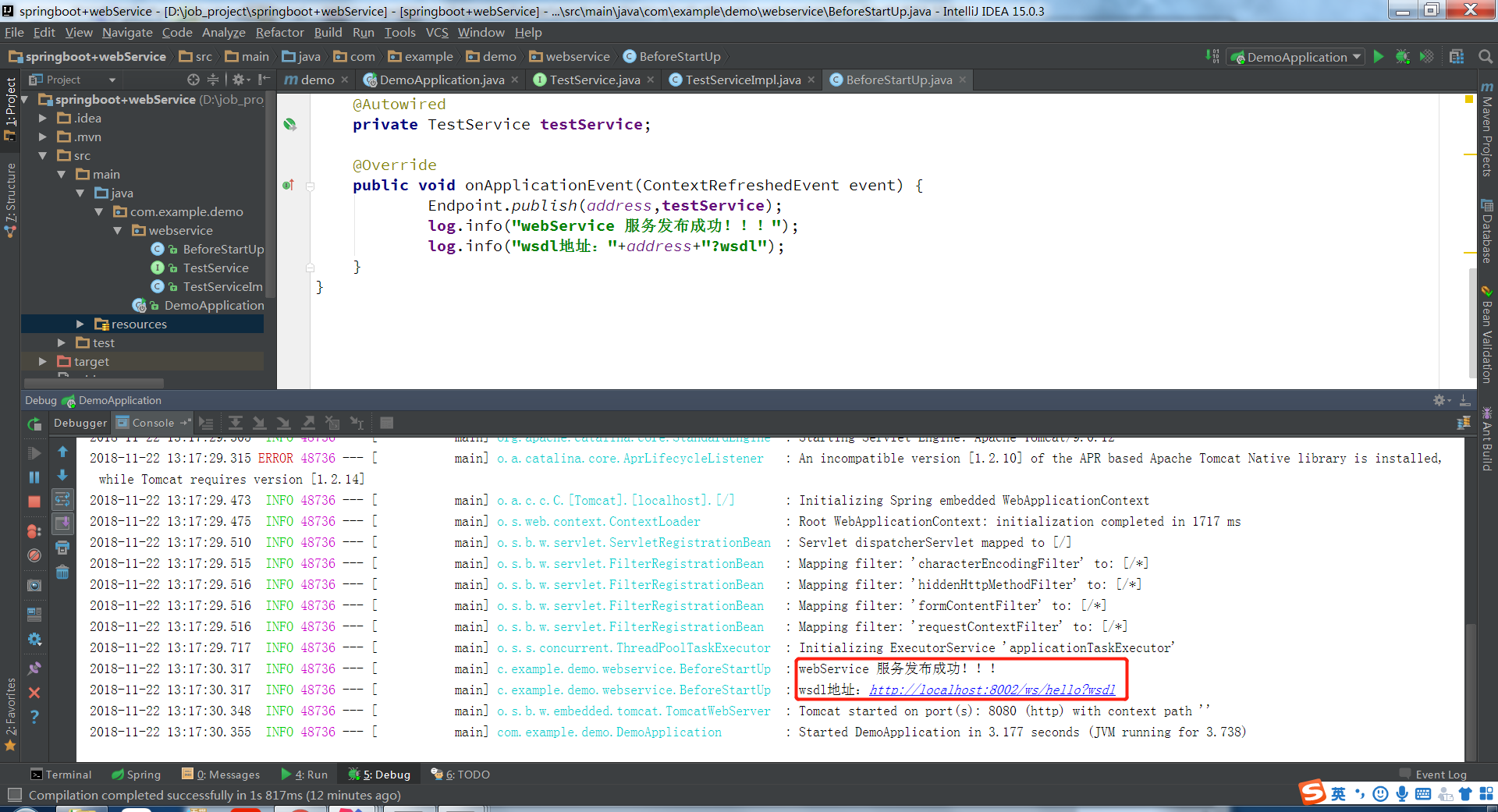
点击wsdl地址即可在浏览器上查看该webService的wsdl的内容。
由于webService是跨平台的。只要通过该wsdl文件就可以生成相应平台上的客户端或者服务端代码。
五、生成客户端代码(使用的是IDEA编辑器),通过客户端访问webservice接口
新建一个Java项目。
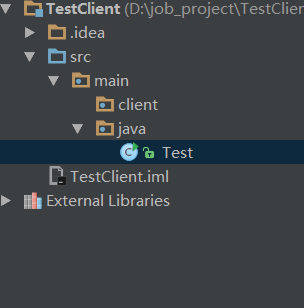
右击client,选择webService,选择generate java code from wsdl

3.
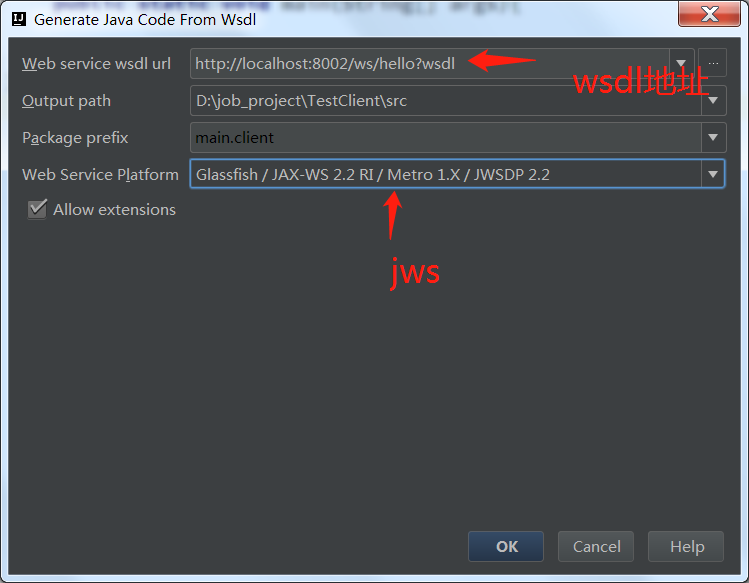
4.点击ok即可生成客户端代码。调用接口跟平常写程序调用方法没什么两样。方法在TestServiceImpl中,获取TestServiceImpl对象的方法在TestServcieImplService中。在main方法中调用:
package main.java;

import main.client.TestServiceImpl;

import main.client.TestServiceImplService;

public class Test {

    public static void main(String[] args){

        TestServiceImpl service = (new TestServiceImplService()).getTestServiceImplPort();

        String s = service.hiWebService("hi webService!");

        System.out.println(s);

    }

}
六、运行main方法、查看接口调用
客户端:
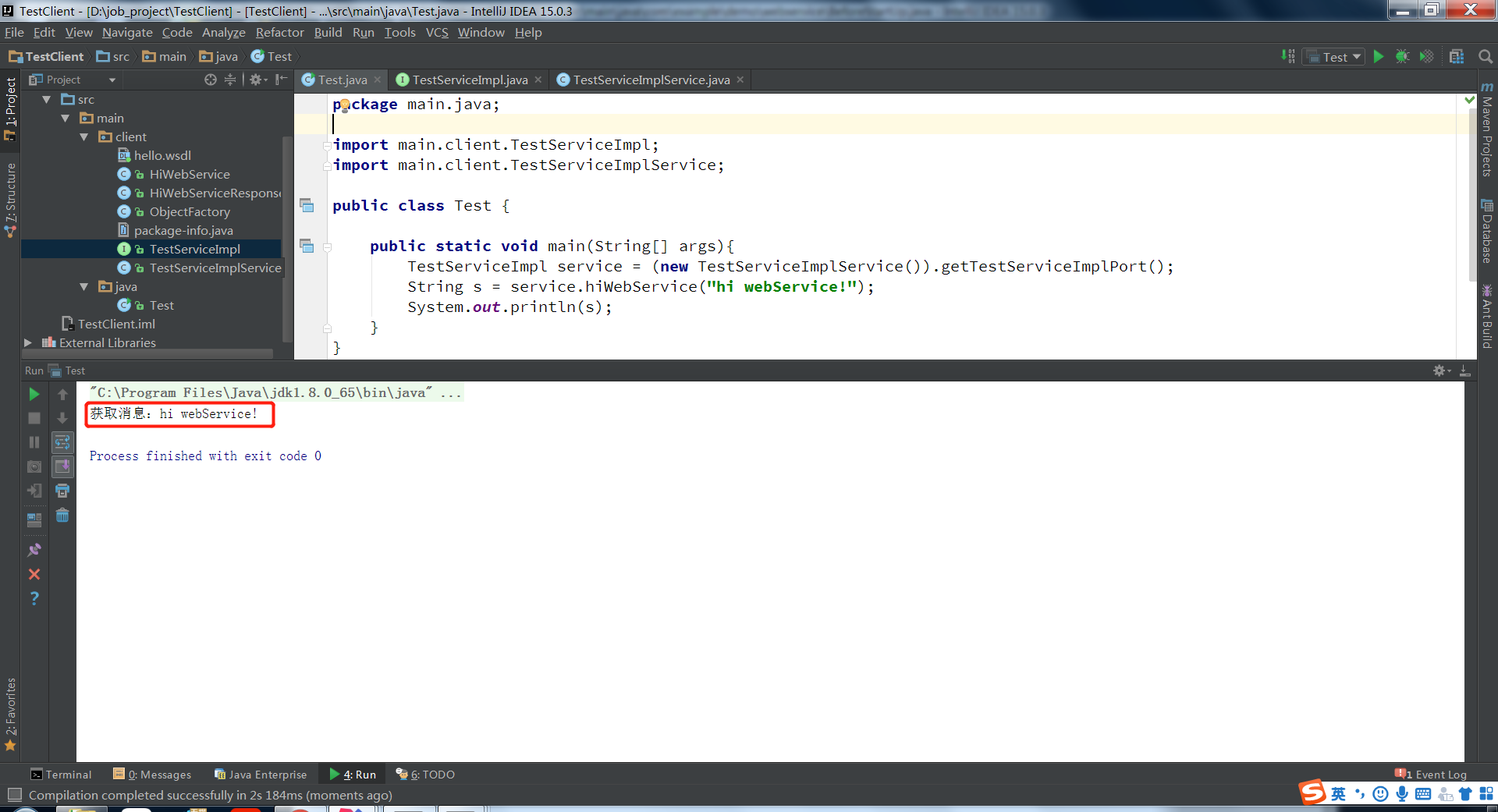
说明接口已经成功调用。
服务端:
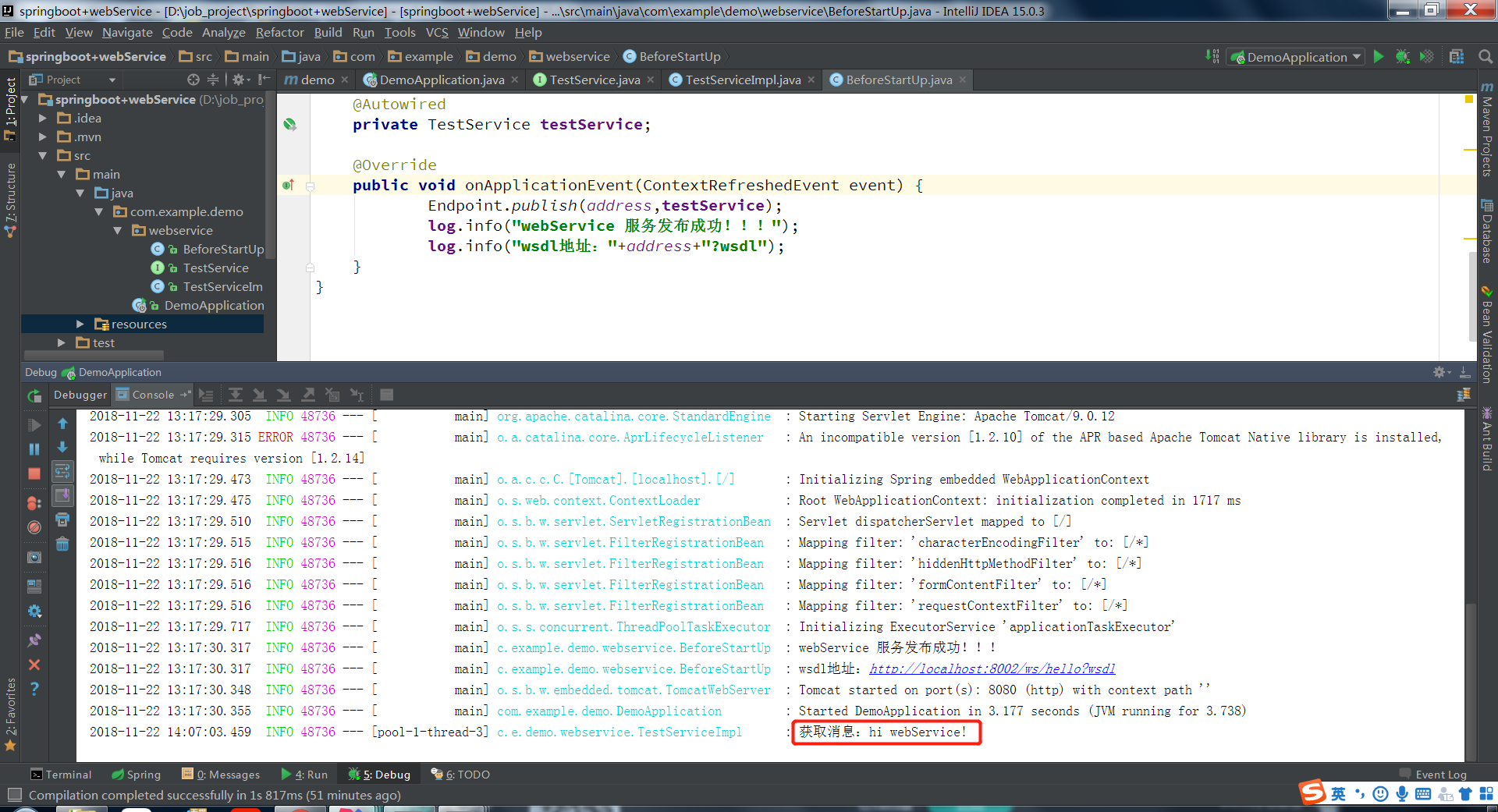
七、项目结构
本例子分为两部分,有客户端,也有webservice端,如下所示:

注:本文著作权归作者,由demo大师发表,拒绝转载,转载需要作者授权
在spring boot微服务中使用JWS发布webService的更多相关文章
- 【原创】Docker容器及Spring Boot微服务应用
Docker容器及Spring Boot微服务应用 1 什么是Docker 1.1 Docker的出现 问题一:项目实施环境复杂问题 传统项目实施过程中经常会出现“程序在我这跑得好好的,在你那怎么就不 ...
- 【spring boot】spring cloud下spring boot微服务启动没有报错,但是访问访问不到
spring cloud下spring boot微服务启动没有报错,但是访问访问不到 解决方法: 可能是端口被占用了,但是依旧启用成功了. 更改一下项目启用的端口号,再重新启动查看是否可以正常访问.
- Spring Boot 微服务应用集成Prometheus + Grafana 实现监控告警
Spring Boot 微服务应用集成Prometheus + Grafana 实现监控告警 一.添加依赖 1.1 Actuator 的 /prometheus端点 二.Prometheus 配置 部 ...
- Spring Cloud微服务中网关服务是如何实现的?(Zuul篇)
导读 我们知道在基于Spring Cloud的微服务体系中,各个微服务除了在内部提供服务外,有些服务接口还需要直接提供给客户端,如Andirod.IOS.H5等等. 而一个很尴尬的境地是,如果直接将提 ...
- 基于Centos7.4搭建prometheus+grafana+altertManger监控Spring Boot微服务(docker版)
目的:给我们项目的微服务应用都加上监控告警.在这之前你需要将 Spring Boot Actuator引入 本章主要介绍 如何集成监控告警系统Prometheus 和图形化界面Grafana 如何自定 ...
- Spring Boot微服务架构入门
概述 还记得在10年毕业实习的时候,当时后台三大框架为主流的后台开发框架成软件行业的标杆,当时对于软件的认识也就是照猫画虎,对于为什么会有这么样的写法,以及这种框架的优势或劣势,是不清楚的,Sprin ...
- Spring Boot微服务如何集成fescar解决分布式事务问题?
什么是fescar? 关于fescar的详细介绍,请参阅fescar wiki. 传统的2PC提交协议,会持有一个全局性的锁,所有局部事务预提交成功后一起提交,或有一个局部事务预提交失败后一起回滚,最 ...
- Spring Cloud 微服务中搭建 OAuth2.0 认证授权服务
在使用 Spring Cloud 体系来构建微服务的过程中,用户请求是通过网关(ZUUL 或 Spring APIGateway)以 HTTP 协议来传输信息,API 网关将自己注册为 Eureka ...
- Spring Boot微服务框架的搭建
(1)spring boot简介 Spring Boot是由Pivotal团队提供的全新框架,其设计目的是用来简化新Spring应用的初始搭建以及开发过程.该框架使用了特定的方式来进行配置,从而使开发 ...
随机推荐
- maven打包加时间戳
基于Maven的项目,发布时需要打包,如tar.gz.web项目打成war格式包.每次打包时希望自己加上时间戳,假如我的项目名是myproject,默认打包后名为myproject.war.而我希望的 ...
- Leap Motion 上手体验
很早之前就关注了Leap Motion这个颠覆性的体感操作设备,如今7月22日上市至今已经一个月左右,淘宝的价格也已经降到650元,虽说相对国外还是偏贵,但是已经忍不住尝尝鲜了. Leap Motio ...
- boost并发编程boost::atomic
三个用于并发编程的组件: atomic,thread,asio(用于同步和异步io操作) atomic atomic,封装了不同计算机硬件的底层操作原语,提供了跨平台的原子操作功能,解决并发竞争读 ...
- C++ 反射机制的简单实现
C++并不支持反射机制,只能自己实现. 如果需要实现字字符串到函数到映射,一定要使用到函数指针. 简单实现反射机制,根据字符串来构造相应到类.主要有以下几点: (1) 可以使用map保存字符从到函数指 ...
- go语言之进阶篇 channel介绍
1.channel介绍 和map类似,channel也一个对应make创建的底层数据结构的引用. 当我们复制一个channel或用于函数参数传递时,我们只是拷贝了一个channel引用,因此调用者何被 ...
- 解决easyui combobox不能默认选中
开始出现很奇怪的问题,ff没有问题IE8还是会出现不能选中默认项的问题,更改了select.input的方式,数据加载方式也更改为json的方式,未果,最后将datagrid toolbar的初始化放 ...
- ubuntu完全卸载apache2
最近刚接触ubuntu和apache,第一次配置就被apahce搞到完全崩溃,跟着网上的配置修改apache的charset和apache2.conf以后,开始出现访问http://localhost ...
- (转)【风宇冲】Unity3D教程宝典之Blur
原创文章如需转载请注明:转载自风宇冲Unity3D教程学院 BlurBlur模糊其实理解了以后非常简单.核心原理就是 1个点的颜色 并不用该点的颜色,而是用该点周围 ...
- MongoDB的Invalid credentials for database
前面都好好的,结果服务器数据库加了一个验证,查了一下,也不算复杂,只要把连接串一改就行了. 结果,不断报错——Invalid credentials for database 找了半天原因,原来是我用 ...
- Mathematica 文本界面获得之前的结果
使用%号做标记.获得文本界面之前的运算结果: