
POPSpring动画参数详解
POPSpring动画参数详解
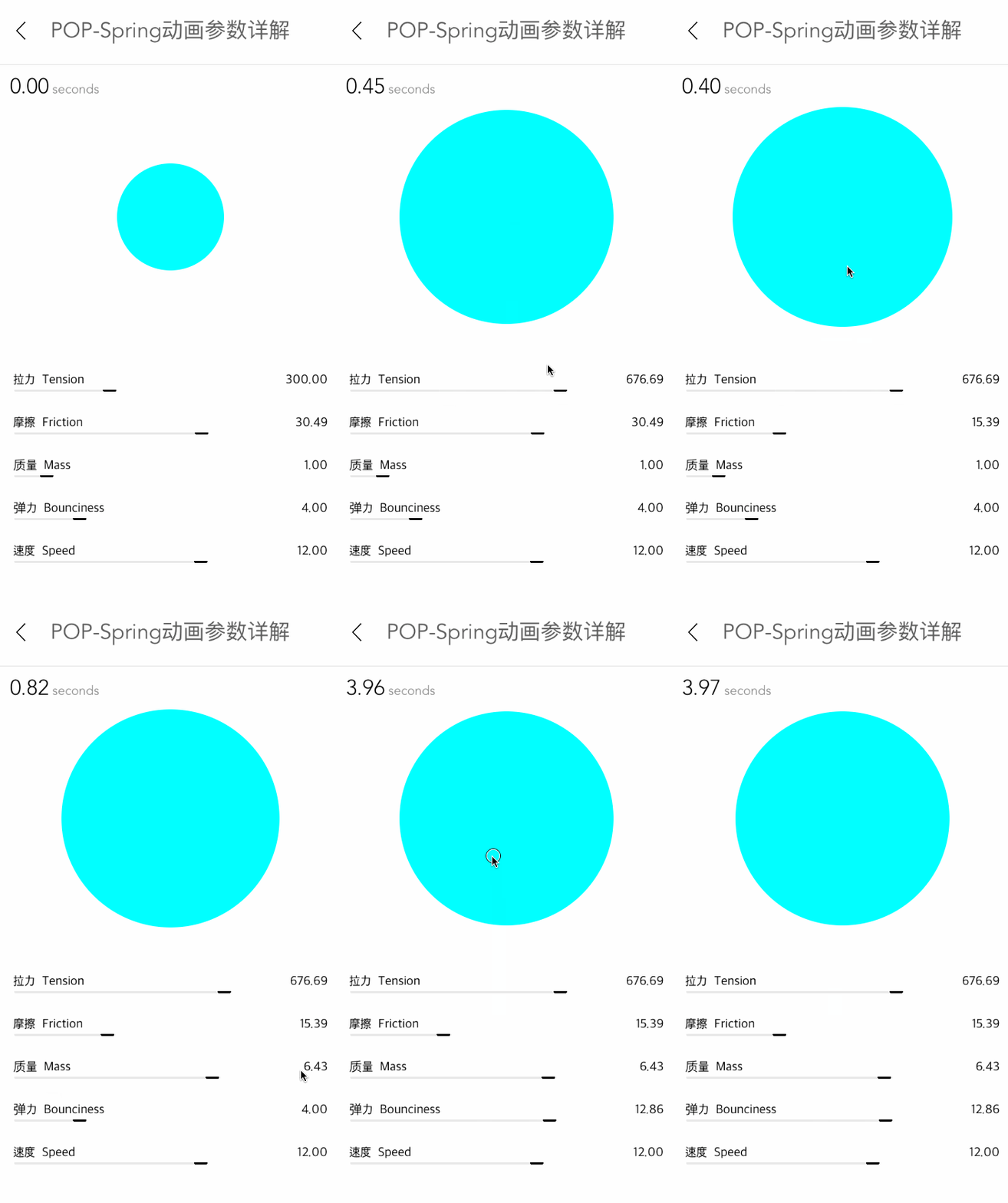
效果
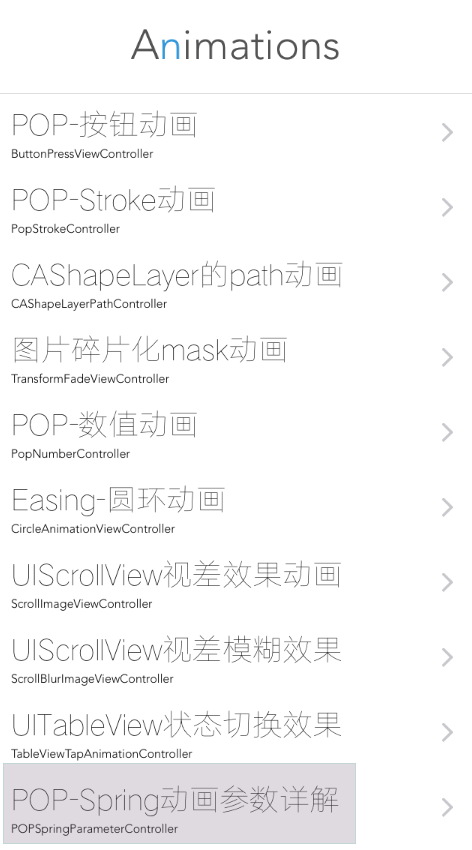
源码
https://github.com/YouXianMing/Animations
//

//  POPSpringParameterController.m

//  Animations

//

//  Created by YouXianMing on 15/11/29.

//  Copyright © 2015年 YouXianMing. All rights reserved.

//

#import "POPSpringParameterController.h"

#import "RangeValueView.h"

#import "UIView+SetRect.h"

#import "POP.h"

#import "FontAttribute.h"

#import "ForegroundColorAttribute.h"

#import "NSMutableAttributedString+StringAttribute.h"

#define  Width   [UIScreen mainScreen].bounds.size.width

#define  Height  [UIScreen mainScreen].bounds.size.height

@interface POPSpringParameterController ()

@property (nonatomic, strong) UILabel  *secondsLabel;

@property (nonatomic, strong) NSDate   *dateStart;

@property (nonatomic, strong) RangeValueView *rangeSpeed;

@property (nonatomic, strong) RangeValueView *rangeBounciness;

@property (nonatomic, strong) RangeValueView *rangeMass;

@property (nonatomic, strong) RangeValueView *rangeFriction;

@property (nonatomic, strong) RangeValueView *rangeTension;

@property (nonatomic, strong) UIButton *showView;

@end

@implementation POPSpringParameterController

- (void)viewDidLoad {

    [super viewDidLoad];

}

- (void)setup {

    [super setup];

    [self initSecondLabel];

    [self initButton];

    [self initRangeViews];

    [self bringTitleViewToFront];

}

- (void)initSecondLabel {

    self.secondsLabel                = [[UILabel alloc] initWithFrame:CGRectMake(,  + , , )];

    self.secondsLabel.attributedText = [self stringWithFloat:.f];

    [self.view addSubview:self.secondsLabel];

}

- (NSAttributedString *)stringWithFloat:(CGFloat)value {

    // 字符串

    NSString *stringValue  = [NSString stringWithFormat:@"%.2f", value];

    NSString *secondString = [NSString stringWithFormat:@"seconds"];

    NSString *totalString  = [NSString stringWithFormat:@"%@ %@", stringValue, secondString];

    // 字体

    UIFont *allFont        = Font_Avenir();

    UIFont *numFont        = Font_Avenir_Light();

    FontAttribute *totalFont = [FontAttribute new];

    totalFont.font           = allFont;

    totalFont.effectRange    = NSMakeRange(, totalString.length);

    FontAttribute *valueFont = [FontAttribute new];

    valueFont.font           = numFont;

    valueFont.effectRange    = [totalString rangeOfString:stringValue];

    ForegroundColorAttribute *textColor = [ForegroundColorAttribute new];

    textColor.color                     = [UIColor grayColor];

    textColor.effectRange               = NSMakeRange(, totalString.length);

    ForegroundColorAttribute *numColor = [ForegroundColorAttribute new];

    numColor.color                     = [UIColor blackColor];

    numColor.effectRange               = [totalString rangeOfString:stringValue];

    NSMutableAttributedString *attributeString = [[NSMutableAttributedString alloc] initWithString:totalString];

    [attributeString addStringAttribute:totalFont];

    [attributeString addStringAttribute:valueFont];

    [attributeString addStringAttribute:textColor];

    [attributeString addStringAttribute:numColor];

    return attributeString;

}

- (void)initButton {

    CGFloat gap = Height -  - * - ;

    CGFloat width                    = .f;

    self.showView                    = [[UIButton alloc] initWithFrame:CGRectMake(, , width, width)];

    self.showView.center             = CGPointMake(self.view.middleX,  + gap / .f);

    self.showView.backgroundColor    = [UIColor cyanColor];

    self.showView.layer.cornerRadius = self.showView.width / .f;

    [self.view addSubview:self.showView];

    [self.showView addTarget:self

                      action:@selector(doAnimation)

            forControlEvents:UIControlEventTouchUpInside];

}

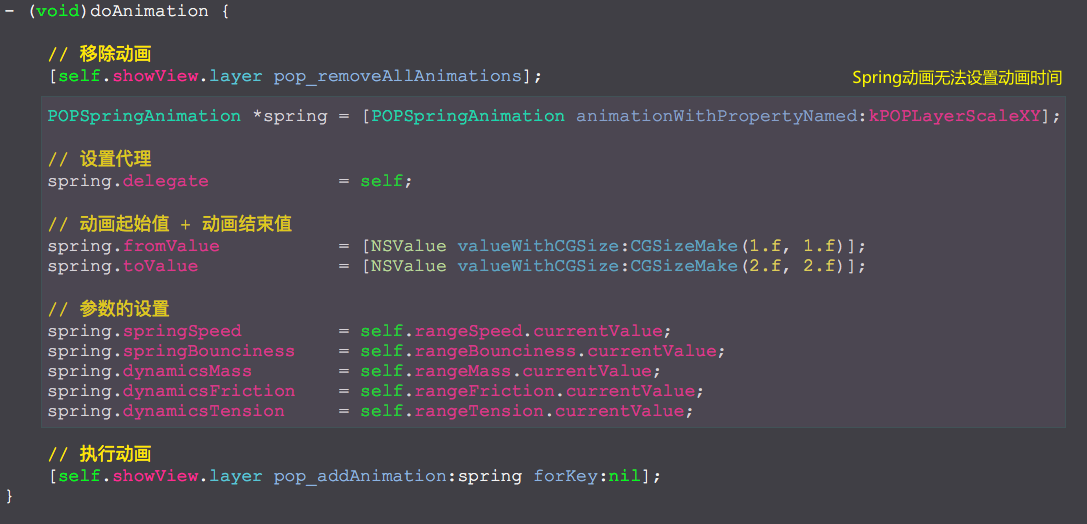
- (void)doAnimation {

    // 移除动画

    [self.showView.layer pop_removeAllAnimations];

    POPSpringAnimation *spring = [POPSpringAnimation animationWithPropertyNamed:kPOPLayerScaleXY];

    // 设置代理

    spring.delegate            = self;

    // 动画起始值 + 动画结束值

    spring.fromValue           = [NSValue valueWithCGSize:CGSizeMake(.f, .f)];

    spring.toValue             = [NSValue valueWithCGSize:CGSizeMake(.f, .f)];

    // 参数的设置

    spring.springSpeed         = self.rangeSpeed.currentValue;

    spring.springBounciness    = self.rangeBounciness.currentValue;

    spring.dynamicsMass        = self.rangeMass.currentValue;

    spring.dynamicsFriction    = self.rangeFriction.currentValue;

    spring.dynamicsTension     = self.rangeTension.currentValue;

    // 执行动画

    [self.showView.layer pop_addAnimation:spring forKey:nil];

}

- (void)pop_animationDidStart:(POPAnimation *)anim {

    self.dateStart = [NSDate date];

}

- (void)pop_animationDidApply:(POPAnimation *)anim {

    CGFloat seconds                  = -[self.dateStart timeIntervalSinceNow];

    self.secondsLabel.attributedText = [self stringWithFloat:seconds];

}

- (void)pop_animationDidStop:(POPAnimation *)anim finished:(BOOL)finished {

    CGFloat seconds                  = -[self.dateStart timeIntervalSinceNow];

    self.secondsLabel.attributedText = [self stringWithFloat:seconds];

}

- (void)initRangeViews {

    self.rangeSpeed = [RangeValueView rangeValueViewWithFrame:CGRectMake(, Height - , Width - , )

                                                         name:@"速度  Speed"

                                                     minValue:.f

                                                     maxValue:.f

                                                 defaultValue:.f];

    [self.view addSubview:self.rangeSpeed];

    self.rangeBounciness = [RangeValueView rangeValueViewWithFrame:CGRectMake(, Height -  - , Width - , )

                                                              name:@"弹力  Bounciness"

                                                          minValue:.f

                                                          maxValue:.f

                                                      defaultValue:.f];

    [self.view addSubview:self.rangeBounciness];

    self.rangeMass = [RangeValueView rangeValueViewWithFrame:CGRectMake(, Height -  - *, Width - , )

                                                        name:@"质量  Mass"

                                                    minValue:0.1

                                                    maxValue:.f

                                                defaultValue:.f];

    [self.view addSubview:self.rangeMass];

    self.rangeFriction = [RangeValueView rangeValueViewWithFrame:CGRectMake(, Height -  - *, Width - , )

                                                            name:@"摩擦  Friction"

                                                        minValue:

                                                        maxValue:

                                                    defaultValue:30.486980];

    [self.view addSubview:self.rangeFriction];

    self.rangeTension = [RangeValueView rangeValueViewWithFrame:CGRectMake(, Height -  - *, Width - , )

                                                           name:@"拉力  Tension"

                                                       minValue:

                                                       maxValue:

                                                   defaultValue:];

    [self.view addSubview:self.rangeTension];

}

@end
细节
POPSpring动画参数详解的更多相关文章
- iOS:核心动画的详解介绍:CAAnimation(抽象类)及其子类
核心动画的详解介绍:CAAnimation(抽象类) 1.核心动画基本概念 Core Animation是一组非常强大的动画处理API,使用它能做出非常炫丽的动画效果,而且往往是事半功倍! 使用它 ...
- Android Animations 视图动画使用详解!!!
转自:http://www.open-open.com/lib/view/open1335777066015.html Android Animations 视图动画使用详解 一.动画类型 Andro ...
- VLC命令行参数详解
VLC命令行参数详解 2012-11-29 14:00 6859人阅读 评论(0) 收藏 举报 Usage: vlc [options] [stream] ...You can specify mul ...
- Android基础夯实--重温动画(五)之属性动画 ObjectAnimator详解
只有一种真正的英雄主义 一.摘要 ObjectAnimator是ValueAnimator的子类,它和ValueAnimator一样,同样具有计算属性值的功能,但对比ValueAnimator,它会更 ...
- Nginx主配置参数详解,Nginx配置网站
1.Niginx主配置文件参数详解 a.上面博客说了在Linux中安装nginx.博文地址为:http://www.cnblogs.com/hanyinglong/p/5102141.html b.当 ...
- iptables参数详解
iptables参数详解 搬运工:尹正杰 注:此片文章来源于linux社区. Iptalbes 是用来设置.维护和检查Linux内核的IP包过滤规则的. 可以定义不同的表,每个表都包含几个内部的链,也 ...
- chattr的常用参数详解
chattr的常用参数详解 作者:尹正杰 版权声明:原创作品,谢绝转载!否则将追究法律责任. 在实际生产环境中,有的运维工程师不得不和开发和测试打交道,在我们公司最常见的就是部署接口.每天每个人部署的 ...
- mha配置参数详解
mha配置参数详解: 参数名字 是否必须 参数作用域 默认值 示例 hostname Yes Local Only - hostname=mysql_server1, hostname=192.168 ...
- $.ajax()方法所有参数详解;$.get(),$.post(),$.getJSON(),$.ajax()详解
[一]$.ajax()所有参数详解 url: 要求为String类型的参数,(默认为当前页地址)发送请求的地址. type: 要求为String类型的参数,请求方式(post或get)默认为get.注 ...
随机推荐
- Visual Studio 2017各版本安装包离线下载
关于Visual Studio 2017各版本安装包离线下载.更新和安装的方法以及通过已下载版本减少下载量的办法 微软最近发布了正式版Visual Studio 2017并公开了其下载方式,不过由于V ...
- Asp.net MVC4 +EF6开发的个人网站源码和介绍(仅供新手学习)
本项目是我去年利用业余时间开发的,采用的是asp.net mvc 4 +EF6+三层架构,适合新手进行学习,高手就没有什么价值了,可以直接跳过. 源码和数据库下载(已上传到git):https://g ...
- linux添加桌面快捷方式
linux通过软件中心安装的程序快捷图标都放在/usr/share/applications/目录下.点选一个图标右键,选择复制到,目录选择桌面即可. 但是有一些软件自行安装后,在那个目录里没有 ...
- C#实例 Unity依赖注入使用
Unity是一个轻量级的可扩展的依赖注入容器,支持构造函数,属性和方法调用注入.Unity可以处理那些从事基于组件的软件工程的开发人员所面对的问 题.构建一个成功应用程序的关键是实现非常松散的耦合设计 ...
- 黑马程序员_java基础笔记(08)...GUI,网络编程,正则表达式
—————————— ASP.Net+Android+IOS开发..Net培训.期待与您交流! —————————— GUI(Graphical User Interface)(图形用户接口):用图形 ...
- 003 Scipy库简介
参考文档补充原本的文档: https://www.cnblogs.com/mrchige/p/6504324.html 一:原本的简单介绍 1.Scipy库 Scipy库是基于python生态的一款开 ...
- MySQL性能优化(七·下)-- 锁机制 之 行锁
一.行锁概念及特点 1.概念:给单独的一行记录加锁,主要应用于innodb表存储引擎 2.特点:在innodb存储引擎中应用比较多,支持事务.开销大.加锁慢:会出现死锁:锁的粒度小,并发情况下,产生锁 ...
- 基于Laravel开发博客应用系列 —— 构建博客后台管理系统
一个完整的博客应用不能没有后台管理系统.所以在本节中我们将继续完善博客应用 —— 开发后台管理系统. 1.创建路由 在上一节十分钟创建博客项目中,已经设置过了 app/Http/routes.php, ...
- react篇章-React State(状态)-将生命周期方法添加到类中
将生命周期方法添加到类中 在具有许多组件的应用程序中,在销毁时释放组件所占用的资源非常重要. 每当 Clock 组件第一次加载到 DOM 中的时候,我们都想生成定时器,这在 React 中被称为挂载. ...
- poj-1251-最小生成树
title: poj-1251-最小生成树 date: 2018-11-20 16:38:14 tags: acm 刷题 categories: ACM-最小生成树 概述 前段时间数据结构的课上提到了 ...