
ubuntu17.10安装LAMP并测试部署php探针系统
ubuntu17.10修改密码以及安装LAMP并部署php探针系统
步骤1:ubuntu17.10配置IP (这个版本配置IP方式改变较大,apt-get upgrade更新至最新以前配置方式也可以用了)
root@ubuntu:~# vi /etc/netplan/01-netcfg.yaml
# This file describes the network interfaces available on your system

# For more information, see netplan(5).

network:

  version: 2

  renderer: networkd

  ethernets:

    ens32:

      dhcp4: no

      dhcp6: no

      addresses: [192.168.10.222/24]

      gateway4: 192.168.10.1

      nameservers:

        addresses: [61.134.1.5, 114.114.114.114]
配置修改保存后执行命令让配置生效:
root@ubuntu:~# netplan apply
步骤2:安装 Apache Web Server
输入以下命令来安装Apache Web服务器。该apache2-utils包将安装一些有用的实用程序,如Apache HTTP服务器基准测试工具(ab)。
root@ubuntu:~# sudo apt install -y apache2 apache2-utils
安装完成后,应自动启动Apache。 使用systemctl检查其状态。
root@ubuntu:~# systemctl status apache2.service

● apache2.service - The Apache HTTP Server

   Loaded: loaded (/lib/systemd/system/apache2.service; enabled; vendor preset:

  Drop-In: /lib/systemd/system/apache2.service.d

           └─apache2-systemd.conf

   Active: active (running) since Mon 2018-01-22 22:14:47 EST; 1min 52s ago

 Main PID: 21380 (apache2)

    Tasks: 55 (limit: 4915)

   Memory: 4.9M

      CPU: 179ms

   CGroup: /system.slice/apache2.service

           ├─21380 /usr/sbin/apache2 -k start

           ├─21382 /usr/sbin/apache2 -k start

           └─21383 /usr/sbin/apache2 -k start

Jan 22 22:14:47 ubuntu systemd[1]: Starting The Apache HTTP Server...

Jan 22 22:14:47 ubuntu apachectl[21360]: AH00558: apache2: Could not reliably de

Jan 22 22:14:47 ubuntu systemd[1]: Started The Apache HTTP Server.
如果没有运行,请使用systemctl启动它。使Apache启动时自动启动也是一个好方法
root@ubuntu:~# sudo systemctl start apache2

root@ubuntu:~# sudo systemctl enable apache2

Synchronizing state of apache2.service with SysV service script with /lib/systemd/systemd-sysv-install.

Executing: /lib/systemd/systemd-sysv-install enable apache2
启动后浏览器测试IP是否可以打开访问
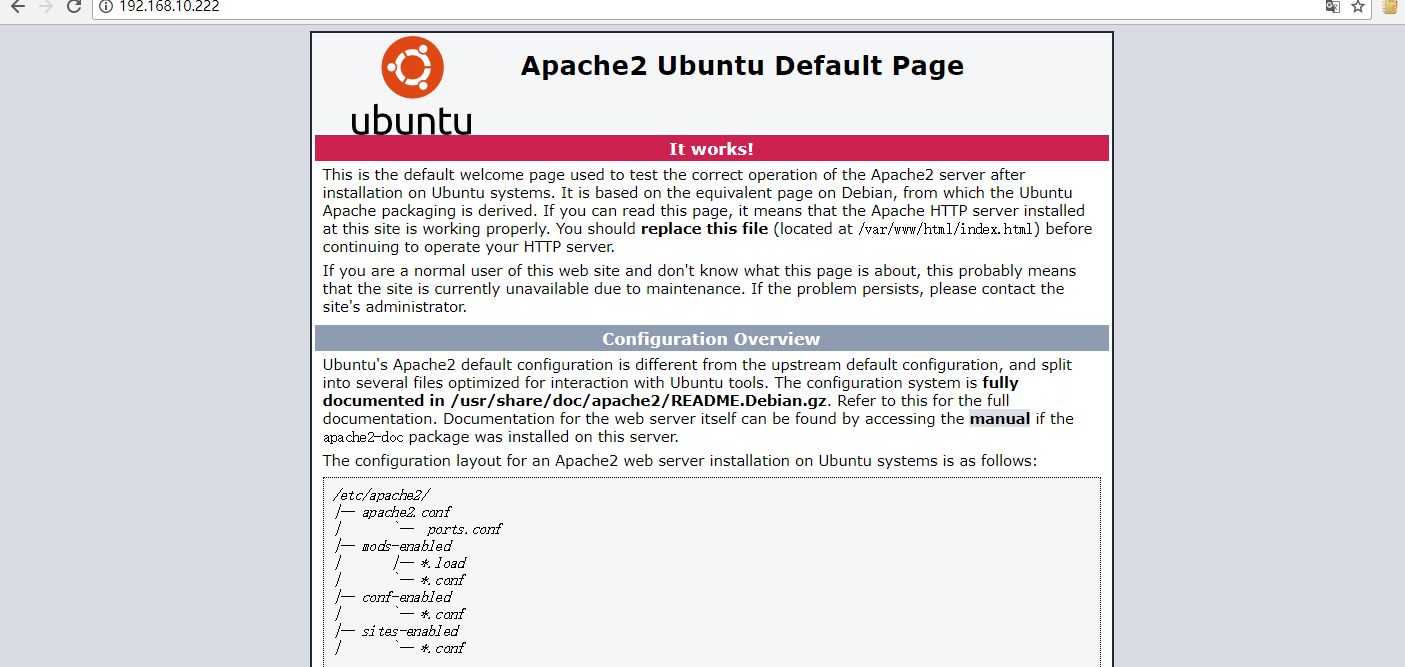
现在我们需要将www-data(Apache用户)设置为文档根目录的所有者。 默认情况下,它由root用户拥有。
root@ubuntu:~# sudo chown www-data:www-data /var/www/html/ -R
步骤 3: 安装 MariaDB 数据库服务器
MariaDB是MySQL的替代品。 输入以下命令将其安装在Ubuntu 17.10上。
root@ubuntu:~# sudo apt install mariadb-server mariadb-client

Reading package lists... Done

Building dependency tree

Reading state information... Done

The following additional packages will be installed:

  galera-3 libaio1 libcgi-fast-perl libcgi-pm-perl libdbd-mysql-perl

  libdbi-perl libencode-locale-perl libfcgi-perl libhtml-parser-perl

  libhtml-tagset-perl libhtml-template-perl libhttp-date-perl

  libhttp-message-perl libio-html-perl libjemalloc1 liblwp-mediatypes-perl
安装完毕后,MariaDB服务器应自动开启。 使用systemctl检查其状态。
root@ubuntu:~# systemctl start mariadb

  root@ubuntu:~# systemctl enable mariadb  //开机自动自动

root@ubuntu:~# systemctl status mariadb

● mariadb.service - MariaDB 10.1.30 database server

   Loaded: loaded (/lib/systemd/system/mariadb.service; enabled; vendor preset:

   Active: active (running) since Mon 2018-01-22 22:34:51 EST; 5s ago

     Docs: man:mysqld(8)

           https://mariadb.com/kb/en/library/systemd/

  Process: 23372 ExecStartPost=/bin/sh -c systemctl unset-environment _WSREP_STA

  Process: 23368 ExecStartPost=/etc/mysql/debian-start (code=exited, status=0/SU

  Process: 23254 ExecStartPre=/bin/sh -c [ ! -e /usr/bin/galera_recovery ] && VA

  Process: 23246 ExecStartPre=/bin/sh -c systemctl unset-environment _WSREP_STAR

  Process: 23237 ExecStartPre=/usr/bin/install -m 755 -o mysql -g root -d /var/r

 Main PID: 23341 (mysqld)

   Status: "Taking your SQL requests now..."

    Tasks: 26 (limit: 4915)

   Memory: 59.2M

      CPU: 464ms

   CGroup: /system.slice/mariadb.service

           └─23341 /usr/sbin/mysqld

Jan 22 22:34:50 ubuntu systemd[1]: Starting MariaDB 10.1.30 database server...

Jan 22 22:34:50 ubuntu mysqld[23341]: 2018-01-22 22:34:50 139684071342016 [Note]

Jan 22 22:34:51 ubuntu systemd[1]: Started MariaDB 10.1.30 database server.
现在运行安装后的安全脚本。
sudo mysql_secure_installation
当它要求您输入MariaDB root密码时,按Enter键,因为root密码尚未设置。 然后输入y设置MariaDB服务器的root密码。
root@ubuntu:~# sudo mysql_secure_installation

NOTE: RUNNING ALL PARTS OF THIS SCRIPT IS RECOMMENDED FOR ALL MariaDB

      SERVERS IN PRODUCTION USE!  PLEASE READ EACH STEP CAREFULLY!

In order to log into MariaDB to secure it, we'll need the current

password for the root user.  If you've just installed MariaDB, and

you haven't set the root password yet, the password will be blank,

so you should just press enter here.

Enter current password for root (enter for none):

OK, successfully used password, moving on...

Setting the root password ensures that nobody can log into the MariaDB

root user without the proper authorisation.

Set root password? [Y/n] y

New password:

Re-enter new password:

##后面的设置选项按需选择即可
默认情况下,Ubuntu上的MaraiDB软件包使用unix_socket对用户登录进行身份验证,这主要表示您可以使用操作系统的用户名和密码登录到MariaDB控制台。 因此,您可以运行以下命令登录,而不提供MariaDB root密码。
root@ubuntu:~# sudo mariadb -u root

Welcome to the MariaDB monitor.  Commands end with ; or \g.

Your MariaDB connection id is 10

Server version: 10.1.30-MariaDB-0ubuntu0.17.10.1 Ubuntu 17.10

Copyright (c) 2000, 2017, Oracle, MariaDB Corporation Ab and others.

Type 'help;' or '\h' for help. Type '\c' to clear the current input statement.

MariaDB [(none)]> exit

Bye
步骤 4: 安装 PHP7.1
在撰写本文时,PHP7.1是PHP的最新稳定版本,在PHP7.0上具有较小的性能优势。 输入以下命令来安装PHP7.1。
root@ubuntu:~# sudo apt install php7.1 libapache2-mod-php7.1 php7.1-mysql php-common php7.1-cli php7.1-common php7.1-json php7.1-opcache php7.1-readline

Reading package lists... Done

Building dependency tree

Reading state information... Done

Suggested packages:

  php-pear

The following NEW packages will be installed:

  libapache2-mod-php7.1 php-common php7.1 php7.1-cli php7.1-common php7.1-json

  php7.1-mysql php7.1-opcache php7.1-readline

0 upgraded, 9 newly installed, 0 to remove and 3 not upgraded.

Need to get 3,783 kB of archives.

After this operation, 15.0 MB of additional disk space will be used.

Get:1 http://us.archive.ubuntu.com/ubuntu artful/main amd64 php-common all 1:54ubuntu1 [12.1 kB]

Get:2 http://us.archive.ubuntu.com/ubuntu artful-updates/main amd64 php7.1-common amd64 7.1.11-0ubuntu0.17.10.1 [836 kB]

Get:3 http://us.archive.ubuntu.com/ubuntu artful-updates/main amd64 php7.1-json amd64 7.1.11-0ubuntu0.17.10.1 [17.5 kB]

Get:4 http://us.archive.ubuntu.com/ubuntu artful-updates/main amd64 php7.1-opcache amd64 7.1.11-0ubuntu0.17.10.1 [146 kB]
启用Apache php7.1模块,然后重新启动Apache Web服务器。
root@ubuntu:~# sudo a2enmod php7.1

Considering dependency mpm_prefork for php7.1:

Considering conflict mpm_event for mpm_prefork:

Considering conflict mpm_worker for mpm_prefork:

Module mpm_prefork already enabled

Considering conflict php5 for php7.1:

Module php7.1 already enabled

root@ubuntu:~# sudo systemctl restart apache2

root@ubuntu:~# php --version

PHP 7.1.11-0ubuntu0.17.10.1 (cli) (built: Nov 1 2017 16:30:52) ( NTS )

Copyright (c) 1997-2017 The PHP Group

Zend Engine v3.1.0, Copyright (c) 1998-2017 Zend Technologies

with Zend OPcache v7.1.11-0ubuntu0.17.10.1, Copyright (c) 1999-2017, by Zend Technologies
要使用Apache服务器测试PHP脚本,我们需要在文档根目录中创建一个info.php文件。
root@ubuntu:~# sudo vi /var/www/html/info.php
将以下PHP代码粘贴到文件中。
<?php phpinfo(); ?>
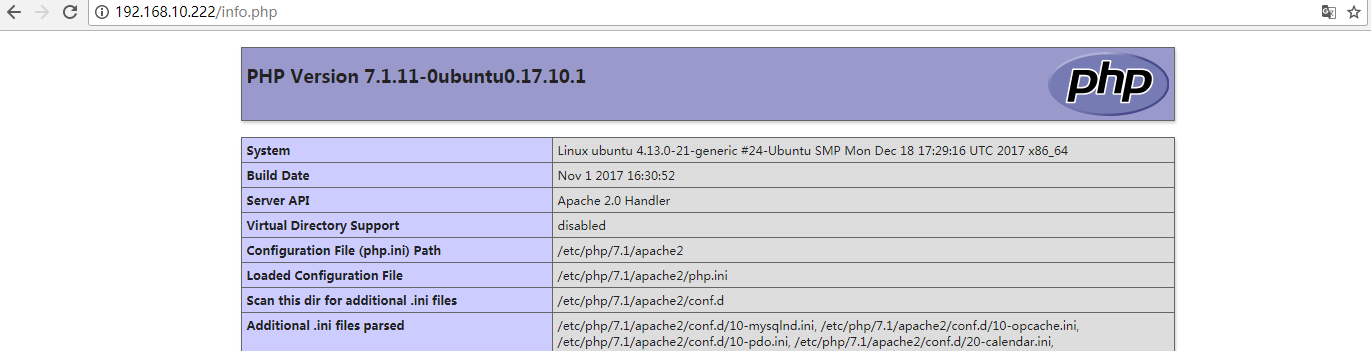
顺便测试下探针,将tz.php放/var/www/html/目录下

至此 ubuntu17.10的web环境已经ok!!!

补充破解root密码,经测试于16.04方法一样,见
http://www.cnblogs.com/luckyall/p/6547166.html
ubuntu17.10安装LAMP并测试部署php探针系统的更多相关文章
- ubuntu17.10 安装CUDA
1. 更新apt-get源列表 sudo apt-get update sudo apt-get upgrade 2. 添加驱动源 sudo add-apt-repository ppa:graphi ...
- ubuntu17.10安装lnmp安装包的核心问题-gcc版本、g++版本
大致碰到的问题都是这样,不是php安装失败,就是MySQL安装失败,或者Nginx也安装失败 基本上是花式报错.后来在军哥的论坛中找到了这个帖子:https://bbs.vpser.net/viewt ...
- 阿里云服务器centos5.10安装lamp环境
==相关命令== 查看linux版本:cat /etc/redhat-release ==配置修改== 一.Apache配置 ------------------------------------- ...
- Ubuntu17.10安装Docker
Ubuntu环境下安装Docker 1. 系统要求 Docker目前只能运行在64位平台上,并且要求内核版本不低于3.10,实际上内核越新越好,过低的内核版本容易造成功能不稳定. 可以通过如下命令检查 ...
- ubuntu-17.10 安装 FANN
因为想用C语言写神经网络,不用已有的库的话,又太难了,所以准备安装一个夸平台的FANN库, 源文件下载地址http://leenissen.dk/fann/wp/download/,我下载的是最新 ...
- ubuntu17.10 安装firefox的flash
1. flash下载地址:https://get.adobe.com/flashplayer/ 2. 选择tar.gz for linux 3. 下载后解压tar包.里面有个libflashplaye ...
- ubuntu17.10 安装ssh
sudo apt-get install openssh-server sudo /etc/init.d/ssh start
- 搭建双系统win10+ubuntu17.10
0. 序言 这里采用先装win10,再装ubuntu的顺序.这样可以避免后面系统启动项设置的问题.都采用UEFI引导方式,且使用usb2.0的u盘来引导(3.0的话,要准备好3.0的驱动).另外注意的 ...
- Ubuntu17.10 React Native 环境搭建
React Native 环境搭建 环境:ubuntu17.10 安装依赖 必须安装的依赖有:Node.React Native 命令行工具以及 JDK 和 Andriod Studio. 安装nod ...
随机推荐
- Linux命令: grep命令
基本用法 ...
- c/c++获取系统时间函数
参考:http://blog.sina.com.cn/s/blog_6f2caee40100uu41.html Coordinated Universal Time(UTC): 协调世界时,又称为 ...
- java第五天
p37: 练习1 /** * Created by xkfx on 2017/2/22. */ public class DataOnly { int anInt; char aChar; publi ...
- A8逻辑篇1.点亮一个LED(S5PV210.A8)
一.虚拟机安装好后,我们用Fedora 双击.vmx文件,将会在虚拟机中打开 相应的生成: 这些文件 二.进入虚拟机页面 等待启动 账号选择其他 用户名:root 密码:111111 设置页面大小: ...
- godaddy之ssl申请
第一步 执行下面命令生成csr和key文件 openssl req -new -newkey rsa: -nodes -keyout trips.com.key -out trips.com.csr ...
- Java知识弥补-Android开发
目录 数据结构 1. Map-HashMap 2. StringBuilder 3. List-ArrayList 4. Vector 5. Stack 6. Set 由于这学期开了android课程 ...
- Jmeter界面总是有warning提示
要用Jmeter测试服务器性能,发现GUI界面总是有warning提示: WARNING: Could not open/create prefs root node Software\JavaSof ...
- 深入Linux内核架构第一章笔记
1. Linux是多任务系统, 支持并发执行若干进程,系统同时真正运行的进程数目不超过CPU的数量,因此内核会按照时间间隔在不同进程之间切换. 2.确定那个进程运行多长时间的过程称为调度. 3.内核启 ...
- C#SendMessage用法
C#SendMessage用法 分类: C#操作内存相关 2011-11-26 23:52 1255人阅读 评论(0) 收藏 举报 函数功能:该函数将指定的消息发送到一个或多个窗口.此函数为指定的窗口 ...
- 基于Codis的Redis集群部署
Codis是基于代理的高性能Redis集群方案,使用Go语言进行开发,现在在在豌豆荚及其它公司内已经广泛使用,当然也包括我们公司. Codis与常见的Redis集群方案对比. 在搭建的时候,个人觉得R ...