安装samba

1、检测samba是否安装,如果没有,那么可以使用yum来安装。至少需要安装3个软件:samba,samba-client、samba-common

[root@localhost pub]# rpm -qa | grep samba

samba-winbind-clients-3.6.9-164.el6.i686

samba-client-3.6.9-164.el6.i686

samba-common-3.6.9-164.el6.i686

samba4-libs-4.0.0-58.el6.rc4.i686

samba-winbind-3.6.9-164.el6.i686

[root@localhost pub]# yum install y samba samba-client samba-common    //如果没有,那么可以用此命令安装

2、创建共享目录

[root@localhost /]# mkdir /wj        //创建目录

[root@localhost /]# chmod 777 /wj   //设置权限

3、修改配置文件“/etc/samba/smb.cnf”

[root@localhost /]#gedit /etc/samba/smb.conf

# ----------------------- Standalone Server Options ------------------------

# Scurity can be set to user, share(deprecated) or server(deprecated)

# Backend to store user information in. New installations should 

# use either tdbsam or ldapsam. smbpasswd is available for backwards 

# compatibility. tdbsam requires no further configuration

    security = share           //这里默认是user,改为share,这样不用输入密码就可访问

    passdb backend = tdbsam


    [wj]                //创建共享目录配置

    comment=wj       //名字

    path=/wj         //路径

    read only=no    //是否只读,这里为no,这样用户就可以创建文件夹

    guest ok=yes    //是否允许guest用户登录

    browseable=yes //是否可以浏览目录

4、修改防火墙,打开tcp的端口137、138、139、445

[root@localhost wj]# gedit /etc/sysconfig/iptables

-A INPUT -m state --state NEW -m tcp -p tcp --dport 137 -j ACCEPT

-A INPUT -m state --state NEW -m tcp -p tcp --dport 138 -j ACCEPT

-A INPUT -m state --state NEW -m tcp -p tcp --dport 139 -j ACCEPT

-A INPUT -m state --state NEW -m tcp -p tcp --dport 445 -j ACCEPT


 [root@localhost wj]# service iptables restart

iptables:将链设置为政策 ACCEPTfilter nat                [确定]

iptables:清除防火墙规则:                                 [确定]

iptables:正在卸载模块:                                   [确定]

iptables:应用防火墙规则:                                 [确定]

iptables:载入额外模块:nf_conntrack_ftp                   [确定]

5、启动smb服务

[root@localhost wj]# service smb start

启动 SMB 服务:                                            [确定]

6、测试,在终端输入命令“testparm”,可以看到共享目录的信息

[root@localhost wj]# testparm

Load smb config files from /etc/samba/smb.conf

rlimit_max: increasing rlimit_max (1024) to minimum Windows limit (16384)

Processing section "[homes]"

Processing section "[printers]"

Processing section "[wj]"

WARNING: The security=share option is deprecated

Loaded services file OK.

Server role: ROLE_STANDALONE

Press enter to see a dump of your service definitions

[global]

    workgroup = MYGROUP

    server string = Samba Server Version %v

    security = SHARE

    log file = /var/log/samba/log.%m

    max log size = 50

    idmap config * : backend = tdb

    cups options = raw


[homes]

    comment = Home Directories

    read only = No

    browseable = No


[printers]

    comment = All Printers

    path = /var/spool/samba

    printable = Yes

    print ok = Yes

    browseable = No


[wj]

    comment = wj            //名字

    path = /wj              //路径

    read only = No         //是否只读

    guest ok = Yes         //是否允许guest访问


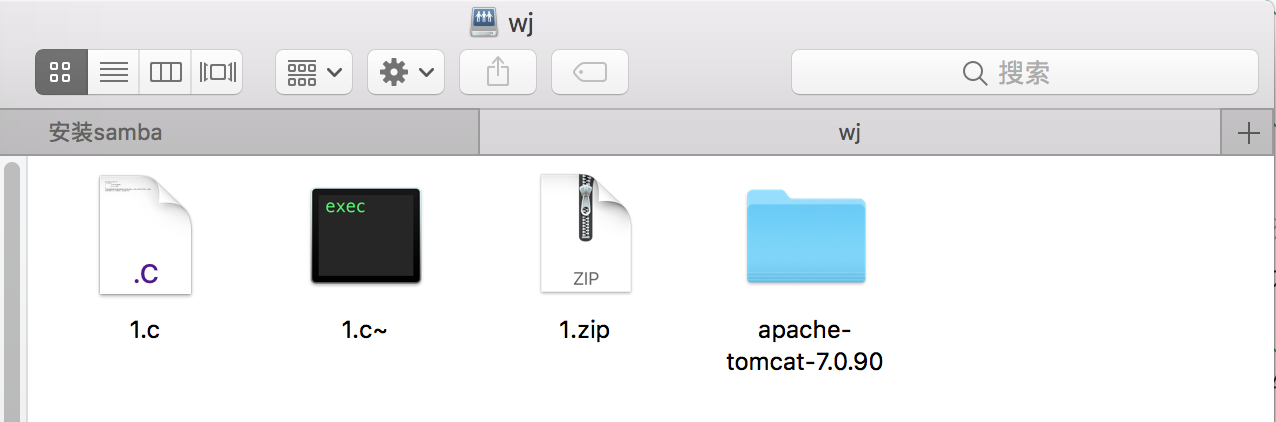
7、从windows测试,按下快捷键“window+r”,在弹出的窗口输入命令“smb:\\192.168.0.113”,可以看到本机的共享目录

做了一个Linux学习的平台,目前出来一个雏形,各位可以参考使用
链接:https://pan.baidu.com/s/1GOLVU2CbpBNGtunztVpaCQ  密码:n7bk

linux服务器---安装samba的更多相关文章

  1. Linux 下安装Samba 文件共享服务器

    samba文件共享服务可以让linux和linux系统.linux和windows系统之间共享文件 服务查询 默认情况下,Linux系统在默认安装中已经安装了Samba服务包的一部分,为了对整个过程有 ...

  2. CentOS Linux 下安装Samba

    一.Samba简介: Samba是在Linux和UNIX系统上实现SMB协议的一个免费软件,由服务器及客户端程序构成.Linux中搭建环境有几个需要使用的软件包: (1)samba-client:这个 ...

  3. linux: Ubuntu安装samba的问题

    Ubuntu安装samba的问题 http://blog.csdn.net/jk110333/article/details/8920841 root@ubuntu:~# apt-get instal ...

  4. 【linux】安装samba服务

    学习linux一般是在虚拟机中进行,这样就需要你在windows与linux虚拟机中切换,Samba是很好的共享服务 下面是在汇文培训时宋老师写的配置samba的过程,很容易就能配置成功.还有一些视频 ...

  5. Linux服务器---安装Tomcat

    安装Tomcat Tomcat作为web服务器实现了对servlet和jsp的支持,centos目前不支持yum方式安装.在使用Tomcat之前,确保你已经安装并配置好了jdk,而且jdk的版本要和t ...

  6. Linux 服务器 安装 memcached

    linux centos 一.memcached的安装 1.下载 memcached-1.4.33.tar.gz.libevent-2.0.22-stable.tar.gz 安装 memcached ...

  7. Linux 服务器 安装 goflyway

    github官方开发主页:https://github.com/coyove/goflyway goflyway的用途就不说了,你能搜到此文章就说明已经知道了. centos和Ubuntu均可使用,其 ...

  8. Linux服务器---安装squid

    安装squid proxy就是软件代理或者代理服务器,而squid就是一种常用的proxy服务 1.安装squid [root@localhost wj]# rpm -qa | grep squid ...

  9. linux服务器---安装swat

    安装swat swat是一个图形化的samba管理软件,可以帮助不熟悉的人去灵活的配置samba服务, 1.安装swat [root@localhost wj]#yum install -y samb ...

随机推荐

  1. Css控制网页变灰

    兼容IE chrome Firefox..... html{ filter:grayscale(%); -moz-filter:grayscale(%); -o-filter:grayscale(%) ...

  2. svn和git的优缺点

    git官网api: https://git-scm.com/docs 一. 集中式vs分布式 1. Subversion属于集中式的版本控制系统集中式的版本控制系统都有一个单一的集中管理的服务器,保存 ...

  3. Thymeleaf 入门

    基本项目结构: Thymeleaf配置: spring.thymeleaf.mode=LEGACYHTML5 spring.thymeleaf.cache=false spring.thymeleaf ...

  4. yii---解决post请求出现500错误

    在使用yii框架的时候,在发送数据请求的时候,POST请求会出现500错误,这是因为yii2开启了防御csrf的攻击机制,可去先去掉,在控制器里去掉:public $enableCsrfValidat ...

  5. Python数据分析必备Anaconda安装、快捷键、包安装

    Python数据分析必备: 1.Anaconda操作 Anaconda是一个用于科学计算的Python发行版,支持 Linux, Mac, Windows系统,提供了包管理与环境管理的功能,可以很方便 ...

  6. Oracle安装部署之Oracle 10g在redhat5下的安装

    [root@localhost ~]# groupadd dba -g 111 [root@localhost ~]# groupadd oinstall -g 110 [root@localhost ...

  7. 对position的认知观

    position :absolute 认识以前有的理解不正确,以为没有设置left,top 与设置left :0,top : 0是一样的,现在认识为,错误! 没有设置的时候,该absolute元素{由 ...

  8. Python实现简单HTTP服务器(一)

    一.返回固定内容 # coding:utf-8 import socket from multiprocessing import Process def handle_client(client_s ...

  9. Assign the task---hdu3974(线段树优化+dfs)

    题目链接:http://acm.hdu.edu.cn/showproblem.php?pid=3974 题意就是:公司有n个员工,关系有n-1个,T x y 代表把工作y交给员工x: 员工可以把工作交 ...

  10. oracle显示转换字段类型cast()函数

    今天遇到一个查询类型转换的问题:表的字段是varchar2类型,然后查询到的结果要转换为number(20,2),刚开始的时候使用to_number()函数,发现不能满足需求.后来才知道,原来还有ca ...