
JavaScript新手入门 贪吃蛇
从小就在玩贪吃蛇,但是知道今天自己做了一遍才知道原理的具体的实现步骤。
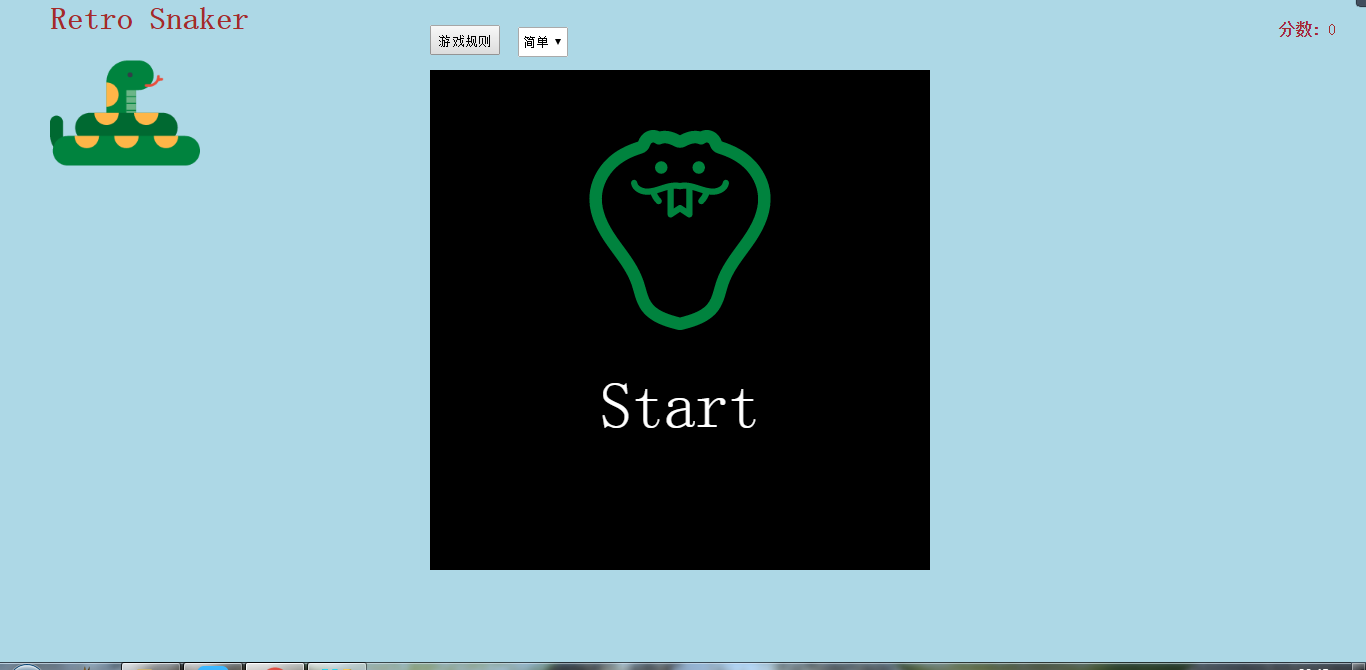
刚进入界面时显示开始游戏(不重要,本人比较喜欢吹毛求疵)
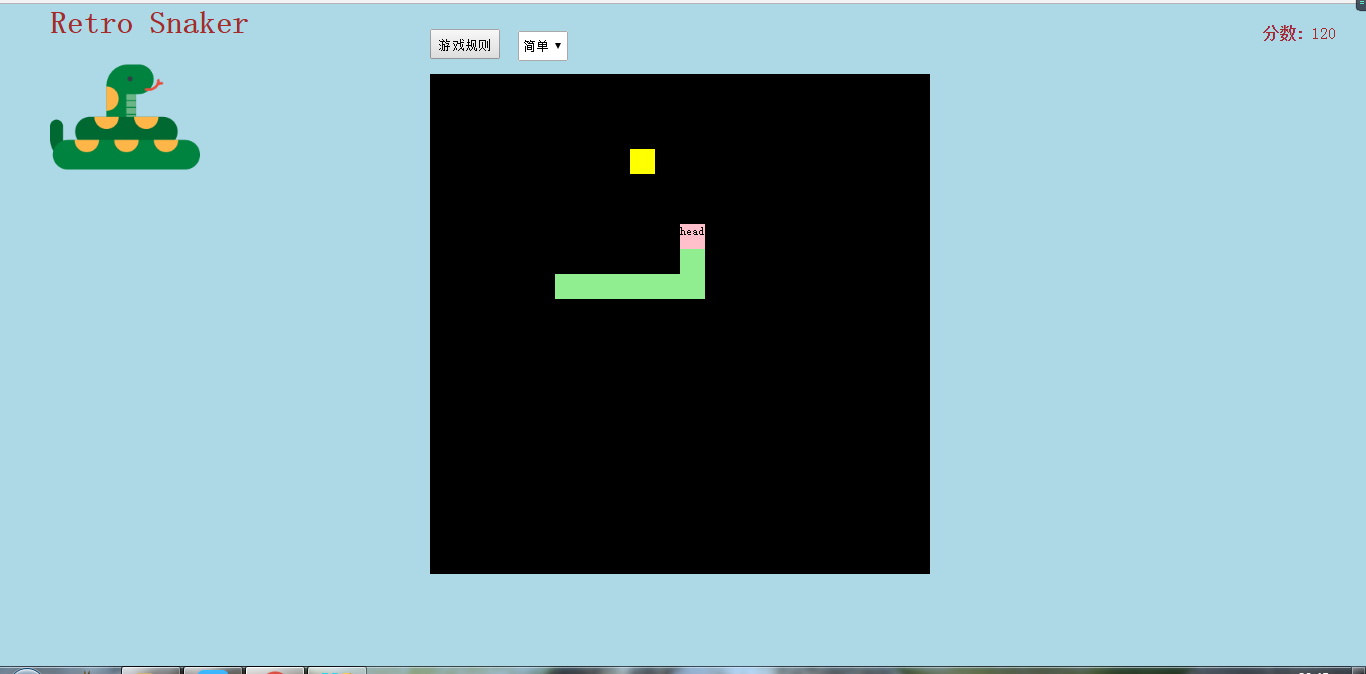
中间黑色部分为游戏的主要展示部分
主要步骤及源码:
body中代码,红色部分是必须
<div id="container"></div>
css设置
<style>

        *{margin: 0;padding: 0;}

        html{width: 100%;height: 100%;background: lightblue;}

        #container{width: 500px;height: 500px;background-color: #000;position: absolute;z-index: -10;overflow: hidden;top: 70px;left: 430px;}

        table{/*border-left: 1px #fff solid;border-top: 1px #fff solid;*/border-collapse: collapse;}

        td{/*border-right: 1px #fff solid;border-bottom: 1px #fff solid;*/width: 25px;height: 25px;}

    </style>
1.创建网格
用js动态创建表格,刚开始写最好写上网格以及边框,一目了然,可以知道div移动的位置。
/*生成一个表格*/

    var table=document.createElement("table");

    container.appendChild(table);

    /*声明一个二维数组存放位置的占用信息*/

    //var area=new Array();

    for(var i=0;i<20;i++){

        var tr=document.createElement("tr");

        table.appendChild(tr);

        //area[i]=new Array();

        for(var j=0;j<20;j++){

            var td=document.createElement("td");

            tr.appendChild(td);

            //area[i][j]=false;

        }

    }
2.创建节点函数
这个函数本来我是没有封装的,后来发现食物、蛇头和蛇身有很多共同点,分装可以设置很多共同的属性,并且减少代码量
/*生成节点种类 type 1 head 2 body 3 food*/

    function createNode(type){

        var obj=document.createElement("div");

        obj.style.cssText="width:25px;height:25px;position:absolute;z-index:-5;font-size:8px;"

        switch (type){

            case 1:

                obj.style.left="0px";

                obj.style.top="0px";

                obj.style.background="pink";

                obj.innerHTML="head";

                obj.setAttribute("direction","down");

                break;

            case 2:

                if(bodys.length==0){

                    obj.style.left=parseInt(head.style.left)+"px";

                    obj.style.top=parseInt(head.style.top)+"px";

                    obj.style.background="lightgreen";

                }

                else{

                    obj.style.left=parseInt(bodys[bodys.length-1].style.left)+"px";

                    obj.style.top=parseInt(bodys[bodys.length-1].style.top)+width1+"px";

                    obj.style.background="lightgreen";

                }

                break;

            case 3:

                obj.style.left=parseInt(Math.random()*10)*width1+"px";

                obj.style.top=parseInt(Math.random()*10)*width1+"px";

                for(var i=0;i<(bodys.length)+1;i++){/*食物不能出现的身体里面*/

                    if(i==bodys.length){

                        while(obj.style.left==head.style.left&&obj.style.top==head.style.top){

                            obj.style.left=parseInt(Math.random()*10)*width1+"px";

                            obj.style.top=parseInt(Math.random()*10)*width1+"px";

                        }

                    }

                    else{

                        while(obj.style.left==bodys[i].style.left&&obj.style.top==bodys[i].style.top){

                            obj.style.left=parseInt(Math.random()*10)*width1+"px";

                            obj.style.top=parseInt(Math.random()*10)*width1+"px";

                        }

                    }

                }

                xiaobiao=parseInt(Math.random()*10);

                while(xiaobiao>=4){

                    xiaobiao=parseInt(Math.random()*10);

                }

                obj.style.background=color[xiaobiao];

                break;

        }

        return obj;

    }
3.创建头结点
/*创建身体*/

    var bodys=[];

    /*创建头部*/

    var head=createNode(1);

    container.appendChild(head);
4.键盘上下左右控制移动方向
监听键盘事件,不同的键按下相应不同的事件
window.onkeydown=function() {

        var key = event.which || event.keycode;

        if (key == 38) {//上箭头

            if(head.getAttribute("direction")!="down"||bodys.length==0)/*不能反向移动*/

                head.setAttribute("direction","up");

        } else if (key == 40) {//下箭头

            if(head.getAttribute("direction")!="up"||bodys.length==0)

                head.setAttribute("direction","down");

        } else if (key == 37) {//左箭头

            if(head.getAttribute("direction")!="right"||bodys.length==0)

                head.setAttribute("direction","left");

        } else if (key == 39) {//右箭头

            if(head.getAttribute("direction")!="left"||bodys.length==0)

                head.setAttribute("direction","right");

        }

        else

            sign=!sign;

    }
5.碰撞检测(生成新的食物、生成身体)
 function runInto(obj1,obj2){

        var x1=obj1.style.left;

        var x2=obj2.style.left;

        var y1=obj1.style.top;

        var y2=obj2.style.top;

        if (x1===x2&&y1===y2) {

            return true;

        } else {

            return false;

        }

    }
 if(runInto(head,food)){

               container.removeChild(food);

               food=createNode(3);

               container.appendChild(food);

               /*生成身体*/

               body=createNode(2);

               container.appendChild(body);

               bodys.push(body);

           }
判断头部和食物的位置是否相同,相同就移除原来的食物节点,再次随机生成食物,并且生成身体
6.身体随头部走动
遍历所有身体节点,第一个身体节点占用头部的位置,接下来的每一个节点占用上一个节点的位置。
for (var i =bodys.length-1; i >=0; i--) {

    if (i==0) {

        bodys[i].style.left=head.style.left;

        bodys[i].style.top=head.style.top;

    } else {

        bodys[i].style.left= bodys[i-1].style.left;

        bodys[i].style.top= bodys[i-1].style.top;

    }

}
7.不能反向移动
以向上走为例,当只有头部的时候可以向任何方向移动,当身体长度不为零的时候就得判断头部的方向,头不可以朝当前移动的反方向移动,意思就是不能移动到自己的身体里
if (key == 38) {//上箭头

            if(head.getAttribute("direction")!="down"||bodys.length==0)/*不能反向移动*/

                head.setAttribute("direction","up");

        }
8.边界检测
边界检测有两种情况:1)移出边界判断死亡 2)移出边界从另一个相反边界出现(我使用的是第二种,代码以向上移动为例)
obj_top=obj_top<0?475:obj_top;/*边界检测*/
9.食物不能出现的身体里面
这一问题的解决方案是判断新生成的食物和当前蛇头蛇身的位置是否重合,重合再重新生成食物,直到不重合
for(var i=0;i<(bodys.length)+1;i++){/*食物不能出现的身体里面*/

                    if(i==bodys.length){

                        while(obj.style.left==head.style.left&&obj.style.top==head.style.top){

                            obj.style.left=parseInt(Math.random()*10)*width1+"px";

                            obj.style.top=parseInt(Math.random()*10)*width1+"px";

                        }

                    }

                    else{

                        while(obj.style.left==bodys[i].style.left&&obj.style.top==bodys[i].style.top){

                            obj.style.left=parseInt(Math.random()*10)*width1+"px";

                            obj.style.top=parseInt(Math.random()*10)*width1+"px";

                        }

                    }

                }
10.自杀检测
这个比较简单,只要判断身体节点是否和头部位置重合就可以
/*自杀检测*/

           for(var i=;i<bodys.length;i++){

               if(head.style.top==bodys[i].style.top&&head.style.left==bodys[i].style.left){

                   alert("Game Over!Your score is "+sum);

                   window.location.reload();
完成以上硬性要求就可以加一下自己创意使自己的游戏更完善好玩了。
全部代码参考:
<!DOCTYPE html>

<html lang="en">

<head>

    <meta charset="UTF-8">

    <title>贪吃蛇</title>

    <style>

        *{margin: ;padding: ;}

        html{width: %;height: %;background: lightblue;}

        #container{width: 500px;height: 500px;background-color: #;position: absolute;z-index: -;overflow: hidden;top: 70px;left: 430px;}

        table{/*border-left: 1px #fff solid;border-top: 1px #fff solid;*/border-collapse: collapse;}

        td{/*border-right: 1px #fff solid;border-bottom: 1px #fff solid;*/width: 25px;height: 25px;}

        .grade{position: fixed;top:20px;right: 30px;}

        .grade span:first-child{font-weight: bold;}

        span,h1{color: brown;}

        .title{position: absolute;top: ;left: 50px;}

        .title img{height: 150px;width: 150px;}

        #start{width: 500px;height: 500px;background-color: #;z-index: ;text-align: center;padding: 60px;box-sizing: border-box;}

        a{text-decoration: none;color: #fff;font-size: 64px;}

        .rule{position: absolute;left: 430px;top:25px;}

        button{width: 70px;height: 30px;line-height: 30px;margin-right: 10px;}

        select{width: 50px;height: 30px;line-height: 30px;}

    </style>

</head>

<body>

<div class="title"><h1>Retro Snaker</h1><img src="data:images/snake.png"></div>

<div id="container"><div id="start"><img src="data:images/icon_Snake.png"><br><br><br><a href="#">Start</a></div></div>

<div class="grade"><span>分数: </span><span  id="score"></span></div>

<div class="rule">

    <button>游戏规则</button>

    <select>

        <option value="" selected>简单</option>

        <option value="">一般</option>

        <option value="">困难</option>

    </select>

</div>

<script>

    /*获取整个可变区域*/

    var container=document.getElementById("container");

    var score=document.getElementById("score");

    var start=document.getElementById("start");

    var a=document.getElementsByTagName("a")[];

    var button=document.getElementsByTagName("button")[];

    var select=document.getElementsByTagName("select")[];

    var selValue=select.value;

    var color=["red","yellow","blue","purple"];

    var xiaobiao;

    //console.log(selValue)

    var v=;//速度

    var sum=;

    var sign;

    var width1=;

    a.onclick=function(){

        sign=true;

        start.style.display="none";

    }

    button.onclick=function(){

        alert("游戏规则:"+"↓表示上↑表示下←表示左→表示右,其他键暂停(再按一次继续)");

    }

    var timer=setInterval(move,v);

    select.onchange=function(){

        selValue=select.value;

        switch (selValue){

            case "":

                clearInterval(timer);

                v=;

                sum=;

                timer=setInterval(move,v);

                break;

            case "":

                clearInterval(timer);

                v=;

                timer=setInterval(move,v);

                sum=;

                break;

            case "":

                clearInterval(timer);

                v=;

                timer=setInterval(move,v);

                sum=;

                break;

        }

        select.blur();

    }

    console.log(v)

    /*生成一个表格*/

    var table=document.createElement("table");

    container.appendChild(table);

    /*声明一个二维数组存放位置的占用信息*/

    //var area=new Array();

    for(var i=;i<;i++){

        var tr=document.createElement("tr");

        table.appendChild(tr);

        //area[i]=new Array();

        for(var j=;j<;j++){

            var td=document.createElement("td");

            tr.appendChild(td);

            //area[i][j]=false;

        }

    }

    /*创建身体*/

    var bodys=[];

    /*创建头部*/

    var head=createNode();

    container.appendChild(head);

    //console.log(head.style.top)

    /*创建食物*/

    var food=createNode();

    container.appendChild(food);

    /*声明头部的位置*/

    var obj_top=;

    var obj_left=;

    /*创建运动函数*/

   function move(){

       if(sign){

           for (var i =bodys.length-; i >=; i--) {

               if (i==) {

                   bodys[i].style.left=head.style.left;

                   bodys[i].style.top=head.style.top;

               } else {

                   bodys[i].style.left= bodys[i-].style.left;

                   bodys[i].style.top= bodys[i-].style.top;

               }

           }

           var dir=head.getAttribute("direction");

           switch (dir){

               case "up":

                   obj_top=parseInt(head.style.top)-width1;

                   obj_top=obj_top<?:obj_top;/*边界检测*/

                   break;

               case "down":

                   obj_top=parseInt(head.style.top)+width1;

                   obj_top=obj_top>?:obj_top;

                   break;

               case "left":

                   obj_left=parseInt(head.style.left)-width1;

                   obj_left=obj_left<?:obj_left;

                   break;

               case "right":

                   obj_left=parseInt(head.style.left)+width1;

                   obj_left=obj_left>?:obj_left;

                   break;

           }

           head.style.top=obj_top+"px";

           head.style.left=obj_left+"px";

           /*自杀检测*/

           for(var i=;i<bodys.length;i++){

               if(head.style.top==bodys[i].style.top&&head.style.left==bodys[i].style.left){

                   alert("Game Over!Your score is "+sum);

                   window.location.reload();

               }

           }

           /*碰撞检测*/

           if(runInto(head,food)){

               switch (color[xiaobiao]){

                   case "red":

                       sum+=;

                       break;

                   case "yellow":

                       sum+=;

                       break;

                   case "blue":

                       sum+=;

                       break;

                   case "purple":

                       sum+=;

                       break;

               }

               container.removeChild(food);

               food=createNode();

               container.appendChild(food);

               /*生成身体*/

               body=createNode();

               container.appendChild(body);

               bodys.push(body);

               score.innerHTML=sum;

           }

       }

   }

    /*碰撞检测*/

    function runInto(obj1,obj2){

        var x1=obj1.style.left;

        var x2=obj2.style.left;

        var y1=obj1.style.top;

        var y2=obj2.style.top;

        if (x1===x2&&y1===y2) {

            return true;

        } else {

            return false;

        }

    }

    /*生成节点种类 type 1 head 2 body 3 food*/

    function createNode(type){

        var obj=document.createElement("div");

        obj.style.cssText="width:25px;height:25px;position:absolute;z-index:-5;font-size:8px;"

        switch (type){

            case :

                obj.style.left="0px";

                obj.style.top="0px";

                obj.style.background="pink";

                obj.innerHTML="head";

                obj.setAttribute("direction","down");

                break;

            case :

                if(bodys.length==){

                    obj.style.left=parseInt(head.style.left)+"px";

                    obj.style.top=parseInt(head.style.top)+"px";

                    obj.style.background="lightgreen";

                }

                else{

                    obj.style.left=parseInt(bodys[bodys.length-].style.left)+"px";

                    obj.style.top=parseInt(bodys[bodys.length-].style.top)+width1+"px";

                    obj.style.background="lightgreen";

                }

                break;

            case :

                obj.style.left=parseInt(Math.random()*)*width1+"px";

                obj.style.top=parseInt(Math.random()*)*width1+"px";

                for(var i=;i<(bodys.length)+;i++){/*食物不能出现的身体里面*/

                    if(i==bodys.length){

                        while(obj.style.left==head.style.left&&obj.style.top==head.style.top){

                            obj.style.left=parseInt(Math.random()*)*width1+"px";

                            obj.style.top=parseInt(Math.random()*)*width1+"px";

                        }

                    }

                    else{

                        while(obj.style.left==bodys[i].style.left&&obj.style.top==bodys[i].style.top){

                            obj.style.left=parseInt(Math.random()*)*width1+"px";

                            obj.style.top=parseInt(Math.random()*)*width1+"px";

                        }

                    }

                }

                xiaobiao=parseInt(Math.random()*);

                while(xiaobiao>=){

                    xiaobiao=parseInt(Math.random()*);

                }

                obj.style.background=color[xiaobiao];

                break;

        }

        return obj;

    }

    /*键盘操作上下左右*/

    window.onkeydown=function() {

        var key = event.which || event.keycode;

        if (key == ) {//上箭头

            if(head.getAttribute("direction")!="down"||bodys.length==)/*不能反向移动*/

                head.setAttribute("direction","up");

        } else if (key == ) {//下箭头

            if(head.getAttribute("direction")!="up"||bodys.length==)

                head.setAttribute("direction","down");

        } else if (key == ) {//左箭头

            if(head.getAttribute("direction")!="right"||bodys.length==)

                head.setAttribute("direction","left");

        } else if (key == ) {//右箭头

            if(head.getAttribute("direction")!="left"||bodys.length==)

                head.setAttribute("direction","right");

        }

        else

            sign=!sign;

    }

</script>

</body>

</html>
菜鸟作品,仅供参考,如有bug,请指教(*^__^*) 嘻嘻……

JavaScript新手入门 贪吃蛇的更多相关文章
- javascript 编写的贪吃蛇
<!DOCTYPE html> <html lang="en"> <head> <meta charset="UTF-8&quo ...
- JavaScript实现的--贪吃蛇
总的实现思路: 一.效果部分: 1.编写html代码,加上样式. 二.JavaScript部分: 1.利用dom方法创建一块草坪,即活动区域: 2.创建一条蛇,并设置其初始位置: ...
- JavaScript 小游戏 贪吃蛇
贪吃蛇 代码: <!DOCTYPE html><html><head> <meta charset="UTF-8"> <met ...
- SuperMap iClient for JavaScript 新手入门
地理信息系统(英语:Geographic Information System,缩写:GIS)是一门综合性学科,结合地理学与地图学,已经广泛的应用在不同的领域,是用于输入.存储.查询.分析和显示地理数 ...
- javascript实现游戏贪吃蛇
1.设计蛇:属性有宽.高.方向.状态(有多少节),方法:显示,跑 2.设计食物:属性宽.高 3.显示蛇:根据状态向地图里加元素 4.蛇跑起来:下一节到前一节的位置,蛇头根据方向变,删除原来的蛇,新建蛇 ...
- 原生JavaScript实现的贪吃蛇
github代码地址:https://github.com/McRayFE/snake 涉及到的知识点: 键盘事件 setInterval()定时器 javascript中数组的使用 碰撞的检测 of ...
- JavaScript 面向对象思想 贪吃蛇游戏
js代码: 游戏的对象 ,食物,蛇 ,游戏控制思路如下 (完整代码在https://github.com/774044859yf/ObjectSnakeGame下载) var snake = { aS ...
- JavaScript面向对象编程小游戏---贪吃蛇
1 面向对象编程思想在程序项目中有着非常明显的优势: 1- 1 代码可读性高.由于继承的存在,即使改变需求,那么维护也只是在局部模块 1- 2 维护非常方便并且成本较低. 2 这个demo是采用了 ...
- JavaScript与html5写的贪吃蛇完整代码
JavaScript与html5写的贪吃蛇完整代码 查看运行效果可访问http://www.codesocang.com/texiao/youxitexiao/2014/0402/7045.html# ...
随机推荐
- Daily record-November
November 11. I managed to grab her hand. 我抓到了她的手.2. He passed a hand wearily over his eyes. 他疲倦地用手抹了 ...
- USM-V1.0
ADSP-BF512 :Low Power Blackfin with Consumer Devices Connectivity The ADSP-BF512 is the low cost ent ...
- Oracle中查看SQL语句的索引命中情况及CPU占用
第一种: 在PL/SQL中,在Explain plan Window中执行要优化的Sql语句.结果,如下图: Object name列中显示了命中的索引名,Cost列显示了CPU的使用率(%). 第二 ...
- Linux c使用gumbo库解析页面表单信息(二)
一.如何在程序当中使用gumbo? 要想在代码中使用gumbo,仅仅包含gumbo头文件是不够的,必须在编译程序的时候加上-lgumbo选项,编译程序才会链接到gumbo库上面. 这是我编译gumbo ...
- Mac搭建SVN服务器+Cornerstone连接服务器
Mac自带svn,我们只需配置并开启就可以了,打开终端,输入svnserve --version查看svn版本 可以看到我的mac自带的svn版本号为1.9.7,下面开始配置服务器: 1.终端输入su ...
- 正则表达式,grep,sed,
答案详见:http://www.cnblogs.com/linhaifeng/p/6596660.html 作业一:整理正则表达式博客 ^ # 行首定位 $ # 行尾定位 . # 匹配除换行符以外的任 ...
- numpy数据集练习
#1. 安装scipy,numpy,sklearn包 import numpy as np #2. 从sklearn包自带的数据集中读出鸢尾花数据集data from sklearn.datasets ...
- java入门-day02
变量和数据类型 Java是强类型语言.数据在计算之前一定要有确定的类型 基本数据类型; byte /short /int /long/(分别占1-4字节) float(4字节,精度6-7位) ...
- Android : Camera2/HAL3 框架分析
一.Android O上的Treble机制: 在 Android O 中,系统启动时,会启动一个 CameraProvider 服务,它是从 cameraserver 进程中分离出来,作为一个独立进程 ...
- pytorch预训练
Pytorch预训练模型以及修改 pytorch中自带几种常用的深度学习网络预训练模型,torchvision.models包中包含alexnet.densenet.inception.resnet. ...