
编辑datagridview单元格
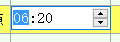
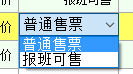
以这3种为例,最简单的是第三种,直接让单元格处于可编辑状态,当完成编辑后触发CellEndEdit事件,最后对输入的数据进行处理。
 private DateTimePicker dtp = new DateTimePicker();

 private ComBox sellstyle = new ComBox ();//设置全局变量
 public PlanVindicateForm()

         {

             InitializeComponent();

             dgvReaschResult.Controls.Add(dtp);//在窗体的构造函数里将datetimepicker控件加入

             this.dgvReaschResult.Controls.Add(this.sellstyle);//combox控件

             this.sellstyle.Visible = false;//设置是否显示

             this.dtp.Visible = false;

             this.dtp.Format = DateTimePickerFormat.Custom;//设置显示格式

             this.dtp.CustomFormat = "HH:mm";

             this.dtp.KeyDown += new KeyEventHandler(dtp_KeyDown);//注册控件用到的事件

             this.sellstyle.cbTypeBox.SelectedIndexChanged += new EventHandler(cbTypeBox_SelectedIndexChanged);

         }
 private void dgvReaschResult_CellClick(object sender, DataGridViewCellEventArgs e)

         {

             if ((e.RowIndex > -) && (e.ColumnIndex > -))

             {

                 string dataPropertyName = this.dgvReaschResult.Columns[e.ColumnIndex].DataPropertyName;

                 switch (dataPropertyName)

                 {

                     case "CanSellSeatCount":

                         this.dgvReaschResult.BeginEdit(true);

                         this.Original = int.Parse(this.dgvReaschResult.Rows[this.dgvReaschResult.CurrentCell.RowIndex].Cells[e.ColumnIndex].Value.ToString());

                         return;

                     case "DrvTime":

                         this.dgvReaschResult.BeginEdit(true);

                         this._Rectangle = this.dgvReaschResult.GetCellDisplayRectangle(e.ColumnIndex, e.RowIndex, true);

                         this.dtp.Size = new Size(this._Rectangle.Width, this._Rectangle.Height);

                         this.dtp.Location = new Point(this._Rectangle.X, this._Rectangle.Y);

                         this.dtp.Visible = true;

                         this.dtp.ShowUpDown = true;

                         this.dtp.Value = DateTime.Parse(this.SelectSchedule.DrvTime);

                         this.dtp.Focus();

                         this.originaTime = this.dtp.Value;

                         return;

                     case "SellStyleName":

                     this.dgvReaschResult.BeginEdit(true);

                     this._Rectangle = this.dgvReaschResult.GetCellDisplayRectangle(e.ColumnIndex, e.RowIndex, true);

                     this.sellstyle.Size = new Size(this._Rectangle.Width, this._Rectangle.Height);

                     this.sellstyle.Location = new Point(this._Rectangle.X, this._Rectangle.Y);

                     this.sellstyle.Visible = true;

                     this.sellstyle.SelectedText = this.SelectSchedule.SellStyleName;

                     this.sellstyle.Focus();

                     this.sellStyleName = this.SelectSchedule.SellStyleName;

                     return;

                 }

                 this.dtp.Visible = false;

                 this.sellstyle.Visible = false;

             }

         }
  private void dgvReaschResult_CellEndEdit(object sender, DataGridViewCellEventArgs e)

         {

             if ((e.RowIndex > -) && (e.ColumnIndex > -))

             {

                 try

                 {

                     string dataPropertyName = this.dgvReaschResult.Columns[e.ColumnIndex].DataPropertyName;//获取选中单元格的数据源的名称,即列名

                     int seats = ;

                     int num2 = ;

                     switch (dataPropertyName)

                     {

                         case "CanSellSeatCount";//第3种

                             {

                                 //对获取到的数据进行处理

                                 break;

                             }

                         case "DrvTime"://第1种

                              //对获取到的数据进行处理

                             break;

                         case "SellStyleName"://第2种

                             //对获取到的数据进行处理

                             break;

                     }

                 }

                 catch (Exception exception)

                 {

                     this.ShowError("执行失败!");

                 }

             }

         }
编辑datagridview单元格的更多相关文章
- WinForm笔记1:TextBox编辑时和DataGridView 单元格编辑时 的事件及其顺序
TextBox 编辑框 When you change the focus by using the mouse or by calling the Focus method, focus event ...
- DataGridView单元格内容自动匹配下拉显示
页面显示数据使用的控件是ComponentFactory.Krypton.Toolkit中的KryptonDataGridView控件.在指定“商品”单元格中需要根据用户输入内容自动匹配数据库中商品信 ...
- DataGridView 单元格自动填充
在DataGridView单元格中,当输入指定字符时,自动完成填充. 通过 TextBox实现 AutoCompleteMode AutoCompleteMode.Suggest: AutoCompl ...
- winform中dataGridView单元格根据值设置新值,彻底解决绑定后数据类型转换的困难
// winform中dataGridView单元格在数据绑定后,数据类型更改困难,只能迂回实现.有时候需要将数字变换为不同的文字描述,就会出现int32到string类型转换的异常,借助CellFo ...
- Cxgrid获取选中行列,排序规则,当前正在编辑的单元格内的值
Delphi Cxgrid获取选中行列,排序规则,当前正在编辑的单元格内的值 cxGrid1DBTableView1.Controller.FocusedRowIndex 当前行号 cxGrid1DB ...
- DataGridView单元格合并
本文章转载:http://www.cnblogs.com/xiaofengfeng/p/3382094.html 图: 代码就是如此简单 文件下载:DataGridView单元格合并源码 也可以参考: ...
- DataGridView单元格显示GIF图片
本文转载:http://home.cnblogs.com/group/topic/40730.html DataGridView单元格显示GIF图片 gifanimationindatagrid.ra ...
- Winfrom设置DataGridView单元格获得焦点(DataGridView - CurrentCell)
设置DataGridView单元格获得焦点 this.dgv_prescription.BeginEdit(true);
- Winform Datagridview 单元格html格式化支持富文本
Winform Datagridview 单元格html格式化支持富文本 示例: 源码:https://github.com/OceanAirdrop/DataGridViewHTMLCell 参考: ...
随机推荐
- Kali linux Nessus &Cracking Password
1 .Nessus漏洞网站测试(真正体会到什么是专业版和社区版的区别,要技术就不光要勤恳的态度,严谨的思维.还有矢志不渝的志气,还必须要求砸钱,所以狠狠的赚钱才是硬道理),我的半个社区版的很多扫描模块 ...
- 课外知识----base64加密
每3个字符产生4位的base64字符,不足3个字符,将用“=”补齐至4位base64字符 例如 00---> MDA= 000--->MDAw base64加密特点 加密后的字符数是4的 ...
- Java 获取当前系统的时间
获取当前系统的时间,每隔一秒,打印一次. import java.util.Date; public class TestDate { public static void main(String[] ...
- docker文件复制到centos/linux/ubantun环境下
1.有些时候我们需要将容器里面的文件,弄到系统里面来分析,像报错log等 格式:docker cp 容器名:文件在容器里面的路径 要拷贝到宿主机的对应路径 2.有些情况下,我们需要将文 ...
- 饮冰三年-人工智能-linux-01通过VM虚拟机安装contes系统
先决条件:VM虚拟机的安装.contes系统的镜像文件 1:创建新的虚拟机 2:下一步,稍后安装操作系统 3:选择对应的系统 4:选择对应的路径 至此虚拟机已经创建完成(相当于买了一台新电脑) 5:编 ...
- LOCK TABLES 和 UNLOCK TABLES
MySQLdump的时LOCK TABLES 和 UNLOCK TABLES 在mysqldump后的数据中会发现有 LOCK TABLES tables_name WRITE;和结尾处有 UNLOC ...
- GoogleTest入门
Googletest入门 来源:https://github.com/google/googletest/blob/master/googletest/docs/primer.md P.S. gmoc ...
- python requests 正则爬虫
代码: import requests from multiprocessing import Pool from requests.exceptions import RequestExceptio ...
- iptables命令
iptables命令是Linux上常用的防火墙软件,是netfilter项目的一部分.可以直接配置,也可以通过许多前端和图形界面配置. 语法 iptables(选项)(参数) 选项 -t<表&g ...
- 一脸懵逼学习Hadoop分布式集群HA模式部署(七台机器跑集群)
1)集群规划:主机名 IP 安装的软件 运行的进程master 192.168.199.130 jdk.hadoop ...