
redis 下载及使用
redis 官网下载地址:http://redis.io/
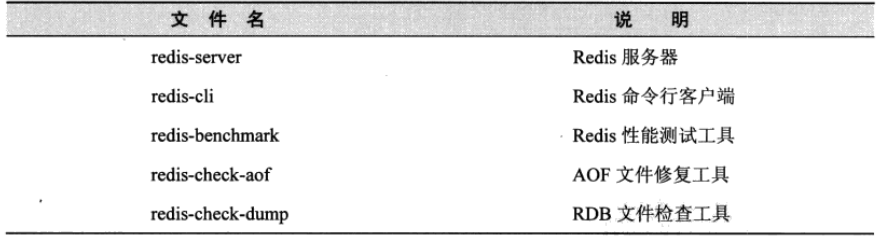
E:\工作软件\新建文件夹\redis64-2.8.19 redis-server.exe 执行该命令
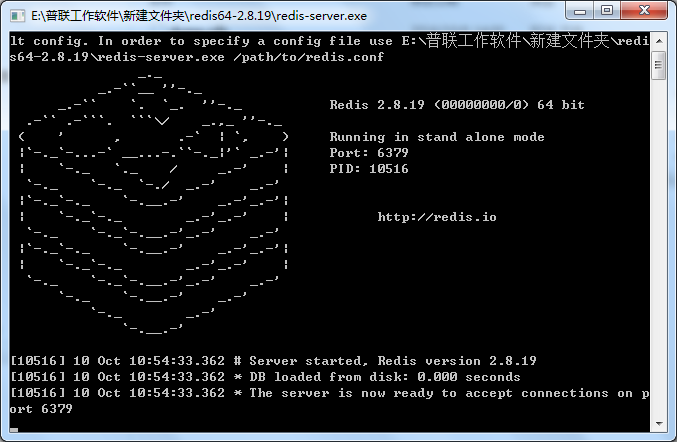
当前已启动 端口号:6379
redis.conf 该配制文件中配置登陆密码
在次下面配置################################## SECURITY ###################################
# Require clients to issue AUTH <PASSWORD> before processing any other
# commands. This might be useful in environments in which you do not trust
# others with access to the host running redis-server.
#
# This should stay commented out for backward compatibility and because most
# people do not need auth (e.g. they run their own servers).
#
# Warning: since Redis is pretty fast an outside user can try up to
# 150k passwords per second against a good box. This means that you should
# use a very strong password otherwise it will be very easy to break.
#
requirepass "123456"
redis 可视化工具RedisStudio下载地址 :https://github.com/cinience/RedisStudio/releases 下载之后直接打开
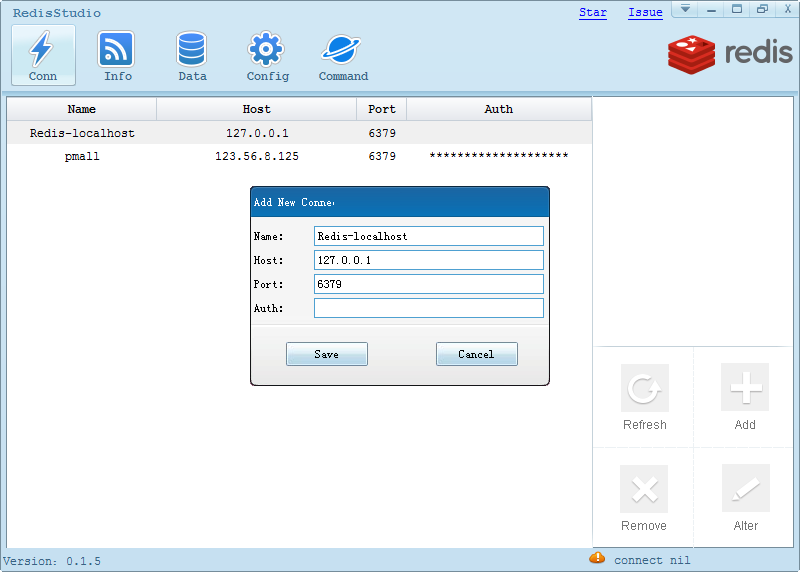
填写完毕之后直接save就可以了
在此下面查找数据
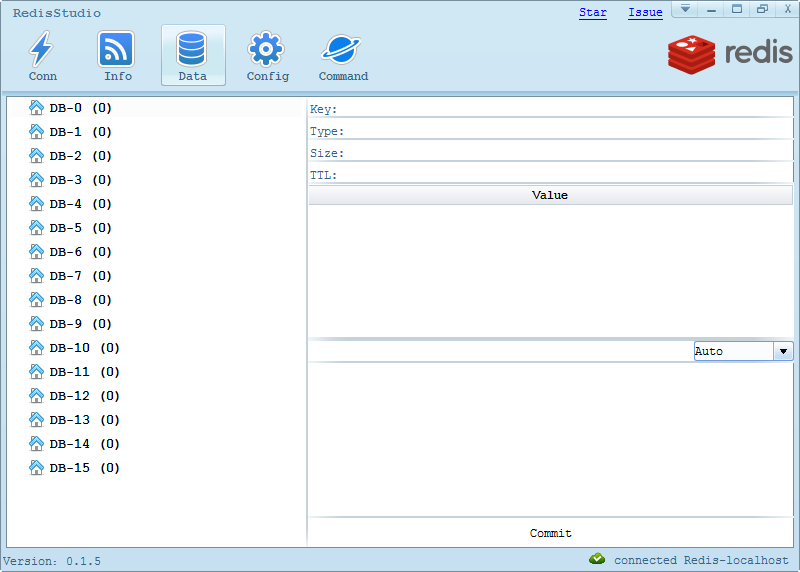
redis java的增删改查:
/**
 * 根据key删除value
 * @param key
 */
public void remove(String key){
    if(key == null || "".equals(key)){
        throw new ServiceException("key值不能为空!");
    }
    JedisPool pool = null;
    Jedis jedis = null;
    try{
        pool = getPool();
        jedis = pool.getResource();
        if(jedis.exists(key)){
            jedis.del(key);
        }
    }catch (Exception e){
        e.printStackTrace();
    }finally {
        if(jedis != null){
            jedis.close();
        }
    }
}

/**
 * 根据key读取value值,可根据传入类型进行转型
 * @param key
 * @param clazz
 * @param <T>
 * @return
 */
public <T> T getData(String key, Class<T> clazz){
    if(key == null || "".equals(key)){
        throw new ServiceException("key值不能为空!");
    }
    Object result = null;
    JedisPool pool = null;
    Jedis jedis = null;
    try{
        pool = getPool();
        jedis = pool.getResource();
        result = jedis.get(key);
    }catch (Exception e){
        e.printStackTrace();
    }finally {
        if(jedis != null){
            jedis.close();
        }
    }
    JsonMapper m = new JsonMapper();
    return (T) m.fromJson(String.valueOf(result), clazz);
}

/**
 * 新增/修改,需要传入key,value可传入对象,生存时间(单位:秒)
 * @param key
 * @param obj
 * @param t
 */
public void save(String key, Object obj, int t){
    if(key == null || "".equals(key)){
        throw new ServiceException("key值不能为空!");
    }

    if(obj == null){
        throw new ServiceException("value值不能为空!");
    }

    JsonMapper m = new JsonMapper();
    String val  =  m.toJson(obj);
    logger.debug("新增key=>" + key + "及value=>" + val);
    JedisPool pool = null;
    Jedis jedis = null;
    try {
        pool = getPool();
        jedis = pool.getResource();
        jedis.set(key, val);
        jedis.expire(key, t);
    }catch (Exception e){
        e.printStackTrace();
        throw new ServiceException("保存redis数据失败!");
    }finally {
        if(jedis != null){
            jedis.close();
        }
    }
}

/**
 * 更新key的生存时间(单位:秒)
 * @param key
 * @param t
 * @return
 */
public Long expireRow(String key, int t){
    if(key == null || "".equals(key)){
        throw new ServiceException("key值不能为空!");
    }

    Long res = 0L;
    JedisPool pool = null;
    Jedis jedis = null;
    try{
        pool = getPool();
        jedis = pool.getResource();
        res = jedis.expire(key, t);
    }catch (Exception e){
        e.printStackTrace();
    }finally {
        if(jedis != null){
            jedis.close();
        }
    }
    return res;
}

public static Map<String, Object> beanToMap(Object obj) {
    if(obj == null){
        return null;
    }
    Map<String, Object> map = new HashMap<String, Object>();
    try {
        BeanInfo beanInfo = Introspector.getBeanInfo(obj.getClass());
        PropertyDescriptor[] propertyDescriptors = beanInfo.getPropertyDescriptors();
        for (PropertyDescriptor property : propertyDescriptors) {
            String key = property.getName();

            // 过滤class属性
            if (!key.equals("class")) {
                // 得到property对应的getter方法
                Method getter = property.getReadMethod();
                Object value = getter.invoke(obj);

                map.put(key, value);
            }
        }
    } catch (Exception e) {
        System.out.println("transBean2Map Error " + e);
    }
    return map;
}
redis 下载及使用的更多相关文章
- Redis下载及安装部署
官网介绍:Redis is an open source advanced key-value store.It is often referred to as a data structure se ...
- (1)redis下载编译
一.redis下载编译 这里没什么好说的 用的版本是redis-2.8.17 1)redis-server是可执行程序 2)mian函数在redis.c里面 3)如果要修改调试 这届在src目录下 ...
- centos6.5环境Redis下载及编译安装
centos6.5环境Redis下载及编译安装 1:官方站点: http://redis.io/download 下载最新版或者最新stable版 2:解压源码并进入目录 tar -zxvf redi ...
- Redis 下载 安装
Redis 官网 https://redis.io/ github 主页 https://github.com/antirez/redis 下载页面 https://redis.io/download ...
- Windows上redis下载与安装
一.redis是什么 非关系型内存数据库,以key-value的形式将数据储存在内存中.Mysql是关系型数据库,数据是保存在硬盘中 二.redis下载安装 1.要安装Redis,首先要获取安装包. ...
- Redis 下载与配置window服务
1.Redis下载 Git下载地址:https://github.com/MicrosoftArchive/redis/releases 2.配置Window服务 步骤一:在 Redis目录 输入 c ...
- redis基础:redis下载安装与配置,redis数据类型使用,redis常用指令,jedis使用,RDB和AOF持久化
知识点梳理 课堂讲义 课程计划 1. REDIS 入 门 (了解) (操作) 2. 数据类型 (重点) (操作) (理解) 3. 常用指令 (操作) 4. Jedis (重点) (操作) ...
- Redis下载安装与配置(windows)
一.Redis下载 Redis官网建议使用Linux进行部署,未提供windows版本的Redis,但微软开发和维护着Windows64版本的Redis. Windows64版本的Redis下载地址: ...
- redis 下载启动,设置、查询超时时间
1.定义 redis是一个key-value存储系统.和Memcached类似,它支持存储的value类型相对更多,包括string(字符串).list(链表).set(集合).zset(sorted ...
随机推荐
- office 365 Sharepoint 2013
平台环境: office 365 Sharepoint 2013 操作文件和文件夹 访问文档库的最佳方式是借助在 /_api/web 处可用的 GetFolderByServerRelativeUr ...
- WPF制作的VS黑色风格的Listbox
最近写的一个玩具,WPF写出来的东西还是挺好看的 style.xaml <ResourceDictionary xmlns="http://schemas.microsoft.com/ ...
- JSP复习整理(一)表单
好久没更了,一周完成了SRDP,一周完成了课程设计,这一周就要好好回顾回顾Java Web的学习轨迹了. 用的eclipse Mars 一.表单 start.jsp <%@ page langu ...
- 【python】tarfile的路径问题
假设有路径/home/somebody/test1/test2/test3/ 该路径下有3个文件,a.txt, b.txt, c.txt 在目录/home/somebody下有如下代码,希望打包a.t ...
- cornerstone知识点
CornerStone使用教程(配置SVN,HTTP及svn简单使用) 发布时间:2015-01-02 19:54 作者:芳仔小脚印 来源:开源中国 CornerStone是Mac OS X ...
- EXCEL 对比数据是否重复
1.同一列 后一行对比前面所有行 查找是否重复 =IF(COUNTIF(B$2:B2,B2)>1,"重复","") 2.两行两列(多行多列) 两行两列 = ...
- *使用while循环遍历数组创建索引和自增索引值
package com.chongrui.test;/* *使用while循环遍历数组 * * * */public class test { public static void main ...
- 使用ActionFilterAttribute进行重定向注意事项
1.分部视图方法不能添加该特性,会报子方法不能重定向操作的错误 2.必须用给filterContext.Result赋值的方法进行重定向,而不能用filterContext.HttpContext.R ...
- 在Mac上开启自带的Apache,httpd服务
下面演示的是Mac自带的httpd服务 启动httpd服务 AppledeMacBook-Pro:python2_zh apple$ sudo apachectl start AppledeMacBo ...
- Linux上搭建Hadoop2.6.3集群以及WIN7通过Eclipse开发MapReduce的demo
近期为了分析国内航空旅游业常见安全漏洞,想到了用大数据来分析,其实数据也不大,只是生产项目没有使用Hadoop,因此这里实际使用一次. 先看一下通过hadoop分析后的结果吧,最终通过hadoop分析 ...