
nginx 配置文件与日志模块
内容概要
- Nginx 虚拟主机
- 基于多 IP 的方式
- 基于多端口的方式
- 基于多域名的方式
- 日志配置(日志格式详解)
- Nginx 访问控制模块(可以去 Nginx.org 文档 documentation 查找)
- Nginx 访问认证模块
- Nginx 状态监控模块
内容详细
一、Nginx 虚拟主机
搭建完 Nginx 服务之后,可以通过多种方式来访问网站
1、基于多 IP 的方式
[root@web01 conf.d]# cat game2.conf

server {

    listen 80;

    server_name 192.168.15.7;		< -- 使用不同的 IP 地址访问进入不同的网站根目录

    location / {

	    root /opt/Super_Marie;

        index index.html;

    }

}

server {

    listen 80;

    server_name 172.16.1.7;		< -- 使用不同的 IP 地址访问进入不同的网站根目录

    location / {

        root /opt/tank;

        index index.html;

    }

}
2、基于多端口的方式
[root@web01 conf.d]# cat game3.conf

server {

    listen 80;					< -- 使用不同的 端口 访问进入不同的网站根目录

    server_name 192.168.15.7;

    location / {

        root /opt/Super_Marie;

        index index.html;

    }

}

server {

    listen 81;					< -- 使用不同的 端口 访问进入不同的网站根目录

    server_name 192.168.15.7;

    location / {

        root /opt/tank;

        index index.html;

    }

}
3、基于多域名的方式(需要配置 解析文件 hosts)
[root@web01 conf.d]# cat game4.conf

server {

    listen 80;

    server_name game.maro.com;

    location / {

        root /opt/Super_Marie;

        index index.html;

    }

}

server {

    listen 80;

    server_name game.chinese_chess.com;

    location / {

        root /opt/tank;

        index index.html;

    }

}

# 配置解析文件

windows

	C:\Windows\System32\drivers\etc\hosts
二、Nginx 日志详解
# 企业中 Nginx 日志监控指标(日志作用)

	网站状态码是500的比例:

		比例高表示网站稳定性不好

	网站的访问来源

		查看恶意访问 IP ,短时间发起大量请求

	网站排错

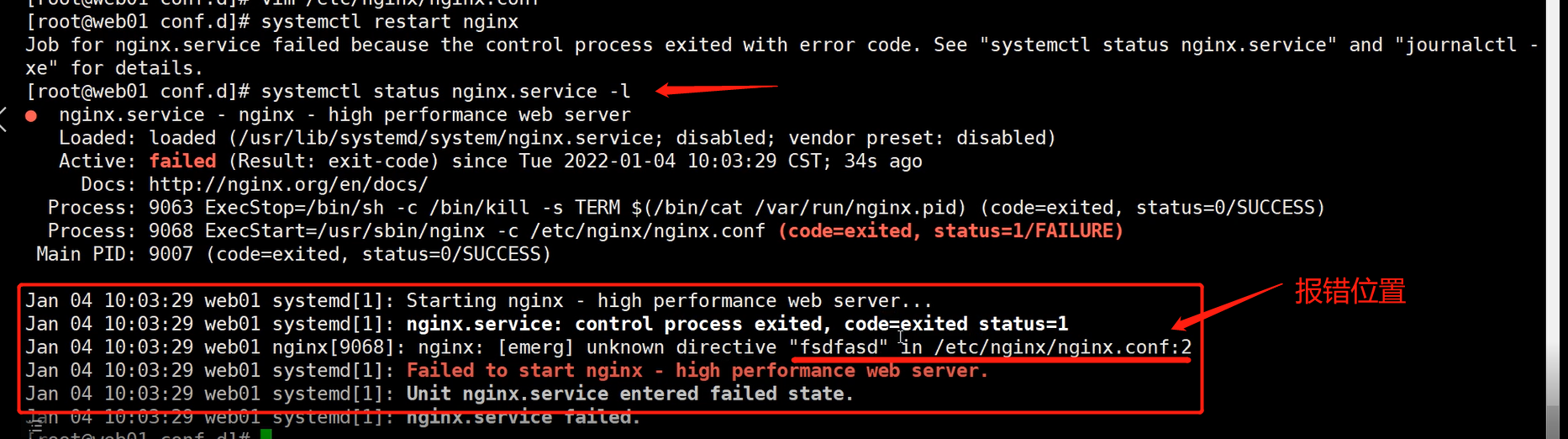
		查看 Nginx 报错位置

		systemctl status nginx.service -l

		或查看日志

		cat /var/log/nginx/error.log

$remote_addr  : 客户端IP

$http_x_forwarded_for  : 真实的客户端IP(在反向代理中生效)
Nginx 日志格式配置文件 : /etc/nginx/nginx.conf
    log_format json '{"@timestamp":"$time_iso8601",'

                  '"host":"$server_addr",'

                  '"service":"nginxTest",'

                  '"trace":"$upstream_http_ctx_transaction_id",'

                  '"log":"log",'

                  '"clientip":"$remote_addr",'

                  '"remote_user":"$remote_user",'

                  '"request":"$request",'

                  '"http_user_agent":"$http_user_agent",'

                  '"size":$body_bytes_sent,'

                  '"responsetime":$request_time,'

                  '"upstreamtime":"$upstream_response_time",'

                  '"upstreamhost":"$upstream_addr",'

                  '"http_host":"$host",'

                  '"url":"$uri",'

                  '"domain":"$host",'

                  '"xff":"$http_x_forwarded_for",'

                  '"referer":"$http_referer",'

                  '"status":"$status"}';

    access_log /var/log/nginx/access.log json ;
简约版本
    log_format  main  '$remote_addr - $remote_user [$time_local] "$request" '

                      '$status $body_bytes_sent "$http_referer" '

                      '"$http_user_agent" "$http_x_forwarded_for"';

    access_log  /var/log/nginx/access.log  main;
日志格式详解
搭配日志输出结果了解日志变量意思:

tail -f : 实时查看日志文件
[root@web01 ~]# tail -f /var/log/nginx/access.log

日志变量

$remote_addr : 客户端 IP (上一层访问的 IP ,如果是通过 VPN 访问,显示跳板机 IP)

$http_x_forwarded_for  : 真实的客户端IP(在反向代理中生效)

$remote_addr : 192.168.15.1

$remote_user [$time_local] : [04/Jan/2022:16:17:51 +0800]

$request : "GET / HTTP/1.1" (请求方式为 GET )

$status	: 404 (状态码)

$body_bytes_sent : 555 (文件大小)

$http_referer : "http://192.168.15.7/" (访问的域名)

$http_user_agent : "Mozilla/5.0 (Windows NT 10.0; Win64; x64) AppleWebKit/537.36 (KHTML, like Gecko) Chrome/96.0.4664.110 Safari/537.36" (请求载体的身份标识)
三、日志模块
Nginx 配备了很多日志模块,具体使用方法查看官方文档 : https://nginx.org/en/docs/
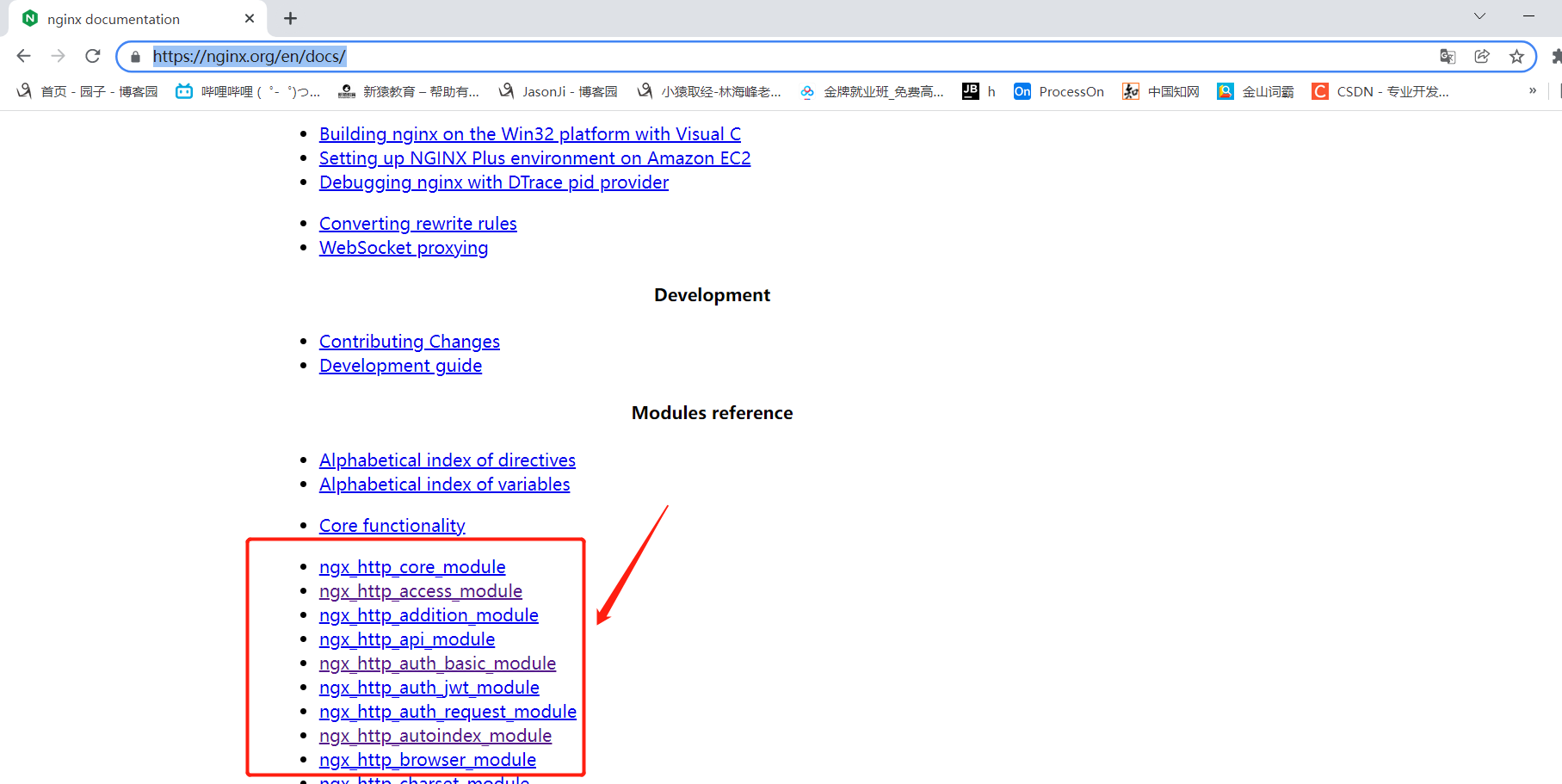
1、Nginx 访问控制模块
查看该模块原始启动状态

ngx_http_access_module
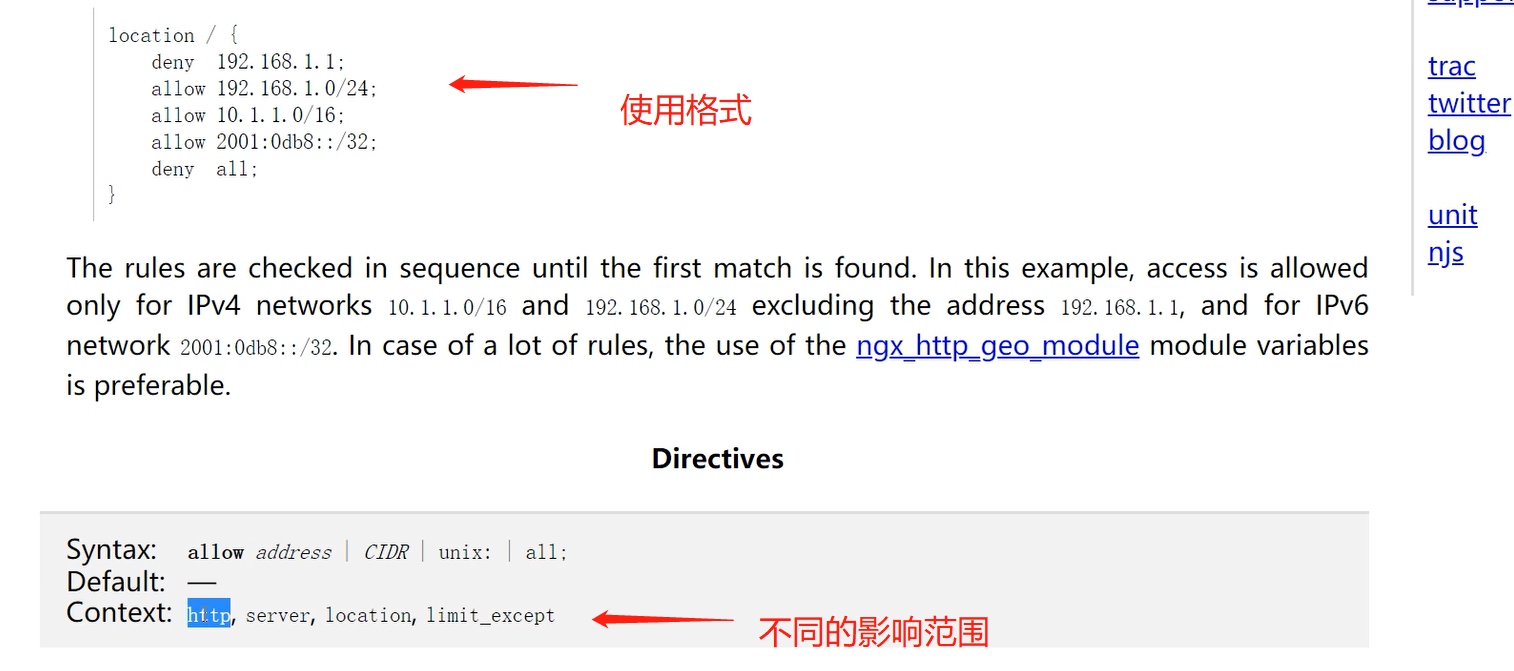
允许或者拒绝某些 IP 的访问

	deny	: 拒绝 (阻止某个访问者的 IP)

	allow	: 允许

案例1:允许192.168.15.1访问,不允许其他IP访问(执行顺序自上而下)

    allow 192.168.15.1;

    deny all;

案例2:允许192.168.15.0这个网段访问,不允许其他网段访问

    allow 192.168.15.0/24;

    deny all;

案例3:只允许通过VPN来访问

   allow 172.16.1.81;

   deny all;
ngx_http_auth_basic_module
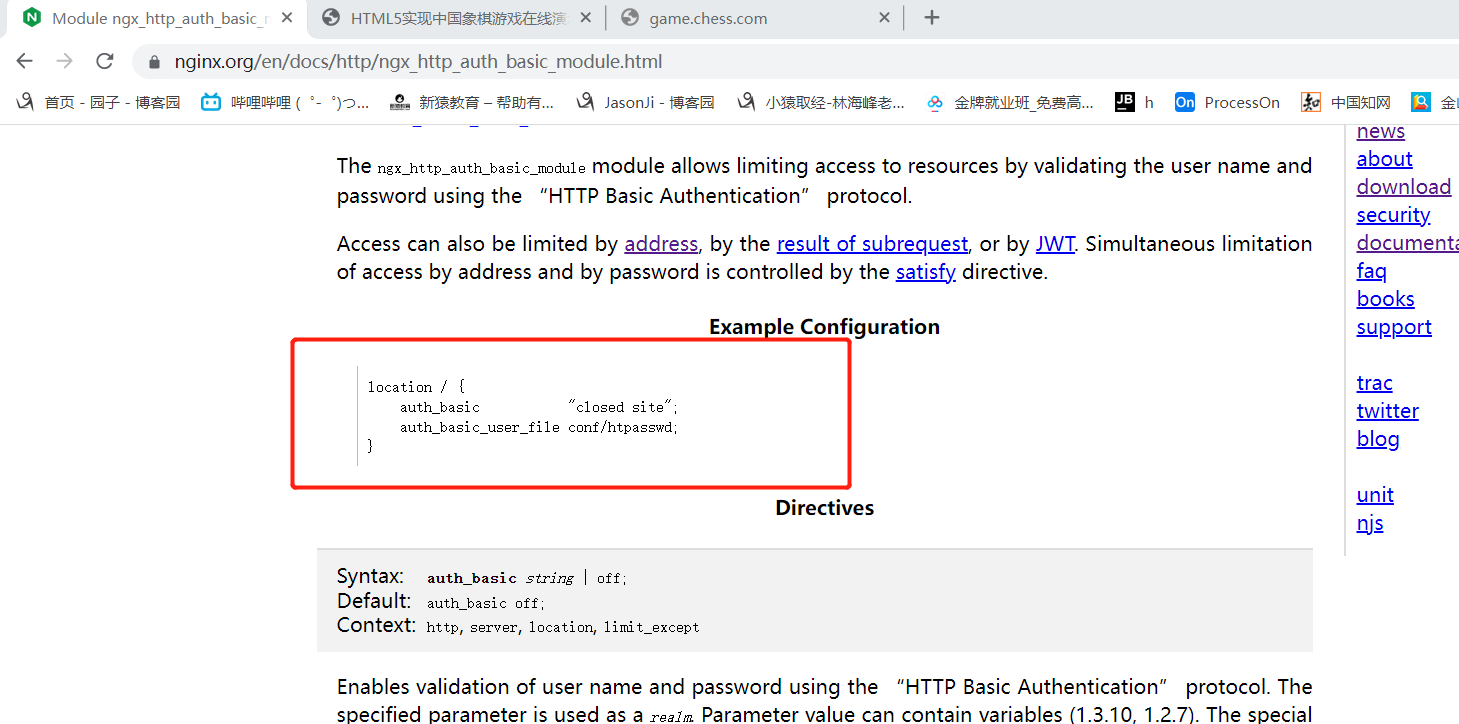
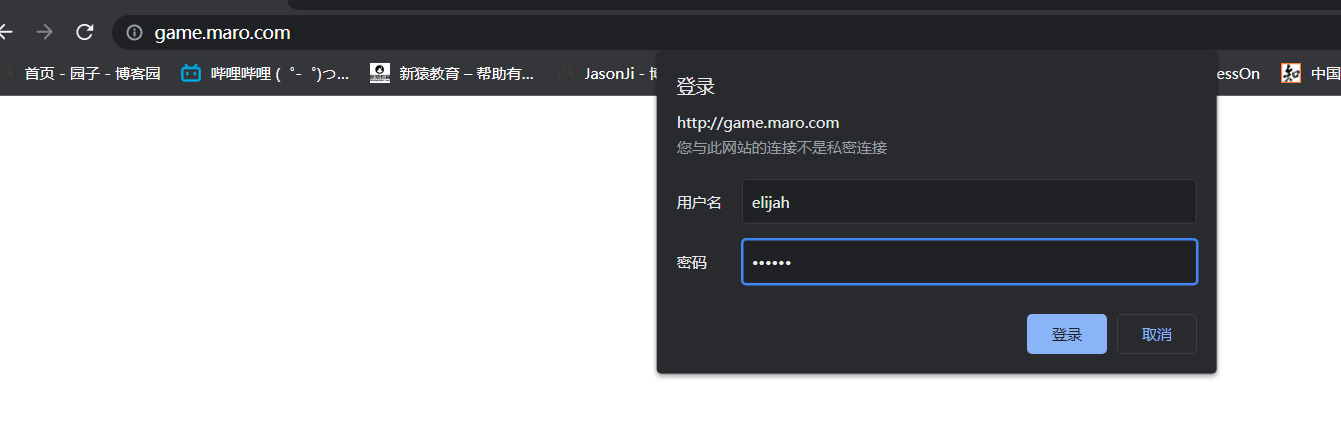
设置访问之前需要进行登录

1、安装httpd-tools

	[root@web01 ~]# yum install httpd-tools -y

2、生成用户名密码文件

	[root@web01 nginx]# htpasswd -c /etc/nginx/auth elijah

    New password:

    Re-type new password:

    Adding password for user elijah (在 /etc/nginx 路径下创建认证文件 auth,登录用户名为 elijah)

    [root@web01 nginx]# cat auth

    elijah:$apr1$H9Mw0K6b$pOATFh4sydoHKIG8ciGYI1

3、将文件路径加入Nginx配置

	[root@web01 conf.d]# cat game.conf

    server {

        listen       80;

        server_name  game.maro.com;

        auth_basic "welcome to login";	       < -- 将登录认证文件添加到 server 模块

        auth_basic_user_file /etc/nginx/auth;

        location / {

            root   /opt/super_Maro;

            index  index.html;

        }

    }

4、重启Nginx

	[root@web01 conf.d]# systemctl restart nginx
ngx_http_autoindex_module
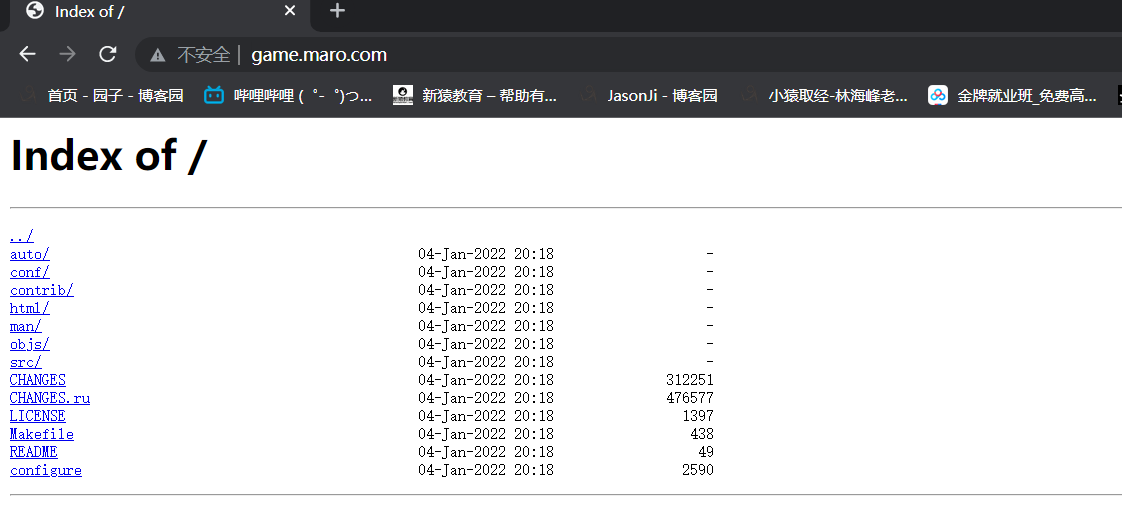
展示目录索引

autoindex on; 				(打开索引)

autoindex_exact_size on;	(显示文件大小)

autoindex_localtime on;		(显示文件时间,当地时间)

autoindex_format json;		(页面展示的格式 默认 html)
[root@web01 conf.d]# vim game.conf

[root@web01 conf.d]# cat game.conf

server {

    listen       80;

    server_name  game.maro.com;

    autoindex on;

    autoindex_exact_size on;

    autoindex_localtime on;

    autoindex_format html;

    location / {

        root   /tmp/nginx-1.20.2;

        index  index.html;

    }

}
补充:
nginx 如果是编译安装,想要执行 nginx 命令,需要输入完整目录

	/usr/local/nginx/sbin/nginx -t

太麻烦了,需要添加到环境变量才方便使用

	临时添加:

		PATH=$PATH:/usr/local/nginx/sbin

	永久添加:

		vim /root/.bash_profile

			PATH=$PATH:$HOME/bin:/usr/local/nginx/sbin

		source .bash_profile (使环境变量不用重启就能让里面新增的变量生效)
2、Nginx 状态监控模块
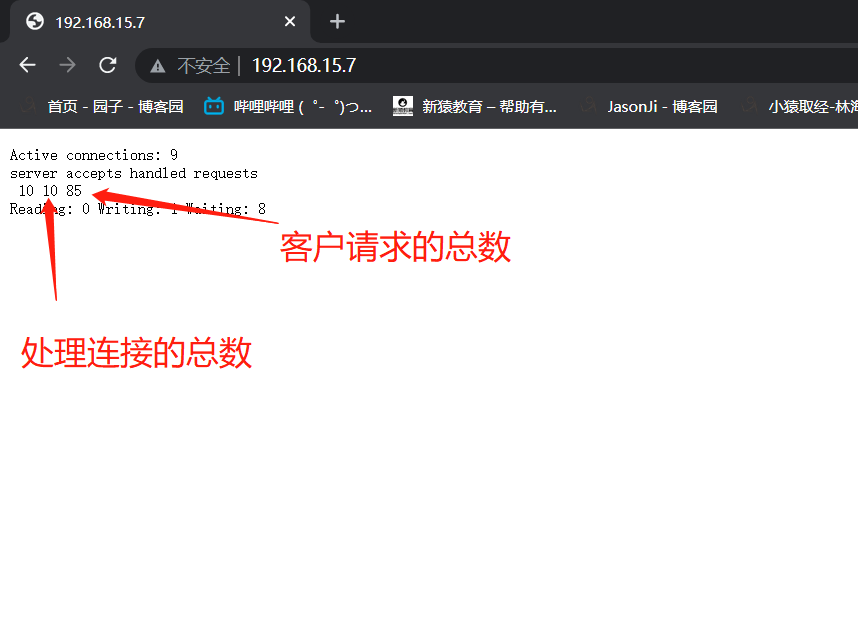
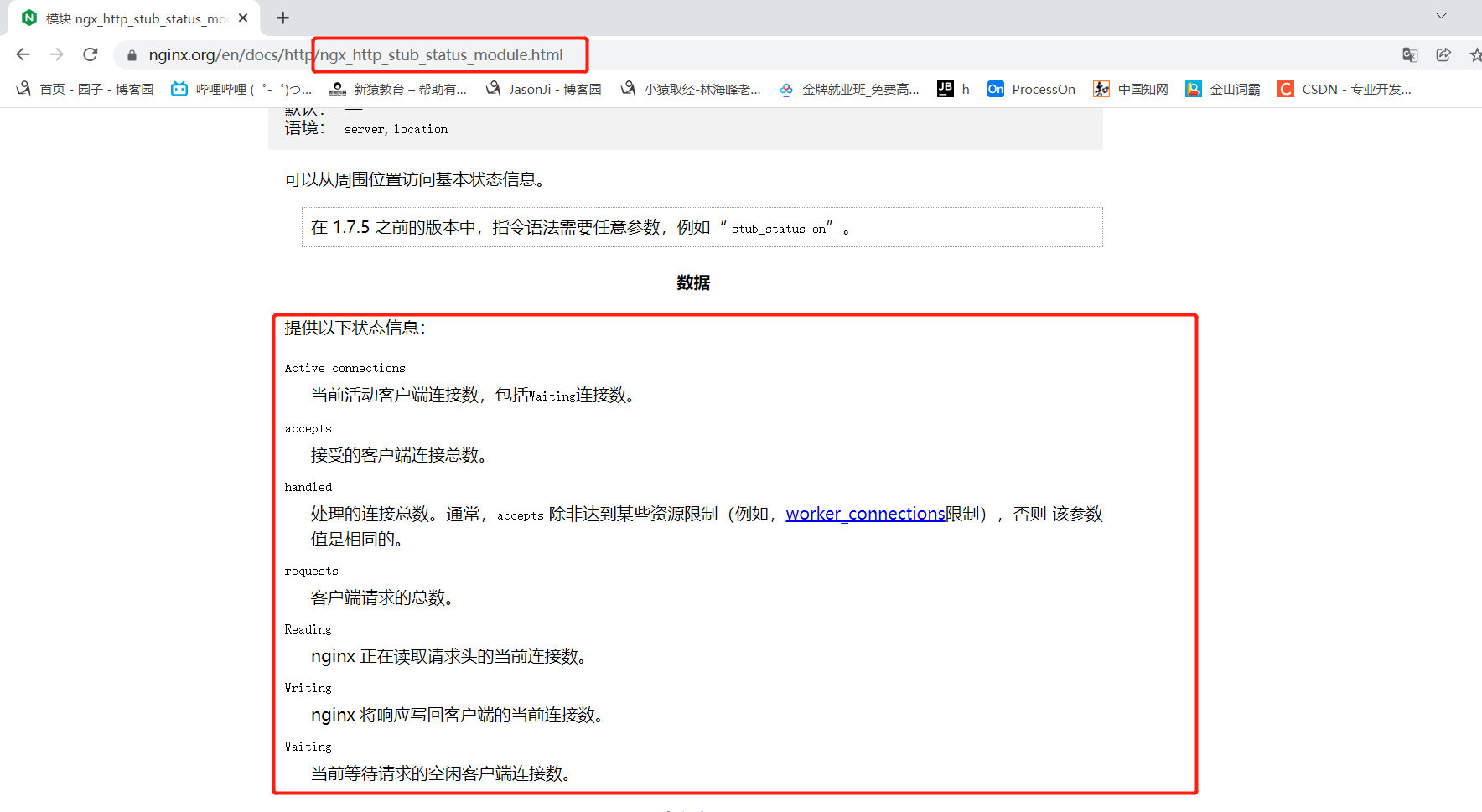
监控 Nginx 运行状态

[root@web01 conf.d]# cat game5.conf

server {

    listen 80;

    server_name 192.168.15.7;

    location / {

        stub_status;

    }

}
3、访问连接控制模块(控制访问速率)
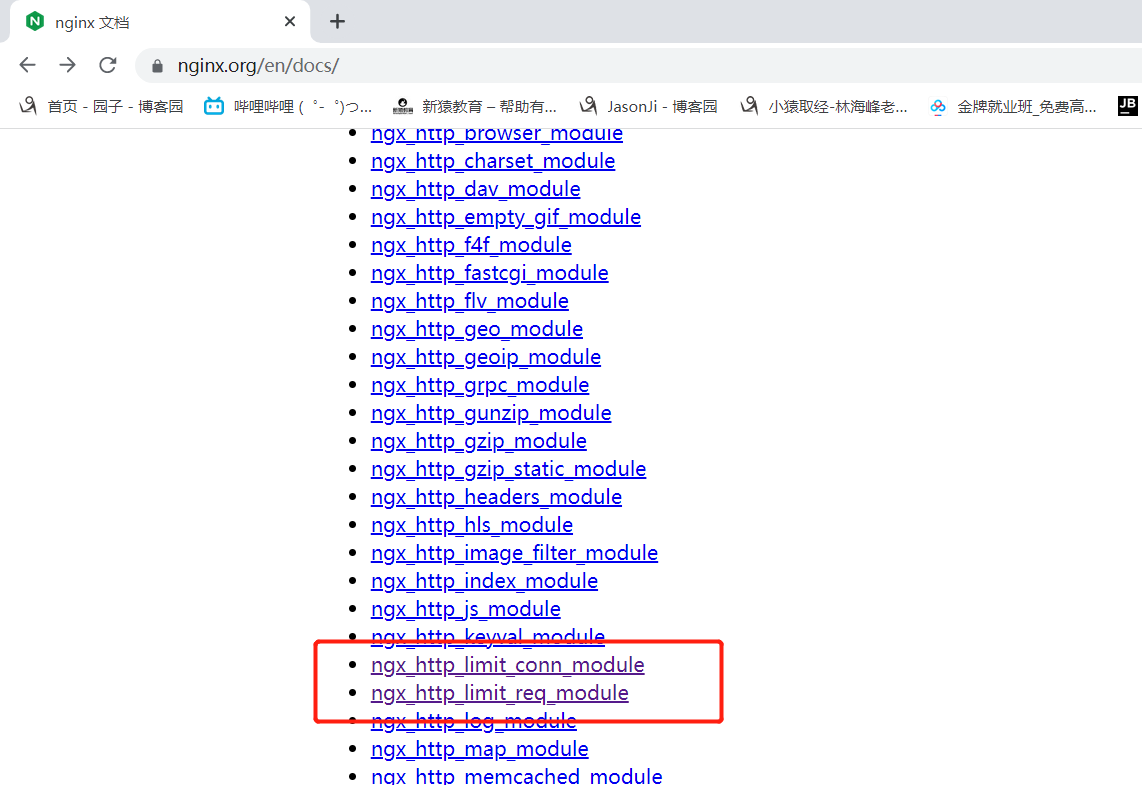
1、控制 Nginx 连接数
ngx_http_limit_conn_module
1、安装 ab 测命令(压力测试)

	yum install httpd-tools -y

2、ab 参数

	-n : 总共需要访问多少次

	-c : 每次访问多少个(请求数)

limit_conn_zone $remote_addr zone=addr:10m;

server {

    listen 80;

    server_name 192.168.15.7;

    limit_conn addr 1;

    location / {

        root /opt/super_Maro;

        index index.html;

    }

}
ngx_http_limit_req_module
2、控制 Nginx 访问量
1、创建连接池(可以用来记录被访问的次数)

    limit_req_zone $remote_addr zone=one:10m rate=1r/s;

    声明连接池      变量(客户端IP)  名称  连接池的大小  速率

2、限制数

	limit_req_zone $remote_addr zone=one:10m rate=1r/s;

server {

    listen 80;

    server_name 192.168.15.7;

    limit_req zone=one burst=5;	< -- 每秒超过1次请求的次数不能超过5个

        location  {

            root /opt/super_Maro;

            index index.html;

    }

}
nginx 配置文件与日志模块的更多相关文章
- Nginx配置文件及模块解析
一.Nginx是什么? Nginx是一个基于c语言开发的高性能http服务器及反向代理服务器.由俄罗斯的程序设计师Igor Sysoev所开发,官方测试nginx能够支支撑5万并发链接,并且cpu.内 ...
- nginx日志模块、事件模块
日志模块 1.access_log指令 语法: access_log path [format [buffer=size [flush=time]]]; access_log logs/access. ...
- 循序渐进nginx(三):日志管理、http限流、https配置,http_rewrite模块,第三方模块安装,结语
目录 日志管理 access_log error_log 日志文件切割 自定义错误页 http访问限流 限制请求数 语法 使用 限制连接数 语法 测试 补充: https配置 使用 生成证书 配置ng ...
- Nginx配置文件nginx.conf有哪些属性模块?
worker_processes 1: # worker进程的数量 events { # 事件区块开始 worker_connections 1024: # 每个worker进程支持的最大连接数 } ...
- Python 日志模块 logging通过配置文件方式使用
vim logger_config.ini[loggers]keys=root,infoLogger,errorlogger [logger_root]level=DEBUGhandlers=info ...
- Nginx配置文件nginx.conf中文详解(转)
######Nginx配置文件nginx.conf中文详解##### #定义Nginx运行的用户和用户组 user www www; #nginx进程数,建议设置为等于CPU总核心数. worker_ ...
- Nginx配置文件详解
Nginx是一款面向性能设计的HTTP服务器,相较于Apache.lighttpd具有占有内存少,稳定性高等优势. ######Nginx配置文件nginx.conf中文详解##### #定义Ngin ...
- 005.nginx配置文件
1.替换nginx主配置文件 通过前面的配置,LNMP的环境已经搭建完成,现在我们替换nginx配置文件: [root@huh ~]# cd /usr/local/nginx/conf/[root@h ...
- nginx配置文件nginx.conf超详细讲解
#nginx进程,一般设置为和cpu核数一样worker_processes 4; #错误日志存放目录 error_log /data1/logs/er ...
随机推荐
- 更加高效的遍历 Map
https://stackoverflow.com/questions/46898/how-do-i-efficiently-iterate-over-each-entry-in-a-java-map ...
- antd递归渲染左侧菜单
- centos7 文件属性介绍block+软硬连接介绍
block block用于存放的是数据信息 block默认大小是4k,可以进行调整 比较大的文件,会占用多个block 比较小的文件,剩余空间无法使用,浪费磁盘空间 软硬链接的区别 硬链接:是文件的多 ...
- Linux上天之路(九)之文件和文件夹的权限
主要内容 linux 基本权限 linux特殊权限 linux隐藏权限 linux file ACL 权限 1. Linux的基本权限 使用ls -l filename 命令查看文件或文件夹详细权限 ...
- 《剑指offer》面试题03. 数组中重复的数字
问题描述 找出数组中重复的数字. 在一个长度为 n 的数组 nums 里的所有数字都在 0-n-1 的范围内.数组中某些数字是重复的,但不知道有几个数字重复了,也不知道每个数字重复了几次.请找出数组中 ...
- 《剑指offer》面试题13. 机器人的运动范围
问题描述 地上有一个m行n列的方格,从坐标 [0,0] 到坐标 [m-1,n-1] .一个机器人从坐标 [0, 0] 的格子开始移动,它每次可以向左.右.上.下移动一格(不能移动到方格外),也不能进入 ...
- web自动化-selenium 入门篇
selenium安装介绍 selenium是web浏览器的自动化工具 官网:https://www.selenium.dev 构成: WebDriver: 浏览器提供的浏览器api来控制浏览器(模拟用 ...
- vscode配置Microsoft C++注意事项
vscode配置c++插件教程链接如下: https://code.visualstudio.com/docs/cpp/config-msvc#_check-your-microsoft-visual ...
- Java on Visual Studio Code的更新 – 2022年1月
大家好,欢迎来到 Visual Studio Code Java 更新 1 月版!这是我们新年的第一篇博客,我们将回顾 2021 年的亮点,并分享我们 2022 年的产品路线图!除此之外我们还有一些令 ...
- C++线程基础笔记(一)
标准写法: #include<iostream> #include<thread> using namespace std; void MyThread() { cout &l ...