
Vue(二十三)vuex + axios + 缓存 运用 (以登陆功能为例)
(一)axios 封装
(1)axios拦截器
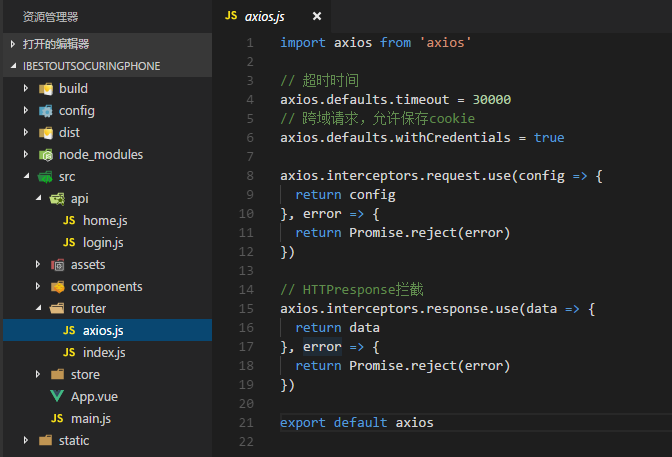
可以在axios中加入加载的代码。。。
(2)封装请求
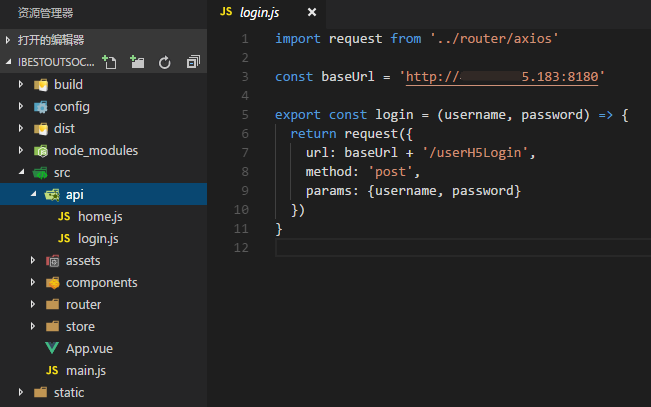
后期每个请求接口都可以写在这个里面。。。
(二)vuex
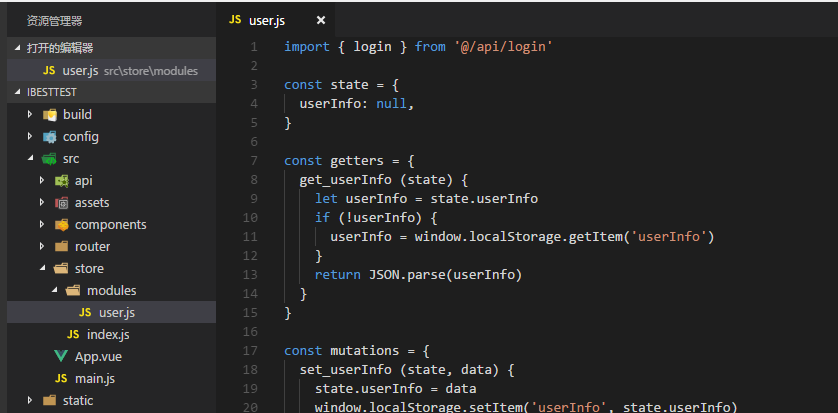
user.js
import { login } from '@/api/login'

const state = {

  userInfo: null,

}

const getters = {

  get_userInfo (state) {

    let userInfo = state.userInfo

    if (!userInfo) {

      userInfo = window.localStorage.getItem('userInfo')

    }

    return JSON.parse(userInfo)

  }

}

const mutations = {

  set_userInfo (state, data) {

    state.userInfo = data

    window.localStorage.setItem('userInfo', state.userInfo)

  }

}

const actions = {

  Login (context, {username, password}) {

    return new Promise((resolve, reject) => {

      login(username, password).then(response => {

        context.commit('set_userInfo', response.data.rtnInfo)

        resolve(response)

      }, error => {

        reject(error)

      })

    })

  }

}

export default {

  state,

  getters,

  mutations,

  actions

}
(1)创建一个state - userInfo 保存用户信息
(2)getters - get_userInfo 获取用户信息,读取缓存
(3)mutations - set_userInfo 每次登录,将用户信息保存在缓存中
(4)action - Login 调用api中的login接口
进行登录操作
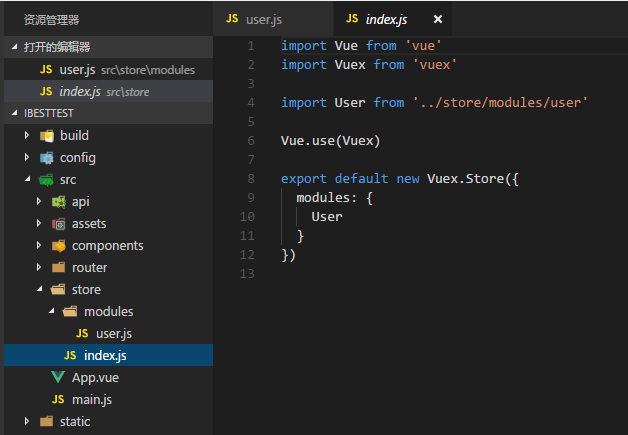
在index.js 中注入 user
在main.js中 引入store - index.js
(三)组件中运用
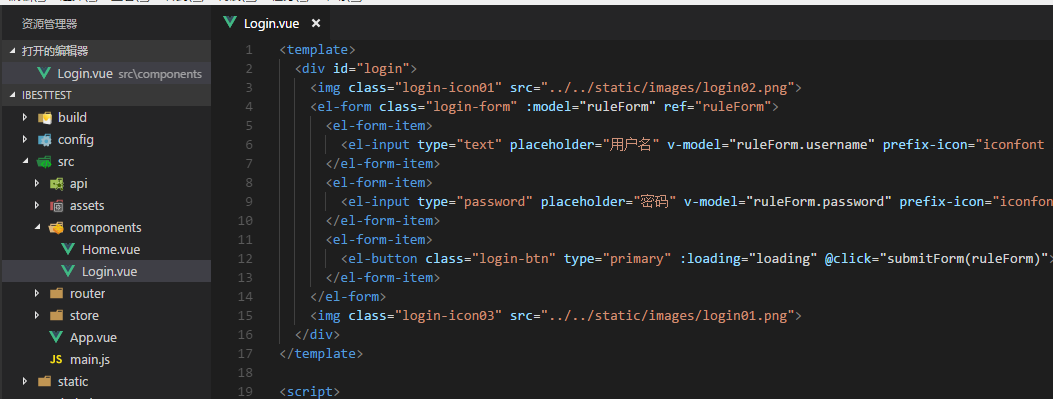
Login.Vue
<template>

  <div id="login">

    <img class="login-icon01" src="../../static/images/login02.png">

    <el-form class="login-form" :model="ruleForm" ref="ruleForm">

      <el-form-item>

        <el-input type="text" placeholder="用户名" v-model="ruleForm.username" prefix-icon="iconfont icon-user" clearable auto-complete="off"></el-input>

      </el-form-item>

      <el-form-item>

        <el-input type="password" placeholder="密码" v-model="ruleForm.password" prefix-icon="iconfont icon-password" clearable auto-complete="off"></el-input>

      </el-form-item>

      <el-form-item>

        <el-button class="login-btn" type="primary" :loading="loading" @click="submitForm(ruleForm)">登录</el-button>

      </el-form-item>

    </el-form>

    <img class="login-icon03" src="../../static/images/login01.png">

  </div>

</template>

<script>

export default {

  data () {

    return {

      loading: false,

      // urlIbest: this.$store.state.User.urlIbest,

      ruleForm: {

        username: '',

        password: ''

      }

    }

  },

  methods: {

    submitForm (formName) {

      this.loading = true

      if (formName.username === '' || formName.password === '') {

        this.$message.error('用户名或密码不能为空')

        this.loading = false

      } else {

        // 登录

        this.$store.dispatch('Login', {'username': formName.username, 'password': formName.password}).then(response => {

          if (response.data && response.data.rtnCode === '00000000') {

            this.loading = false

            this.$router.push('/home')

          } else {

            this.$message.error(response.data.rtnMsg)

            this.loading = false

          }

        })

      }

    }

  }

}

</script>

<style lang="less" scoped>

  #login {

    background-color: #2f329f;

    position: fixed;

    top:0;

    left:0;

    right:0;

    bottom:0;

    margin:auto;

    .login-form{

      width: 80%;

      padding: 30px 10%;

      background: rgba(47,50,159,.3);

      position: absolute;

      z-index: 8;

      top: 120px;

      .el-input__inner{

        padding-top:8px;

        padding-bottom:8px;

        background-color:transparent!important;

        color:#fff;

      }

      .login-btn{

        width:100%;

        background-color:#fff;

        color:#2f329f;

        border:none;

        margin-top:20px;

      }

    }

    .login-icon01{

        position: absolute;

        width: 20%;

        right: 15%;

        top: 60px;

        z-index: 10;

    }

    .login-icon02{

        position: absolute;

        width: 50%;

        bottom:20px;

        left:0;

        right:0;

        margin:auto;

        z-index:2;

    }

    .login-icon03{

        position: absolute;

        width: 110%;

        left: 0;

        right: 0;

        bottom: 0;

        margin-left: -5%;

        z-index: 1;

    }

  }

</style>
在登录提交中,调用store中方法
this.$store.dispatch('Login', {'username': formName.username, 'password': formName.password})
传入用户名和密码
Vue(二十三)vuex + axios + 缓存 运用 (以登陆功能为例)的更多相关文章
- Vue 爬坑之路(六)—— 使用 Vuex + axios 发送请求
Vue 原本有一个官方推荐的 ajax 插件 vue-resource,但是自从 Vue 更新到 2.0 之后,官方就不再更新 vue-resource 目前主流的 Vue 项目,都选择 axios ...
- 基于 vue+vue-router+vuex+axios+koa+koa-router 本地开发全栈项目
因为毕业设计要做基于Node服务器的项目,所以我就想着用刚学的vue作为前端开发框架,vue作为Vue.js应用程序的状态管理模式+库,axios基于promise用于浏览器和node.js的http ...
- Vue项目中使用Vuex + axios发送请求
本文是受多篇类似博文的影响写成的,内容也大致相同.无意抄袭,只是为了总结出一份自己的经验. 一直以来,在使用Vue进行开发时,每当涉及到前后端交互都是在每个函数中单独的写代码,这样一来加大了工作量,二 ...
- vue+vuex+axios+echarts画一个动态更新的中国地图
一. 生成项目及安装插件 # 安装vue-cli npm install vue-cli -g # 初始化项目 vue init webpack china-map # 切到目录下 cd china- ...
- Vue 爬坑之路—— 使用 Vuex + axios 发送请求
Vue 原本有一个官方推荐的 ajax 插件 vue-resource,但是自从 Vue 更新到 2.0 之后,官方就不再更新 vue-resource 目前主流的 Vue 项目,都选择 axios ...
- day 84 Vue学习六之axios、vuex、脚手架中组件传值
Vue学习六之axios.vuex.脚手架中组件传值 本节目录 一 axios的使用 二 vuex的使用 三 组件传值 四 xxx 五 xxx 六 xxx 七 xxx 八 xxx 一 axios的 ...
- vue全家桶项目搭建(vue-cli 2.9.6+vue-router+vuex+axios)
一.安装vue-cli + vue-router + vuex + axios 1.安装vue-cli 2.创建项目 3.安装vuex和axios 二.搭建项目目录结构,如下所示: 1.assets目 ...
- 使用Typescript重构axios(二十三)——添加withCredentials属性
0. 系列文章 1.使用Typescript重构axios(一)--写在最前面 2.使用Typescript重构axios(二)--项目起手,跑通流程 3.使用Typescript重构axios(三) ...
- Vuex+axios
Vuex+axios Vuex简介 vuex是一个专门为Vue.js设计的集中式状态管理架构. 状态? 我们把它理解为在data中需要共享给其他组件使用的部分. Vuex和单纯的全局对象有以下不同 ...
随机推荐
- 使用 curses 函数库管理基于文本的屏幕
curses 函数库提供了终端无关的方式来编写全屏幕的基于字符的程序.curses 还可以管理键盘,提供了一种简单易用的非阻塞字符输入模式. curses 函数库能够优化光标的移动并最小化需要对屏幕进 ...
- 【转载】Python and Mysql Andy Dustman
0. http://mysql-python.sourceforge.net/ Python and MySQL: This is a presentation I did a couple year ...
- python全栈开发day55-mysql外键的三种变种
一.昨日内容回顾 二.今日内容总结 三.mysql应知必会 你可以通过INFORMATION_SCHEMA.KEY_COLUMN_USAGE 表来查看. select * from INFORMATI ...
- k8s 相关命令
kompose convert -f docker-compose-pro.yml k8s数据卷挂载: https://blog.csdn.net/wlhdo71920145/article/deta ...
- VM VirtualBox – Cannot register the hard disk
第一打开VirtualBox 文件夹,在地址栏输入cmd 第二, 仔细读下面 VBoxManage.exe internalcommands sethduuid "F:\Virtual ...
- Calendar抽象类的使用
Calendar timeNow = Calendar.getInstance(); int year = timeNow.get(Calendar.YEAR); // 这里月是从0开始的,即0到11 ...
- liunx系统虚拟机下安装tomcat9以及访问tomcat案例
在liunx系统虚拟机下安装tomcat9 首先下载好压缩包 liunx系统环境的安装包 将其解压到虚拟机自己创建的目录下 解压命令 tar -zxvf 文件名 解压好如图所示 然后修改配置文 ...
- Django中的Request和Response
接触Django这么久了,从来没有好好学习关于Django中的Request和Response对象.借着文件上传下载的相关工作,现在总结一下也不错. 当一个页面请求过来,Django会自动创建一个Re ...
- HDU 3415 Max Sum of Max-K-sub-sequence【单调队列】
<题目链接> 题目大意: 给你一段从1~N的圆形序列,要你求出这段圆形序列中长度不超过K的最大连续子序列之和是多少,并且输出这子序列的起点和终点. 解题分析: 既然是求连续子序列之和,我们 ...
- pyspider 启动错误遇到的一些坑
https://blog.csdn.net/SiHann/article/details/88239892 突然接到一个项目是关于pyspider,遇到了一些小坑,百度一下发现并没有很好的解决所以研究 ...