
Angular JS 学习之服务(Service)
1.AngularJS中,可以创建自己的服务,或使用内建服务;
2.在AngularJS中,服务是一个函数或对象,可在你的AngularJS应用中使用;
AngularJS内建了30多个服务;有个$location服务,它可以返回当前页面的URL;
var app=angular.module('myApp',[]);
app.controller('customersCtrl',function($scope,$location){
$scope.myUrl=$location.absUrl();
});

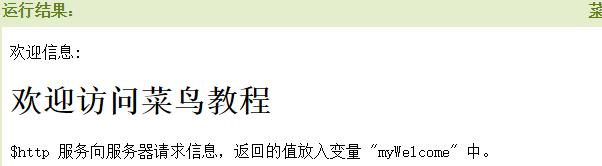
3.$http是AngularJS应用中最常用的服务;服务向服务器发送请求,应用响应服务器传过来的数据;
AngularJS会一直监控应用,处理事件变化,AngularJS使用$location服务比使用window。location对象更好;
var app=angular('myApp',[]);
app.controller('myCtrl',function($scope,$http){
$http.get("Welcome.htm").then(function(response){
$scope.myWelcome=response.data;
});
});
4.$timeout服务:响应了JS window.setTimeout函数:
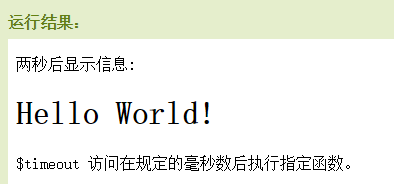
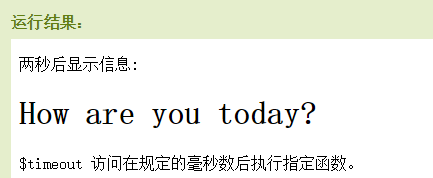
var app=angular.module('myApp',[]);
app.controller('myCtrl',function($scope,$timeout){
$scope.myHeader="Hello World!";
$timeout(function(){
$scope.myHeader="How are you today?";
},2000);
});
5.$interval服务:对应了JS window.setInterval函数
var app=angular.module('myApp',[]);
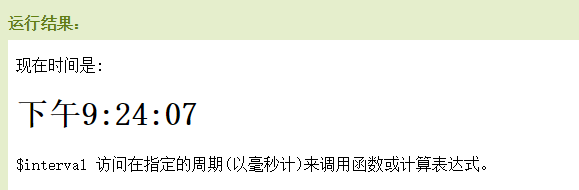
app.controller('myCtrl',function($scope,$interval){
$scope.theTime=new Date().toLocaleTimeString();
$interval(function(){
$scope.theTime=new Date().toLocaleTimeString();
},1000);
});
6.创建自定义服务:可以创建访问自定义服务,链接到你的模块中;
app.service('hexafy',function(){
this.myFunc=function(x){
return x.toString(16);
}
});
使用访问自定义服务,需要在定义过滤器的时候独立添加:
app.controller('myCtrl',function($scope,hexafy){
$scope.hex=hexafy.myFunc(255);
});

7.过滤器中,使用自定义服务:当你创建了自定义服务,并连接到你的应用后,你可以在控制器,指令,过滤器或其他服务中使用它;
在过滤器myFormat中使用服务hexafy:
app.filter('myFormat',['hexafy',function(hexafy){
return function(x){
return hexafy.myFunc(x);
};
}]);
Angular JS 学习之服务(Service)的更多相关文章
- Angular JS 中的服务注册方法
在Angular JS中创建服务的几种方法 factory() service() constant() value() provider() factory(name,fn(){}) 该服务为单例的 ...
- 适合我胃口的angular.js学习资料
断断续续弄了半年的ANGULAR.JS学习资料,网上下载了N多资料,测试了很多次. 现在只能算是入门,因时间问题,现在要转入其它领域. 如果以后要拾起来,下面这个PDF比较对我胃口. <Angu ...
- Angular JS 学习笔记(自定义服务:factory,Promise 模式异步请求查询:$http,过滤器用法filter,指令:directive)
刚学没多久,作了一个小项目APP,微信企业号开发与微信服务号的开发,使用的是AngularJS开发,目前项目1.0版本已经完结,但是项目纯粹为了赶工,并没有发挥AngularJS的最大作用,这几天项目 ...
- Angular.js学习笔记(三)
一.过滤器 1.uppercase,lowercase 大小写转换{{ "lower cap string" | uppercase }} // 结果:LOWER CAP STRI ...
- python , angular js 学习记录【2】
1.不同scope之间的通信 (1)无父子关系的scope通信: 在需要操作的scope里面定义一个事件,名称为delete_host,参数为data $rootScope.$on('delete_h ...
- python , angular js 学习记录【1】
1.日期格式化 Letter Date or Time Component Presentation Examples G Era designator Text AD y Year Year 199 ...
- Angular JS 学习之路由
1.AngularJS路由允许我们通过不同的URL访问不同的内容:通过AngularJS可以实现多视图的单页WEB访问(SPA) 2.通常我们的URL形式为http://runoob.com/firs ...
- angular.js学习的第一天
第一天对angular.js进行学习,肯定是面对的入门的最简单的实例: 实现下面的这个效果,首先需要在html页面引入angular.js,在下面的div中,ng-app则表示在当前div是一个ang ...
- Angular JS 学习之Bootstrap
1.要使用Bootstrap框架,必须在<head>中加入链接: <link rel="stylesheet" href="//maxcdn.boots ...
随机推荐
- uva 1584.Circular Sequence
题目链接:https://uva.onlinejudge.org/index.php?option=com_onlinejudge&Itemid=8&page=show_problem ...
- eclipse远程调试Tomcat方法[转]
转载自:http://blog.csdn.net/afgasdg/article/details/9236877 1.Linux中配置tomcat在catalina.sh中添加如下CATALINA_O ...
- 【C语言】文件
fopen fseek fprintf fclose 先用这几个函数
- asp.net 后台获取input的值
前台:<input id="test" value="" runat="server" /> 只要架上runat="s ...
- UISearchController Attempting to load the view of a view controller while it is deallocating is not allowed and may result in undefined behavior
Attempting to load the view of a view controller while it is deallocating is not allowed and may res ...
- Java IO流总结
Java IO流分类以及主要使用方式如下: IO流 |--字节流 |--字节输入流 InputStream: int read();//一次读取一个字节 int read(byte[] bys);// ...
- Git+VirtalBaox+Vagrant创建Linux虚拟机
文章内容来自Udacity课程:Linux Command Line Basics--Getting Started with the Shell Your own Linux box To lear ...
- Jquery.Datatables 基本设置的中文注解
$(document).ready(function() { $('#example').dataTable({ "sScrollX": "100%", //表 ...
- jQuery – 7.动态创建Dom、删除节点
动态创建Dom节点 1.使用$(html字符串)来创建Dom节点 2.append方法用来在元素的末尾追加元素 案例:动态生成网站列表 3.prepend,在元素的开始 ...
- vim、gvim加载文件慢
1. strace -f -T -o vim.strace vim 2. vim --startuptime "vim-time.txt" 3. gvim -f