
Vue3: 如何以 Vite 创建,以 Vue Router, Vuex, Ant Design 开始应用
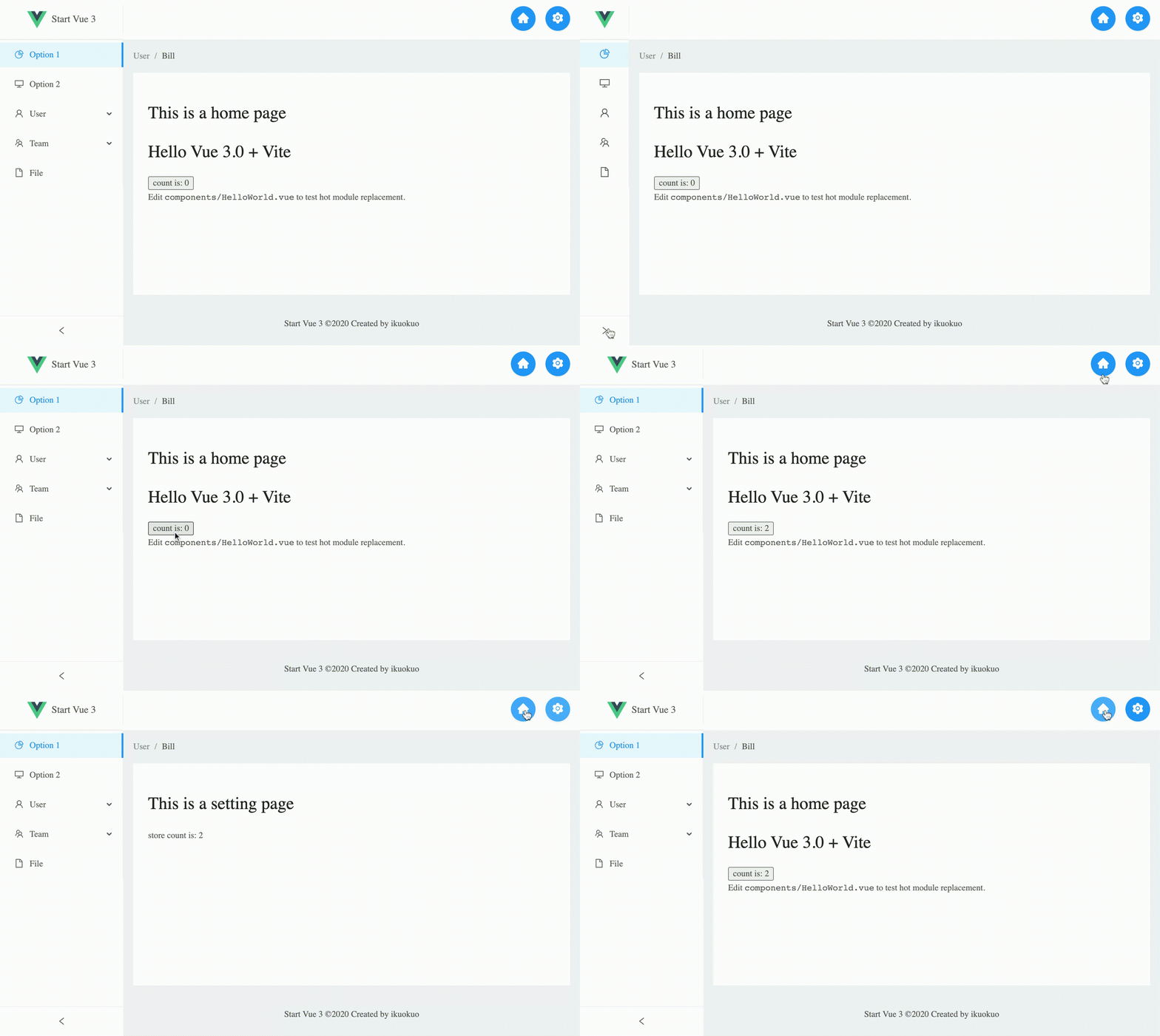
Vite 创建 Vue 3 项目
yarn create vite-app my-site

cd my-site

yarn

yarn dev
运行输出:
❯ yarn dev

yarn run v1.22.10

warning package.json: No license field

$ vite

vite v1.0.0-rc.4

[vite] Optimizable dependencies detected:

vue

  Dev server running at:

  > Local:    http://localhost:3000/

  > Network:  http://192.168.1.100:3000/
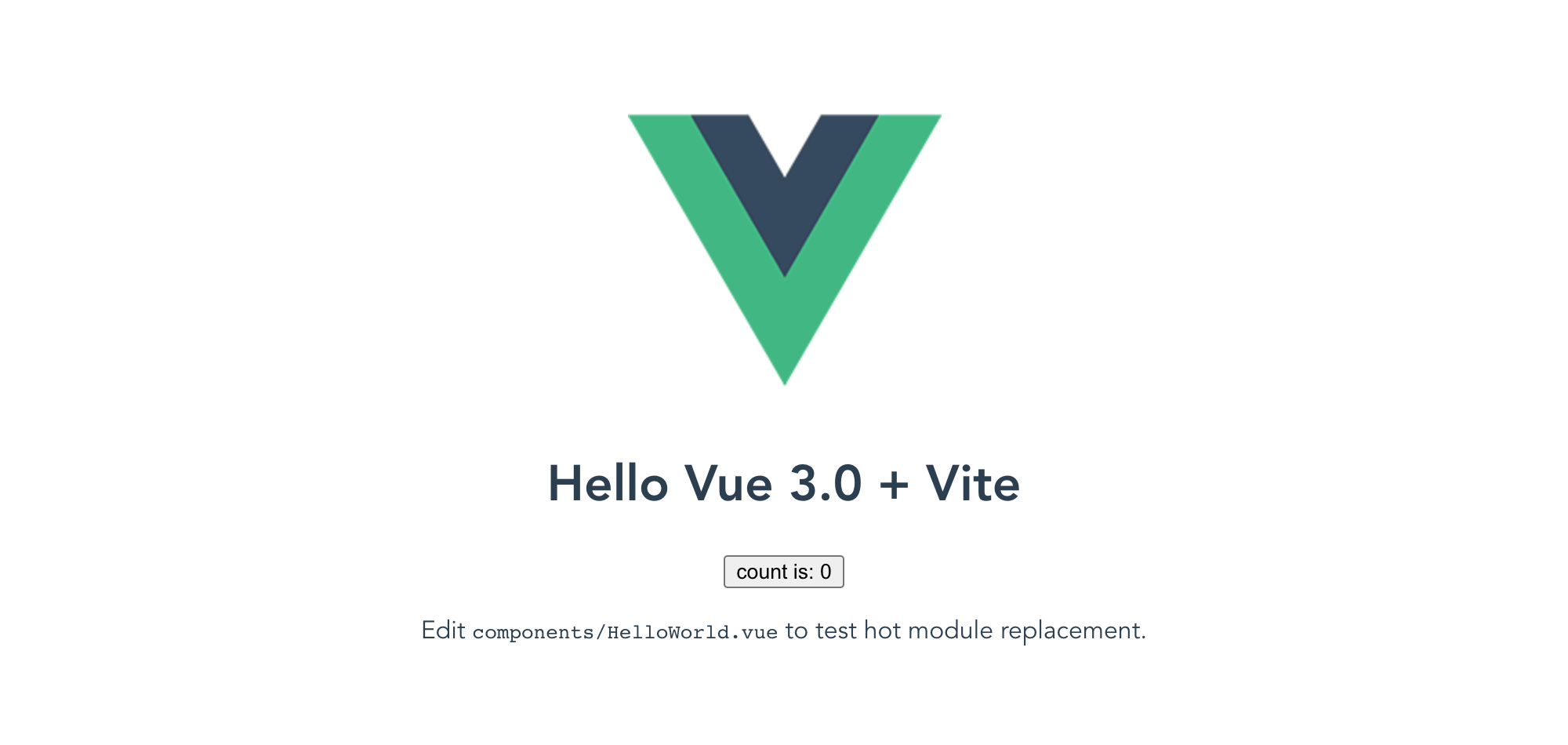
访问网址:
与 Vue 2 的差异
详见: Migration Guide
Vite 配置
vite.config.ts:
import { resolve } from "path";

function pathResolve(dir: string) {

  return resolve(__dirname, ".", dir);

}

module.exports = {

  alias: {

    "/@/": pathResolve("src"),

  },

  optimizeDeps: {

    include: ["@ant-design/icons-vue"],

  },

};
前提准备
eslint-plugin-vue
yarn add -D eslint eslint-plugin-vue
.eslintrc.js:
module.exports = {

  extends: [

    // add more generic rulesets here, such as:

    // "eslint:recommended",

    "plugin:vue/vue3-recommended",

    // "plugin:vue/recommended" // Use this if you are using Vue.js 2.x.

  ],

  rules: {

    // override/add rules settings here, such as:

    "vue/no-multiple-template-root": "off",

  },

};
TypeScript

yarn add -D typescript
详见:
Vue Router

yarn add vue-router@next
Vuex

yarn add vuex@@next
Ant Design Vue

yarn add ant-design-vue@next

# import on demand

yarn add -D babel-plugin-import

# https://github.com/vueComponent/ant-design-vue/issues/2798

yarn add @ant-design/colors
.babelrc:
{

  "plugins": [

    ["import", { "libraryName": "ant-design-vue", "libraryDirectory": "es", "style": "css" }] // `style: true` 会加载 less 文件

  ]

}
其他依赖
yarn add -D sass
开始使用
使用 TypeScript
main.js重命名为main.tsindex.html里把/src/main.js替换为/src/main.ts...
<body>
<div id="app"></div>
<script type="module" src="/src/main.ts"></script>
</body>
</html>
使用 Vue Router
router/index.ts:
import { createRouter, createWebHistory } from "vue-router";

const routes = [

  {

    path: "/",

    name: "Home",

    component: () => import("/@/views/Home.vue"),

  },

  {

    path: "/setting",

    name: "Setting",

    component: () => import("/@/views/Setting.vue"),

  },

];

export default createRouter({

  history: createWebHistory(),

  routes,

});
使用 Vuex
store/index.ts:
import { createStore } from "vuex";

export default createStore({

  state() {

    return {

      count: 0,

    };

  },

  mutations: {

    increment(state) {

      state.count++;

    },

  },

  actions: {

    increment(context) {

      context.commit("increment");

    },

  },

});
添加 Views
views/Home.vue:
<template>

  <h1>This is a home page</h1>

  <HelloWorld msg="Hello Vue 3.0 + Vite" />

</template>

<script lang="ts">

import { defineComponent } from "vue";

import HelloWorld from "/@/components/HelloWorld.vue";

export default defineComponent({

  name: "Home",

  components: {

    HelloWorld,

  },

});

</script>
views/Setting.vue:
<template>

  <div>

    <h1>This is a setting page</h1>

    <p>store count is: {{ count }}</p>

  </div>

</template>

<script lang="ts">

import { defineComponent } from "vue";

export default defineComponent({

  name: "Setting",

  computed: {

    count() {

      return this.$store.state.count;

    },

  },

});

</script>
更改 main.ts
应用 Vue Router, Vuex, Ant Design :
import { createApp } from "vue";

import router from "/@/router";

import store from "/@/store";

import Antd from "ant-design-vue";

import "ant-design-vue/dist/antd.css";

import App from "/@/App.vue";

import "/@/styles/index.scss";

const app = createApp(App);

app.use(router);

app.use(store);

app.use(Antd);

app.mount("#app");
更改 App.vue
使用 Ant Design 搭建首页布局,其中路由部分如下:
<a-layout-header style="background: #fff; padding: 0">

  <a-row type="flex" justify="end">

    <a-col class="mr-3">

      <a-button

        type="primary"

        shape="circle"

        size="large"

        @click="this.$router.push('/')"

      >

        <template #icon><HomeFilled /></template>

      </a-button>

    </a-col>

    <a-col class="mr-3">

      <a-button

        type="primary"

        shape="circle"

        size="large"

        @click="this.$router.push('/setting')"

      >

        <template #icon><SettingFilled /></template>

      </a-button>

    </a-col>

  </a-row>

</a-layout-header>

<a-layout-content style="margin: 0 16px">

  <div :style="{ padding: '24px', background: '#fff', minHeight: '360px' }">

    <router-view />

  </div>

</a-layout-content>
发布到 GitHub Pages
编辑 vite.config.ts 添加 base 路径:
module.exports = {

  // otherwise, may assets 404 or visit with index.html

  base: "/start-vue3/",

  assetsDir: "",

};
编辑 router/index.ts 添加 base 路径:
export default createRouter({

  history: createWebHistory("/start-vue3/"),

  routes,

});
编译,再发布:
cd my-site

yarn build

export GIT_HASH=`git rev-parse --short HEAD`

cd dist/

git init

git remote add origin git@github-ik:ikuokuo/start-vue3.git

git checkout --orphan gh-pages

git add .

git commit -m "deploy website - based on $GIT_HASH"

git push origin gh-pages
访问 https://ikuokuo.github.io/start-vue3/ 体验在线演示。
参考
结语
欢迎关注 GoCoding 公众号,分享日常 Coding 中实用的小技巧、小知识!
Vue3: 如何以 Vite 创建,以 Vue Router, Vuex, Ant Design 开始应用的更多相关文章
- Vue 2.0 + Vue Router + Vuex
用 Vue.js 2.x 与相配套的 Vue Router.Vuex 搭建了一个最基本的后台管理系统的骨架. 当然先要安装 node.js(包括了 npm).vue-cli 项目结构如图所示: ass ...
- vue 下搭建ant design环境
之前用ant-design-vue组件在vue页面下使用 一不小心就会出现编译错误,网上不是搭建教程都是不太准确,现整理下 1.根据ant design vue 官网的假定条件 已经安装了nodejs ...
- Vue.js高效前端开发 • 【Ant Design of Vue框架基础】
全部章节 >>>> 文章目录 一.Ant Design of Vue框架 1.Ant Design介绍 2.Ant Design of Vue安装 3.Ant Design o ...
- Vue CLI 5 和 vite 创建 vue3.x 项目以及 Vue CLI 和 vite 的区别
这几天进入 Vue CLI 官网,发现不能选择 Vue CLI 的版本,也就是说查不到 vue-cli 4 以下版本的文档. 如果此时电脑上安装了 Vue CLI,那么旧版安装的 vue 项目很可能会 ...
- vite创建vue3+ts项目流程
vite+vue3+typescript搭建项目过程 vite和vue3.0都出来一段时间了,尝试一下搭vite+vue3+ts的项目 相关资料网址 vue3.0官网:https://v3.vue ...
- 基于 vite 创建 vue3 全家桶项目(vite + vue3 + tsx + pinia)
vite 最近非常火,它是 vue 作者尤大神发布前端构建工具,底层基于 Rollup,无论是启动速度还是热加载速度都非常快.vite 随 vue3 正式版一起发布,刚开始的时候与 vue 绑定在一起 ...
- vue3 vite2 封装 SVG 图标组件 - 基于 vite 创建 vue3 全家桶项目续篇
在<基于 vite 创建 vue3 全家桶>一文整合了 Element Plus,并将 Element Plus 中提供的图标进行全局注册,这样可以很方便的延续 Element UI 的风 ...
- vue.js利用vue.router创建前端路由
node.js方式: 利用node.js安装vue-router模块 cnpm install vue-router 安装完成后我们引入这个模板! 下载vue-router利用script引入方式: ...
- vue3官网介绍,安装,创建一个vue实例
前言:这一章主要是vue的介绍.安装.以及如何创建一个vue实例. 一.vue介绍 vue3中文官网:建议先自己看官网. https://v3.cn.vuejs.org/ vue是渐进式框架,渐进式指 ...
随机推荐
- Scala的对字符串应用
1.trimEnd:截取末尾几个长度的字符串 import scala.collection.mutable.ArrayBuffer val a = ArrayBuffer[Int]() a+=(1, ...
- Spring注解不生效原因总结
在Spring的注解学习中发现使用(@Resource.@PostConstruct. @PreDestroy)这三个注解时不生效.使用@Resource发生空指针异常,说 明被注解对象没有被成功注入 ...
- (专题四)06 matlab绘图选项卡
绘图选项卡 例子1--选择已有变量,绘制图形 都是按照选中的先后顺序依次确定坐标, 如果要修改绘制图形 法一,利用绘图工具和停靠图形按钮 法二,命令行窗口中输入命令 >>plottools ...
- Anaconda简介及特点
摘要 Python是一种面向对象的解释型计算机程序设计语言,其使用,具有跨平台的特点,可以在Linux.macOS以及Windows系统中搭建环境并使用,其编写的代码在不同平台上运行时,几乎不需要做较 ...
- Redis学习(四)redis发布订阅
文章更新时间:2020/04/22 一.简介 Redis 发布订阅(pub/sub)是一种消息通信模式:发送者(pub)发送消息,订阅者(sub)接收消息. Redis 客户端可以订阅任意数量的频道. ...
- python中的三大流程
三大流程又叫程序控制流程 在我们编写代码时,程序是怎么运行的,要用到程序控制流程.在普通代码中,运行的方向是从上到下,从左到右 这就是顺序(逐行扫描). 第二个是分支(又叫选择)结构,例如在编写代码时 ...
- Redis小记(一)
1.redis的数据结构 (1)动态字符串(SDS) redis自身构建了一个简单动态字符串的抽象类型,SDS,在redis里,包含字符串的键值对在底层都是由SDS来实现的. 除了用来保存数据库的字符 ...
- Struts2+Spring4.2+Hibernate4.3整合
一.导包 antlr-2.7.7.jarasm-3.3.jarasm-commons-3.3.jarasm-tree-3.3.jarcom.springsource.com.mchange.v2.c3 ...
- puts()和gets()函数
puts()和gets()函数 1. puts()函数 puts()函数用来向标准输出设备(屏幕)写字符串并换行, 其调用格式为: puts(s); 其中s为字符串变量(字符串数组名或字符串指针). ...
- MATLAB textread函数
实际应用中经常要读取txt文件,这个时候就需要用到强大的textread函数.它的基本语法是:[A,B,C,...] = textread(filename,format)[A,B,C,...] = ...