
1.3 Quick Start中 Step 3: Create a topic官网剖析(博主推荐)
不多说,直接上干货!
一切来源于官网
http://kafka.apache.org/documentation/
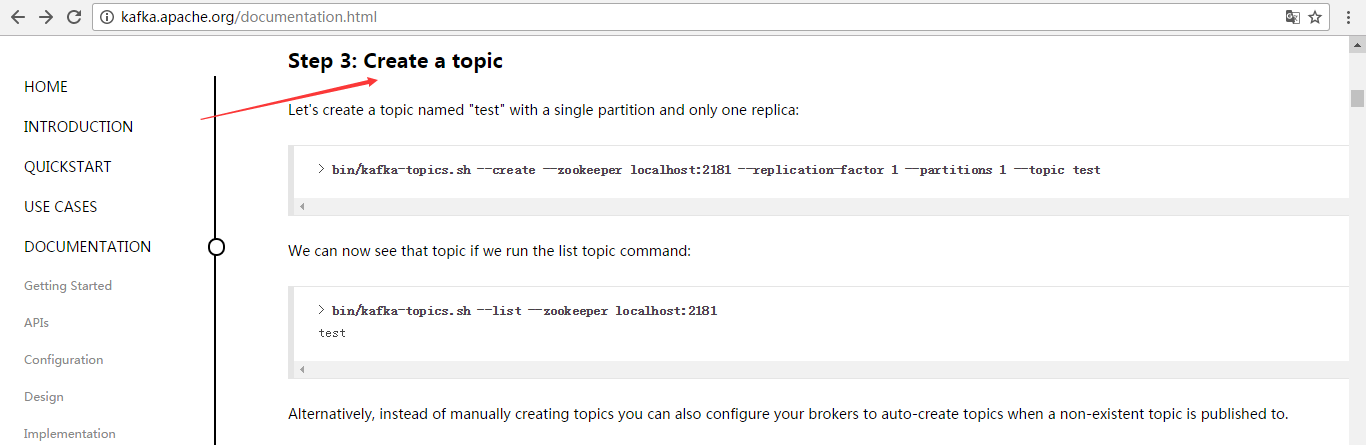
Step 3: Create a topic
Let's create a topic named "test" with a single partition and only one replica:
> bin/kafka-topics.sh --create --zookeeper localhost:2181 --replication-factor 1 --partitions 1 --topic test
We can now see that topic if we run the list topic command:
创建好之后,可以通过运行以下命令,查看已创建的topic信息:
> bin/kafka-topics.sh --list --zookeeper localhost:2181

test
Alternatively, instead of manually creating topics you can also configure your brokers to auto-create topics when a non-existent topic is published to.
其实,这个很简单,比如--create就是创建,--list是查看。当然,不能局限于官网,大家要灵活多变,官网只是个参考和引子。
--topic test 名字为test的topic
--partitions 1 分区数为1
--replication-factor 1 复制因子是1(即每个分区在集群中有1份数据)
--zookeeper localhost:2181 这个不多说,太简单
比如,我们一般写
bin/kafka-topics.sh --create --zookeeper master: --replication-factor --partitions --topic t-behavior
或
bin/kafka-topics.sh --create --zookeeper hadoop1: --replication-factor --partitions --topic t-behavior
说明:

--replication-factor 3     指定了复制因子3,即每个分区在集群中有3份数据

--partitions  10          指定topic的分区数10
--topic t-behavior 指定创建名为t-behavior的topic
同时,查看topic详情
bin/kafka-topics.sh --zookeeper txy001: --topic t-behavior --describe
打印如下:

Topic:t-behavior  PartitionCount:       ReplicationFactor:     Configs:

        Topic: t-behavior Partition:     Leader:        Replicas: ,, Isr: ,,

        Topic: t-behavior Partition:     Leader:        Replicas: ,, Isr: ,,

        Topic: t-behavior Partition:     Leader:        Replicas: ,, Isr: ,,

        Topic: t-behavior Partition:     Leader:        Replicas: ,, Isr: ,,

        Topic: t-behavior Partition:     Leader:        Replicas: ,, Isr: ,,

        Topic: t-behavior Partition:     Leader:        Replicas: ,, Isr: ,,

        Topic: t-behavior Partition:     Leader:        Replicas: ,, Isr: ,,

        Topic: t-behavior Partition:     Leader:        Replicas: ,, Isr: ,,

        Topic: t-behavior Partition:     Leader:        Replicas: ,, Isr: ,,

        Topic: t-behavior Partition:     Leader:        Replicas: ,, Isr: ,,

说明;

ReplicationFactor 表示复制因子,即每个分区有几份数据

Leader 分区的主在那个broker上

Replicas 表示分区数据分布在哪些broker上

Isr 表示可立即作为分区的主的broker,即标识3分数据已经保持一致了。
over
1.3 Quick Start中 Step 3: Create a topic官网剖析(博主推荐)的更多相关文章
- 1.3 Quick Start中 Step 4: Send some messages官网剖析(博主推荐)
不多说,直接上干货! 一切来源于官网 http://kafka.apache.org/documentation/ Step 4: Send some messages Step : 发送消息 Kaf ...
- 1.3 Quick Start中 Step 2: Start the server官网剖析(博主推荐)
不多说,直接上干货! 一切来源于官网 http://kafka.apache.org/documentation/ Step 2: Start the server Step : 启动服务 Kafka ...
- 1.3 Quick Start中 Step 5: Start a consumer官网剖析(博主推荐)
不多说,直接上干货! 一切来源于官网 http://kafka.apache.org/documentation/ Step 5: Start a consumer Step : 消费消息 Kafka ...
- 1.3 Quick Start中 Step 1: Download the code官网剖析(博主推荐)
不多说,直接上干货! 一切来源于官网 http://kafka.apache.org/documentation/ 不要局限于,这个版本,我只是以最新的版本,来做个引子,让大家对官网的各个kafka版 ...
- 1.1 Introduction中 Kafka as a Storage System官网剖析(博主推荐)
不多说,直接上干货! 一切来源于官网 http://kafka.apache.org/documentation/ Kafka as a Storage System kafka作为一个存储系统 An ...
- 1.1 Introduction中 Kafka as a Messaging System官网剖析(博主推荐)
不多说,直接上干货! 一切来源于官网 http://kafka.apache.org/documentation/ Kafka as a Messaging System kafka作为一个消息系统 ...
- 1.3 Quick Start中 Step 8: Use Kafka Streams to process data官网剖析(博主推荐)
不多说,直接上干货! 一切来源于官网 http://kafka.apache.org/documentation/ Step 8: Use Kafka Streams to process data ...
- 1.3 Quick Start中 Step 7: Use Kafka Connect to import/export data官网剖析(博主推荐)
不多说,直接上干货! 一切来源于官网 http://kafka.apache.org/documentation/ Step 7: Use Kafka Connect to import/export ...
- 1.3 Quick Start中 Step 6: Setting up a multi-broker cluster官网剖析(博主推荐)
不多说,直接上干货! 一切来源于官网 http://kafka.apache.org/documentation/ Step 6: Setting up a multi-broker cluster ...
随机推荐
- js 阻断网页选中和右键
$(document).bind("contextmenu", function () { return false; }); $(document).bind("sel ...
- CO-PRIME(初探 莫比乌斯)NYOJ1066(经典)gcd(a,b)=1
CO-PRIME 时间限制:1000 ms | 内存限制:65535 KB 难度:3 描写叙述 This problem is so easy! Can you solve it? You are ...
- linux 下的select函数
函数原型 /* According to POSIX.1-2001 */ #include <sys/select.h> //头文件 /* According to earlier st ...
- nginx 11个过程
nginx在处理每一个用户请求时,都是按照若干个不同的阶段依次处理的,与配置文件上的顺序没有关系,详细内容可以阅读<深入理解nginx:模块开发与架构解析>这本书,这里只做简单介绍: 1. ...
- 威联通NAS 网站无法登录,可以ssh情况下重启设备方法
步骤: 1.VPN登录NAS 2.PUTTY SSH登录设备 3.reboot设备 等待重启约5分钟.
- 应用层协议——HTTP
HTTP: Client HTTP <--> 应用程序HTTP报文 <--> Server HTTP 应用程序 由TCP支持 Statelessprotocol:不会记录客户端 ...
- Vijos——T1626 爱在心中
https://vijos.org/p/1626 描述 “每个人都拥有一个梦,即使彼此不相同,能够与你分享,无论失败成功都会感动.爱因为在心中,平凡而不平庸,世界就像迷宫,却又让我们此刻相逢Our H ...
- win7安装python开发环境,执行python
在win7上安装python的开发环境是很easy的事情 Step1:下载python安装文件 url:https://www.python.org/download 去这里找到你想要下载的文件 St ...
- leetcode 数据库十题记录
题目从难到易记录.解题过程中,如果不太熟悉,可以将题目中的表自己手动录入到自己的数据库中,就方便学习,测试. 185. Department Top Three Salaries 要求就是查询出每个部 ...
- CentOS6.4安装Docker
首先,须要安装EPEL仓库 # wget http://mirrors.yun-idc.com/epel/6/i386/epel-release-6-8.noarch.rpm # rpm -ivh e ...