
[转载]Pytorch中nn.Linear module的理解
[转载]Pytorch中nn.Linear module的理解
本文转载并援引全文纯粹是为了构建和分类自己的知识,方便自己未来的查找,没啥其他意思。
这个模块要实现的公式是:y=xAT+*b
来源:https://blog.csdn.net/u012936765/article/details/52671156
Linear 是module的子类,是参数化module的一种,与其名称一样,表示着一种线性变换。
创建
parent 的init函数
Linear的创建需要两个参数,inputSize 和 outputSize
inputSize:输入节点数
outputSize:输出节点数
所以Linear 有7个字段:weight : Tensor , outputSize ×× inputSize
bias: Tensor ,outputSize
gradWeight: Tensor , outputSize ×× inputSize
gradBias: Tensor ,outputSize
gradInput: Tensor
output: Tensor
_type: output:type()
例子
module = nn.Linear(10, 5)
1
Forward Pass
————————————————
版权声明:本文为CSDN博主「bubbleoooooo」的原创文章,遵循 CC 4.0 BY-SA 版权协议,转载请附上原文出处链接及本声明。
原文链接:https://blog.csdn.net/u012936765/article/details/52671156


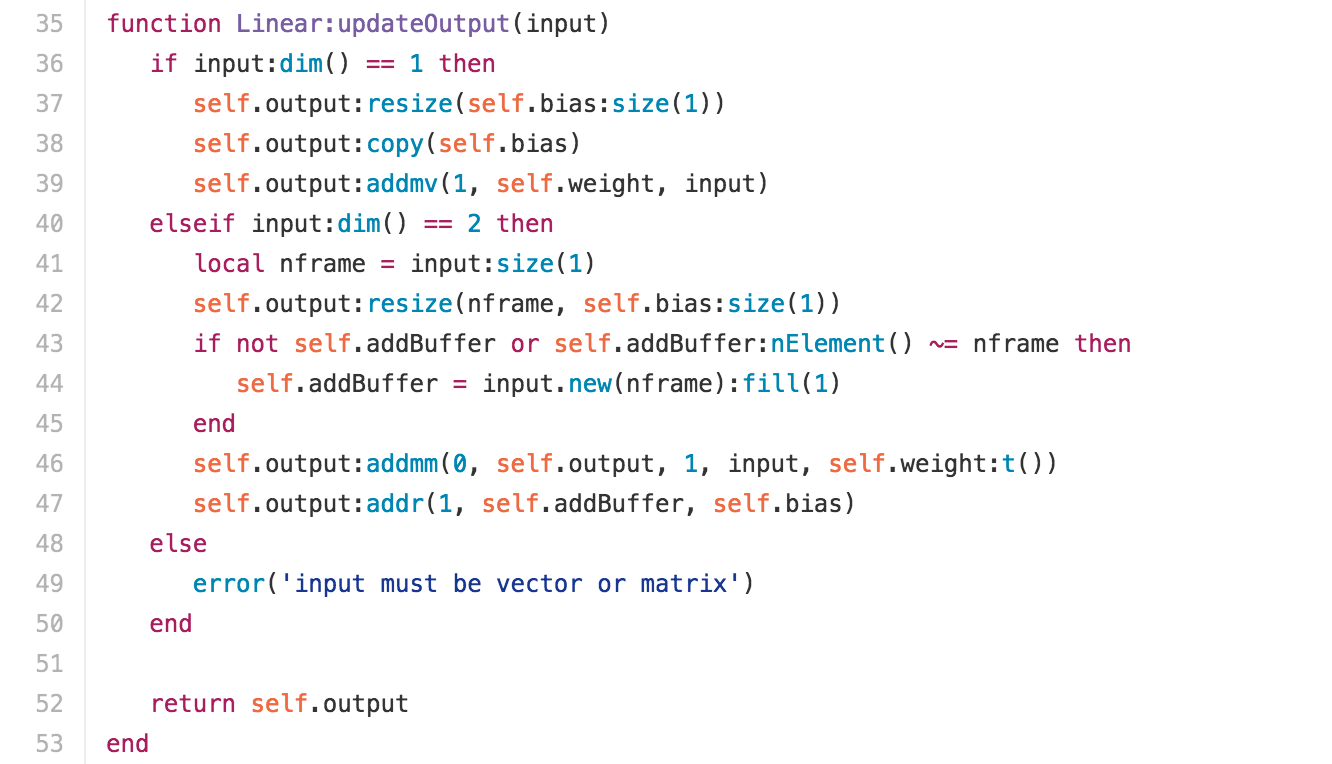
这篇文章有一个很好的例子:
import torch

x = torch.randn(128, 20)  # 输入的维度是(128,20)

m = torch.nn.Linear(20, 30)  # 20,30是指维度

output = m(x)

print('m.weight.shape:\n ', m.weight.shape)

print('m.bias.shape:\n', m.bias.shape)

print('output.shape:\n', output.shape)

# ans = torch.mm(input,torch.t(m.weight))+m.bias 等价于下面的

ans = torch.mm(x, m.weight.t()) + m.bias

print('ans.shape:\n', ans.shape)

print(torch.equal(ans, output))
输出是:
m.weight.shape:

  torch.Size([30, 20])

m.bias.shape:

 torch.Size([30])

output.shape:

 torch.Size([128, 30])

ans.shape:

 torch.Size([128, 30])

True
注意它输入的是一个128*20的二维tensor,经过一个线性变换后变成了128*30的.如果输入换成了:
x = torch.randn(20, 128)  # 输入的维度是(20,128)

m = torch.nn.Linear(20, 30)  # 20,30是指维度

output = m(x)
就会报错了。因为公式是y=xAT+b。由上面的输出我们可以看到,A的维度是3020,转置之后是20*30,所以应该和X的列数对应。一般的:linear的输入和输出值的都是列数,把输入换成:
x = torch.randn(20, 20)  # 输入的维度是(20,20)

m = torch.nn.Linear(20, 30)  # 20,30是指维度

output = m(x)
输出之后就会发现,改变的依然是列数。
[转载]Pytorch中nn.Linear module的理解的更多相关文章
- Pytorch中nn.Conv2d的用法
Pytorch中nn.Conv2d的用法 nn.Conv2d是二维卷积方法,相对应的还有一维卷积方法nn.Conv1d,常用于文本数据的处理,而nn.Conv2d一般用于二维图像. 先看一下接口定义: ...
- [转载]PyTorch中permute的用法
[转载]PyTorch中permute的用法 来源:https://blog.csdn.net/york1996/article/details/81876886 permute(dims) 将ten ...
- Pytorch中nn.Dropout2d的作用
Pytorch中nn.Dropout2d的作用 首先,关于Dropout方法,这篇博文有详细的介绍.简单来说, 我们在前向传播的时候,让某个神经元的激活值以一定的概率p停止工作,这样可以使模型泛化性更 ...
- torch.nn.Linear()函数的理解
import torch x = torch.randn(128, 20) # 输入的维度是(128,20)m = torch.nn.Linear(20, 30) # 20,30是指维度output ...
- pytorch中的Linear Layer(线性层)
LINEAR LAYERS Linear Examples: >>> m = nn.Linear(20, 30) >>> input = torch.randn(1 ...
- pytorch 中的重要模块化接口nn.Module
torch.nn 是专门为神经网络设计的模块化接口,nn构建于autgrad之上,可以用来定义和运行神经网络 nn.Module 是nn中重要的类,包含网络各层的定义,以及forward方法 对于自己 ...
- PyTorch 中,nn 与 nn.functional 有什么区别?
作者:infiniteft链接:https://www.zhihu.com/question/66782101/answer/579393790来源:知乎著作权归作者所有.商业转载请联系作者获得授权, ...
- Pytorch中Module,Parameter和Buffer的区别
下文都将torch.nn简写成nn Module: 就是我们常用的torch.nn.Module类,你定义的所有网络结构都必须继承这个类. Buffer: buffer和parameter相对,就是指 ...
- 小白学习之pytorch框架(3)-模型训练三要素+torch.nn.Linear()
模型训练的三要素:数据处理.损失函数.优化算法 数据处理(模块torch.utils.data) 从线性回归的的简洁实现-初始化模型参数(模块torch.nn.init)开始 from torc ...
随机推荐
- 优化webpack打包速度方案
基本原理要么不进行打包:要么缓存文件,不进行打包:要么加快打包速度. 不进行打包方案: 1,能够用CDN处理的用CDN处理,比如项目引入的第三方依赖jquery.js,百度编辑器 先进行打包或者缓存然 ...
- LC 802. Find Eventual Safe States
In a directed graph, we start at some node and every turn, walk along a directed edge of the graph. ...
- UDDI:百科
ylbtech-UDDI:百科 UDDI是一种用于描述.发现.集成Web Service的技术,它是Web Service协议栈的一个重要部分.通过UDDI,企业可以根据自己的需要动态查找并使用Web ...
- vuex中的babel编译mapGetters/mapActions报错解决方法
vex使用...mapActions报错解决办法 vuex2增加了mapGetters和mapActions的方法,借助stage2的Object Rest Operator 所在通过 methods ...
- ValueAnimator
import android.animation.ValueAnimator; import android.os.Bundle; import android.support.v7.app.AppC ...
- Windows Server 2019 配置远程桌面授权服务器许可RD
Windows Server 2019 配置远程桌面授权服务器许可RD Windows Server 201默认的最大远程登录连接为2个,超过这个数目需要使用license server进行授权,但又 ...
- prometheus 监控 jar应用服务 + 修改监听IP和端口
1.修改服务的启动脚本 [root@do1cloud01 init.d]# vim learn-school nohup ${JAVA_HOME}/bin/java -javaagent:/usr/l ...
- Docker CE 下载方式
1. 找到一个网址挺好的 https://download.docker.com/linux/ubuntu/dists/xenial/pool/stable/arm64/ mark 一下 以后用.
- hanlp添加自定义字典的步骤介绍
本篇分享一个hanlp添加自定义字典的方法,供大家参考! 总共分为两步: 第一步:将自定义的字典放到custom目录下,然后删除CustomDicionary.txt.bin,因为分词的时候会读这 ...
- 批量删除redis的数据
批量删除redis的数据 # redis-cli -h 192.168.1.17 -p 6379 keys "xiaolang_*"|xargs redis-cli -h 192. ...