
Struts2学习第3天--OGNL、EL、值栈

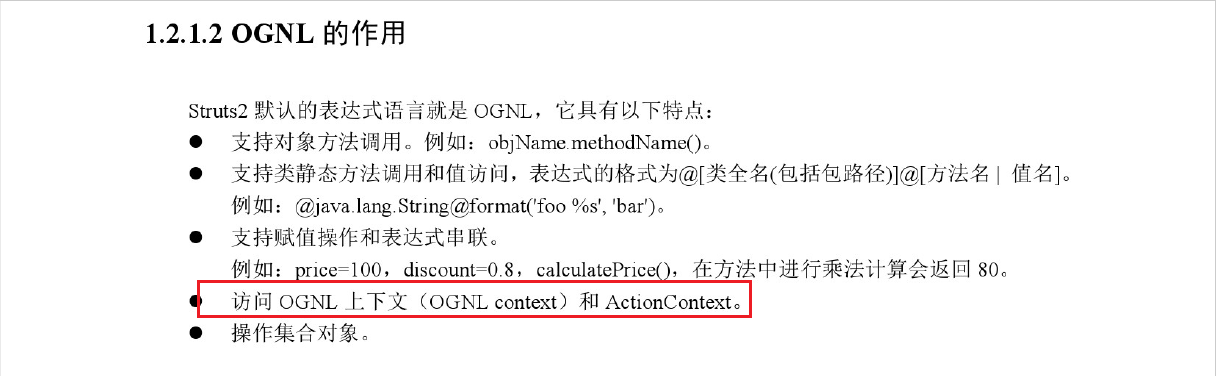

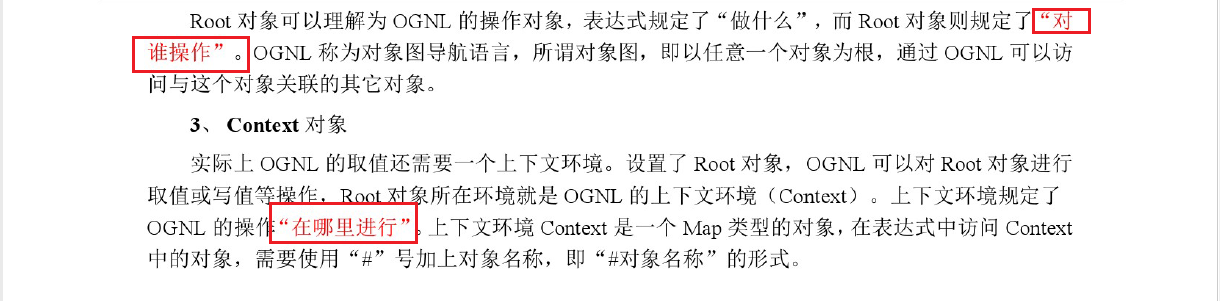
JAVA中的OGNL:
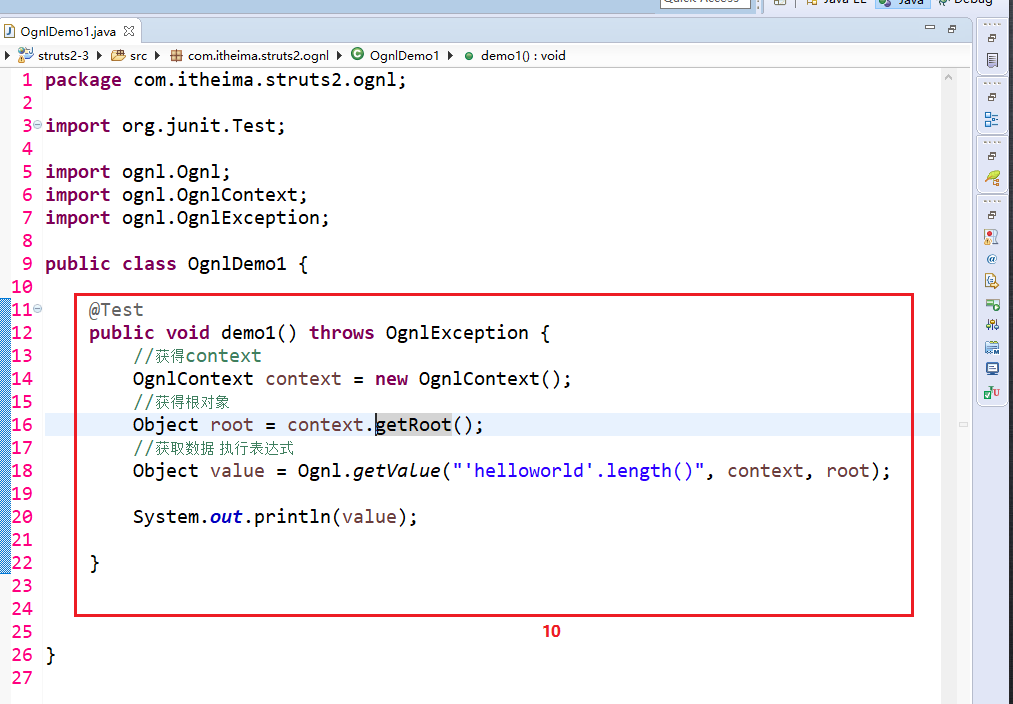
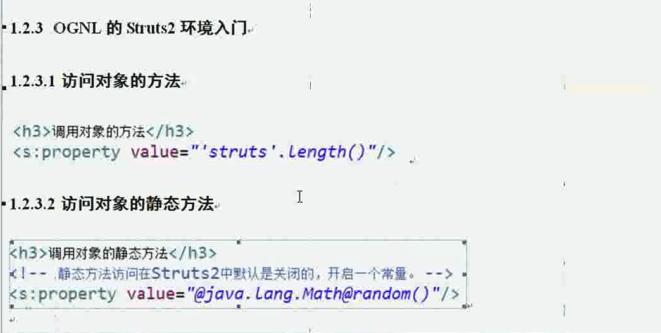
1 调用对象的方法:
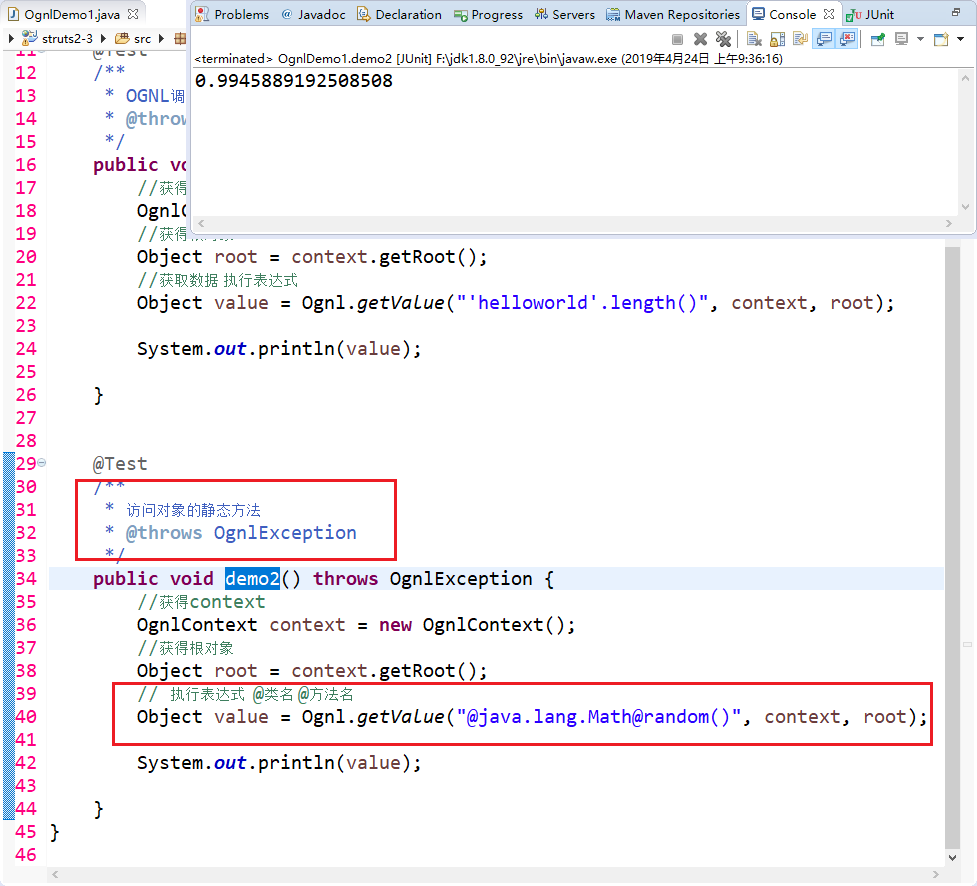
2 访问对象的静态方法:
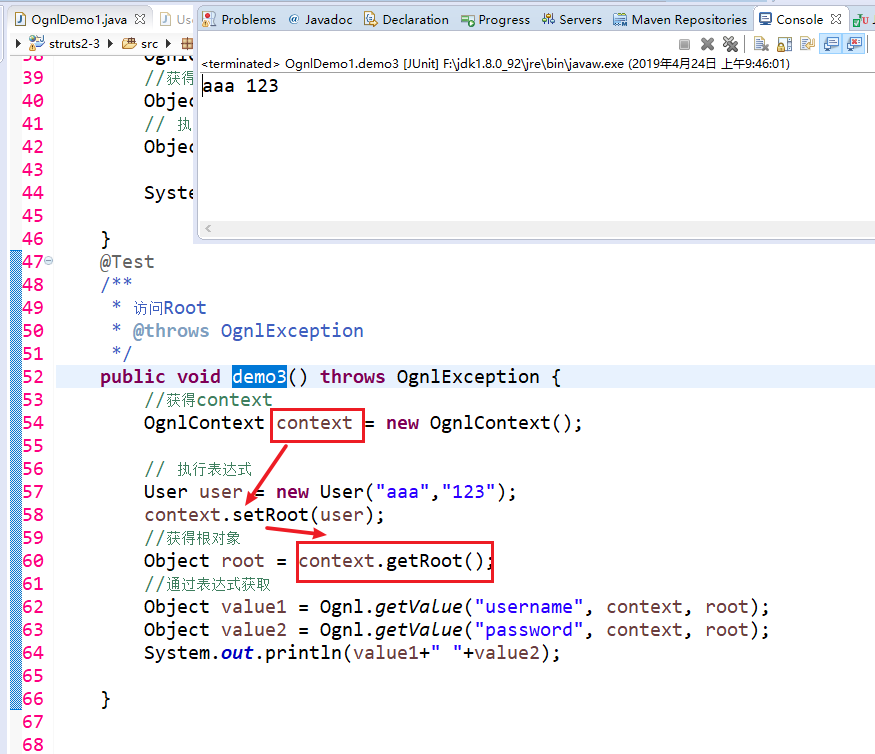
3 获取OGNLContext、Root中的数据。
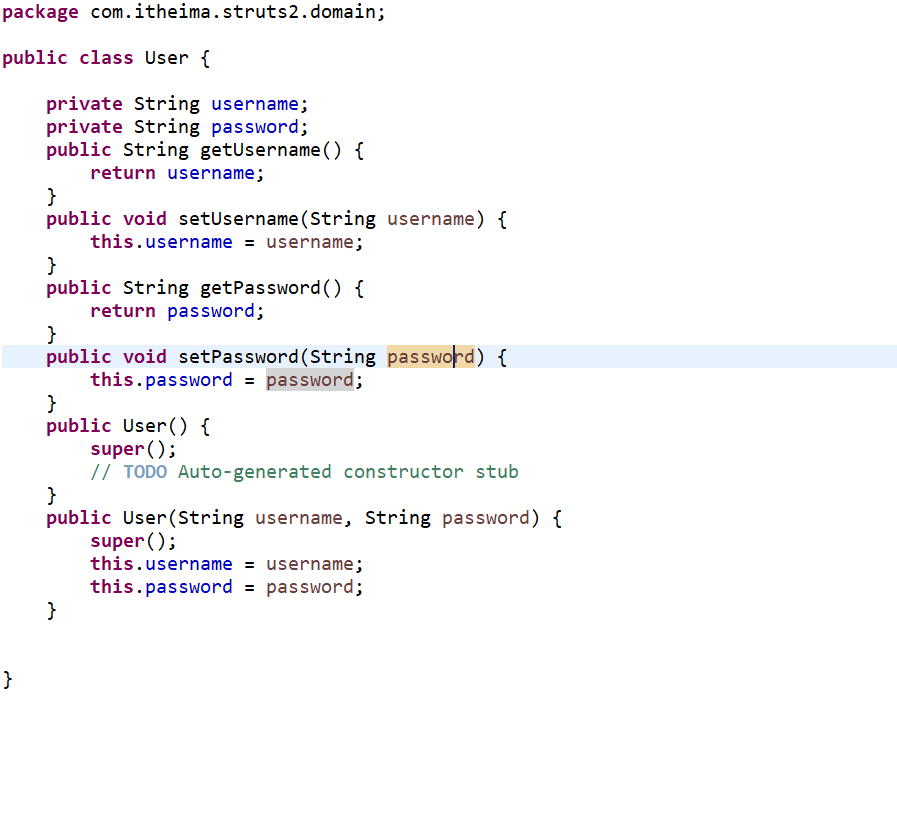
User:
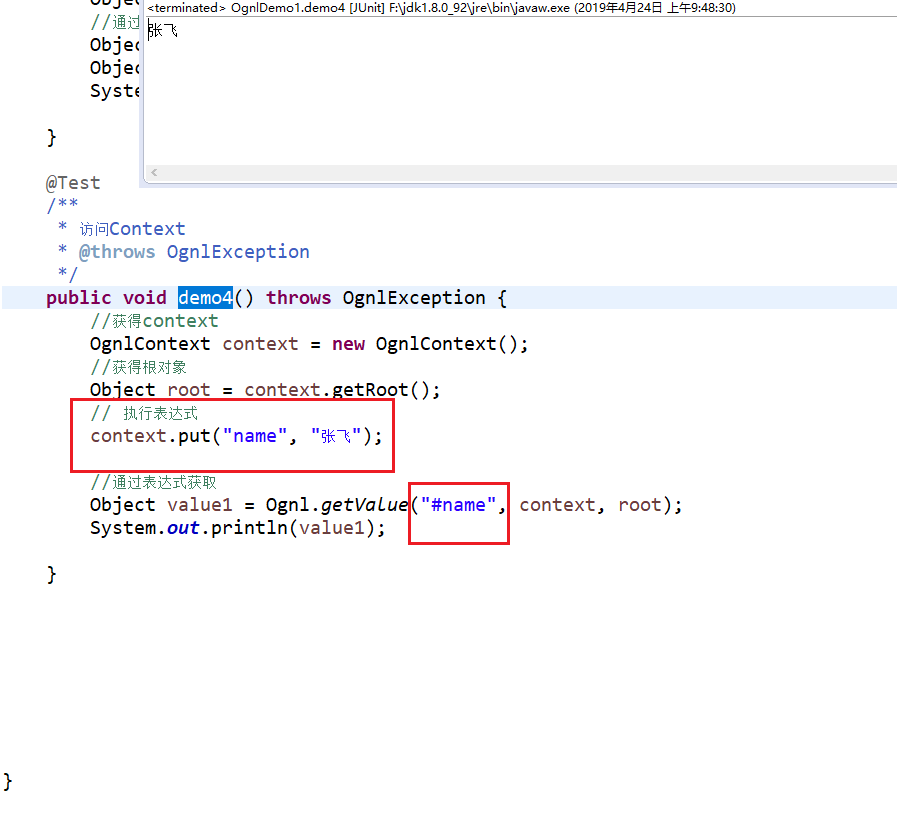
4 访问Context:
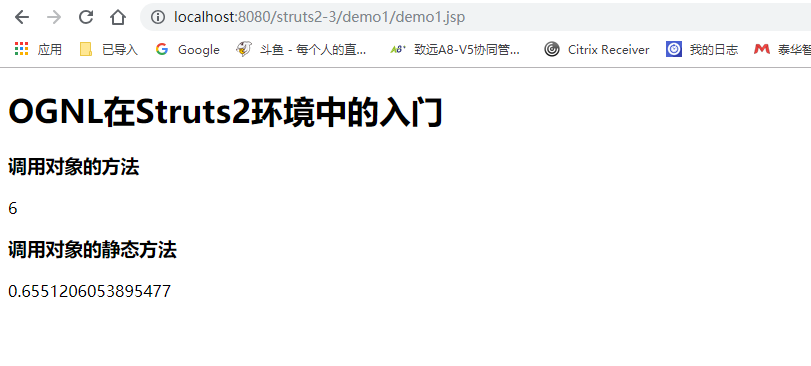
关键还是在Struts2环境中的使用:
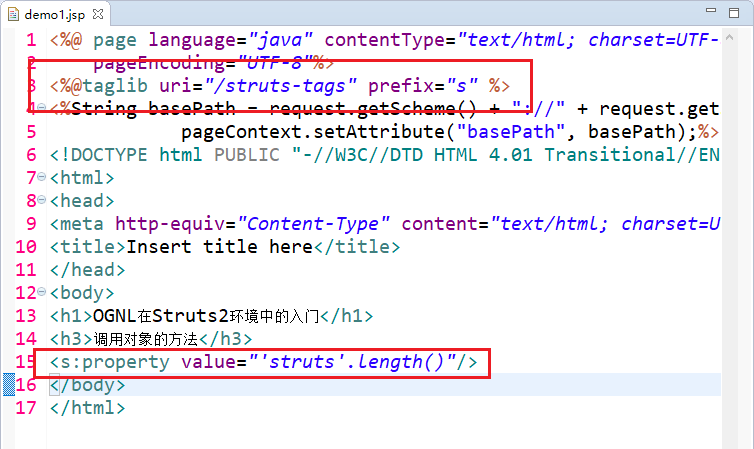
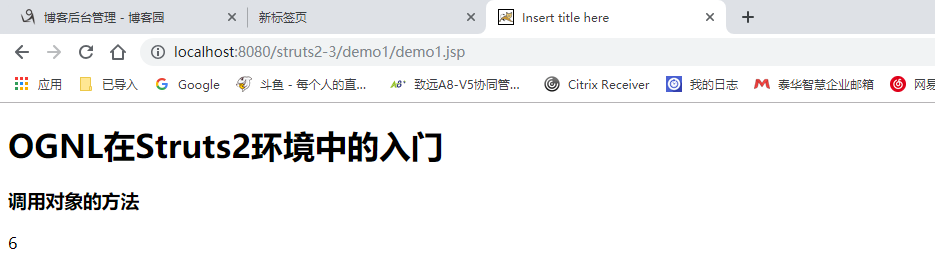
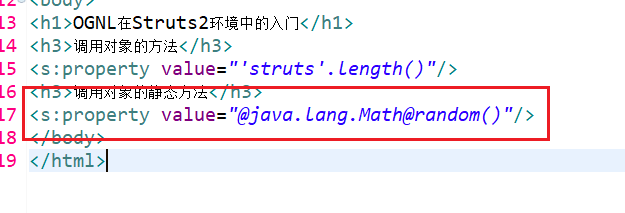
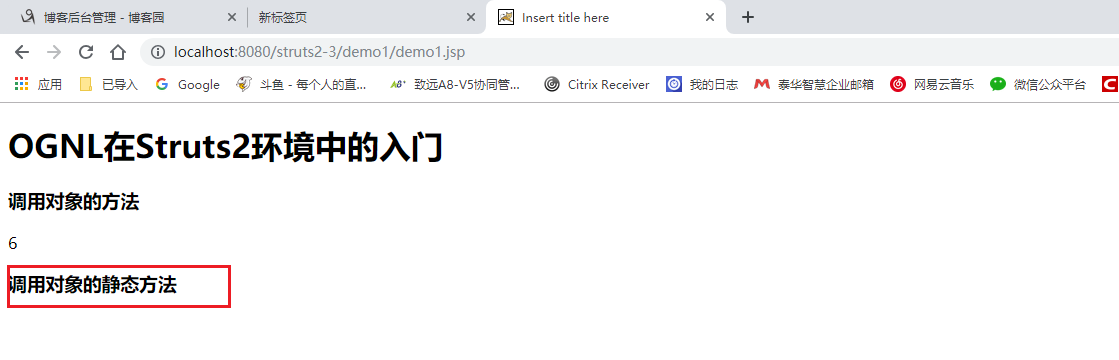
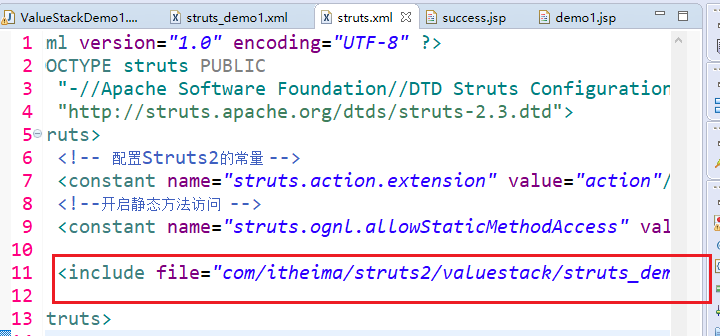
并没有打印 静态方法的值,因为Struts2默认关闭了。

再次刷新后发现有值了。

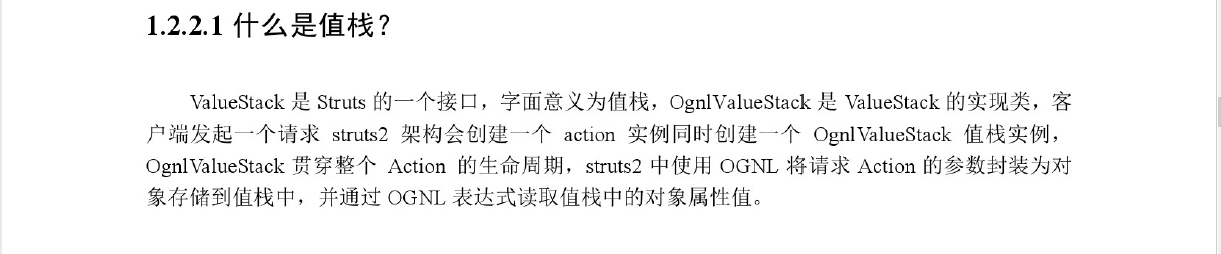


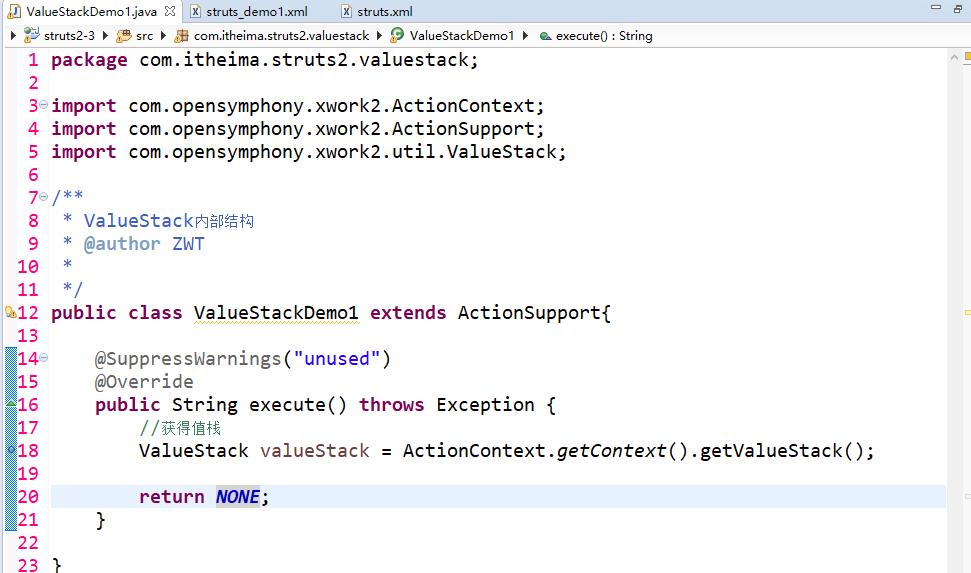
编写demo

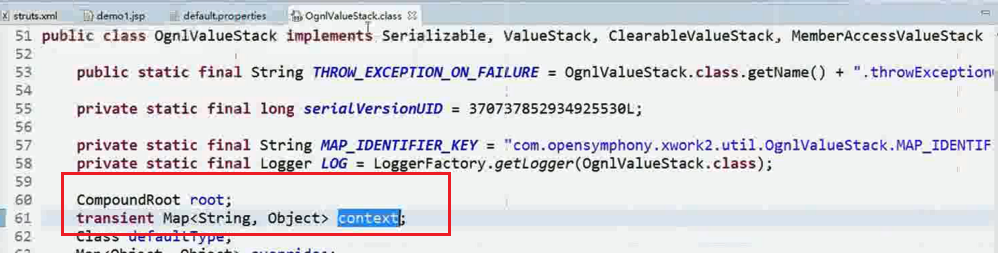
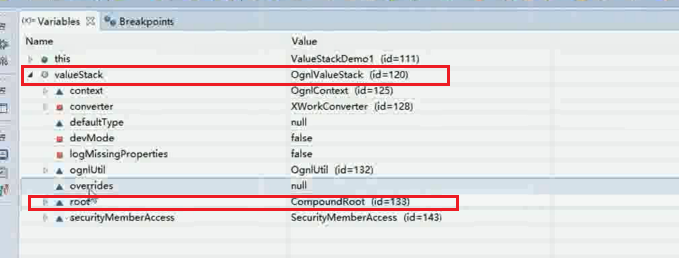
debug启动 打断点发现: root和context均在这里面。


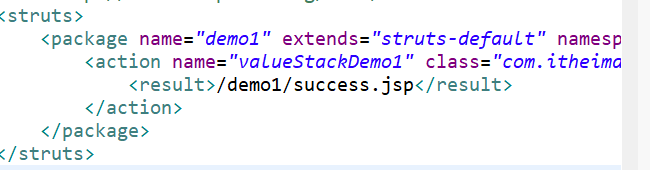
修改demo返回值

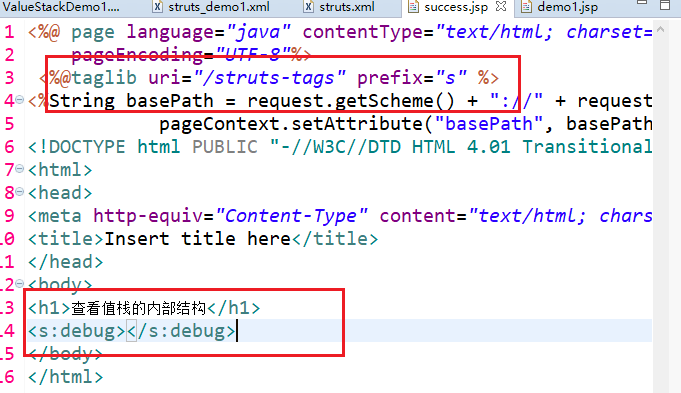
运行:
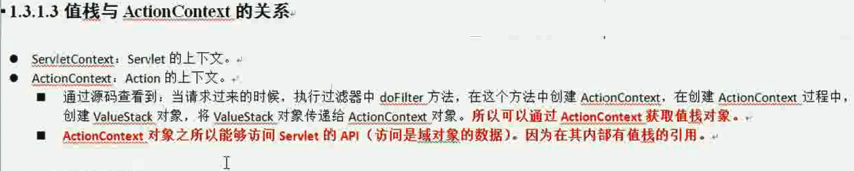
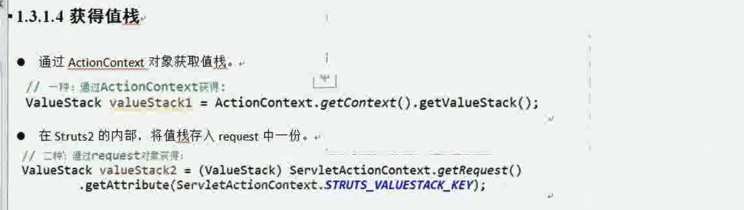
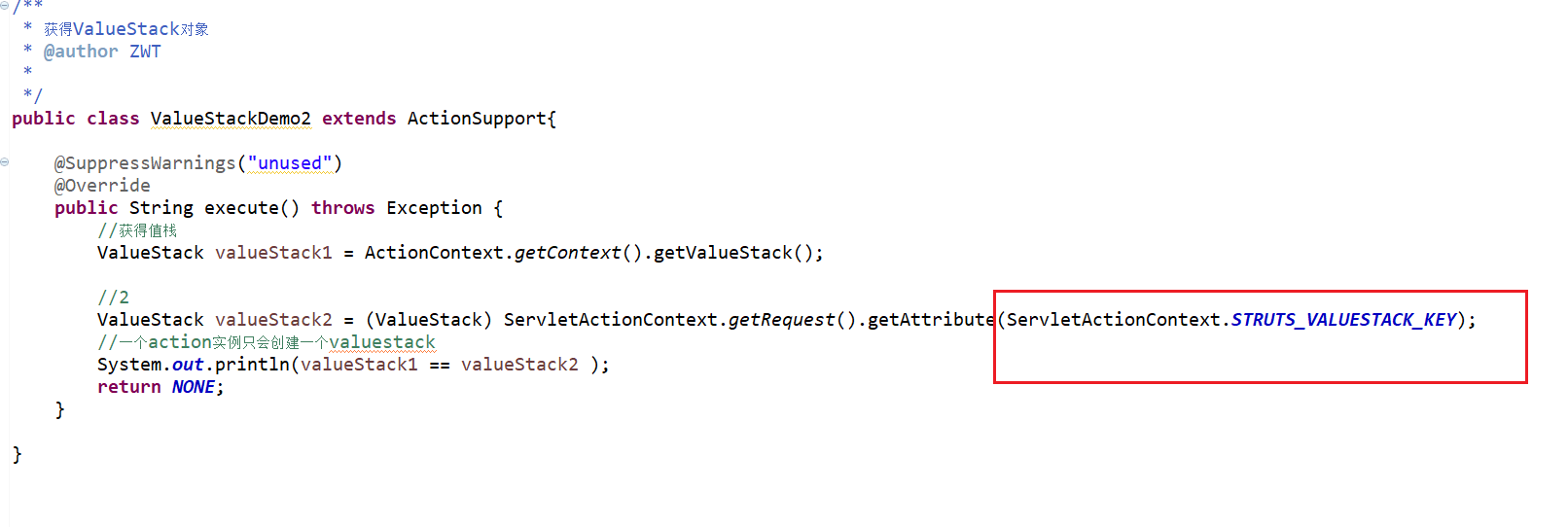


方式1:
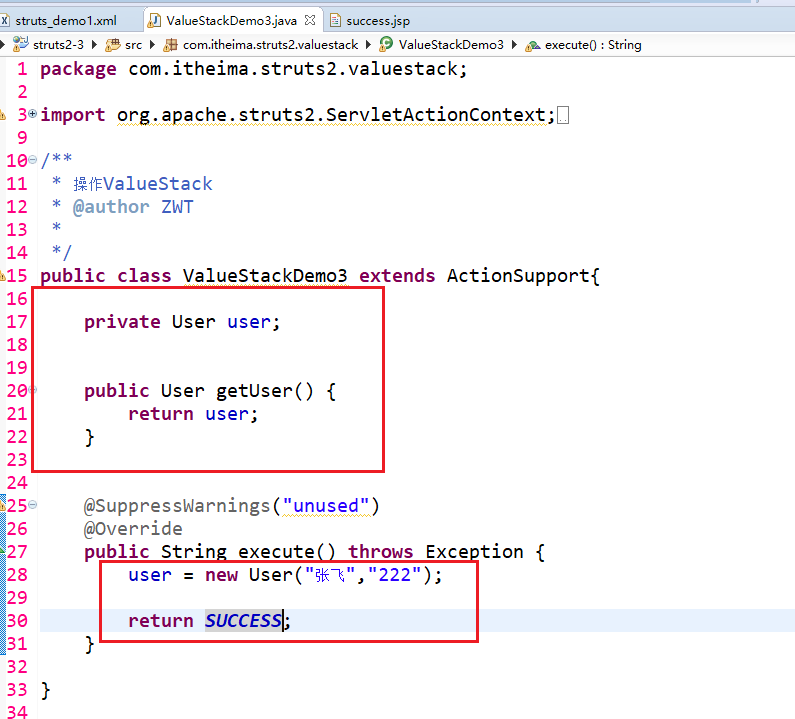
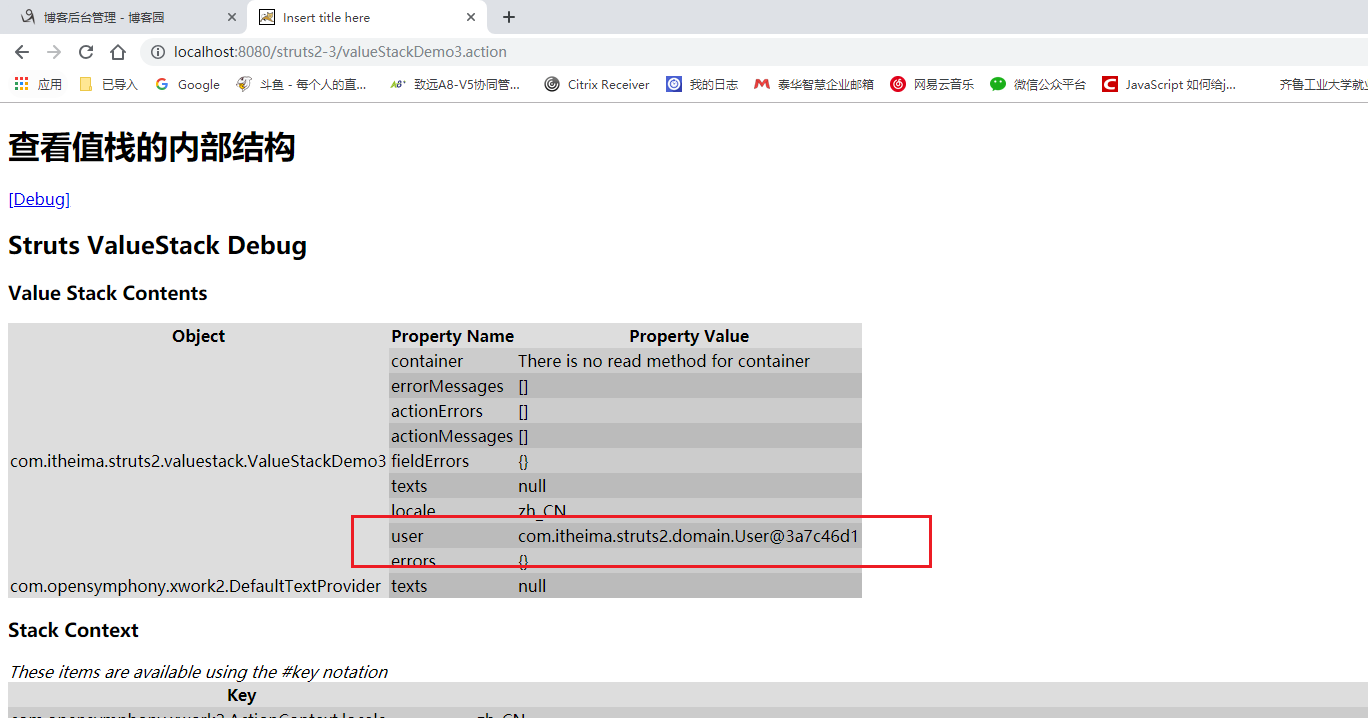
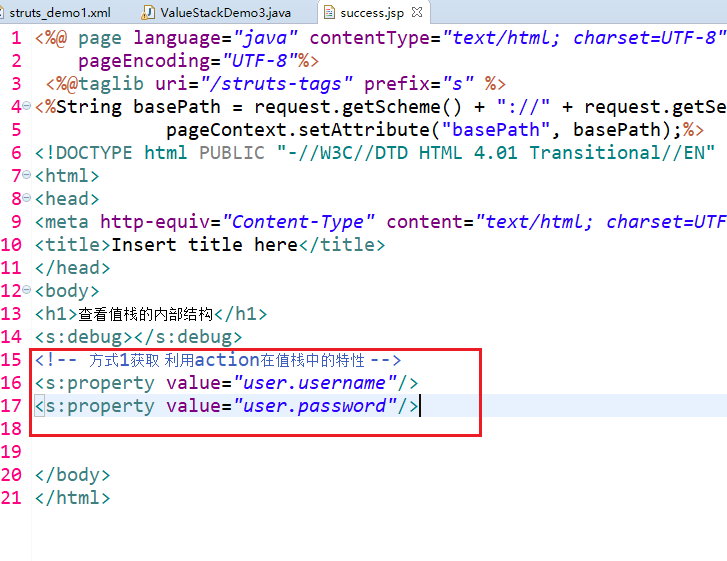
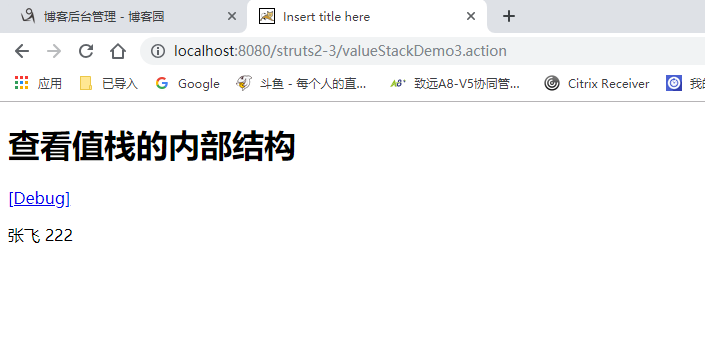
方式2:
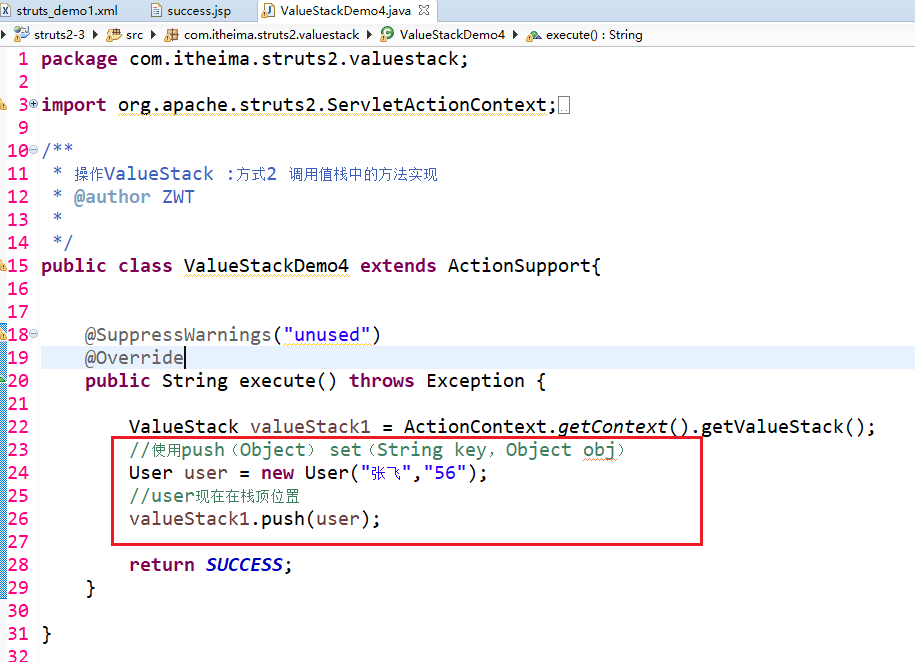
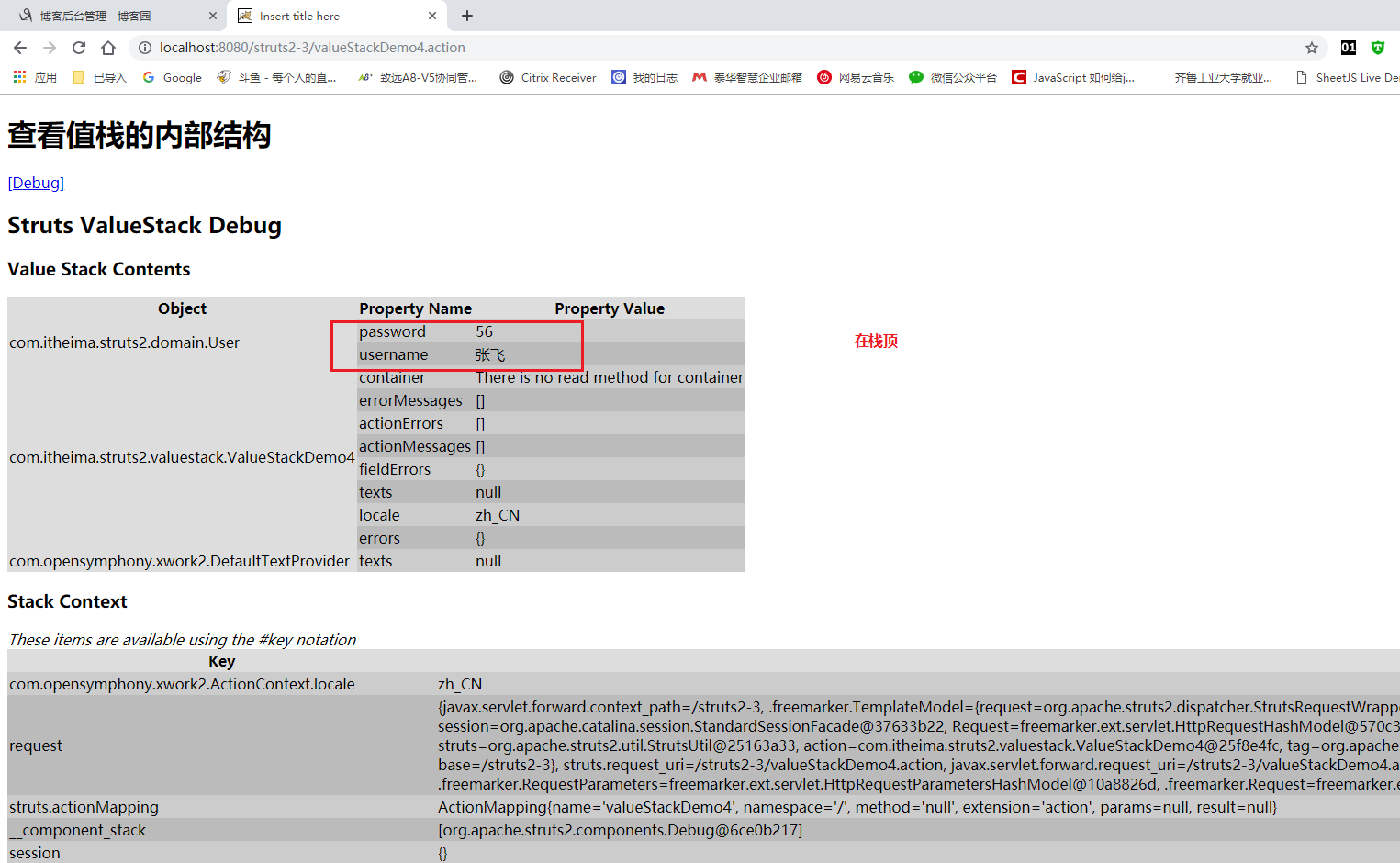

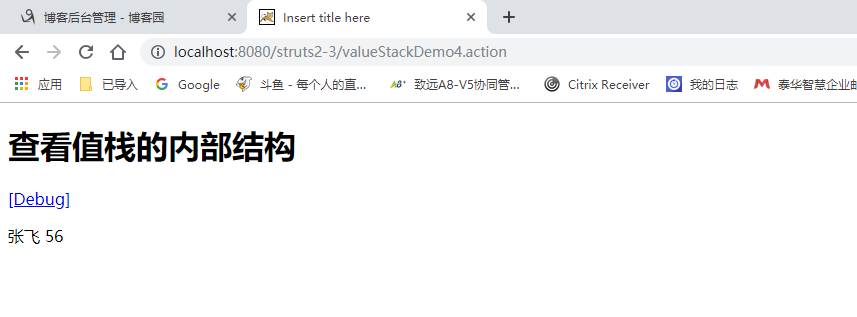
如果有多个user 默认展示栈顶的!!!


没有set get方法 无法查看 但是已经在栈顶了。
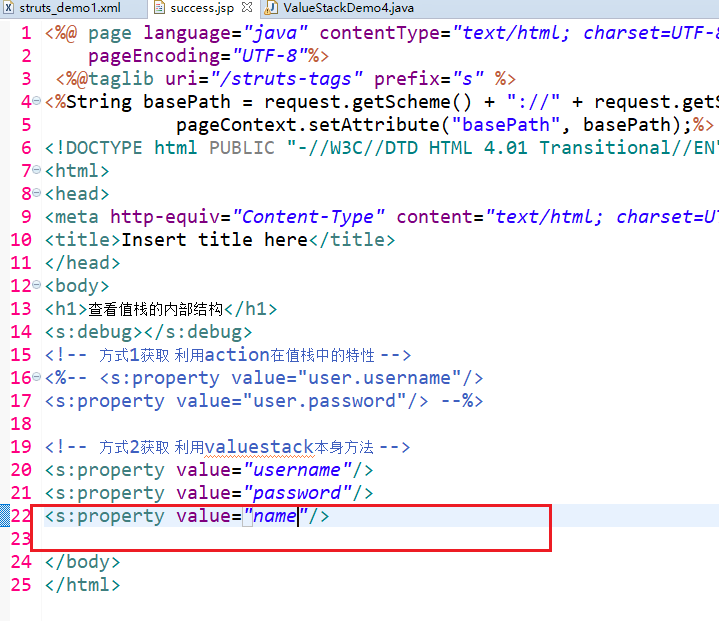
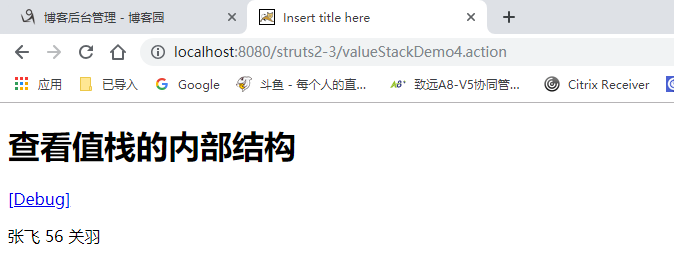
获取值栈的数据:


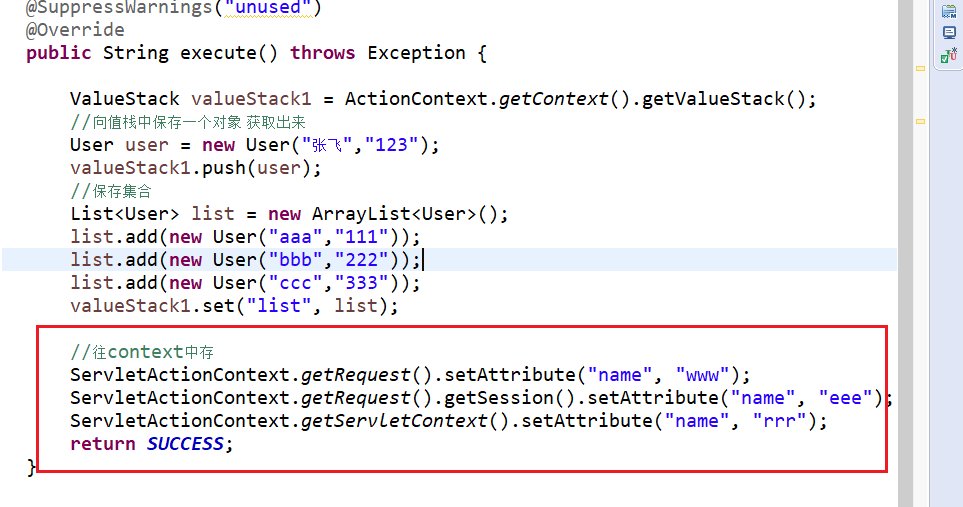
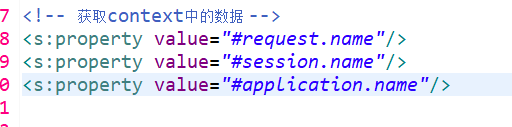
在debug里可以找到:
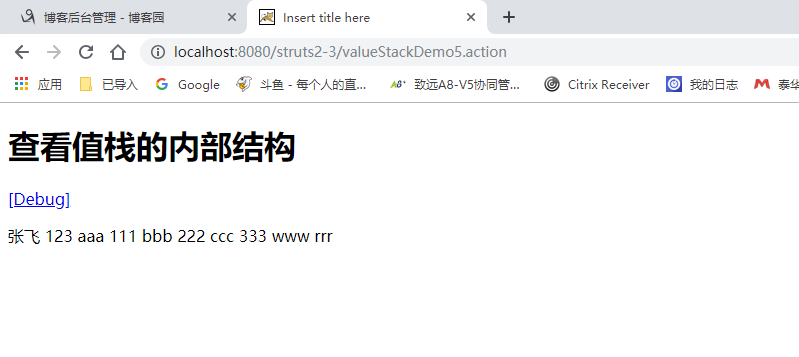
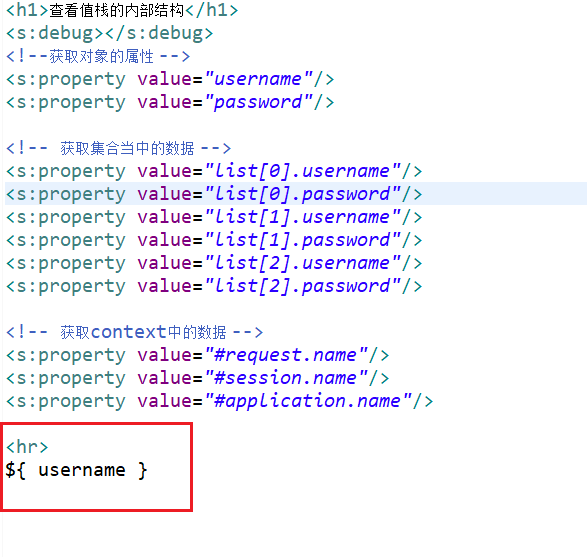
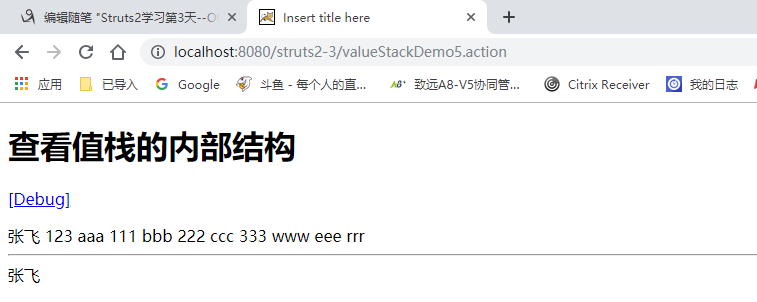

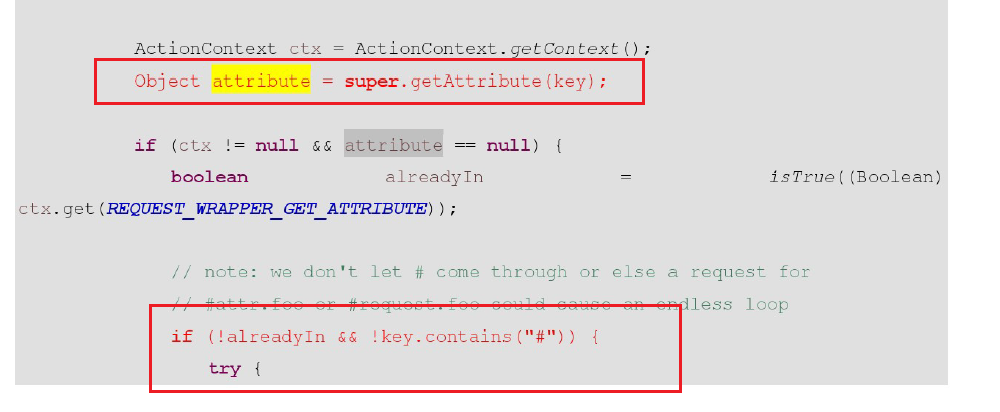
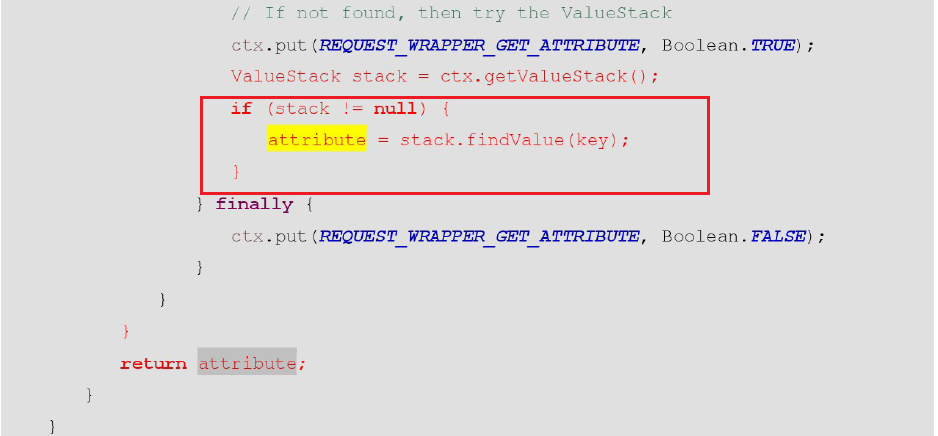
request中找不到 就自动去值栈中寻找。
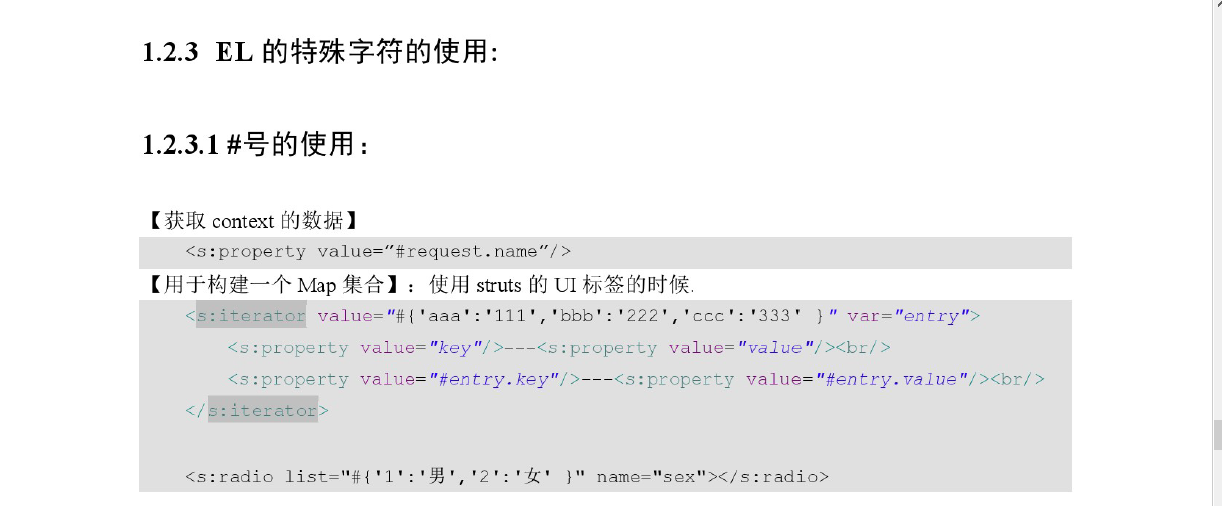



修改crm
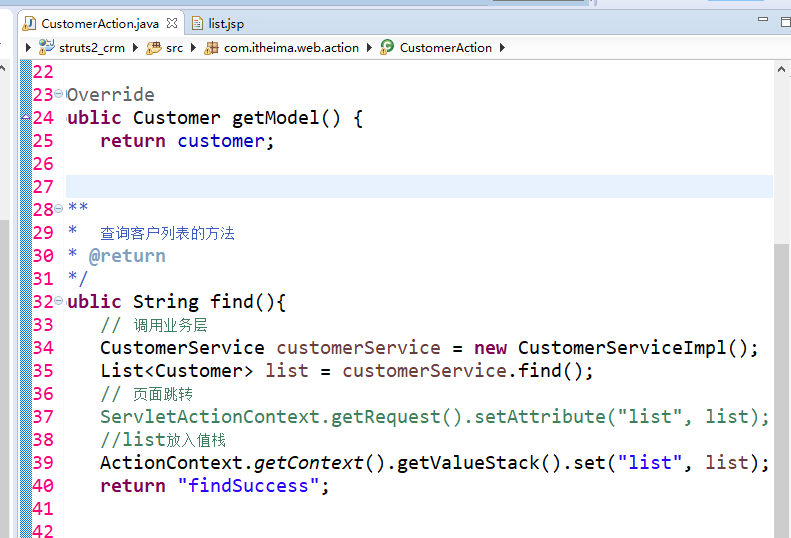
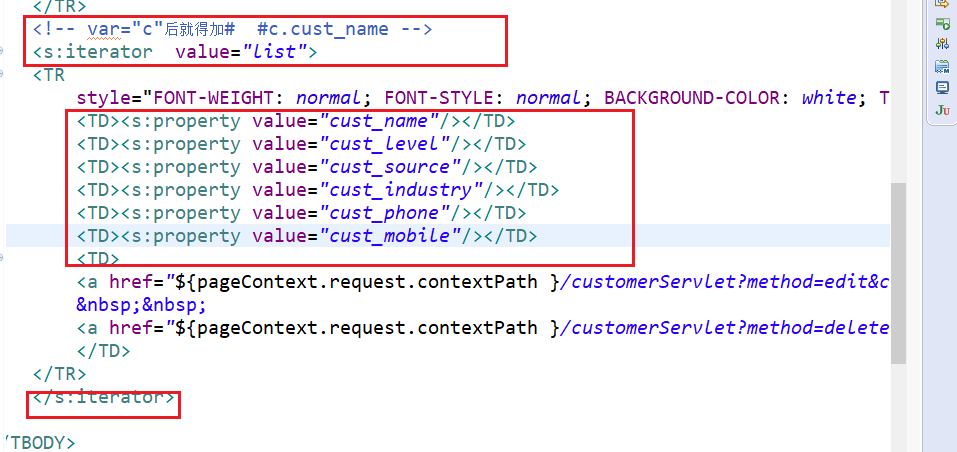
jsp中去掉jstl 引入struts标签库 然后不用foreach循环 改用s标签 。

今日代码:

package com.itheima.struts2.valuestack;

import com.opensymphony.xwork2.ActionContext;

import com.opensymphony.xwork2.ActionSupport;

import com.opensymphony.xwork2.util.ValueStack;

/**

 * ValueStack内部结构

 * @author ZWT

 *

 */

public class ValueStackDemo1 extends ActionSupport{

	@SuppressWarnings("unused")

	@Override

	public String execute() throws Exception {

		//获得值栈

		ValueStack valueStack = ActionContext.getContext().getValueStack();

		return SUCCESS;

	}

}
package com.itheima.struts2.valuestack;

import org.apache.struts2.ServletActionContext;

import com.opensymphony.xwork2.ActionContext;

import com.opensymphony.xwork2.ActionSupport;

import com.opensymphony.xwork2.util.ValueStack;

/**

 * 获得ValueStack对象

 * @author ZWT

 *

 */

public class ValueStackDemo2 extends ActionSupport{

	@SuppressWarnings("unused")

	@Override

	public String execute() throws Exception {

		//获得值栈

		ValueStack valueStack1 = ActionContext.getContext().getValueStack();

		//2

		ValueStack valueStack2 = (ValueStack) ServletActionContext.getRequest().getAttribute(ServletActionContext.STRUTS_VALUESTACK_KEY);

		//一个action实例只会创建一个valuestack

		System.out.println(valueStack1 == valueStack2 );

		return NONE;

	}

}
package com.itheima.struts2.valuestack;

import org.apache.struts2.ServletActionContext;

import com.itheima.struts2.domain.User;

import com.opensymphony.xwork2.ActionContext;

import com.opensymphony.xwork2.ActionSupport;

import com.opensymphony.xwork2.util.ValueStack;

/**

 * 操作ValueStack

 * @author ZWT

 *

 */

public class ValueStackDemo3 extends ActionSupport{

	private User user;

	public User getUser() {

		return user;

	}

	@SuppressWarnings("unused")

	@Override

	public String execute() throws Exception {

		user = new User("张飞","222");

		return SUCCESS;

	}

}
package com.itheima.struts2.valuestack;

import org.apache.struts2.ServletActionContext;

import com.itheima.struts2.domain.User;

import com.opensymphony.xwork2.ActionContext;

import com.opensymphony.xwork2.ActionSupport;

import com.opensymphony.xwork2.util.ValueStack;

/**

 * 操作ValueStack :方式2 调用值栈中的方法实现

 * @author ZWT

 *

 */

public class ValueStackDemo4 extends ActionSupport{

	@SuppressWarnings("unused")

	@Override

	public String execute() throws Exception {

		ValueStack valueStack1 = ActionContext.getContext().getValueStack();

		//使用push(Object)  set(String key, Object obj)

		User user = new User("张飞","56");

		//user现在在栈顶位置

		valueStack1.push(user);

		//创建map集合 map压入栈顶

		valueStack1.set("name", "关羽");

		return SUCCESS;

	}

}
package com.itheima.struts2.valuestack;

import java.util.ArrayList;

import java.util.List;

import org.apache.struts2.ServletActionContext;

import com.itheima.struts2.domain.User;

import com.opensymphony.xwork2.ActionContext;

import com.opensymphony.xwork2.ActionSupport;

import com.opensymphony.xwork2.util.ValueStack;

/**

 * 获取值栈的数据

 * @author ZWT

 *

 */

public class ValueStackDemo5 extends ActionSupport{

	@SuppressWarnings("unused")

	@Override

	public String execute() throws Exception {

		ValueStack valueStack1 = ActionContext.getContext().getValueStack();

		//向值栈中保存一个对象 获取出来

		User user = new User("张飞","123");

		valueStack1.push(user);

		//保存集合

		List<User> list = new ArrayList<User>();

		list.add(new User("aaa","111"));

		list.add(new User("bbb","222"));

		list.add(new User("ccc","333"));

		valueStack1.set("list", list);

		//往context中存

		ServletActionContext.getRequest().setAttribute("name", "www");

		ServletActionContext.getRequest().getSession().setAttribute("name", "eee");

		ServletActionContext.getServletContext().setAttribute("name", "rrr");

		return SUCCESS;

	}

}
<?xml version="1.0" encoding="UTF-8" ?>

<!DOCTYPE struts PUBLIC

	"-//Apache Software Foundation//DTD Struts Configuration 2.3//EN"

	"http://struts.apache.org/dtds/struts-2.3.dtd">

<struts>

	<package name="demo1" extends="struts-default" namespace="/">

		<action name="valueStackDemo1" class="com.itheima.struts2.valuestack.ValueStackDemo1">

			<result>/demo1/success.jsp</result>

		</action>

		<action name="valueStackDemo2" class="com.itheima.struts2.valuestack.ValueStackDemo2">

		</action>

		<action name="valueStackDemo3" class="com.itheima.struts2.valuestack.ValueStackDemo3">

			<result>/demo1/success.jsp</result>

		</action>

		<action name="valueStackDemo4" class="com.itheima.struts2.valuestack.ValueStackDemo4">

			<result>/demo1/success.jsp</result>

		</action>

		<action name="valueStackDemo5" class="com.itheima.struts2.valuestack.ValueStackDemo5">

			<result>/demo1/success2.jsp</result>

		</action>

	</package>

</struts>
<?xml version="1.0" encoding="UTF-8" ?>

<!DOCTYPE struts PUBLIC

	"-//Apache Software Foundation//DTD Struts Configuration 2.3//EN"

	"http://struts.apache.org/dtds/struts-2.3.dtd">

<struts>

	<!-- 配置Struts2的常量 -->

	<constant name="struts.action.extension" value="action"/>

	<!--开启静态方法访问  -->

	<constant name="struts.ognl.allowStaticMethodAccess" value="true"></constant>

	<include file="com/itheima/struts2/valuestack/struts_demo1.xml"></include>

</struts>
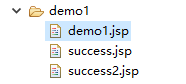
<%@ page language="java" contentType="text/html; charset=UTF-8"

    pageEncoding="UTF-8"%>

<%@taglib uri="/struts-tags" prefix="s" %>

<%String basePath = request.getScheme() + "://" + request.getServerName() + ":" + request.getServerPort()+ request.getContextPath();

			pageContext.setAttribute("basePath", basePath);%>

<!DOCTYPE html PUBLIC "-//W3C//DTD HTML 4.01 Transitional//EN" "http://www.w3.org/TR/html4/loose.dtd">

<html>

<head>

<meta http-equiv="Content-Type" content="text/html; charset=UTF-8">

<title>Insert title here</title>

</head>

<body>

<h1>OGNL在Struts2环境中的入门</h1>

<h3>调用对象的方法</h3>

<s:property value="'struts'.length()"/>

<h3>调用对象的静态方法</h3>

<s:property value="@java.lang.Math@random()"/>

</body>

</html>
<%@ page language="java" contentType="text/html; charset=UTF-8"

    pageEncoding="UTF-8"%>

 <%@taglib uri="/struts-tags" prefix="s" %>

<%String basePath = request.getScheme() + "://" + request.getServerName() + ":" + request.getServerPort()+ request.getContextPath();

			pageContext.setAttribute("basePath", basePath);%>

<!DOCTYPE html PUBLIC "-//W3C//DTD HTML 4.01 Transitional//EN" "http://www.w3.org/TR/html4/loose.dtd">

<html>

<head>

<meta http-equiv="Content-Type" content="text/html; charset=UTF-8">

<title>Insert title here</title>

</head>

<body>

<h1>查看值栈的内部结构</h1>

<s:debug></s:debug>

<!-- 方式1获取 利用action在值栈中的特性 -->

<%-- <s:property value="user.username"/>

<s:property value="user.password"/> --%>

<!-- 方式2获取 利用valuestack本身方法 -->

<s:property value="username"/>

<s:property value="password"/>

<s:property value="name"/>

</body>

</html>
<%@ page language="java" contentType="text/html; charset=UTF-8"

    pageEncoding="UTF-8"%>

 <%@taglib uri="/struts-tags" prefix="s" %>

<%String basePath = request.getScheme() + "://" + request.getServerName() + ":" + request.getServerPort()+ request.getContextPath();

			pageContext.setAttribute("basePath", basePath);%>

<!DOCTYPE html PUBLIC "-//W3C//DTD HTML 4.01 Transitional//EN" "http://www.w3.org/TR/html4/loose.dtd">

<html>

<head>

<meta http-equiv="Content-Type" content="text/html; charset=UTF-8">

<title>Insert title here</title>

</head>

<body>

<h1>查看值栈的内部结构</h1>

<s:debug></s:debug>

<!--获取对象的属性 -->

<s:property value="username"/>

<s:property value="password"/>

<!-- 获取集合当中的数据 -->

<s:property value="list[0].username"/>

<s:property value="list[0].password"/>

<s:property value="list[1].username"/>

<s:property value="list[1].password"/>

<s:property value="list[2].username"/>

<s:property value="list[2].password"/>

<!-- 获取context中的数据 -->

<s:property value="#request.name"/>

<s:property value="#session.name"/>

<s:property value="#application.name"/>

<hr>

${ username }

</body>

</html>
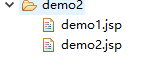
<%@ page language="java" contentType="text/html; charset=UTF-8"

    pageEncoding="UTF-8"%>

<%@taglib uri="/struts-tags" prefix="s" %>

<%String basePath = request.getScheme() + "://" + request.getServerName() + ":" + request.getServerPort()+ request.getContextPath();

			pageContext.setAttribute("basePath", basePath);%>

<!DOCTYPE html PUBLIC "-//W3C//DTD HTML 4.01 Transitional//EN" "http://www.w3.org/TR/html4/loose.dtd">

<html>

<head>

<meta http-equiv="Content-Type" content="text/html; charset=UTF-8">

<title>Insert title here</title>

</head>

<body>

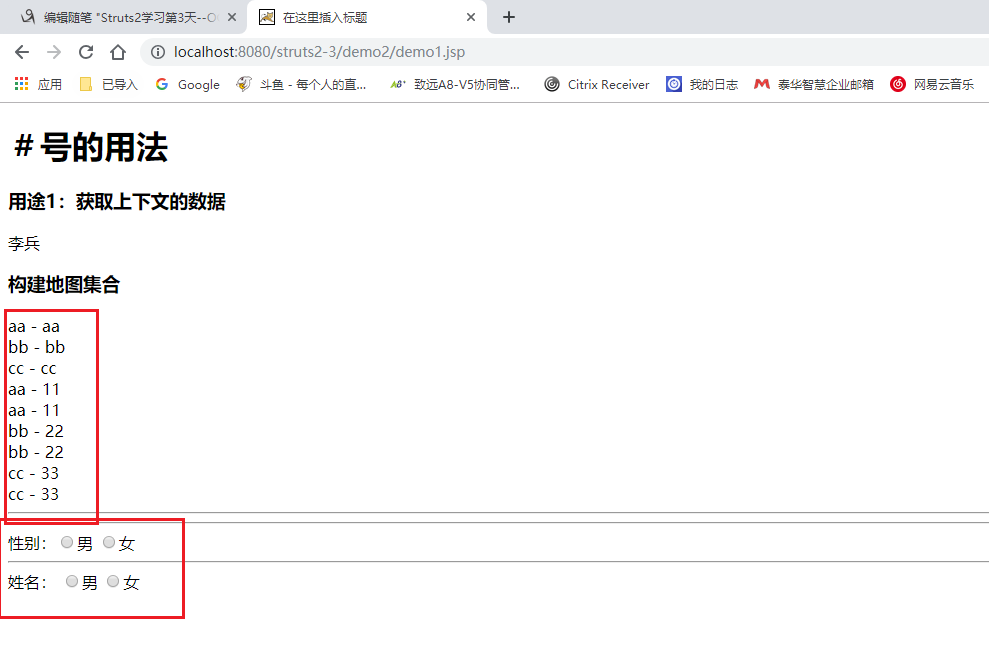
<h1>#号的用法</h1>

<h3>用途1:获取context的数据</h3>

<%

	request.setAttribute("name","李兵");

	%>

<s:property value="#request.name"/>

<h3>构建map集合</h3>

<!-- list  i只要定义 context中也有-->

<s:iterator var="i" value="{'aa','bb','cc'}">

	<s:property value="i"/>--<s:property value="#i"/><br>

</s:iterator>

<!-- map -->

<s:iterator  var="entry" value="#{'aa':'11','bb':'22','cc':'33' }">

	<s:property value="key"/>--<s:property value="value"/><br>

	<s:property value="#entry.key"/>--<s:property value="#entry.value"/><br>

</s:iterator>

<hr>

<!-- value值 和 外面的‘男’ 一样就用list  不然用map -->

<%-- 性别:<input type="radio" name="sex1" value="男">男

<input type="radio" name="sex1" value="女">女

<hr>

<s:radio list="{'男','女'}" name="sex2" label="姓名" /> --%>

<hr>

性别:<input type="radio" name="sex1" value="1">男

<input type="radio" name="sex1" value="2">女

<hr>

<s:radio list="#{'1':'男','2':'女'}" name="sex2" label="姓名" />

</body>

</html>
<%@ page language="java" contentType="text/html; charset=UTF-8"

    pageEncoding="UTF-8"%>

<%@taglib uri="/struts-tags" prefix="s" %>

<%String basePath = request.getScheme() + "://" + request.getServerName() + ":" + request.getServerPort()+ request.getContextPath();

			pageContext.setAttribute("basePath", basePath);%>

<!DOCTYPE html PUBLIC "-//W3C//DTD HTML 4.01 Transitional//EN" "http://www.w3.org/TR/html4/loose.dtd">

<html>

<head>

<meta http-equiv="Content-Type" content="text/html; charset=UTF-8">

<title>Insert title here</title>

</head>

<body>

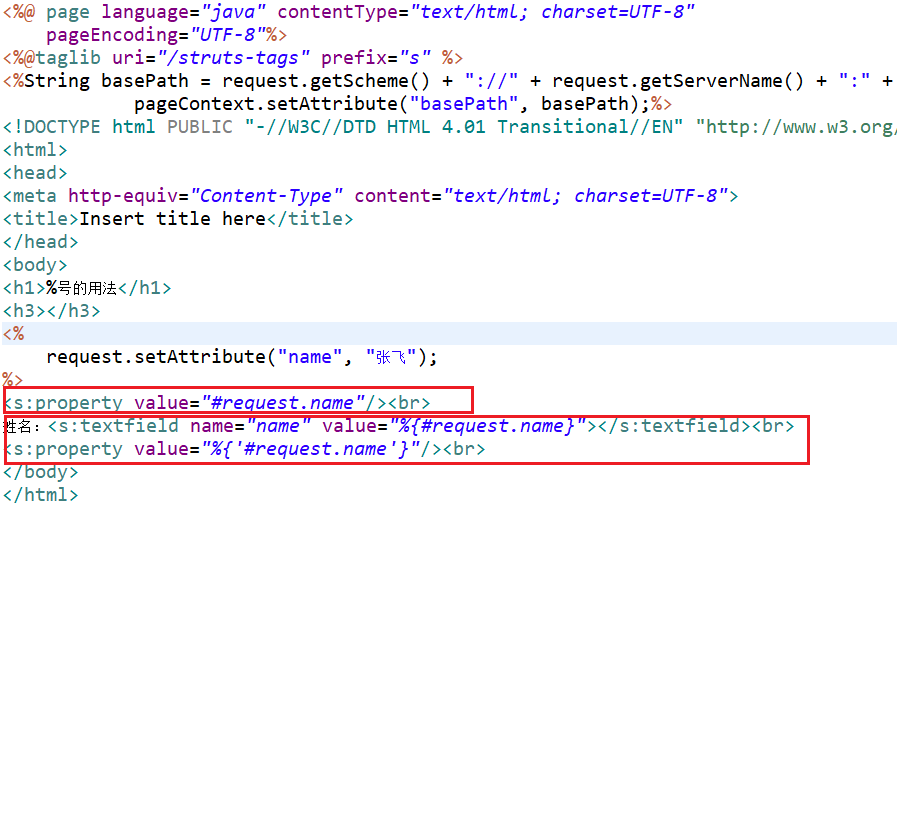
<h1>%号的用法</h1>

<h3></h3>

<%

	request.setAttribute("name", "张飞");

%>

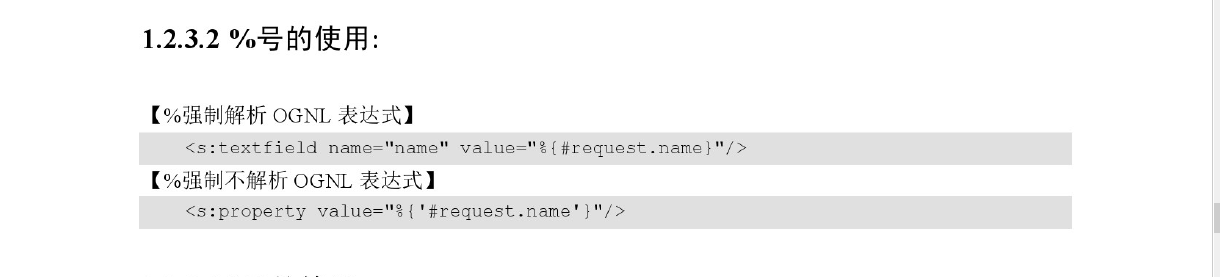
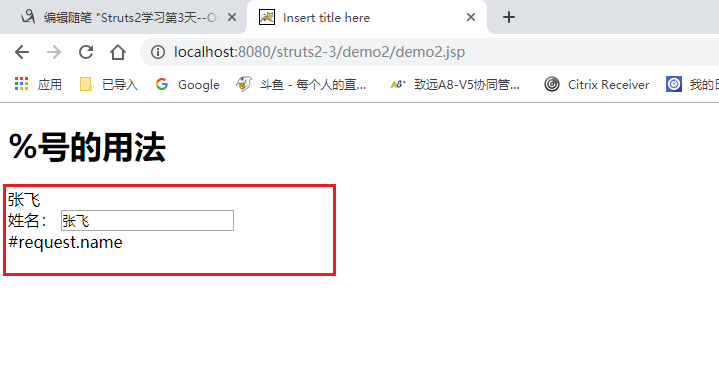
<s:property value="#request.name"/><br>

姓名:<s:textfield name="name" value="%{#request.name}"></s:textfield><br>

<s:property value="%{'#request.name'}"/><br>

</body>

</html>
Struts2学习第3天--OGNL、EL、值栈的更多相关文章
- Struts工作机制图+OGNL+EL+值栈(Map,对象栈)
struts 值栈 通过get set方法 方便的获取,设置属性值 比如从jsp页面传来的參数...从Action设置jsp所要回显的内容 注意EL表达式,struts2对request进 ...
- Struts2笔记3--获取ServletAPI和OGNL与值栈
获取ServletAPI: 第一种方式: //在request域中放入属性req,暂且认为getContext()获取的是request域空间,但实际不是 ActionContext.getConte ...
- struts2中,OGNL访问值栈的时候查找的顺序是什么?请排序:模型对象、临时对象、固定名称的对象、Action对象
struts2中,OGNL访问值栈的时候查找的顺序是什么?请排序:模型对象.临时对象.固定名称的对象.Action对象 解答:struts2的值栈排列顺序为:1).临时对象:2).模型对象:3).Ac ...
- (转)OGNL与值栈
http://blog.csdn.net/yerenyuan_pku/article/details/67709693 OGNL的概述 什么是OGNL 据度娘所说: OGNL是Object-Graph ...
- 框架学习之Struts2(三)---OGNL和值栈
一.OGNL概述 1.1OGNL是对象图导航语言(Object-Graph Navigation Languaged)的缩写,他是一种功能强大的表达式语言,通过简单一致的表达式语法,可以存取Java对 ...
- Struts2学习(四)———— ognl表达式、值栈、actionContext之间的关系
一.什么是Ognl? 通过百度百科查询到的解释,其中详细的说明了OGNL的作用. 下面我们就对OGNL这5个作用进行讲解 1.存取对象的任意属性,简单说就是对javabean进行操作(重要) 2.调用 ...
- Struts2 (三) — OGNL与值栈
一.OGNL表达式 1.概述 1.1什么是OGNL OGNL是Object-Graph Navigation Language的缩写,俗称对象图导航语言. 它是一种功能强大的表达式语言,通过它简单 ...
- EL与OGNL以及值栈的理解
这里先添加下在项目遇到的问题: 这两天在做论坛项目的时候,犯了一个错误:将数据放入值栈中,结果jsp页面获取不到. 困扰了许久: 总结如下: (1)每个action对应相应页面的值栈中值的获取,在属于 ...
- Struts2学习第七课 OGNL
request变成了struts重写的StrutsRequestWrapper 关于值栈: helloWorld时,${productName}读取productName值,实际上该属性并不在requ ...
随机推荐
- Box2D学习blog
http://www.ladeng6666.com/blog/category/box2d/
- 单片机keil C中的data、bdata、idata、xdata、hdata、pdata、code解释
从数据存储类型来说,8051系列有片内.片外程序存储器,片内.片外数据存储器,片内程序存储器还分直接寻址区和间接寻址类型,分别对应code.data.xdata.idata以及根据51系列特点而设定的 ...
- C# 通用类型转换方法
在程序开发过程中经常需要进行数据的类型转换,而且如果一个字段的类型改成另一个类型时,所有相关的类型转换的地方都要跟着修改,不但造成了很多重复转换的代码而且修改字段类型时额外修改相关转换代码的工作量也很 ...
- java成神之——网络编程基本操作
网络编程 获取ip UDP程序示例 TCP程序 结语 网络编程 获取ip InetAddress id = InetAddress.getLocalHost(); // InetAddress id ...
- Word2Vec之Skip-Gram模型
理解 Word2Vec 之 Skip-Gram 模型 模型 Word2Vec模型中,主要有Skip-Gram和CBOW两种模型,从直观上理解,Skip-Gram是给定input word来预测上下文. ...
- Flask之测试与部署
5.1 蓝图Blueprint 为什么学习蓝图? 我们学习Flask框架,是从写单个文件,执行hello world开始的.我们在这单个文件中可以定义路由.视图函数.定义模型等等.但这显然存在一个问题 ...
- 【js与jquery】javascript中url编码与解码
本文主要针对URI编解码的相关问题做了介绍,对Url编码中哪些字符需要编码.为什么需要编码做了详细的说明,并对比分析了Javascript 中和 编解码相关的几对函数 编码/解码 escape / u ...
- Java之IO输入输出
首先介绍File类: 我们直接上代码: package com.learn.chap10.sec02; import java.io.File; import java.io.IOException; ...
- 虚拟机之 LAMP
LAMP 就是Linux apache mysql php 一.下载: 安装下载工具 yum install wget -y mysql:5.5.47 wget http://mirrors.sohu ...
- OK6410 linux系统遇到的BUG总结
经过一段时间使用OK6410 256M RAM 2G nand Flash碰见了不少问题. 所以特意开本贴一起交流.大家有什么BUG解决的可以跟上本帖.求助的请另开贴.勿跟本帖.谢谢.请谅解!!! 希 ...