
React-Native 之 GD (三)近半小时热门
1.设置页面跳转
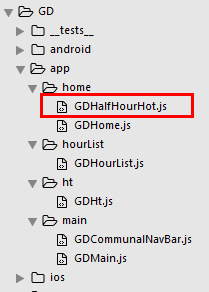
半小时热门组件 GDHalfHourHot.js
/**

 * 近半小时热门

 */

import React, { Component } from 'react';

import {

    StyleSheet,

    Text,

    View,

    TouchableOpacity,

    Image,

} from 'react-native';

// 引入自定义导航栏组件

import CommunalNavBar from '../main/GDCommunalNavBar';

export default class GDHalfHourHot extends Component {

    // 返回中间按钮

    renderTitleItem() {

        return(

            <Text style={styles.navbarTitleItemStyle}>近半小时热门</Text>

        );

    }

    // 返回右边按钮

    renderRightItem() {

        return(

            <TouchableOpacity>

                <Text style={styles.navbarRightItemStyle}>关闭</Text>

            </TouchableOpacity>

        );

    }

    render() {

        return (

            <View style={styles.container}>

                {/* 导航栏样式 */}

                <CommunalNavBar

                    titleItem = {() => this.renderTitleItem()}

                    rightItem = {() => this.renderRightItem()}

                />

            </View>

        );

    }

}

const styles = StyleSheet.create({

    container: {

        flex: 1,

        alignItems: 'center',

        backgroundColor: '#F5FCFF',

    },

    navbarTitleItemStyle: {

        fontSize:17,

        color:'black',

        marginLeft:50

    },

    navbarRightItemStyle: {

        fontSize:17,

        color:'rgba(123,178,114,1.0)',

        marginRight:15

    },

});
首页调用 GDHome.js
/**

 * 首页

 */

import React, { Component } from 'react';

import {

    StyleSheet,

    Text,

    View,

    TouchableOpacity,

    Image,

} from 'react-native';

// 引入自定义导航栏组件

import CommunalNavBar from '../main/GDCommunalNavBar';

// 引入 近半小时热门组件

import HalfHourHot from './GDHalfHourHot';

export default class GDHome extends Component {

    // 跳转到近半小时热门

    pushToHalfHourHot() {

        // this.props 可以获取所有组件属性

        this.props.navigator.push({

            component: HalfHourHot,

        })

    }

    // 返回左边按钮

    renderLeftItem() {

        // 将组件返回出去

        return(

            <TouchableOpacity

                onPress={() => {this.pushToHalfHourHot()}}

            >

                <Image source={{uri:'hot_icon_20x20'}} style={styles.navbarLeftItemStyle} />

            </TouchableOpacity>

        );

    }

    // 返回中间按钮

    renderTitleItem() {

        return(

            <TouchableOpacity>

                <Image source={{uri:'navtitle_home_down_66x20'}} style={styles.navbarTitleItemStyle} />

            </TouchableOpacity>

        );

    }

    // 返回右边按钮

    renderRightItem() {

        return(

            <TouchableOpacity>

                <Image source={{uri:'search_icon_20x20'}} style={styles.navbarRightItemStyle} />

            </TouchableOpacity>

        );

    }

    render() {

        return (

            <View style={styles.container}>

                {/* 导航栏样式 */}

                <CommunalNavBar

                    leftItem = {() => this.renderLeftItem()}

                    titleItem = {() => this.renderTitleItem()}

                    rightItem = {() => this.renderRightItem()}

                />

            </View>

        );

    }

}

const styles = StyleSheet.create({

    container: {

        flex: 1,

        alignItems: 'center',

        backgroundColor: '#F5FCFF',

    },

    navbarLeftItemStyle: {

        width:20,

        height:20,

        marginLeft:15,

    },

    navbarTitleItemStyle: {

        width:66,

        height:20,

    },

    navbarRightItemStyle: {

        width:20,

        height:20,

        marginRight:15,

    },

});
效果图:
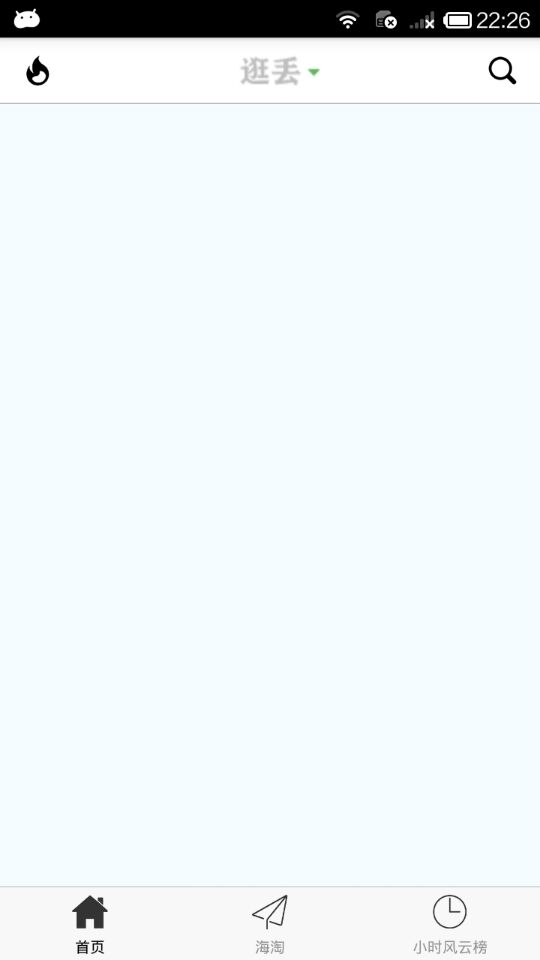
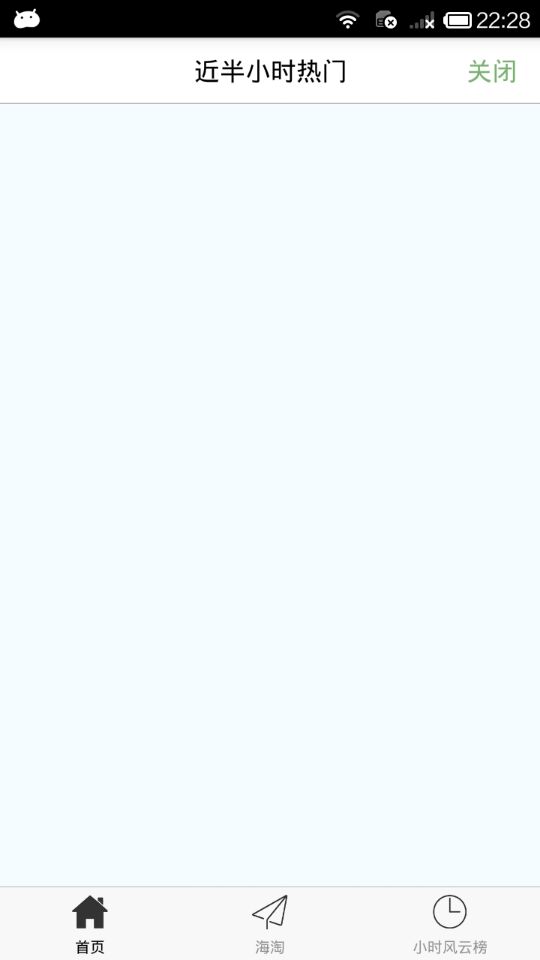
2.先从 半小时热门 开始,像这样的数据展示,我们肯定是优先选择 ListView ,其中,cell 的样式分解如下:
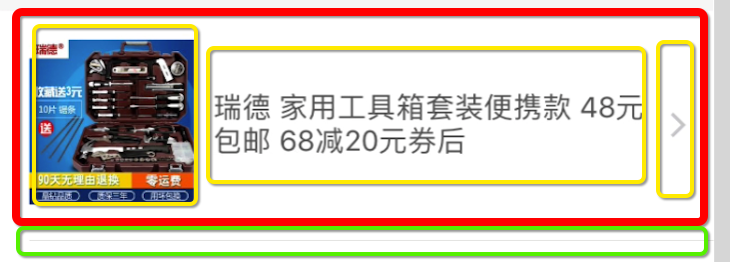
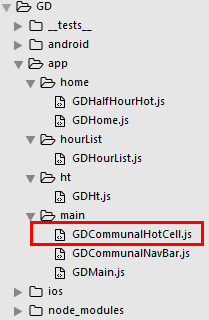
GDCommunalHotCell.js
/**

 * 近半小时热门 cell

 */

import React, { Component, PropTypes } from 'react';

import {

    StyleSheet,

    Text,

    View,

    Dimensions,

    Platform,

    Image,

} from 'react-native';

// 获取屏幕宽高

const {width, height} = Dimensions.get('window');

export default class GDCommunalHotCell extends Component {

	// 定义成员属性

	static propTypes = {

		image: PropTypes.string,  // 外部传字符串

		title: PropTypes.string,

	}

    render() {

        return (

            <View style={styles.container}>

            	{/* 左边的图片 */}

            	<Image source={{uri:this.props.image}} style={styles.imageStyle} />

            	{/* 中间的文字 */}

            	<View>

            		<Text numberOfLines={3} style={styles.titleStyle}>{this.props.title}</Text>

            	</View>

            	{/* 右边的箭头 */}

            	<Image source={{uri:'icon_cell_rightArrow'}} style={styles.arrowStyle} />

            </View>

        );

    }

}

const styles = StyleSheet.create({

    container: {

    	flexDirection:'row',

    	alignItems:'center',

    	justifyContent:'space-between',

    	backgroundColor:'white',

        height:100,

        width:width,

        borderBottomWidth:0.5,

        borderBottomColor:'gray',

        marginLeft:15

    },

    imageStyle: {

    	width:70,

    	height:70,

    },

    titleStyle: {

        width:width*0.65,

    },

    arrowStyle: {

    	width:10,

    	height:10,

        marginRight:30

    }

});
在 GDHalfHourHot.js 引入组件
/**

 * 近半小时热门

 */

import React, { Component } from 'react';

import {

    StyleSheet,

    Text,

    View,

    TouchableOpacity,

    Image,

    ListView,

    Dimensions,

} from 'react-native';

// 获取屏幕宽高

const {width, height} = Dimensions.get('window');

// 引入自定义导航栏组件

import CommunalNavBar from '../main/GDCommunalNavBar';

// 引入 cell

import CommunalHotCell from '../main/GDCommunalHotCell';

export default class GDHalfHourHot extends Component {

    // 构造

    constructor(props) {

        super(props);

        // 初始状态

        this.state = {

            dataSource: new ListView.DataSource({rowHasChanged:(r1, r2) => r1 !== r2}), // 数据源 优化

        };

        // 绑定

        this.fetchData = this.fetchData.bind(this);

    }

    // 网络请求

    fetchData() {

        fetch('http://guangdiu.com/api/gethots.php')  // 请求地址

            .then((response) => response.json())  // 定义名称 将数据转为json格式

            .then((responseData) => { // 处理数据

                // 修改dataSource的值

                this.setState({

                    dataSource: this.state.dataSource.cloneWithRows(responseData.data)

                });

            })

            .done() // 结束

    }

    popToHome() {

        this.props.navigator.pop();

    }

    // 返回中间按钮

    renderTitleItem() {

        return(

            <Text style={styles.navbarTitleItemStyle}>近半小时热门</Text>

        );

    }

    // 返回右边按钮

    renderRightItem() {

        return(

            <TouchableOpacity>

                <Text style={styles.navbarRightItemStyle}>关闭</Text>

            </TouchableOpacity>

        );

    }

    // 返回每一行cell的样式

    renderRow(rowData) {

        // 使用cell组件

        return(

            <CommunalHotCell

                image={rowData.image}

                title={rowData.title}

            />

        );

    }

    // 生命周期 组件渲染完成 已经出现在dom文档里

    componentDidMount() {

        // 请求数据

        this.fetchData();

    }

    render() {

        return (

            <View style={styles.container}>

                {/* 导航栏样式 */}

                <CommunalNavBar

                    titleItem = {() => this.renderTitleItem()}

                    rightItem = {() => this.renderRightItem()}

                />

                {/* 商品列表 */}

                <ListView

                    dataSource={this.state.dataSource}  // 数据源 通过判断dataSource是否有变化,来判断是否要重新渲染、

                    renderRow={this.renderRow}

                    showsHorizontalScrollIndicator={false} // 隐藏水平线

                    style={styles.listViewStyle}

                />

            </View>

        );

    }

}

const styles = StyleSheet.create({

    container: {

        flex:1,

        alignItems: 'center',

    },

    navbarTitleItemStyle: {

        fontSize:17,

        color:'black',

        marginLeft:50

    },

    navbarRightItemStyle: {

        fontSize:17,

        color:'rgba(123,178,114,1.0)',

        marginRight:15

    },

    listViewStyle: {

        width:width,

    }

});
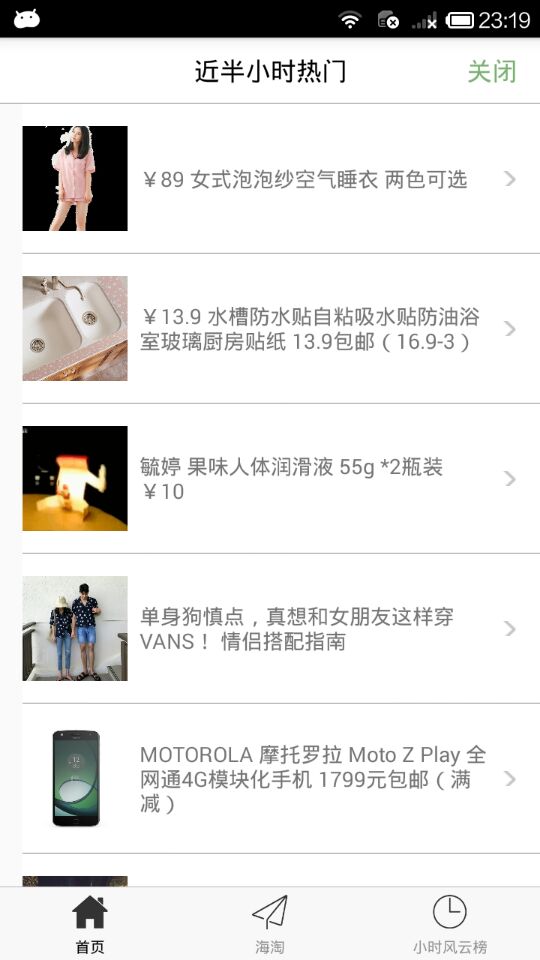
3.效果图
React-Native 之 GD (三)近半小时热门的更多相关文章
- React-Native 之 GD (十二)海淘半小时热门 及 获取最新数据个数功能 (角标)
1.海淘半小时热门 基本功能和首页相似 GDHt.js /** * 海淘折扣 */ import React, { Component } from 'react'; import { Style ...
- React Native学习(三)—— 使用导航器Navigation跳转页面
本文基于React Native 0.52 参考文档https://reactnavigation.org/docs/navigators/navigation-prop 一.基础 1.三种类型 Ta ...
- 基于React Native的跨三端应用架构实践
作者|陈子涵 编辑|覃云 “一次编写, 到处运行”(Write once, run anywhere ) 是很多前端团队孜孜以求的目标.实现这个目标,不但能以最快的速度,将应用推广到各个渠道,而且还能 ...
- React Native组件(三)Text组件解析
相关文章 React Native探索系列 React Native组件系列 前言 此前介绍了最基本的View组件,接下来就是最常用的Text组件,对于Text组件的一些常用属性,这篇文章会给出简单的 ...
- ORACLE 查询近一天,近半小时内的数据
SELECT 字段 FROM 表名 WHERE 时间字段 BETWEEN SYSDATE-1 AND SYSDATE; //查询一天内的数据 sysdate+1 加一天sysdate+1/24 ...
- SQL TUNING——从近半小时到几十毫秒的一次优化
昨天,一个用户的现场人员打电话紧急求助,说他们的一个系统卡了,半天不出结果,严重的影响了他们的使用,我简单的问了几句:什么时候的事儿?答:就今天下午的事儿.问:数据库软硬件最近动过没?答:没动过.问: ...
- React Native 之 项目实战(一)
前言 本文有配套视频,可以酌情观看. 文中内容因各人理解不同,可能会有所偏差,欢迎朋友们联系我. 文中所有内容仅供学习交流之用,不可用于商业用途,如因此引起的相关法律法规责任,与我无关. 如文中内容对 ...
- Airbub 弃用React Native
弃用 React Native ? 最近的技术圈尤为热闹,Google 发布了首个 Flutter 预览版.Vue.js 在 GitHub 上的 star 数量超过了 React.js,而如今全球著名 ...
- React Native初探
前言 很久之前就想研究React Native了,但是一直没有落地的机会,我一直认为一个技术要有落地的场景才有研究的意义,刚好最近迎来了新的APP,在可控的范围内,我们可以在上面做任何想做的事情. P ...
随机推荐
- 异步Promise及Async/Await可能最完整入门攻略
此文只介绍Async/Await与Promise基础知识与实际用到注意的问题,将通过很多代码实例进行说明,两个实例代码是setDelay和setDelaySecond. tips:本文系原创转自我的博 ...
- python字符串替换的2种方法
python 字符串替换可以用2种方法实现:1是用字符串本身的方法.2用正则来替换字符串 下面用个例子来实验下:a = 'hello word'把a字符串里的word替换为python 1.用字符串本 ...
- 小a的轰炸游戏(差分,前缀和)
题目传送门 题意: 给出一个n*m的矩形,然后有两个操作. 1操作,对一个给出的菱形,对菱形范围内的东西进行+1. 2操作,对一个上半菱形的区域,进行+1操作. 最后求矩形内各个数的异或和. 思路: ...
- [LOJ 6253] Yazid 的新生舞会
link $solution:$ 不知道为什么别人的代码能写的非常短,难道就是写差分的好处? 这种题肯定是算每个众数的贡献,考虑通过暴力众数求出个数. 现在考虑众数 $x$ ,则在序列 $a$ 中将等 ...
- Hadoop本地模式搭建
官方文档,不同版本修改url地址中的数字即可 http://hadoop.apache.org/docs/r2.7.2/hadoop-project-dist/hadoop-common/Single ...
- Hive常用非交互式命令
[hadoop@hadoop hive-0.13.1]$ bin/hive -help usage: hive -d,--define <key=value> Variable subsi ...
- Datatable中对某列求和,三种不同情况下的方法
C# code 方法一. object sumObject = DataTable.Compute("sum(Qty)", "TRUE"); 直接对数据表中的字 ...
- HTML5初识
HTML:超文本标记语言 HTML文档树结构 标签:有一对<>组成的,标签不区分大小写,大多数都是成对出现,有开始标签和结束标签,但也有单个出现的自闭和标签 标签属性:以键值对放在标签中, ...
- noip2017简要题解。
重新写了一下去年的题来看看自己到底是有多傻逼. 小凯的疑惑 打表. 时间复杂度 搞了一大坨题面,但是真正有用的信息只有几个: 判断他给你的复杂度是多少. 判断当前循环进不进的去. 判断当前循环产生的贡 ...
- Oracle 9i,10g,11g各自alert日志的位置
10g&9i的alert日志: 进入oracle:[zhangshengdong@oralocal1 ~]$ sudo su - oracle[oracle@oralocal1 ~]$ sql ...