
iOS - UITableView加载网络图片 cell适应图片高度
使用xib创建自定制cell 显示图片 创建一个继承UITableViewCell的类 勾选xib
如下是xib创建图
xib
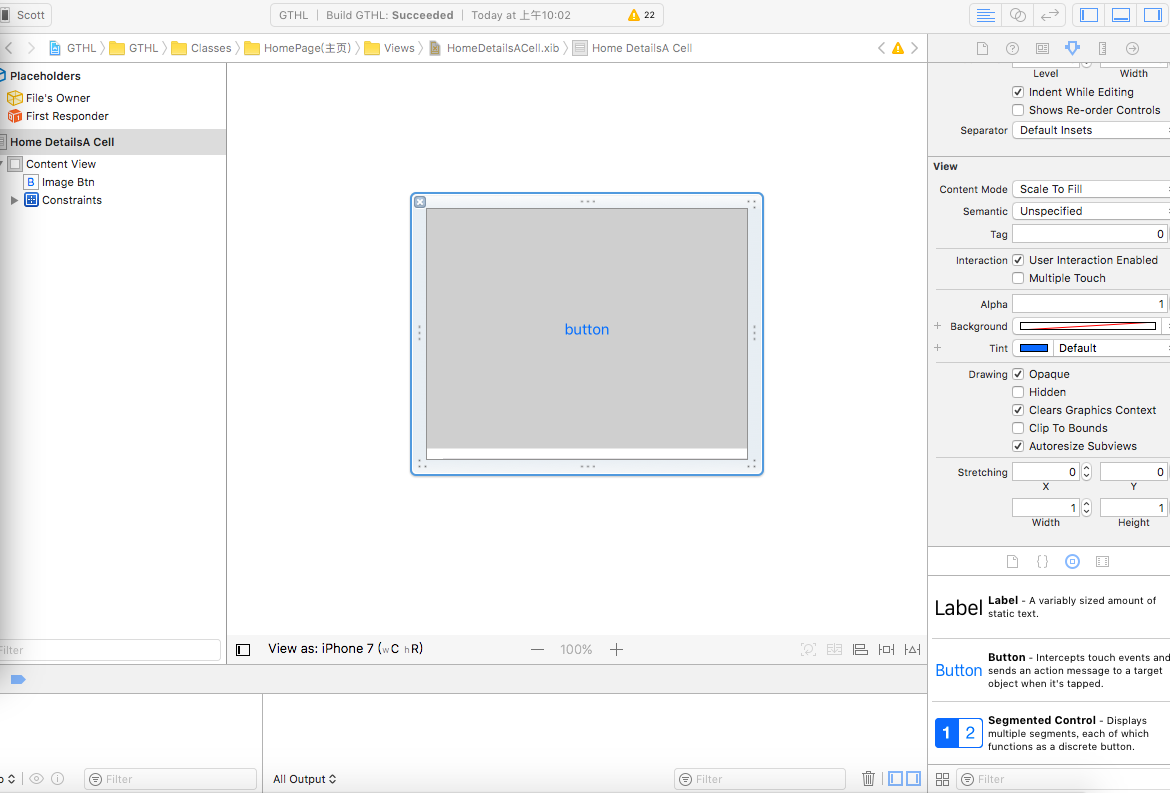
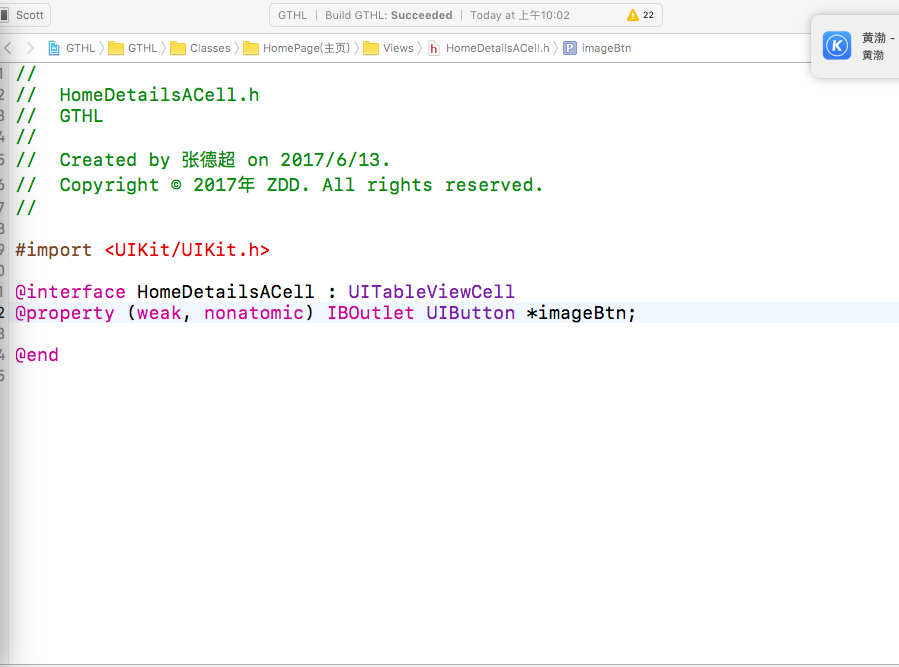
向.h拖拽一个关联线
.h
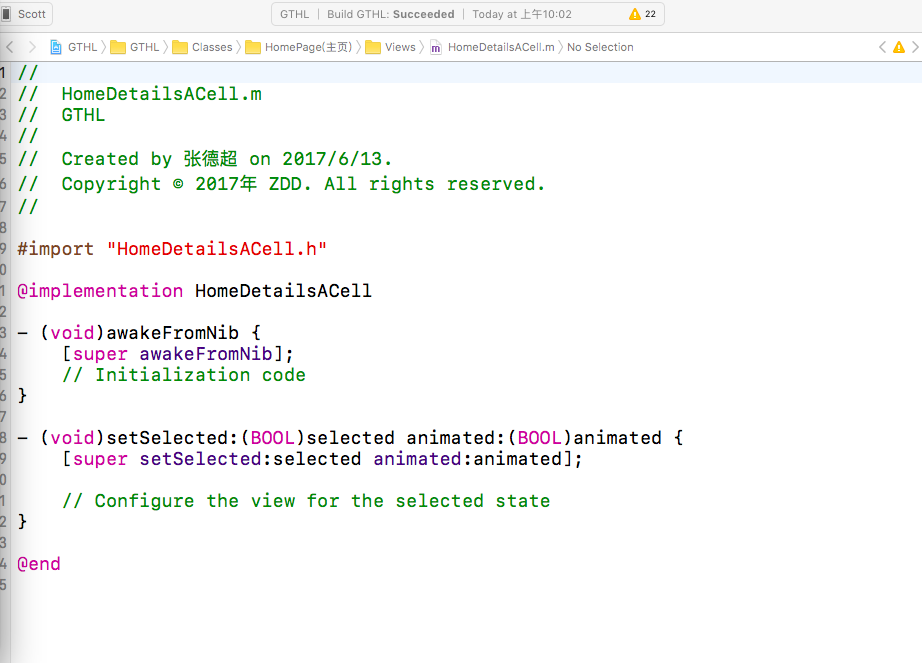
.m
2.代码创建(使用三方适配库进行适配Masonry三方代码适配)
.h
#import <UIKit/UIKit.h>
@interface NFTrailerNextTableViewCell : UITableViewCell
@property (nonatomic, strong) UIButton *imageBtn;
@end
.m
#import "NFTrailerNextTableViewCell.h"
@implementation NFTrailerNextTableViewCell
- (void)awakeFromNib {
[super awakeFromNib];
// Initialization code
}
- (instancetype)initWithStyle:(UITableViewCellStyle)style reuseIdentifier:(NSString *)reuseIdentifier {
self = [super initWithStyle:style reuseIdentifier:reuseIdentifier];
if (self) {
[self.contentView addSubview:self.imageBtn];
[self.imageBtn mas_makeConstraints:^(MASConstraintMaker *make) {
make.left.offset(0);
make.top.offset(0);
make.right.offset(0);
make.bottom.offset(-10);
}];
}
return self;
}
- (UIButton *)imageBtn {
if (nil == _imageBtn) {
_imageBtn = [[UIButton alloc] init];
_imageBtn.userInteractionEnabled = NO;
}
return _imageBtn;
}
- (void)setSelected:(BOOL)selected animated:(BOOL)animated {
[super setSelected:selected animated:animated];
// Configure the view for the selected state
}
@end
-(NSInteger)tableView:(UITableView *)tableView numberOfRowsInSection:(NSInteger)section{
//self.dataArr.count
return self.imagearr.count;
}
-(UITableViewCell *)tableView:(UITableView *)tableView cellForRowAtIndexPath:(NSIndexPath *)indexPath{
NFTrailerNextTableViewCell *cell = [tableView dequeueReusableCellWithIdentifier:NSStringFromClass([NFTrailerNextTableViewCell class])];
[self configureCell:cell atIndexPath:indexPath];
cell.userInteractionEnabled = NO;
cell.selectionStyle = UITableViewCellSelectionStyleNone;
return cell;
}
//加载图片
- (void)configureCell:(NFTrailerNextTableViewCell *)cell atIndexPath:(NSIndexPath *)indexPath {
NSString *imgURL = self.imagearr[indexPath.row];
UIImage *cachedImage = [[SDImageCache sharedImageCache] imageFromDiskCacheForKey:imgURL];
if ( !cachedImage ) {
[self downloadImage:self.imagearr[indexPath.row] forIndexPath:indexPath];
[cell.imageBtn setBackgroundImage:[UIImage imageNamed:@"国投互联"] forState:UIControlStateNormal];
} else {
[cell.imageBtn setBackgroundImage:cachedImage forState:UIControlStateNormal];
}
}
- (void)downloadImage:(NSString *)imageURL forIndexPath:(NSIndexPath *)indexPath {
// 利用 SDWebImage 框架提供的功能下载图片
[[SDWebImageDownloader sharedDownloader] downloadImageWithURL:[NSURL URLWithString:imageURL] options:SDWebImageDownloaderUseNSURLCache progress:^(NSInteger receivedSize, NSInteger expectedSize, NSURL * _Nullable targetURL) {
} completed:^(UIImage * _Nullable image, NSData * _Nullable data, NSError * _Nullable error, BOOL finished) {
[[SDImageCache sharedImageCache] storeImage:image forKey:imageURL toDisk:YES completion:^{
}];
dispatch_async(dispatch_get_main_queue(), ^{
[self.NFTableView reloadData];
});
}];
}
-(CGFloat)tableView:(UITableView *)tableView heightForRowAtIndexPath:(NSIndexPath *)indexPath{
// 先从缓存中查找图片
UIImage *image = [[SDImageCache sharedImageCache] imageFromDiskCacheForKey:self.imagearr[indexPath.row]];
// 没有找到已下载的图片就使用默认的占位图,当然高度也是默认的高度了,除了高度不固定的文字部分。
if (!image) {
image = [UIImage imageNamed:@"国投互联"];
}
//手动计算cell
CGFloat imgHeight = image.size.height * [UIScreen mainScreen].bounds.size.width / image.size.width;
return imgHeight;
}
这样就可以了再见
iOS - UITableView加载网络图片 cell适应图片高度的更多相关文章
- IOS UITableView 加载未知宽高图片的解决方案
在开发中遇到了UITableView列表 UITableViewCell装载图片但不知Image的宽高 问题. 在解决该问题的时候,首先想到的是异步加载图片 采用第三方框架SDWebImage 实现对 ...
- iOS之UITableView加载网络图片cell自适应高度
#pragma mark- UITableView - (CGFloat)tableView:(UITableView *)tableView heightForRowAtIndexPath:(NSI ...
- Android笔记之使用Glide加载网络图片、下载图片
Glide简介 不想说太多,真的很方便:P)可以节省我不少时间 GitHub地址:https://github.com/bumptech/glide 加载网络图片到ImageView Glide.wi ...
- IOS延时加载网络图片
重网上下载图片是很慢的,为了不影响体验,选择延时加载图片是很好的办法. 一个tableView 列表,左边暂时没有图 - (UITableViewCell *)tableView:(UITab ...
- IOS UIwebView 加载网络图片 使用相对地址
方法一: 在html文件内直接使用file:///user//xx//image.png的绝对路径 注:这样可以显示图片,但是如果在程序目录修改,图片就不能显示 方法二: 在html使用占位符,如:在 ...
- (BUG已修改,最优化)安卓ListView异步加载网络图片与缓存软引用图片,线程池,只加载当前屏之说明
原文:http://blog.csdn.net/java_jh/article/details/20068915 迟点出更新的.这个还有BUG.因为软引应不给力了.2.3之后 前几天的原文有一个线程管 ...
- iOS WebView 加载本地资源(图片,文件等)
https://www.cnblogs.com/dhui69/p/5596917.html iOS WebView 加载本地资源(图片,文件等) NSString *path = [[NSBundle ...
- 【iOS入门】UITableView加载图片
学习带图片的列表 官方 LazyTableImages demo http://download.csdn.net/detail/jlyidianyuan/5726749 分析源码是学习的好方法. ...
- iOS网络加载图片缓存与SDWebImage
加载网络图片可以说是网络应用中必备的.如果单纯的去下载图片,而不去做多线程.缓存等技术去优化,加载图片时的效果与用户体验就会很差. 一.自己实现加载图片的方法 tips: *iOS中所有网络访问都是异 ...
随机推荐
- sqlserver学习笔记(三)—— 为数据库添加新的用户
首先,用windows或sa身份登录sqlserver, 打开安全性——登录名——右键新建登录名:在选择页——常规中,新建命为user_b的登录名,选择sqlserver身份验证方式,设置密码确认密码 ...
- TripleDES之C#和PHP之间加密解密
在C#常用加密解密一文中,介绍了几个加密解密方法,其中有个如何使用对称加密算法DES,此次说下DES的升级版,TripleDES. DES和TripleDES之间的关系可以参考下面的博文. 对称加密D ...
- 【HTML】WWW简介
www 什么是WWW www(world wide web),又称为万维网,或通常称为web,是一个基于超文本方式的信息检索服务工具. WWW的工作模式 C/S结构(client/server结构), ...
- 【MySQL】MySQL之MySQL5.7安装包(msi文件)在Windows8下安装
最近自己在使用MySQL5.7.16.msi安装MySQL.自己下载的是.msi文件,在安装的过程中遇到了许多文件,网上大部分的Blog都是关于免安装包的安装方法,希望我的方法对大家有帮助. 1,下载 ...
- Linux命令-进程后台执行:nohup(就是不挂起的意思)
nohup 就是不挂起的意思( no hang up) 用途:LINUX命令用法,不挂断地运行命令. 语法: nohup Command [ Arg ... ] [ & ] 描述:nohup ...
- Checkstyle-Configuration
<?xml version="1.0" encoding="UTF-8"?> <!DOCTYPE module PUBLIC "-/ ...
- Python 爬虫 数据清洗 去掉 超链接
有时候我们需要清洗数据,里面有超链接,怎么去掉他们,比如下面的问题 , - January , </p></li><li </p><div " ...
- KMP算法理解
1.KMP算法解决问题:对BF(Brute Force)算法优化,避免对主串进行回溯匹配(匹配不成功主串指针向后移1位,子串指针重置开始位置,两串继续匹配),效率底. 2.KMP算法原则/目的:主串不 ...
- JavaScript DOM API初步(整理)
文档对象模型 文档对象模型(Doucment Object Model,DOM)是表示文档(如HTML文档.XML文档)和访问.操作构成文档的各种元素的应用程序接口.在DOM中,HTML文档的层次结构 ...
- Cocos2d-x 源代码分析 : Scheduler(定时器) 源代码分析
源代码版本号 3.1r,转载请注明 我也最终不out了,開始看3.x的源代码了.此时此刻的心情仅仅能是wtf! !!!!!!! !.只是也最终告别CC时代了. cocos2d-x 源代码分析文件夹 h ...