
Android开发:文本控件详解——RadioButton和CheckBox(一)基本属性
一、RadioButton和RadioGroup:
RadioButton是单个的圆形单选框,而RadioGroup是可以容纳多个RadioButton存在的容器,因此RadioButton和RadioGroup往往都配合使用。
每个已经放入RadioGroup中的RadioButton只能有一个被选中,不放入RadioGroup中的RadioButton可以多选,和checkbox无异。
1、简单实例:
<RadioGroup

        android:layout_width="wrap_content"

        android:layout_height="wrap_content"

        android:layout_centerVertical="true"

        android:layout_centerHorizontal="true">

        <RadioButton

            android:id="@+id/buttonSchool1"

            android:layout_width="wrap_content"

            android:layout_height="wrap_content"

            android:text="@string/school1"

            android:checked="true"/>

        <RadioButton

            android:id="@+id/buttonSchool2"

            android:layout_width="wrap_content"

            android:layout_height="wrap_content"

            android:text="@string/school2"/>

        <RadioButton

            android:id="@+id/buttonSchool3"

            android:layout_width="wrap_content"

            android:layout_height="wrap_content"

            android:text="@string/school3"/>

        <RadioButton

            android:id="@+id/buttonSchool4"

            android:layout_width="wrap_content"

            android:layout_height="wrap_content"

            android:text="@string/school4"/>

    </RadioGroup>
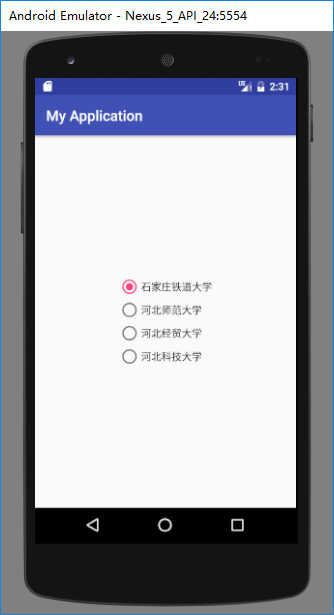
运行结果如下:
2、RadioGroup基本属性:
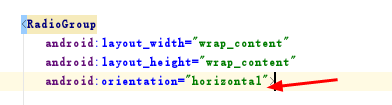
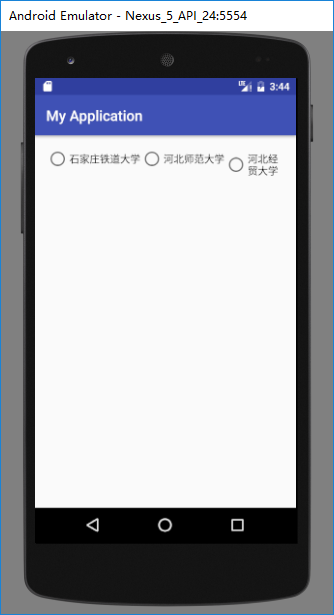
(1)、orientation:排列方式
若值为horizontal,则为横向,水平排列:
android:orientation="horizontal"
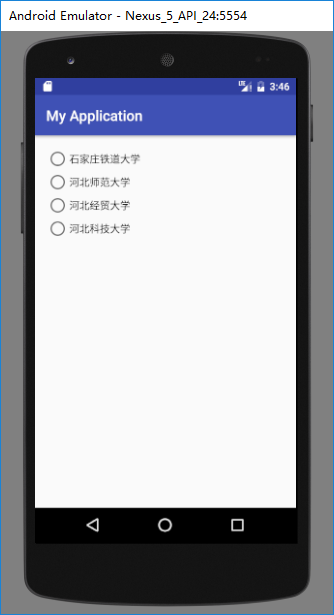
若值为vertical,则为纵向,垂直排列。
android:orientation="vertical"

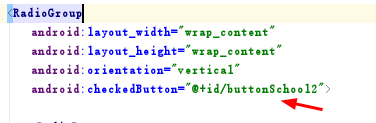
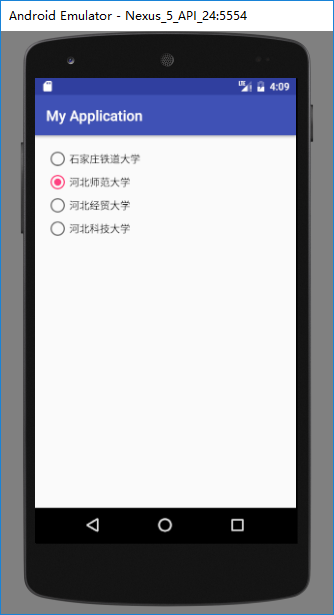
(2)、checkedButton:默认选中
直接调用已经放入在radiogroup中且已有id的radiobutton即可默认选中此项。
android:checkedButton="@+id/buttonSchool2"
3、RadioButton基本属性:
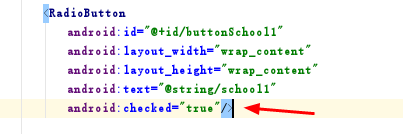
(1)、checked:选中状态
若为true则默认被选中,false则默认不被选中。

(2)、text等相关属性:
text是按钮的文本内容;
textSize是文本字体大小;
textColor是文本字体颜色······
这些属性和TextView一致。


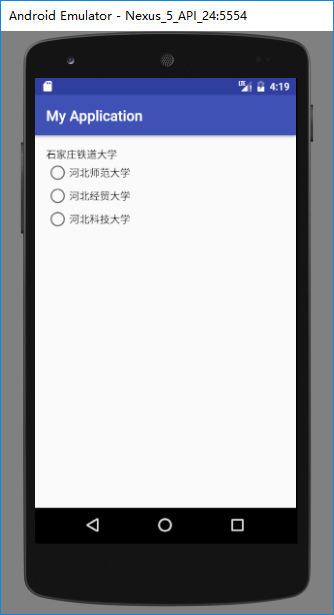
(3)、button:按钮属性
若button的值设为“@null”则不显示前面的圆形按钮,只显示文本内容本身
android:button="@null"

二、CheckBox:
1、简单实例:
    <CheckBox

        android:text="@string/school1"

        android:layout_width="wrap_content"

        android:layout_height="wrap_content"

        android:layout_alignParentTop="true"

        android:layout_alignParentLeft="true"

        android:layout_alignParentStart="true"

        android:id="@+id/checkBox" />

    <CheckBox

        android:text="@string/school2"

        android:layout_width="wrap_content"

        android:layout_height="wrap_content"

        android:layout_below="@+id/checkBox"

        android:layout_alignParentLeft="true"

        android:layout_alignParentStart="true"

        android:layout_marginTop="19dp"

        android:id="@+id/checkBox2" />

    <CheckBox

        android:text="@string/school3"

        android:layout_width="wrap_content"

        android:layout_height="wrap_content"

        android:layout_below="@+id/checkBox2"

        android:layout_alignParentLeft="true"

        android:layout_alignParentStart="true"

        android:layout_marginTop="23dp"

        android:id="@+id/checkBox3" />
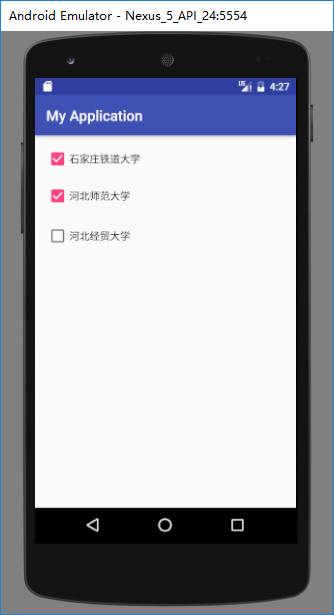
2、基本属性:
checkbox和radiobutton的属性基本一致。
(1)、checked:是否被默认选中
android:checked="true"


(2)、text等相关属性:
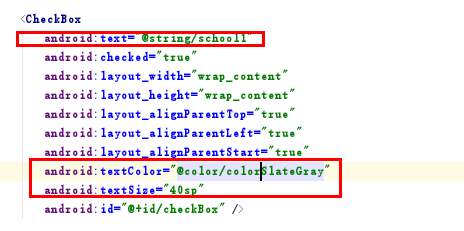

(3)、button:按钮属性
若button的值设为“@null”则不显示前面的方形按钮,只显示文本内容本身
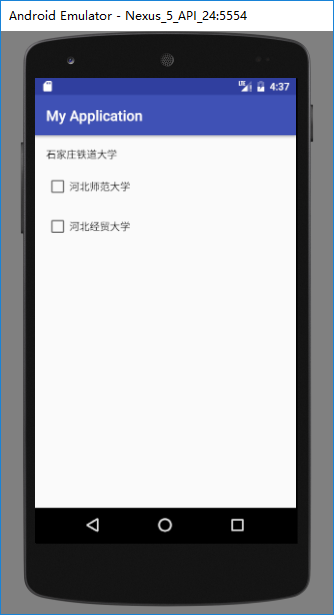
button属性对按钮的设置可以搭配drawable对按钮的样式进行修改和美化。
三、CheckBox和RadioButton区别:
| RadioButton | CheckBox |
| 选中后,通过点击无法变为未选中 | 选中后,通过点击可以变为未选中 |
| 只能同时选中一个 | 能同时选中多个 |
| 大部分UI框架中,默认圆形表示 | 大部分UI框架中,默认方形表示 |
Android开发:文本控件详解——RadioButton和CheckBox(一)基本属性的更多相关文章
- Android开发:文本控件详解——TextView(一)基本属性
一.简单实例: 新建的Android项目初始自带的Hello World!其实就是一个TextView. 在activity_main.xml中可以新建TextView,从左侧组件里拖拽到右侧预览界面 ...
- Android开发:文本控件详解——EditText(一)基本属性
一.简单实例: EditText输入的文字样式部分的属性,基本都是和TextView中的属性一样. 除此之外,EditText还有自己独有的属性. 二.基本属性: hint 输入框显示的提示文本 ...
- Android开发:文本控件详解——TextView(二)文字跑马灯效果实现
一.需要使用的属性: 1.android:ellipsize 作用:若文字过长,控制该控件如何显示. 对于同样的文字“Android开发:文本控件详解——TextView(二)文字跑马灯效果实现”,不 ...
- IOS—UITextFiled控件详解
IOS—UITextFiled控件详解 //初始化textfield并设置位置及大小 UITextField *text = [[UITextField alloc]initWithFrame:CGR ...
- Switch控件详解
Switch控件详解 原生效果 5.x 4.x 布局 <Switch android:id="@+id/setting_switch" android:layout_widt ...
- ToolBar控件详解
ToolBar控件详解 在Activity中添加ToolBar 1.添加库 dependencies { ... compile "com.android.support:appcompat ...
- Spinner控件详解
Spinner控件详解 效果图 修改Spinner样式 在介绍之前,先看一下系统原生的样式 6.x & 5.x系统样式 4.x系统样式 官方文档 XML属性 方法 描述 android:dro ...
- CAD控件,CAD插件使用教程:Android开发使用控件--开发环境的搭建
Android开发使用控件入门--环境搭建 2014-12-24 09:57 14人阅读 评论(0) 收藏 编辑 删除 CAD控件.CAD三维控件,手机 ...
- Android开发使用控件入门--环境搭建
Android开发使用控件入门--环境搭建 软件名称(,梦,,想.CAD ,控件) 1. 环境搭建: 3 1.1. 安装Eclipse 3 1.2. 下载JDK 3 1.3. 下载Android S ...
随机推荐
- 剑指Offer 总结
给一个链表,若其中包含环,请找出该链表的环的入口结点,否则,输出null. public class Solution { public ListNode EntryNodeOfLoop(ListNo ...
- 网络编程之基于UDP协议的套接字编程、基于socketserver实现并发的socket
目录 基于UDP协议的套接字编程 UDP套接字简单示例 服务端 客户端 基于socketserver实现并发的socket 基于TCP协议 server类 request类 继承关系 服务端 客户端1 ...
- babel安装及使用
安装babel npm install babel-cli -g 配置babel babel是用过插件或者预设来编译代码的 新建.babelrc文件 文件中输入一下内容 { "presets ...
- js学习之数据结构和算法
js中的数据结构 1.列表 待办事项列表.购物清单.最佳十名榜单等等. 适用: 1)数据结构较为简单, 2)不需要在一个长序列中查找元素,或者对其进行排序 2.栈 一摞盘子 ----- 添加删除只能从 ...
- html5直接调用手机相机照相/录像
现在的h5功能越来越强大.之前做项目时上传功能input type=file时,在IOS下居然可以直接照相...但是在安卓上是不能.后面研究 了下,其实安卓下也可以的. 就是在input上加上capt ...
- svn进行上传项目
当svn的服务器搭建成功后,就可以进行上传项目了. 右键,选择客户端的repo-browser, 输入地址 然后就可以浏览所有项目: 然后在版本仓库上,右键,add folder, 添加对应的文件夹即 ...
- Python学习日记(三十六) Mysql数据库篇 四
MySQL作业分析 五张表的增删改查: 完成所有表的关系创建 创建教师表(tid为这张表教师ID,tname为这张表教师的姓名) create table teacherTable( tid int ...
- Nginx 反向代理与负载均衡的配置
已经很久没有写博了,因为最近学车加上各种问题一直没时间, 今天刚好想起有好多的东西还没来得及记录.回到正题: Nginx是一个非常强大的web轻量级服务器,许多大厂也用Nginx进行负载均衡和反向代理 ...
- cad快捷键与命令大全
一入绘图深似海,从此各种快捷键就要不分昼夜在脑海,忘记了哪一个,对于效率来说都是一个考验. 快捷键用处怎么大,那么的实用,需要背诵哪些呢?史上最全快捷键汇总,大神都在使用快捷键操作,这里给你来一个大汇 ...
- C语言scanf函数转换说明表及其修饰符表
1. 对于上一篇文章,总结printf()输出,C库也包含了多个输入函数, scanf()是最常用的一个,也是经常与printf()经常一起搭配使用的函数之一. scanf()和printf()类似, ...