
springBoot mybatis mysql pagehelper layui 分页
<!-- 加入 pagehelper 分页插件  jar包-->
<dependency>
    <groupId>com.github.pagehelper</groupId>
    <artifactId>pagehelper-spring-boot-starter</artifactId>
    <version>1.2.5</version>
</dependency>

在 application.properties 加上
#开启分页
# 指定数据库
pagehelper.helperDialect=mysql
# 需要启用 不然会报空数据的
pagehelper.reasonable=true
# 默认值false,分页插件会从查询方法的参数值中
pagehelper.supportMethodsArguments=true
# 用于从对象中根据属性名取值
pagehelper.params=count=countSql

接收 前端传过来的 页码 和 条数
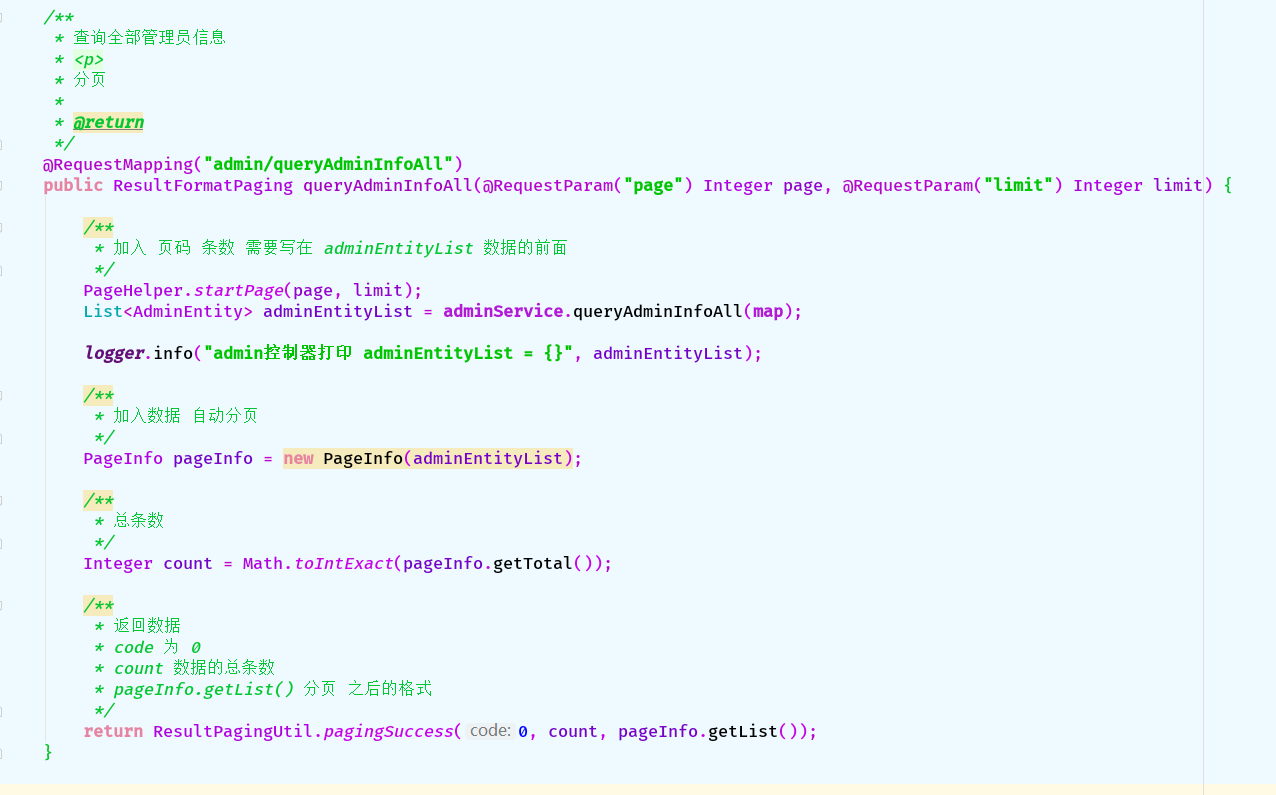
java 后台 代码如下:
@RequestMapping("admin/queryAdminInfoAll")
public ResultFormatPaging queryAdminInfoAll(@RequestParam("page") Integer page, @RequestParam("limit") Integer limit) {
    /**
     * 加入 页码 条数 需要写在 adminEntityList 数据的前面
     */
    PageHelper.startPage(page, limit);
    List<AdminEntity> adminEntityList = adminService.queryAdminInfoAll(map);

    logger.info("admin控制器打印 adminEntityList = {}", adminEntityList);

    /**
     * 加入数据 自动分页
     */
    PageInfo pageInfo = new PageInfo(adminEntityList);

    /**
     * 总条数
     */
    Integer count = Math.toIntExact(pageInfo.getTotal());

    /**
     * 返回数据
     * code 为 0
     * count 数据的总条数
     * pageInfo.getList() 分页 之后的格式
     */
    return ResultPagingUtil.pagingSuccess(0, count, pageInfo.getList());
}
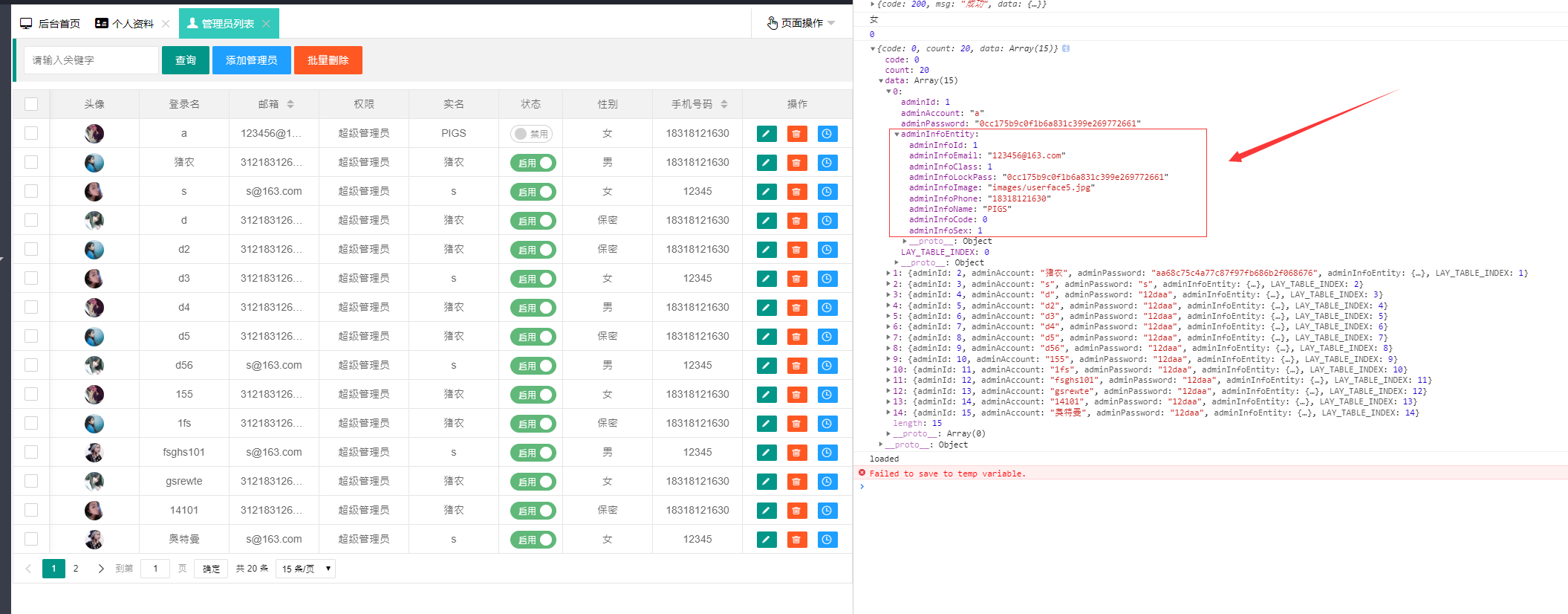
# 前端 layui 分页 浏览器打印的数据结构 由于 是数据包含着数据 我采用layui 提供的 templet 模板
 {
    field: 'adminInfoEntity', title: '手机号码', sort: true,
    templet: function (data) {
        return '<span>' + data.adminInfoEntity.adminInfoPhone + '</span>'
    }
}
layui js 代码:
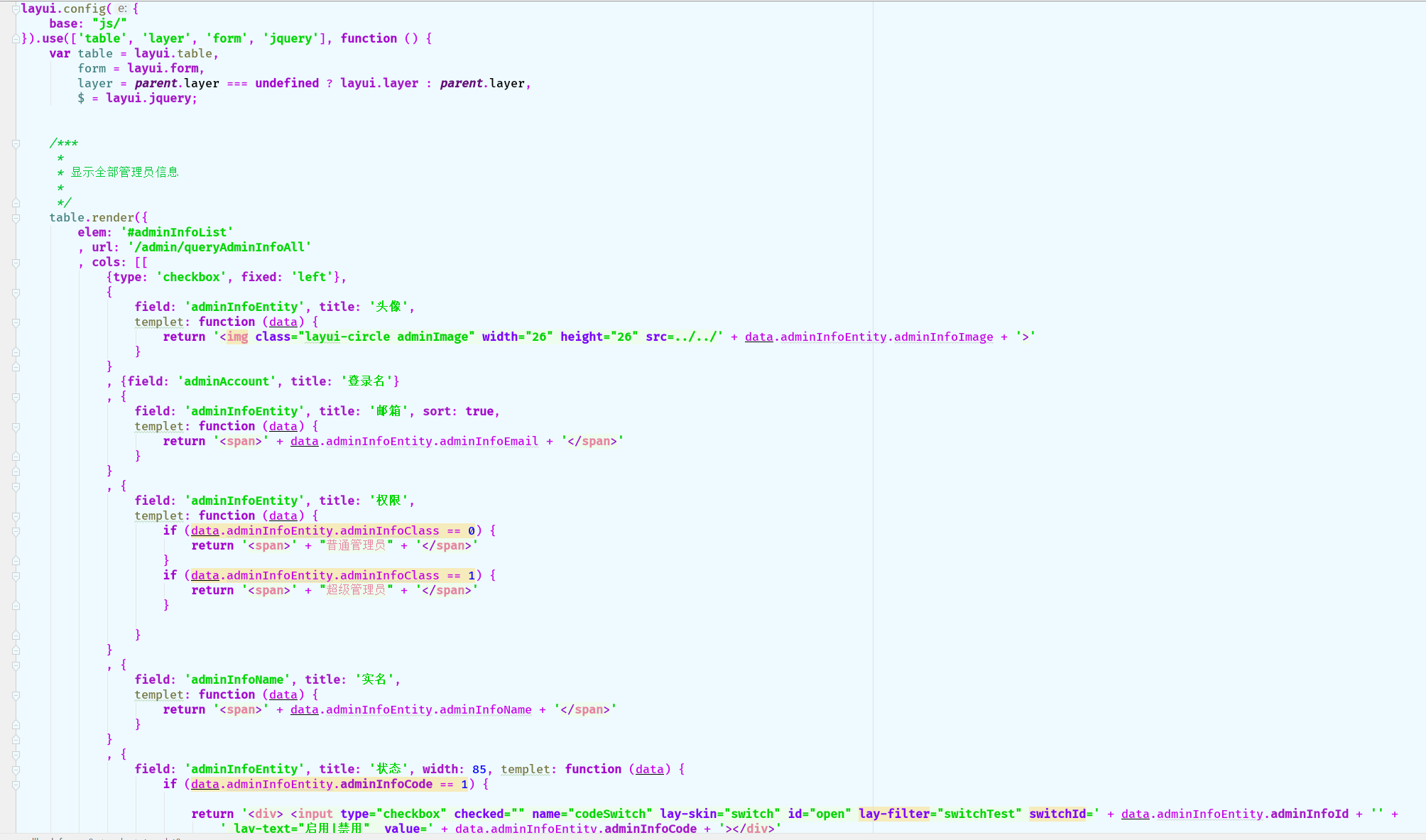
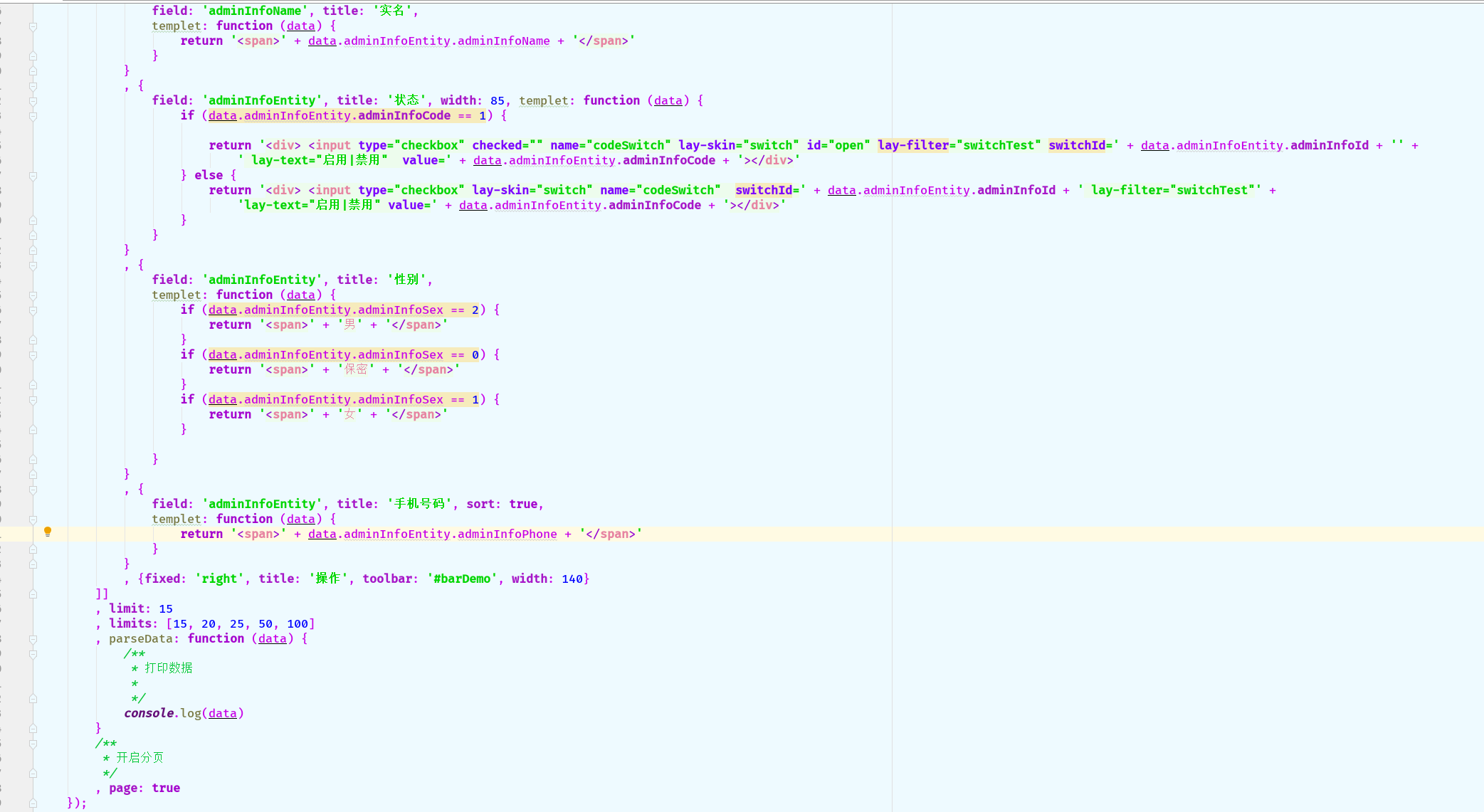
table.render({
    elem: '#adminInfoList'
    , url: '/admin/queryAdminInfoAll'
    , cols: [[
        {type: 'checkbox', fixed: 'left'},
        {
            field: 'adminInfoEntity', title: '头像',
            templet: function (data) {
                return '<img class="layui-circle adminImage" width="26" height="26" src=../../' + data.adminInfoEntity.adminInfoImage + '>'
            }
        }
        , {field: 'adminAccount', title: '登录名'}
        , {
            field: 'adminInfoEntity', title: '邮箱', sort: true,
            templet: function (data) {
                return '<span>' + data.adminInfoEntity.adminInfoEmail + '</span>'
            }
        }
        , {
            field: 'adminInfoEntity', title: '权限',
            templet: function (data) {
                if (data.adminInfoEntity.adminInfoClass == 0) {
                    return '<span>' + "普通管理员" + '</span>'
                }
                if (data.adminInfoEntity.adminInfoClass == 1) {
                    return '<span>' + "超级管理员" + '</span>'
                }

            }
        }
        , {
            field: 'adminInfoName', title: '实名',
            templet: function (data) {
                return '<span>' + data.adminInfoEntity.adminInfoName + '</span>'
            }
        }
        , {
            field: 'adminInfoEntity', title: '状态', width: 85, templet: function (data) {
                if (data.adminInfoEntity.adminInfoCode == 1) {

                    return '<div> <input type="checkbox" checked="" name="codeSwitch" lay-skin="switch" id="open" lay-filter="switchTest" switchId=' + data.adminInfoEntity.adminInfoId + '' +
                        ' lay-text="启用|禁用"  value=' + data.adminInfoEntity.adminInfoCode + '></div>'
                } else {
                    return '<div> <input type="checkbox" lay-skin="switch" name="codeSwitch"  switchId=' + data.adminInfoEntity.adminInfoId + ' lay-filter="switchTest"' +
                        'lay-text="启用|禁用" value=' + data.adminInfoEntity.adminInfoCode + '></div>'
                }
            }
        }
        , {
            field: 'adminInfoEntity', title: '性别',
            templet: function (data) {
                if (data.adminInfoEntity.adminInfoSex == 2) {
                    return '<span>' + '男' + '</span>'
                }
                if (data.adminInfoEntity.adminInfoSex == 0) {
                    return '<span>' + '保密' + '</span>'
                }
                if (data.adminInfoEntity.adminInfoSex == 1) {
                    return '<span>' + '女' + '</span>'
                }

            }
        }
        , {
            field: 'adminInfoEntity', title: '手机号码', sort: true,
            templet: function (data) {
                return '<span>' + data.adminInfoEntity.adminInfoPhone + '</span>'
            }
        }
        , {fixed: 'right', title: '操作', toolbar: '#barDemo', width: 140}
    ]]
    , limit: 15
    , limits: [15, 20, 25, 50, 100]
    , parseData: function (data) {
        /**
         * 打印数据
         *
         */
        console.log(data)
    }
    /**
     * 开启分页
     */
    , page: true
});
html 代码:
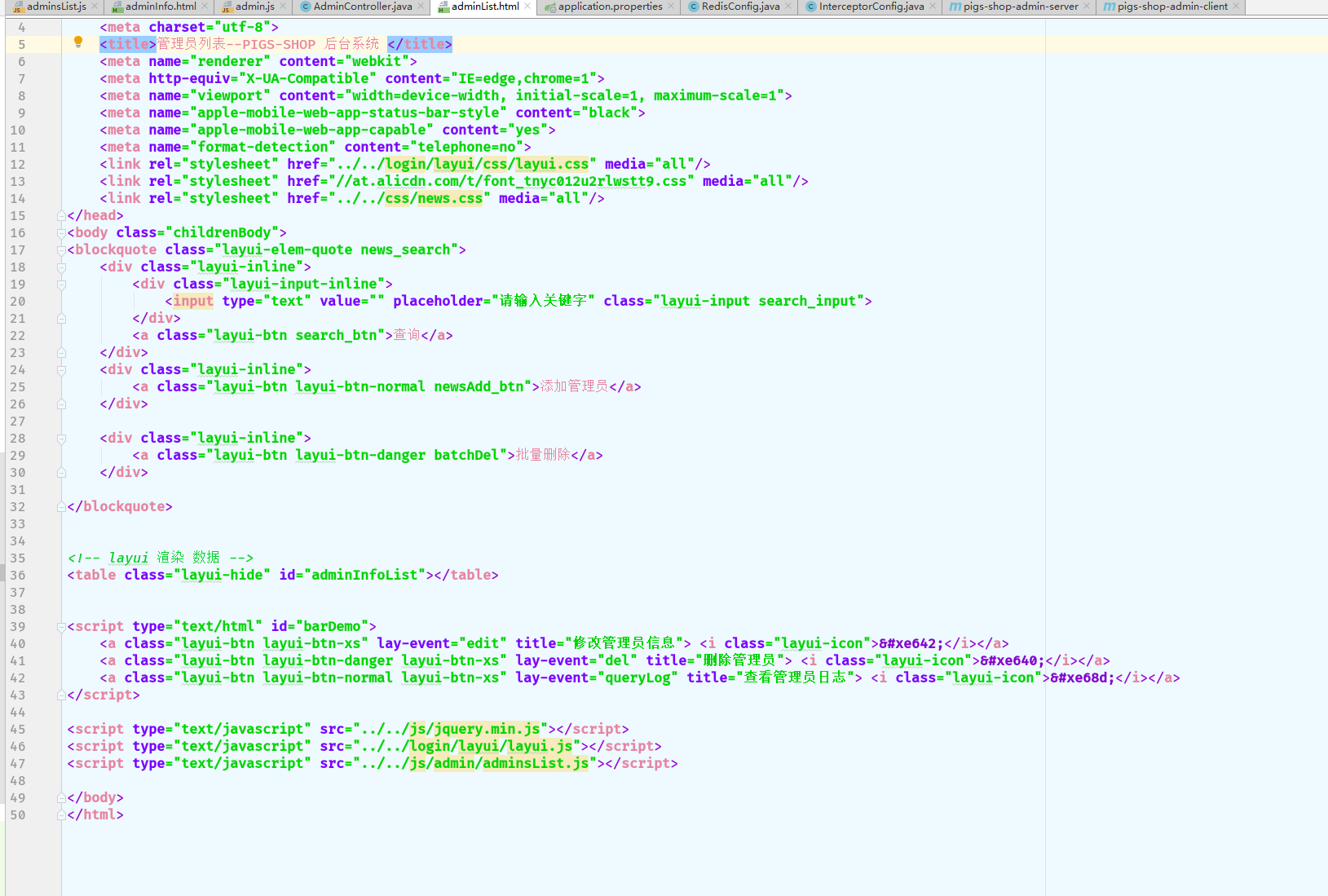
<table class="layui-hide" id="adminInfoList"></table> <script type="text/html" id="barDemo">
<a class="layui-btn layui-btn-xs" lay-event="edit" title="修改管理员信息"> <i class="layui-icon"></i></a>
<a class="layui-btn layui-btn-danger layui-btn-xs" lay-event="del" title="删除管理员"> <i class="layui-icon"></i></a>
<a class="layui-btn layui-btn-normal layui-btn-xs" lay-event="queryLog" title="查看管理员日志"> <i class="layui-icon"></i></a>
</script>
如问题请留言 感谢观看
springBoot mybatis mysql pagehelper layui 分页的更多相关文章
- 7、SpringBoot+Mybatis整合------PageHelper简单分页
开发工具:STS 代码下载链接:https://github.com/theIndoorTrain/SpringBoot_Mybatis/tree/1d30d2a573ce6784149a28af9b ...
- SpringBoot+Mybatis配置Pagehelper分页插件实现自动分页
SpringBoot+Mybatis配置Pagehelper分页插件实现自动分页 **SpringBoot+Mybatis使用Pagehelper分页插件自动分页,非常好用,不用在自己去计算和组装了. ...
- Springboot+Mybatis+MySQL实例练习时踩坑记录
最近刚开始学习后端,直接让上手学习Springboot+Mybatis+MySQL对CRUD的实例,虽然实例不难,但是上面的三个知识我都不懂,就有点为难我了 所以经常遇到一个点卡自己很久的情况,这里列 ...
- springboot成神之——springboot+mybatis+mysql搭建项目简明demo
springboot+mybatis+mysql搭建项目简明demo 项目所需目录结构 pom.xml文件配置 application.properties文件配置 MyApplication.jav ...
- 【SpringBoot】SpringBoot/MyBatis/MySql/thymeleaf/Log4j整合工程
工程下载地址:https://files.cnblogs.com/files/xiandedanteng/MMSpringWeb20191027-1.rar 工程目录结构如图: 1.创建工程 有些网文 ...
- SpringBoot+MyBatis+Mysql 6.X 版本日期型数据获,时间错乱,jason序列化时间相差8小时问题
新项目是用的springboot+mybatis+mysql 6.0.6版本的驱动包来搭建的,在使用的过程中遇到以下2个问题 从mysql取的的数据日期时间,与真实的时间往后错乱了14个小时. spr ...
- SpringBoot+Mybatis+MySql 自动生成代码 自动分页
一.配置文件 <!-- 通用mapper --> <dependency> <groupId>tk.mybatis</groupId> <arti ...
- 从 0 使用 SpringBoot MyBatis MySQL Redis Elasticsearch打造企业级 RESTful API 项目实战
大家好!这是一门付费视频课程.新课优惠价 699 元,折合每小时 9 元左右,需要朋友的联系爱学啊客服 QQ:3469271680:我们每课程是明码标价的,因为如果售价为现在的 2 倍,然后打 5 折 ...
- SpringBoot+MyBatis+MySQL读写分离(实例)
1. 引言 读写分离要做的事情就是对于一条SQL该选择哪个数据库去执行,至于谁来做选择数据库这件事儿,无非两个,要么中间件帮我们做,要么程序自己做.因此,一般来讲,读写分离有两种实现方式.第一种是 ...
随机推荐
- Java 内部类(成员内部类、局部内部类、静态内部类,匿名内部类)
一.什么是内部类? 内部类是指在一个外部类的内部再定义一个类.内部类作为外部类的一个成员,并且依附于外部类而存在的.内部类可为静态,可用protected和private修饰(而外部类只能使用publ ...
- pipe 导致的 CLOSE_WAIT :: Utop's Blog
历时一周总算把导致服务大量 CLOSE_WAIT 的原因给找到了.打印任务调用栈果然的必备手段啊! 问题描述 Python 服务 A,用于接收心跳包确认其他服务是否存活.其他服务每 5 分钟向 A 发 ...
- win10 安装VMware Workstation Pro提示无法在windows上运行
win10 安装vm无法在windows上运行 之前还可以用 网上搜了一下 要安装最新15.5.0就不会报错了 没毛病!! 不想注册下载 百度网盘(2019年9月19日版本) https://pan ...
- python os.path 模块常用方法
代码: import os apath = os.path.abspath(__file__) # 绝对路径 dirname = os.path.dirname(apath) basename = o ...
- stat()函数--------------获取文件信息
stat():用于获取文件的状态信息,使用时需要包含<sys/stat.h>头文件. 函数原型:int stat(const char *path, struct stat *buf): ...
- 每日一译系列-模块化css怎么玩(译文)
原文链接:How Css Modules Work 原文作者是Preact的作者 这是一篇关于如何使用Css Modules的快速介绍,使用到的工具是Webpack吊炸的css-loader 首先,我 ...
- TCP传输连接管理
TCP传输连接管理 一.传输连接的三个阶段 1.1.概述 传输连接就有三个阶段,即:连接建立.数据传送和连接释放. 连接建立过程中要解决以下三个问题: 要使每一方能够确知对方的存在. 要允许双方协商一 ...
- Neural Turing Machine - 神经图灵机
Neural Turing Machine - 神经图灵机 论文原文地址: http://arxiv.org/pdf/1410.5401.pdf 一般的神经网络不具有记忆功能,输出的结果只基于当前的输 ...
- 达拉草201771010105《面向对象程序设计(java)》第十六周学习总结
达拉草201771010105<面向对象程序设计(java)>第十六周学习总结 第一部分:理论知识 1.程序与进程的概念: (1)程序是一段静态的代码,它是应用程序执行的蓝 本. (2)进 ...
- 用vue开发一个公众号商城SPA——1.前期准备和写页面
使用vue开发公众号商城 第1篇记录项目准备.搭建,写页面遇到第问题以及总结,持续更新 公司最近接了个商城项目,包括PC端商城.微信公众号网页商城.后台管理系统.这几天在做微信公众号商城,又新接触了很 ...