
springboot整合vue实现上传下载文件
https://blog.csdn.net/yhhyhhyhhyhh/article/details/89888953
文章目录
- springboot整合vue实现上传下载文件
环境
springboot 1.5.x完整代码下载:
springboot整合vue实现上传下
1上传下载文件api文件
设置上传路径,如例子:private final static String rootPath =
System.getProperty(“user.home”)+File.separator+fileDir+File.separator;api接口:
下载url示例:http://localhost:8080/file/download?fileName=新建文本文档.txt
//上传不要用@Controller,用@RestController
@RestController
@RequestMapping("/file")
public class FileController {
private static final Logger logger = LoggerFactory.getLogger(FileController.class);
//在文件操作中,不用/或者\最好,推荐使用File.separator
private final static String fileDir="files";
private final static String rootPath = System.getProperty("user.home")+File.separator+fileDir+File.separator;
@RequestMapping("/upload")
public Object uploadFile(@RequestParam("file") MultipartFile[] multipartFiles, final HttpServletResponse response, final HttpServletRequest request){
File fileDir = new File(rootPath);
if (!fileDir.exists() && !fileDir.isDirectory()) {
fileDir.mkdirs();
}
try {
if (multipartFiles != null && multipartFiles.length > 0) {
for(int i = 0;i<multipartFiles.length;i++){
try {
//以原来的名称命名,覆盖掉旧的
String storagePath = rootPath+multipartFiles[i].getOriginalFilename();
logger.info("上传的文件:" + multipartFiles[i].getName() + "," + multipartFiles[i].getContentType() + "," + multipartFiles[i].getOriginalFilename()
+",保存的路径为:" + storagePath);
Streams.copy(multipartFiles[i].getInputStream(), new FileOutputStream(storagePath), true);
//或者下面的
// Path path = Paths.get(storagePath);
//Files.write(path,multipartFiles[i].getBytes());
} catch (IOException e) {
logger.error(ExceptionUtils.getFullStackTrace(e));
}
}
}} catch (Exception e) {
return ResultUtil.error(e.getMessage());
}
return ResultUtil.success("上传成功!");
}/**
* http://localhost:8080/file/download?fileName=新建文本文档.txt
* @param fileName
* @param response
* @param request
* @return
*/
@RequestMapping("/download")
public Object downloadFile(@RequestParam String fileName, final HttpServletResponse response, final HttpServletRequest request){
OutputStream os = null;
InputStream is= null;
try {
// 取得输出流
os = response.getOutputStream();
// 清空输出流
response.reset();
response.setContentType("application/x-download;charset=GBK");
response.setHeader("Content-Disposition", "attachment;filename="+ new String(fileName.getBytes("utf-8"), "iso-8859-1"));
//读取流
File f = new File(rootPath+fileName);
is = new FileInputStream(f);
if (is == null) {
logger.error("下载附件失败,请检查文件“" + fileName + "”是否存在");
return ResultUtil.error("下载附件失败,请检查文件“" + fileName + "”是否存在");
}
//复制
IOUtils.copy(is, response.getOutputStream());
response.getOutputStream().flush();
} catch (IOException e) {
return ResultUtil.error("下载附件失败,error:"+e.getMessage());
}
//文件的关闭放在finally中
finally
{
try {
if (is != null) {
is.close();
}
} catch (IOException e) {
logger.error(ExceptionUtils.getFullStackTrace(e));
}
try {
if (os != null) {
os.close();
}
} catch (IOException e) {
logger.error(ExceptionUtils.getFullStackTrace(e));
}
}
return null;
}
}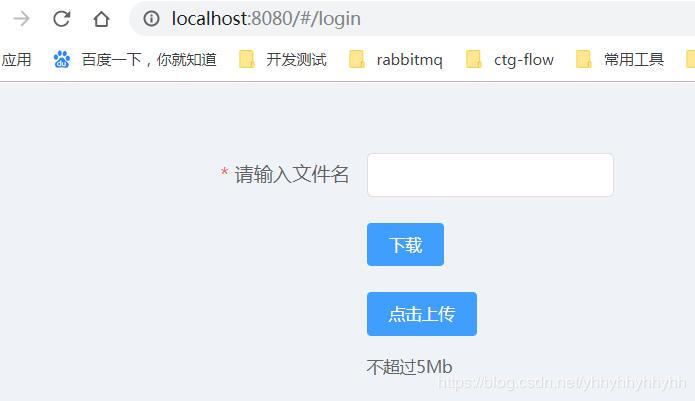
上传
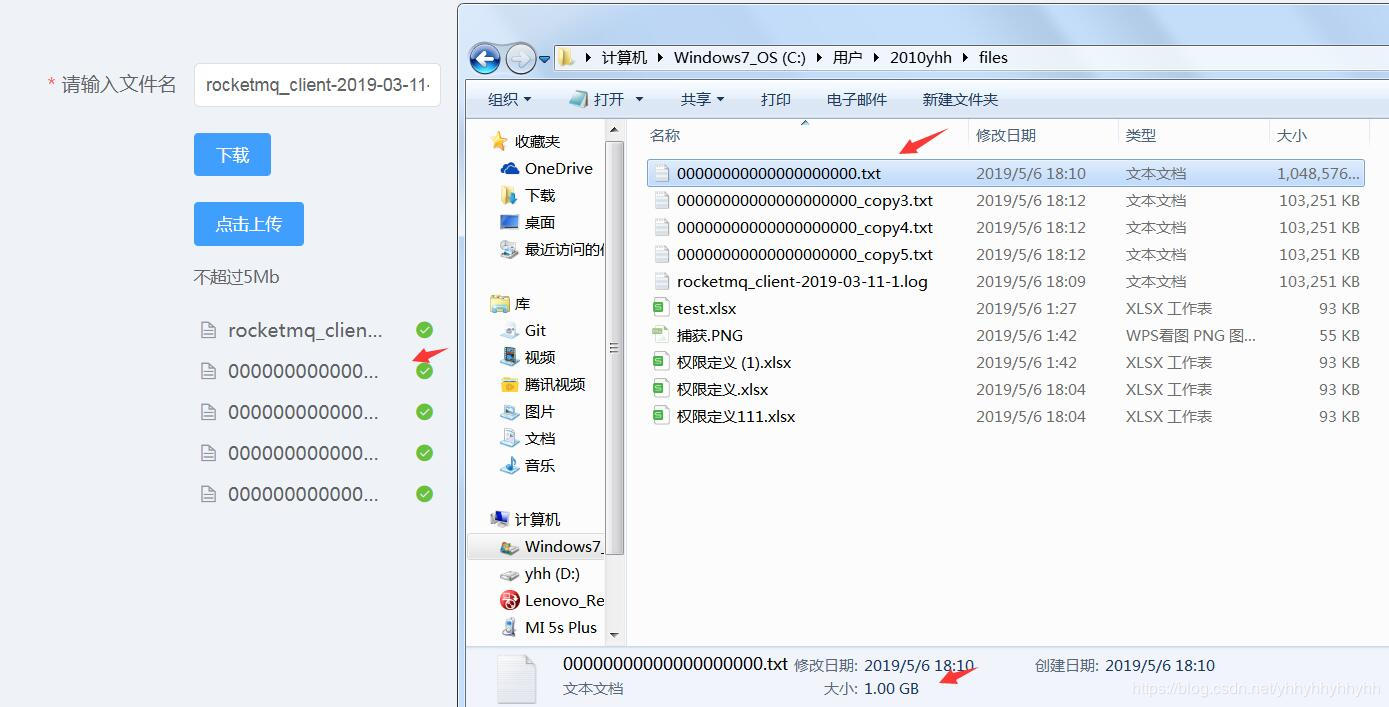
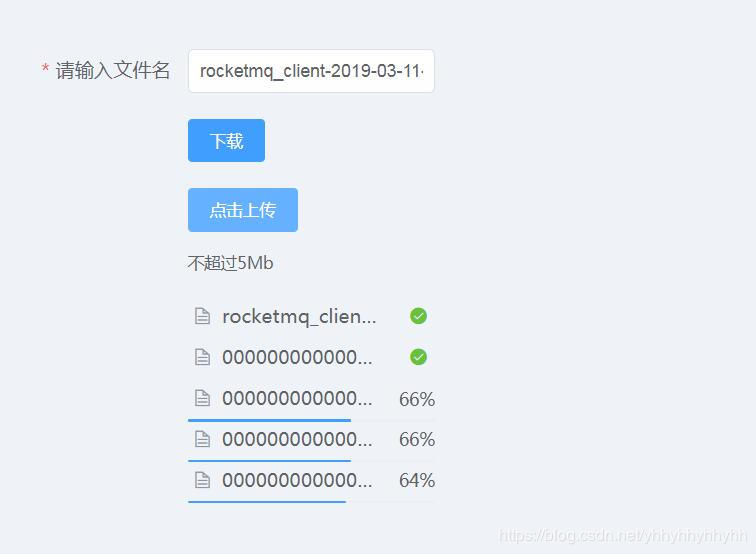
批量上传:
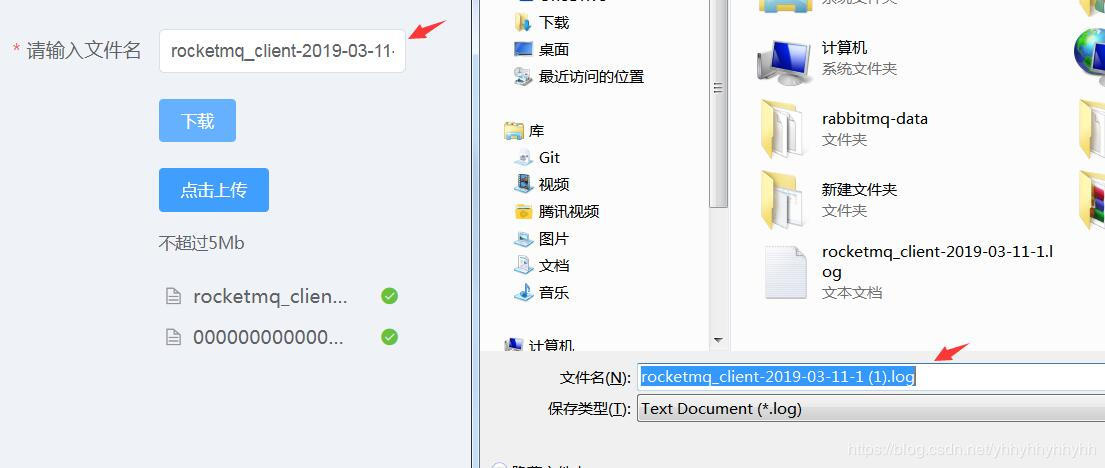
下载:
2.上传大文件配置
/**
* 设置上传大文件大小,配置文件属性设置无效
*/
@Bean
public MultipartConfigElement multipartConfigElement() {
MultipartConfigFactory config = new MultipartConfigFactory();
config.setMaxFileSize("1100MB");
config.setMaxRequestSize("1100MB");
return config.createMultipartConfig();
}3.vue前端主要部分
<template>
<div style="top:100px;width:300px">
<el-form :model="form" label-width="220px">
<el-form-item label="请输入文件名" required>
<el-input v-model="form.fileName" auto-complete="off" class="el-col-width" required></el-input>
</el-form-item>
<el-form-item>
<el-button size="small" type="primary" @click="handleDownLoad">下载</el-button>
</el-form-item>
<el-form-item>
<el-upload class="upload-demo" :action="uploadUrl" :before-upload="handleBeforeUpload" :on-error="handleUploadError" :before-remove="beforeRemove" multiple :limit="5" :on-exceed="handleExceed" :file-list="fileList">
<el-button size="small" type="primary">点击上传</el-button>
<div slot="tip" class="el-upload__tip">一次文件不超过1Gb</div>
</el-upload>
</el-form-item>
</el-form></div>
</template>
springboot整合vue实现上传下载文件的更多相关文章
- rz和sz上传下载文件工具lrzsz
######################### rz和sz上传下载文件工具lrzsz ####################################################### ...
- linux上很方便的上传下载文件工具rz和sz
linux上很方便的上传下载文件工具rz和sz(本文适合linux入门的朋友) ##########################################################&l ...
- shell通过ftp实现上传/下载文件
直接代码,shell文件名为testFtptool.sh: #!/bin/bash ########################################################## ...
- SFTP远程连接服务器上传下载文件-qt4.8.0-vs2010编译器-项目实例
本项目仅测试远程连接服务器,支持上传,下载文件,更多功能开发请看API自行开发. 环境:win7系统,Qt4.8.0版本,vs2010编译器 qt4.8.0-vs2010编译器项目实例下载地址:CSD ...
- linux下常用FTP命令 上传下载文件【转】
1. 连接ftp服务器 格式:ftp [hostname| ip-address]a)在linux命令行下输入: ftp 192.168.1.1 b)服务器询问你用户名和密码,分别输入用户名和相应密码 ...
- C#实现http协议支持上传下载文件的GET、POST请求
C#实现http协议支持上传下载文件的GET.POST请求using System; using System.Collections.Generic; using System.Text; usin ...
- HttpClient上传下载文件
HttpClient上传下载文件 java HttpClient Maven依赖 <dependency> <groupId>org.apache.httpcomponents ...
- 初级版python登录验证,上传下载文件加MD5文件校验
服务器端程序 import socket import json import struct import hashlib import os def md5_code(usr, pwd): ret ...
- 如何利用京东云的对象存储(OSS)上传下载文件
作者:刘冀 在公有云厂商里都有对象存储,京东云也不例外,而且也兼容S3的标准因此可以利用相关的工具去上传下载文件,本文主要记录一下利用CloudBerry Explorer for Amazon S3 ...
随机推荐
- JS去除字符串左右两端的空格(转载)
来源:https://www.cnblogs.com/fanyf/p/3785387.html var str=' 测试 '; 一.函数 <script type="t ...
- 【转】简易剖析Hadoop作业工作机制
原文地址:https://www.cnblogs.com/duma/p/10666269.html 建议:结合第四版Hadoop权威指南阅读,更有利于理解 运行机制 运行一个 MR 程序主要涉及以下 ...
- Android笔记(四十三) Android中的数据存储——SQLite(五)delete
SQLite通过delete()方法删除数据 delete()方法参数说明: delete()方法参数 对应sql部分 描述 table delte from table_name 要删除的表 whe ...
- zabbix-proxy及ELK
1.添加tomcat监控模版 yum install java-1.8.0-openjdk tomcat-webapps tomcat-admin-webapps tomcat-docs-webapp ...
- jeecg的开发api接口之旅(http)
一.接口测试工具 1.postman下载地址:https://download.csdn.net/download/qq_35792159/11898005 2.谷歌浏览器插件:https://www ...
- 安装 docker-compose 配置 lnmp
1.安装docker-compose 确保已经安装了docker sudo curl -L "https://github.com/docker/compose/releases/downl ...
- 利用webhook实现发送通知到Slack
概要 最近办公交流应用 Slack在各团队里大行其道,非常火热. 今天我们就来说说怎么用他的incoming-webhook来做一些同步通知. 从kintone发送通知给Slack 我们先来看看这种i ...
- 微信小程序---存储本地缓存数据
微信小程序之数据缓存 开发中常用setStorageSync来实现本地数据缓存操作 (1)点击缓存案例: <button bindtap="toStorage">存储& ...
- Spring-05 -AOP [面向切面编程] -Schema-based 实现aop的步骤
一.AOP [知识点详解] AOP:中文名称面向切面编程 英文名称:(Aspect Oriented Programming) 正常程序执行流程都是纵向执行流程 3.1 又叫面向切面编程,在原有纵向执 ...
- Bias vs. Variance(1)--diagnosing bias vs. variance
我们的函数是有high bias problem(underfitting problem)还是 high variance problem(overfitting problem),区分它们很得要, ...