
ROS学习(一)Ros 中使用kinect
上的安装说明如下:
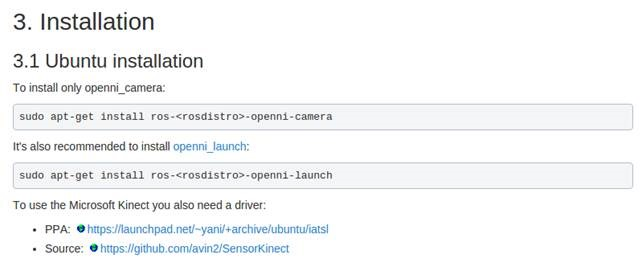
官网上明确写了如果安装windows kinect还需要安装一个驱动,但是有些ROS的书上并没有这么做,只提到了使用如下两步进行安装即可使用:
sudo apt-get install ros-<rosdistro>-openni-camera

sudo apt-get install ros-<rosdistro>-openni-launch
我仅使用如上两步安装时候,会发生如下的错误:
"No Device Connected, Waiting for Device to be Connected"
在ROS answers上也有不少人提出这个问题,发生错误的原因就是没有缺少SensorKinect驱动,可以参考:
http://answers.ros.org/question/191594/no-device-connected-waiting-for-device-to-be-connected-error-when-connecting-kinect-with-ubuntu-on-a-virtual-box/
驱动的源码在这里:https://github.com/avin2/SensorKinect
安装驱动
mkdir ~/kinectdriver

cd ~/kinectdriver

git clone https://github.com/avin2/SensorKinect

cd SensorKinect/Bin/

tar xvjf SensorKinect093-Bin-Linux-x64-v5.1.2.1.tar.bz2

cd Sensor-Bin-Linux-x64-v5.1.2.1/

sudo ./install.sh
安装完整后,再运行
roslaunch openni_launch openni.launch
发现还是存在问题,这个应该是USB2.0的端口不支持的原因
USB interface is not supported!
修改GlobalDefaults.ini配置文件
$ sudo gedit /etc/openni/GlobalDefaults.ini
将第60行前面的分号去掉(即取消注释)
;UsbInterface=2
之后就一切正常了
然后可以查看深度图和彩色图信息
如果想看到各种图像的话,可以在终端中输入rqt,这时候会打开一个窗口,在Plugins菜单栏中选择最后一项的image_view,此时可以左侧的下拉菜单中选择话题的种类,注意,默认情况下,选择/camera/depth/XXXX的话题才会显示出来图像,因为你并没有设置depth_registered,如果你在显示的过程中,在新的终端里使用rosrun rqt_reconfiguration rqt_reconfiguration,之后在camera->driver中勾选了depth_registered,此时你的rqt窗口就不会进行图像刷新了,此时切换至/camera/depth_registered/XXXX的话题后,继续会刷新图像。
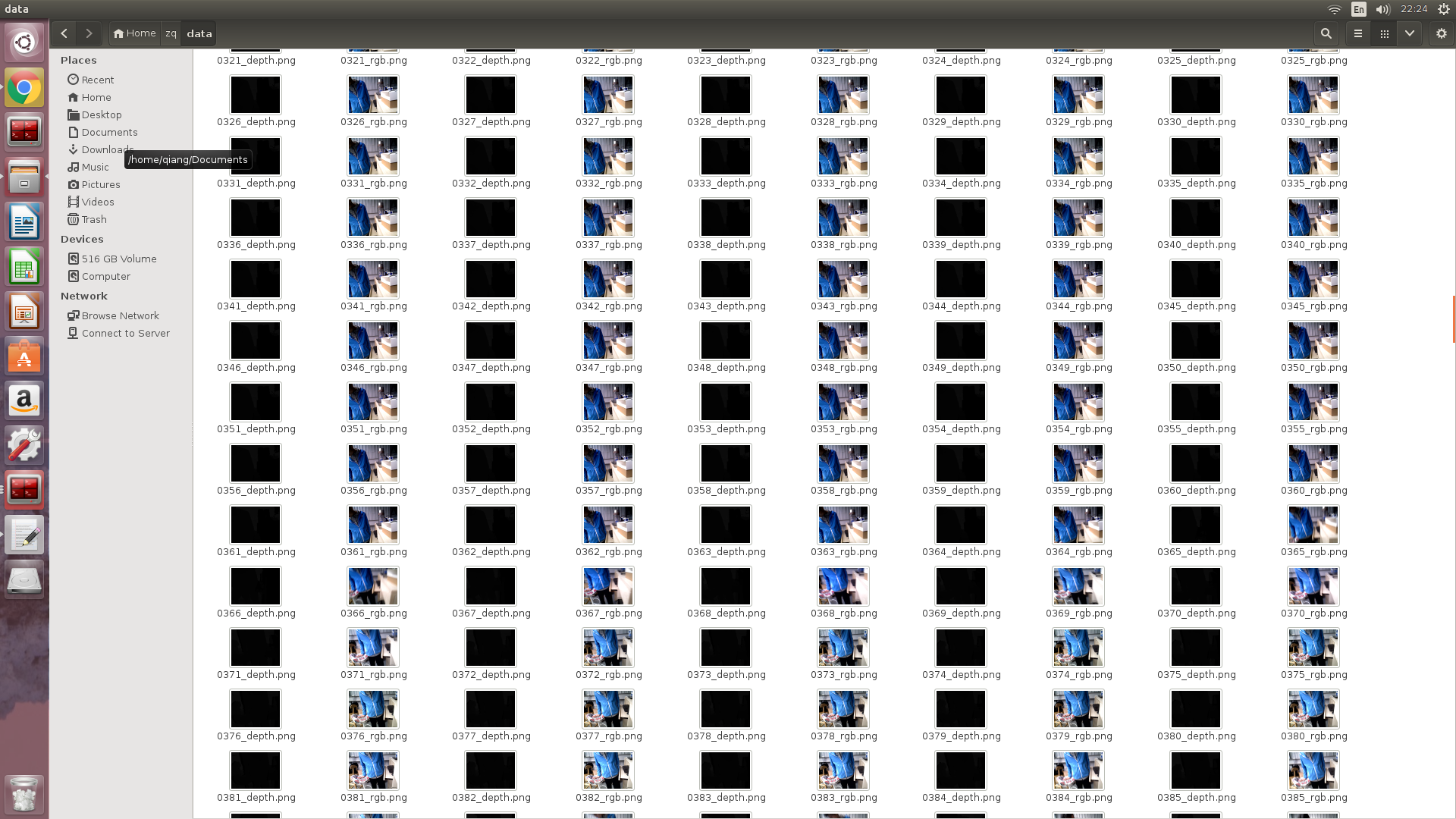
最后还是要保存Kinect看到的深度图像和彩色图像
找个文件夹
rosrun image_view extract_images _sec_per_frame:=0.1 image:=/camera/rgb/image_color
发现Kinect存储深度图并没有那么简单,保存格式是有问题的。
rosrun image_view image_saver image:=/camera/depth_registered/image_raw _encoding:=16UC1 _filename_format:="image%04i.png"
先写个node试试
https://github.com/GERUNSJ/guardar_imagenes_turtlebot
trick if you want you will get!
/* Este es un nodo de ROS Indigo para guardar imagenes de /camera/depth_registered/image_rect_raw

 * y de /camera/rgb/color/image_rect_raw de un Turtlebot1 para luego procesarlas con otro programa.

 * Las de profundidad se guardan como unsigned int de 16 bits

 * y 1 canal, las de color se guardan como unsigned int de 8 bits en 3 canales.

 * Se utiliza un suscriptor sincronizado para guardar el par de imagenes que estén más

 * cercanas en el tiempo.

 * LAS IMAGENES SE GUARDAN ADONDE SE EJECUTE EL NODO.

 * ---------------------------------------------------------

 * Creado por Fabricio Emder y Pablo Aguado en el 2016 */

/* This is a ROS Indigo node for saving Turtlebot images from the /camera/depth_registered/image_rect_raw

 * and /camera/rgb/color/image_rect_raw topics, for further processing outside of the program.

 * Depth images are saved as 1 channel 16 bit unsigned int PNGs (CV_16UC1), and

 * RGB images are saved as 3 channel 8 bit unsigned int PNGs (CV_8UC3).

 * A synchronized subscriber is used, for saving the pair of images that are most closer in time.

 * THE IMAGES ARE SAVED WHEREVER THE NODE IS RUN.

 * Created by Fabricio Emder and Pablo Aguado - 2016

 * */

#include <ros/ros.h>

#include <cv_bridge/cv_bridge.h>	// OpenCV

#include <sensor_msgs/Image.h>

#include <sensor_msgs/image_encodings.h>

#include <opencv2/imgproc/imgproc.hpp>

#include <opencv2/highgui/highgui.hpp>

#include <message_filters/subscriber.h>

#include <message_filters/synchronizer.h>

/* La política de sincronización exacta NO FUNCIONA para los topics seleccionados, ya

 * que la Kinect o sus drivers no los están publicando con la misma marca temporal.

 * Ver más en http://wiki.ros.org/message_filters

 *

 * Exact sychronization policy IS NOT WORKING for the topics used, because the kinect

 * is not publishing them with the same timestamp.

 * See more in http://wiki.ros.org/message_filters  */

//#define EXACT

#define APPROXIMATE

#ifdef EXACT

#include <message_filters/sync_policies/exact_time.h>

#endif

#ifdef APPROXIMATE

#include <message_filters/sync_policies/approximate_time.h>

#endif

using namespace std;

//using namespace sensor_msgs;

using namespace message_filters;

// Contador para la numeración de los archivos.

// Counter for filenames.

unsigned int cnt = 1;

// Handler / callback

void callback( const sensor_msgs::ImageConstPtr& msg_rgb , const sensor_msgs::ImageConstPtr& msg_depth )

{

	ROS_INFO_STREAM(" callback\n");

	  cv_bridge::CvImagePtr img_ptr_rgb;

		cv_bridge::CvImagePtr img_ptr_depth;

    try{

        img_ptr_depth = cv_bridge::toCvCopy(*msg_depth, sensor_msgs::image_encodings::TYPE_16UC1);//TYPE_16UC1 TYPE_32FC1

    }

    catch (cv_bridge::Exception& e)

    {

        ROS_ERROR("cv_bridge exception:  %s", e.what());

        return;

    }

    try{

        img_ptr_rgb = cv_bridge::toCvCopy(*msg_rgb, sensor_msgs::image_encodings::BGR8);//TYPE_8UC3  BGR8

    }

    catch (cv_bridge::Exception& e)

    {

        ROS_ERROR("cv_bridge exception:  %s", e.what());

        return;

    }

ROS_INFO_STREAM(" convert ok!\n");

    cv::Mat& mat_depth = img_ptr_depth->image;

		cv::Mat& mat_rgb = img_ptr_rgb->image;

		char file_rgb[100];

		char file_depth[100];

		sprintf( file_rgb, "%04d_rgb.png", cnt );

		sprintf( file_depth, "%04d_depth.png", cnt );

		vector<int> png_parameters;

		png_parameters.push_back( CV_IMWRITE_PNG_COMPRESSION );

		/* We save with no compression for faster processing.

		 * Guardamos PNG sin compresión para menor retardo. */

		png_parameters.push_back( 9 );

		cv::imwrite( file_rgb , mat_rgb, png_parameters );

		cv::imwrite( file_depth, mat_depth, png_parameters );

		ROS_INFO_STREAM(cnt << "\n");

		ROS_INFO_STREAM("Ok!"

		                "Images saved\n");

		cnt++;

}

int main(int argc, char** argv)

{

	// Initialize the ROS system and become a node.

  ros::init(argc, argv, "guardar_imagenes");

  ros::NodeHandle nh;

	message_filters::Subscriber<sensor_msgs::Image> subscriber_depth( nh , "/camera/depth/image_raw" , 1 );

	message_filters::Subscriber<sensor_msgs::Image> subscriber_rgb( nh , "/camera/rgb/image_raw" , 1 );

#ifdef EXACT

	typedef sync_policies::ExactTime<sensor_msgs::Image, sensor_msgs::Image> MySyncPolicy;

#endif

#ifdef APPROXIMATE

	typedef sync_policies::ApproximateTime<sensor_msgs::Image, sensor_msgs::Image> MySyncPolicy;

#endif

  // ExactTime or ApproximateTime take a queue size as its constructor argument, hence MySyncPolicy(10)

  Synchronizer<MySyncPolicy> sync(MySyncPolicy(10), subscriber_rgb, subscriber_depth );

  sync.registerCallback(boost::bind(&callback, _1, _2));

	while(ros::ok())

	{

		char c;

		ROS_INFO_STREAM("\nIngrese 'a' para guardar un par de imágenes o 'b' para guardar 300 imágenes\n"

		                "Enter 'a' to save a pair of images or 'b' to automatically save 300 images\n");

		cin.get(c);

		cin.ignore();

		c = tolower(c);

		ROS_INFO_STREAM("You entered " << c << "\n");

		if( c == 'a' )

		{

				/* Le damos el control a la función callback cuando haya imágenes.

				* We give control to the callback function.*/

		ROS_INFO_STREAM("I am running! \n");

                   ros::spin();

                ROS_INFO_STREAM("I am OVER! \n");

		}

		else if( c == 'b' )

		{

			unsigned int cnt_init = cnt;

			while( cnt - cnt_init < 300 )

			{

				ros::spinOnce();

			}

		}

		else break;

	}

	ROS_INFO_STREAM("Cerrando nodo\nClosing node\n");

  return 0;

}
Images are saved wherever the node is ran.
For compiling, situate on the root of src (the node workspace) and run catkin_make in the console.
Then go to the devel folder that has just been created and run source setup.bash to inform ROS about the existence of that node.
Finally, rosrun guardar_imagenes guardar_imagenes
.
This should be run in the folder where you want to save the images and from the same terminal/console in which source setup.bash was executed.
ROS学习(一)Ros 中使用kinect的更多相关文章
- ROS学习(更新中~)
1.一次把ROS环境变量都自动配置好(即添加到bash会话中)echo "source /opt/ros/indigo/setup.bash" >> ~/.bashrc ...
- Ros学习——创建ROS消息和ROS服务
1.rosed rosed 是 rosbash 的一部分.利用它可以直接通过package名来获取到待编辑的文件而无需指定该文件的存储路径了. rosed默认的编辑器是vim.修改其他的,打开~/.b ...
- Ros学习——移动机器人Ros导航详解及源码解析
1 执行过程 1.运行仿真机器人fake_turtlebot.launch:加载机器人模型——启动机器人仿真器——发布机器人状态 2.运行amcl节点fake_amcl.launch:加载地图节点ma ...
- ROS学习手记 - 5 理解ROS中的基本概念_Services and Parameters
上一节完成了对nodes, Topic的理解,再深入一步: Services and Parameters 我不理解为何 ROS wiki 要把service与parameter放在一起介绍, 很想分 ...
- ROS学习笔记七:在ROS中使用USB摄像头
下面是一些USB摄像头的驱动(大多数摄像头都支持uvc标准): 1 使用软件库里的uvc-camera功能包 1.1 检查摄像头 lsusb ----------------------------- ...
- 2017年7月ROS学习资料小结
<孙子兵法·谋攻篇>:"上兵伐谋,其次伐交,其次伐兵,其下攻城:攻城之法为不得已." 任何发生在自己国土上的战争,即便胜利,也饱含屈辱. ----~~~~----Gaz ...
- ROS学习(一)—— 环境搭建
一.配置Ubuntu软件仓库且选择ROS正确版本 二.添加source.list sudo sh -c 'echo "deb http://packages.ros.org/ros/ubun ...
- ROS学习笔记
创建ros工作环境: mkdir -p ~/catkin_ws/src //建立项目目录,同时生成src文件夹 cd ~/catkin_ws/ //进入项目目录 catkin_make //编译项目, ...
- 关于ROS学习的一些反思
距离发布上一篇ROS的博客已经过去两年了,才发现原来自己已经这么久可没有写过关于ROS的文章,想来很是惭愧.这两年时间,自己怀着程序员的梦想,研究过RTOS,探索过Linux,编写过Android应用 ...
- ROS学习手记 - 2.1: Create and Build ROS Package 生成包(Python)
ROS学习手记 - 2.1: Create and Build ROS Package 生成包(Python) 时隔1年,再回来总结这个问题,因为它是ros+python开发中,太常用的一个操作,需要 ...
随机推荐
- LibreOJ #115. 无源汇有上下界可行流
二次联通门 : LibreOJ #115. 无源汇有上下界可行流 /* LibreOJ #115. 无源汇有上下界可行流 板子题 我也就会写写板子题了.. */ #include <cstdio ...
- linux系列(二十二):tar命令
1.命令格式 tar[必要参数][选择参数][文件] 2.命令功能 用来压缩和解压文件.tar本身不具有压缩功能.他是调用压缩功能实现的 3.命令参数 必要参数: -A 新增压缩文件到已存在的压缩 - ...
- NetworkX系列教程(6)-对graph进行操作
小书匠Graph图论 graph生成后,除了有查看操作,还有移除等操作,还有其他更多操作,具体可以看这里.下面将比较graph操作前后的不同. 目录: 7.对图进行操作 7.1移除某些节点和边 7.2 ...
- 判断List<E>内是否有重复对象
主要用到Java 8的Stream类 long distinctedSize = list.stream().distinct().count(); boolean hasRepeat = list. ...
- ibm 汇编
https://www.ibm.com/developerworks/cn/linux/l-assembly/index.html https://72k.us/file/4031001-328073 ...
- synchronized的原理与使用
理论层面: 内置锁与互斥锁 修饰普通方法.修饰静态方法.修饰代码块 demo如下: package com.roocon.thread.t3; public class Sequence { priv ...
- chrome-添加JSON-handler插件
1.访问http://jsonhandle.sinaapp.com/下载 2.谷歌访问 chrome://extensions/ 然后找到你下载的JSON-handle_0.5.2.crx文件,直 ...
- Asis_2016_b00ks wp
目录 程序基本信息 程序漏洞 利用思路 exp脚本 参考 程序基本信息 程序漏洞 有一个读入函数,程序的所有输入都靠它读取,这个程序有个很明显的off_by_one漏洞,在输入时多输入一个0字符. 利 ...
- 一键分享QQ、微信、微博等
github上找到的,合并了一个二维码在线支持API,直接修改样式可用. 二维码API说明网址:http://www.liantu.com/pingtai/ <html> <head ...
- 解决Mac系统IDEA debug卡顿问题
查询资料发现,跟JDK8以及hosts设置有关. vim /private/etc/hosts 在127.0.0.1 localhost后面加上主机名即可,如<your hostname> ...