
UILabel混合显示动画效果
UILabel混合显示动画效果
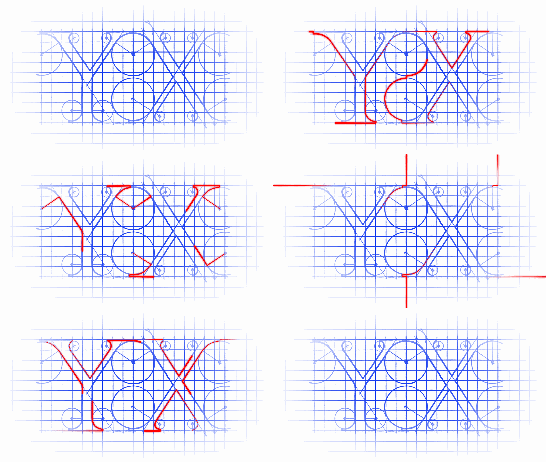
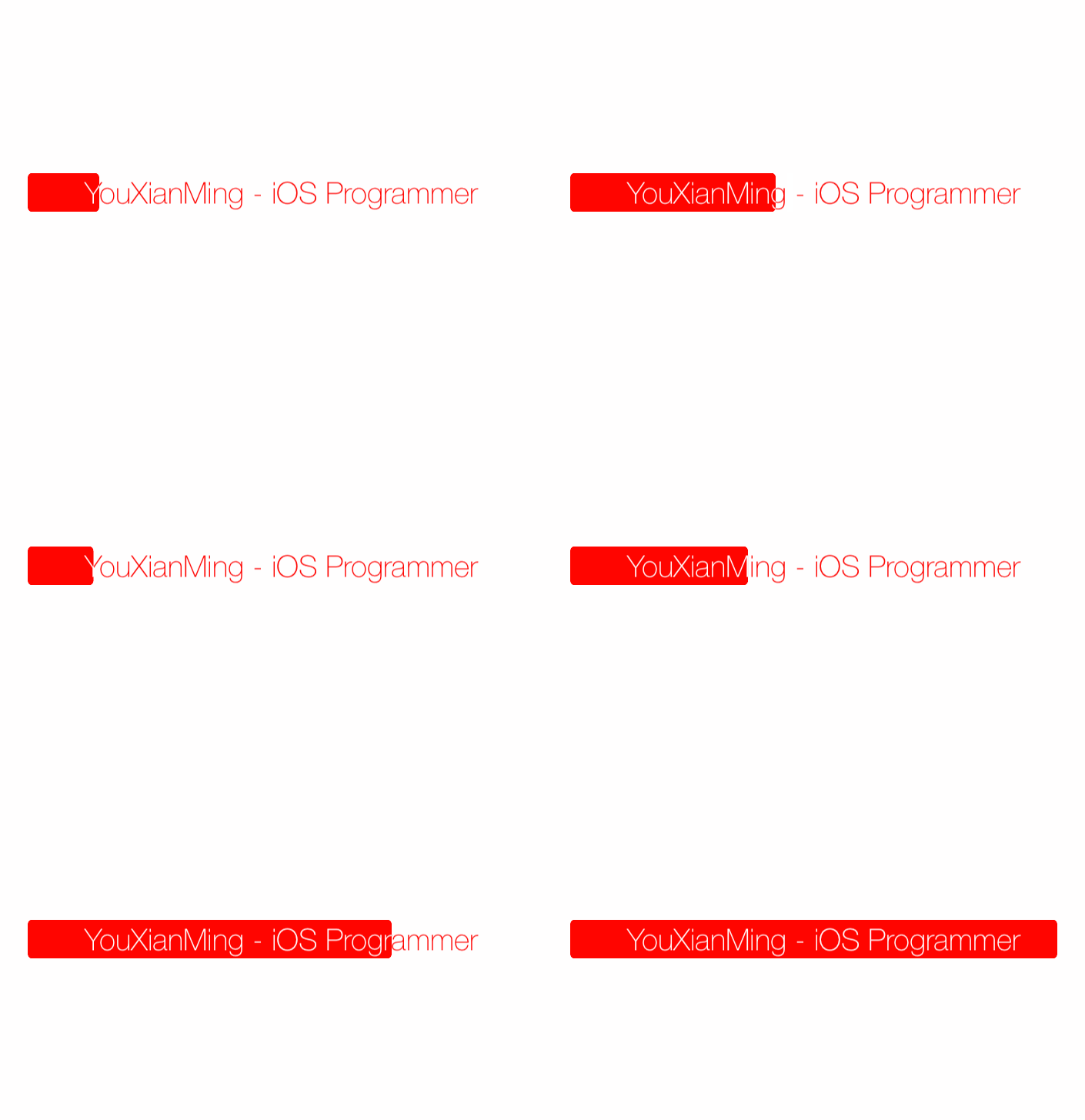
效果
源码
https://github.com/YouXianMing/Animations
//

//  MixedColorProgressViewController.m

//  Animations

//

//  Created by YouXianMing on 16/1/5.

//  Copyright © 2016年 YouXianMing. All rights reserved.

//

#import "MixedColorProgressViewController.h"

#import "UIView+SetRect.h"

#import "GCD.h"

@interface MixedColorProgressViewController ()

@property (nonatomic, strong)  UIView   *upView;

@property (nonatomic, strong)  UILabel  *upLabel;

@property (nonatomic, strong)  UIView   *downView;

@property (nonatomic, strong)  UILabel  *downLabel;

@property (nonatomic, strong)  GCDTimer *timer;

@end

@implementation MixedColorProgressViewController

- (void)setup {

    [super setup];

    /*

     给upView的frame值做动画才是label能够混色显示的核心

     upView(红色背景)   ===>  upLabel(白色底字)

     |                       |

     |                       |

     |                       |

     |                       |

     downView(白色背景) ===> downLabel(红色底字)

     */

    // 上面一层

    {

        // 红色背景

        _upView                     = [[UIView alloc] initWithFrame:CGRectMake(, , , )];

        _upView.center              = self.view.center;

        _upView.layer.cornerRadius  = .f;

        _upView.backgroundColor     = [UIColor redColor];

        _upView.layer.masksToBounds = YES; // 核心(不让subview显示超出范围)

        [self.view addSubview:_upView];

        // 白色底字

        _upLabel                    = [[UILabel alloc] initWithFrame:_upView.bounds];

        _upLabel.font               = [UIFont fontWithName:@"HelveticaNeue-Thin" size:];

        _upLabel.text               = @"YouXianMing - iOS Programmer";

        _upLabel.textColor          = [UIColor whiteColor];

        _upLabel.textAlignment      = NSTextAlignmentCenter;

        [_upView addSubview:_upLabel];

    }

    // 下面一层

    {

        // 白色背景

        _downView                     = [[UIView alloc] initWithFrame:CGRectMake(, , , )];

        _downView.center              = self.view.center;

        _downView.layer.cornerRadius  = .f;

        _downView.backgroundColor     = [UIColor whiteColor];

        [self.view addSubview:_downView];

        // 红色底字

        _downLabel                    = [[UILabel alloc] initWithFrame:_downView.bounds];

        _downLabel.textColor          = [UIColor redColor];

        _downLabel.font               = [UIFont fontWithName:@"HelveticaNeue-Thin" size:];

        _downLabel.text               = @"YouXianMing - iOS Programmer";

        _downLabel.textAlignment = NSTextAlignmentCenter;

        [_downView addSubview:_downLabel];

    }

    // 显示上面一层

    [self.view bringSubviewToFront:_upView];

    // 给上面一层的frame值做动画

    _timer = [[GCDTimer alloc] initInQueue:[GCDQueue mainQueue]];

    [_timer event:^{

        [UIView animateWithDuration:0.5f delay:.f usingSpringWithDamping:.f initialSpringVelocity: options: animations:^{

            _upView.width = arc4random() % ;

        } completion:nil];

    } timeInterval:NSEC_PER_SEC];

    [_timer start];

}

@end
细节
UILabel混合显示动画效果的更多相关文章
- UILabel的缩放动画效果
UILabel的缩放动画效果 效果图 源码 https://github.com/YouXianMing/Animations // // ScaleLabel.h // Animations // ...
- 高逼格UILabel的闪烁动画效果
高逼格UILabel的闪烁动画效果 最终效果图如下: 源码: YXLabel.h 与 YXLabel.m // // YXLabel.h // // Created by YouXianMing o ...
- anacoda的spyder在调用matplotlib的时候无法显示动画效果【学习笔记】
ipython console的默认设置将图像结果显示在终端,但是这样显示存在的问题是无法显示动画效果,因此需要将动画效果显示到单独的窗口,按照下面的截图即可显示. 方法一.按照如下截图显示设置,重启 ...
- jquery 隐藏 显示 动画效果
<!DOCTYPE html> <html> <head> <script src="/jquery/jquery-1.11.1.min.js&qu ...
- cad.net 图元延迟显示,动画效果,编辑器延迟发送提示.
public class Command_test { [CommandMethod("tt", CommandFlags.Modal | CommandFlags.UsePick ...
- iframe载入页面过程显示动画效果
http://www.xfeixiang.com/Bug/Detail/A2FD7EFFA8CA72F1
- 设置Activity显示和关闭时的动画效果
设置Activity显示和关闭时的动画效果 通过overridePendingTransition方法可以设置Activity显示和关闭的动画效果.首先需要在res/anim目录中建立相应的动画资源文 ...
- UI设计篇·入门篇·简单动画的实现,透明动画/旋转动画/移动动画/缩放动画,混合动画效果的实现,为动画设置监听事件,自定义动画的方法
基本的动画构成共有四种:透明动画/旋转动画/移动动画/缩放动画. 配置动画的方式有两种,一种是直接使用代码来配置动画效果,另一种是使用xml文档配置动画效果 相比而言,用xml文档写出来的动画效果,写 ...
- Android ListView item项 显示动画
(1)使用LayoutAnimation 所谓的布局动画,其实就是为ViewGroup添加显示动画效果,主要用过LayoutAnimationController来控制实现.LayoutAnimati ...
随机推荐
- CodeIgniter典型的表单提交验证代码
view内容: <?php echo form_open('user/reg'); ?> <h5>用户名</h5> <input type="tex ...
- google浏览器打开新的标签页显示http://www.google.com.hk/url?sa=p&hl=zh-CN&……
chrome的版本:51.0.2704.106 m使用该版本的chrome后,每次打开新标签页,都会提示“无法访问此网站”.并自动跳转到一个地址“http://www.google.com.hk/ur ...
- vue 笔记备份
Vue实现数据双向绑定的原理:Object.defineProperty() vue实现数据双向绑定主要是:采用数据劫持结合发布者-订阅者模式的方式,通过Object.defineProperty() ...
- Django实战(20):分页(Pagination)
在上一节我们实现了针对某个产品的订单订阅功能.但是我们可能需要直接在站点上查询所有的订单.显然,随着时间的增长订单会越来越多,所以分页(Pagination)是个好办法:每次只显示一部分订单. 分页是 ...
- kvm图形化管理工具
1丶windows环境下载安装以及运行xming软件 https://xming.en.softonic.com/ 链接:https://pan.baidu.com/s/1wMb2pK4WfCilS8 ...
- python二叉树简单实现
二叉树简单实现: class Node: def __init__(self,item): self.item = item self.child1 = None self.child2 = None ...
- C++雾中风景5:Explicit's better than implicit.聊聊Explicit.
关于Explicit还是Implicit一直是编程语言中能让程序员们干起架的争议.那些聪明的老鸟总是觉得Implicit的规则让他们能够一目十行,减少样板代码的羁绊.而很多时候,Implicit的很多 ...
- 大数据技术之_16_Scala学习_04_函数式编程-基础+面向对象编程-基础
第五章 函数式编程-基础5.1 函数式编程内容说明5.1.1 函数式编程内容5.1.2 函数式编程授课顺序5.2 函数式编程介绍5.2.1 几个概念的说明5.2.2 方法.函数.函数式编程和面向对象编 ...
- c#程序员机试题
一.题目: 有一数组: int[] arr = new int[] { 48,1,3,55,15,29,12,33,26,41,56,32}; 1.求出最大值 2.按每个数字的10位数分组(说明:0~ ...
- PHP cURL中CURLOPT_CONNECTTIMEOUT和CURLOPT_TIMEOUT的区别
CURLOPT_CONNECTTIMEOUT用来告诉PHP脚本在成功连接服务器前等待多久(连接成功之后就会开始缓冲输出),这个参数是为了应对目标服务器的过载,下线,或者崩溃等可能状况: CURLOPT ...