
Android学习笔记进阶十三获得本地全部照片
这是Intent的一个用法。
在ActivityAction里面有一个“ACTION_GET_CONTENT”字符串常量,该常量让用户选择特定类型的数据。
intent.setType("image/*"); 选择本地所有的图片。
返回该数据的URI.我们利用该常量生成该图片的位图Bitmap,然后为添加到图片控件(ImageView)上就行了。
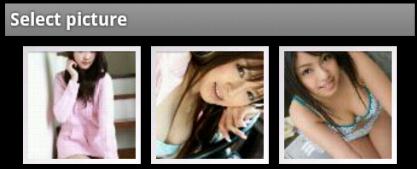
选择你想要的图片:

main.xml
- <?xml version="1.0" encoding="utf-8"?>
- <LinearLayout xmlns:android="http://schemas.android.com/apk/res/android"
- android:orientation="vertical"
- android:layout_width="fill_parent"
- android:layout_height="fill_parent"
- >
- <Button
- android:id="@+id/button"
- android:layout_width="fill_parent"
- android:layout_height="wrap_content"
- />
- <ImageView
- android:id="@+id/image"
- android:layout_width="fill_parent"
- android:scaleType="fitXY"
- android:layout_height="wrap_content"
- />
- </LinearLayout>
- package xiaosi.image;
- import java.io.FileNotFoundException;
- import android.app.Activity;
- import android.content.ContentResolver;
- import android.content.Intent;
- import android.graphics.Bitmap;
- import android.graphics.BitmapFactory;
- import android.net.Uri;
- import android.os.Bundle;
- import android.util.Log;
- import android.view.View;
- import android.view.View.OnClickListener;
- import android.widget.Button;
- import android.widget.ImageView;
- public class ImageActivity extends Activity {
- /** Called when the activity is first created. */
- private Button button = null;
- private ImageView imageView = null;
- @Override
- public void onCreate(Bundle savedInstanceState) {
- super.onCreate(savedInstanceState);
- setContentView(R.layout.main);
- button = (Button)findViewById(R.id.button);
- button.setText("选择图片");
- button.setOnClickListener(new ButtonListener());
- }
- private class ButtonListener implements OnClickListener{
- public void onClick(View v)
- {
- Intent intent = new Intent();
- /* 开启Pictures画面Type设定为image */
- intent.setType("image/*");
- /* 使用Intent.ACTION_GET_CONTENT这个Action */
- intent.setAction(Intent.ACTION_GET_CONTENT);
- /* 取得相片后返回本画面 */
- startActivityForResult(intent, 1);
- }
- }
- @Override
- protected void onActivityResult(int requestCode, int resultCode, Intent data) {
- if (resultCode == RESULT_OK) {
- Uri uri = data.getData();
- Log.e("uri", uri.toString());
- ContentResolver contentResolver = this.getContentResolver();
- try {
- Bitmap bitmap = BitmapFactory.decodeStream(contentResolver.openInputStream(uri));
- imageView = (ImageView) findViewById(R.id.image);
- /* 将Bitmap设定到ImageView */
- imageView.setImageBitmap(bitmap);
- }
- catch (FileNotFoundException e){
- Log.e("Exception", e.getMessage(),e);
- }
- }
- super.onActivityResult(requestCode, resultCode, data);
- }
- }
源代码:点击打开链接
Android学习笔记进阶十三获得本地全部照片的更多相关文章
- Android学习笔记进阶之在图片上涂鸦(能清屏)
Android学习笔记进阶之在图片上涂鸦(能清屏) 2013-11-19 10:52 117人阅读 评论(0) 收藏 举报 HandWritingActivity.java package xiaos ...
- Android学习笔记进阶17之LinearGradient
具体的看一下博文:Android学习笔记进阶15之Shader渲染 package xiaosi.BitmapShader; import android.app.Activity; import a ...
- Android学习笔记进阶16之BitmapShader
<1>简介 具体的看一下博文:Android学习笔记进阶15之Shader渲染 public BitmapShader(Bitmap bitmap,Shader.TileMode ti ...
- Android学习笔记进阶18 之画图并保存图片到本地
1.首先创建一个Bitmap图片,并指定大小: 2.在该图片上创建一个新的画布Canvas,然后在画布上绘制,并保存即可: 3.需要保存的目录File,注意如果写的目录如“/sdcard/so ...
- Android学习笔记进阶18之画图并保存图片到本地
1.首先创建一个Bitmap图片,并指定大小: 2.在该图片上创建一个新的画布Canvas,然后在画布上绘制,并保存即可: 3.需要保存的目录File,注意如果写的目录如“/sdcard/so ...
- 【转】Pro Android学习笔记(十三):用户界面和控制(1):UI开发
目录(?)[-] UI开发 方式一通过XML文件 方式二通过代码 方式三XML代码 UI开发 先理清一些UI概念: view.widget.control:这三个名词其实没有什么区别,都是一个UI元素 ...
- Android学习笔记(十三)——广播机制
//此系列博文是<第一行Android代码>的学习笔记,如有错漏,欢迎指正! Android 中的每个应用程序都可以对自己感兴趣的广播进行注册,这样该程序就只会接收到自己所关心的广播内容 ...
- Android学习笔记(十三)SharedPreference必须掌握的基础
我们在开发中,应用程序会保存少量数据,例如一些字符串.一些标记或者一些配置文件,这时候如果去使用SQLite保存这些数据的话,难免会显得大材小用,用起来也不方便,对于这种信息,保存在SharedPre ...
- Android学习笔记(十三) Handler
可用于解决上一则笔记所提到的WorkerThread无法修改UI控件的问题 一.Handler.Looper和MessageQueue的基本原理 Handler把消息对象放到MessageQueue当 ...
随机推荐
- 2014 CodingTrip - 携程编程大赛 (预赛第一场)
1001: 可以证明(扩展欧几里得),只要卡片中有两个卡片互素,旁边点就是可达的. 因此只需要算出所有卡片不互素的情况有多少种,可用容斥原理. #include <cstdio> #inc ...
- 网络载入数据和解析JSON格式数据案例之空气质量监測应用
一.创建一个新的项目 activity_main.xml <LinearLayout xmlns:android="http://schemas.android.com/apk/res ...
- Android设置背景图片平铺
以LinearLayout为例,它提供的background属性将会将背景图片拉伸,相当难看.其实我们仅仅需做少量的改动就能够实现web编程中css背景图片的效果.来试试吧. 创建反复的背景图片 在d ...
- 【v2.x OGE教程 17】事务处理
游戏代码中常常有些逻辑须要处理.因此OGE引擎加入了一个IUpdateHandler的类. IUpdateHandler类是OGE引擎中使用频率很之高的组件之中的一个,其本身是一个接口.内部有onUp ...
- Spark修炼之道(高级篇)——Spark源代码阅读:第十二节 Spark SQL 处理流程分析
作者:周志湖 以下的代码演示了通过Case Class进行表Schema定义的样例: // sc is an existing SparkContext. val sqlContext = new o ...
- 父子间通信四 ($dispatch 和 $broadcast用法)
<!DOCTYPE html> <html lang="en"> <head> <meta charset="UTF-8&quo ...
- sql 向上取整 向下取整 四舍五入的实例;
SELECT CEILING(23.5/4)'向上取整' ---6 :SELECT FLOOR(23.5/4)'向下取整' ---5 :SELECT ROUND(23.5/4,1)'四舍五入' --5 ...
- express随笔
Express 是node 第三方框架,框架的意义就在于能大大简化程序地开发.看一下Express是怎么简化node程序开发的. 1,用Express写一个hello world 程序,我们来体验一下 ...
- PHP 相关配置
1. php-fpm的pool 编辑"php-fpm"配置文件"php-fpm.con" vim /usr/local/php/etc/php-fpm.conf ...
- python note #2
This passage will talk about some small but pretty important knowledge points, including using metho ...