
Source Tree for MAC1.6
After some great community feedback, we are releasing SourceTree for Mac
1.6. This is a major release that contains many new features.
Download SourceTree for Mac 1.6
Interactive Rebase
Having to bring up a terminal when you want to do an interactive
rebase is painful. If you aren’t familiar with rebasing or the
command-line, the pain levels up to excruciating. We asked ourselves: “How can we make this simpler and keep everything in SourceTree?” Our solution is a visual, drag-and-drop interaction:
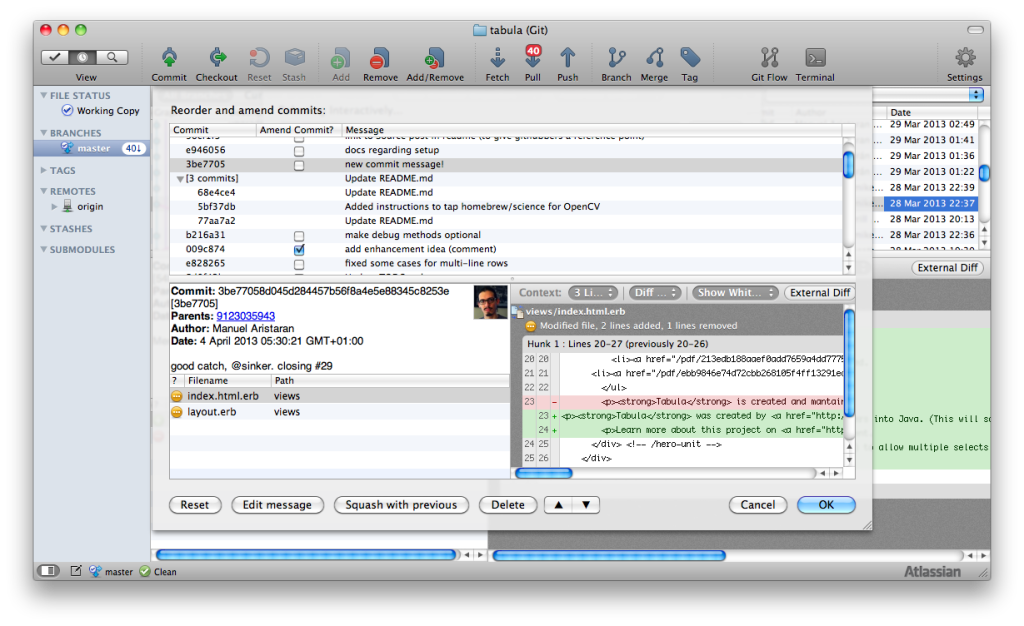
The UI gives you visual feedback on each step of this previously
advanced function. Want to re-order your commits? Want two commits to be
one commit? No problem, just drag and drop the rows around.
Improved Notifications of Remote Changes
Previously, users checked for the pull counts by going into either
the bookmarks view or the repository view. If your team commits
frequently, you were checking there a lot. Now, the improved
notifications center puts this information front and center:
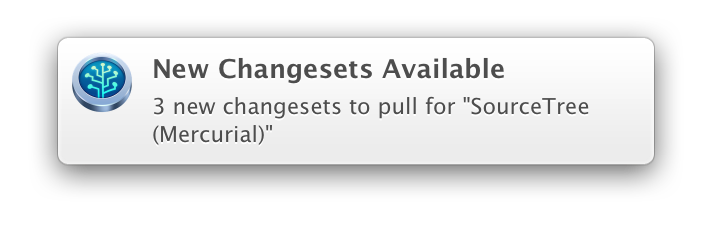
Are you using OS X 10.6/10.7? No worries, we use Growl so it handles
everything for you. If you’re on Mountain Lion, we use the notification
centre so you’ve got more granular control over notifications. Prior to
Mountain Lion, you could use Growl to control the notification
granularity. We find them really useful; especially when we’re expecting
changes we need in our local copy.
Atlassian ID Integration
SourceTree won’t cost you a penny but we do ask you to register to
continue using it after your 30 day trial. Registration helps us gather
useful statistics that we use build a better SourceTree. Still, we know
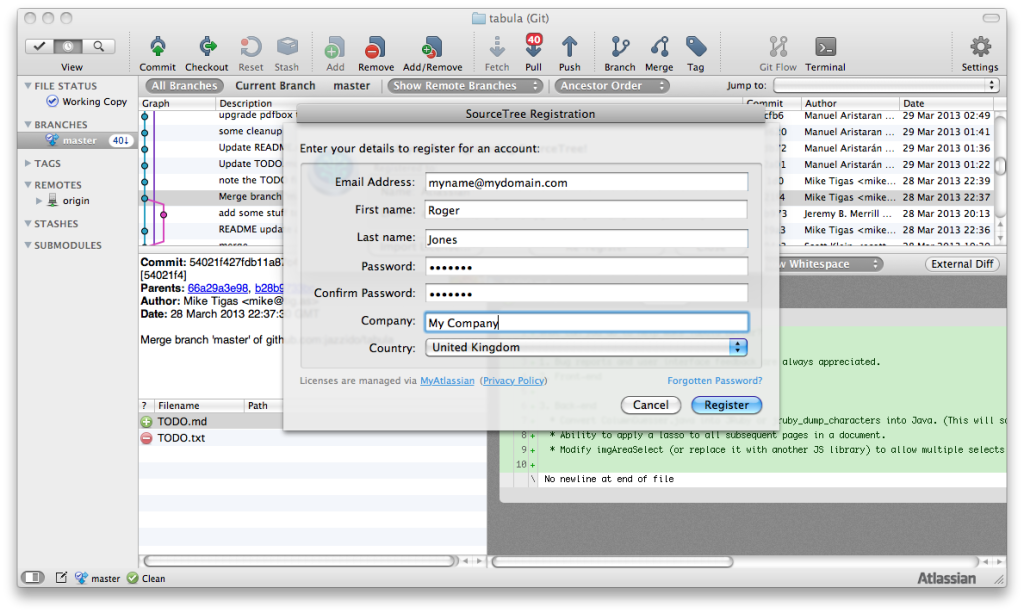
registration costs you time, so we’ve improved it. We’ve redesigned
registration as a two-step process from within SourceTree. No more web
registration. Even better, the in-product registration creates an
Atlassian ID that can you can use with other Atlassian products.
Icon Refresh
Have you noticed our new icons? They’ve been out but now we’d like to
point them out. We think our new icons have a fresh look that brings
SourceTree in line with the rest of Atlassian’s product family.

Mac App Store Note
A final note just to say that we no longer publish to the Mac App Store due to sandboxing restrictions. Check Steve’s blog post about sandboxing for more information.
And much more…
- You can now Log Selected… on multiple files at once.
- The push sheet in Mercurial shows which branch you’re pushing to.
- New preference show the pull count for the currently checked out branch.
- Git repositories now remember the previously selected options in the pull/merge sheets.
- Support for the latest Araxis diff/merge tools.
- The “commit merged changes immediately” setting is now remembered between pulls
- Support for longer passwords for Bitbucket, Stash, GitHub and Kiln.
Source Tree for MAC1.6的更多相关文章
- Git之不明觉厉11-利其器source tree
前面10篇文章都在用命令行,虽然装逼不错,但是我想说一句,平时我也是用source tree比较多点,命令行一般都是在source tree的图形按钮找不到在哪里,就直接用命令行.对于初次用git的同 ...
- make :err Makefile.ssl is older than Makefile.org. Reconfigure the source tree (via './config' or 'perl Configure'), please.
内核编译时出现错误 Makefile.ssl is older than Makefile.org. Reconfigure the source tree (via './config' or 'p ...
- gitlab之source tree使用方法
一.简介 1.source tree 是什么 可视化项目版本控制软件,使用git项目管理,支持windows/mac 客户端使用source tree开发源码,图形化提交到gitlab 二.使用sou ...
- Source Tree 簡介
Table of Contents 1. 什麼是 Source Tree ? 1.1. 下載 1.2. SourceTree 介面簡介 1.3. git 指令/狀態圖 2. SourceTrees 超 ...
- 【转】码云source tree 提交超过100m 为什么大文件推不上去
码云source tree 提交超过100m 为什么大文件推不上去 2017年01月12日 16:50:51 阅读数:7634 git -c diff.mnemonicprefix=false -c ...
- Mac下source tree 下的安装
安装时出现了以下错误,解决方法 git -c diff.mnemonicprefix=false -c core.quotepath=false -c credential.helper=source ...
- source tree每次push都需要密码的解决方法
Windows首先可以考虑使用GitHub for Windows,它已经包含了该助手,或者可以下载对应系统的版本:Windows 7.Windows 8.Source 版本,然后解压缩文件并将里面的 ...
- source tree 推送错误解决
fatal: The remote end hung up unexpectedly 出现这个问题是因为文件过大 解决办法: 打开git bash 输入git config --global http ...
- source tree使用经验
FeatureXXX具体功能开发分支,从develop分支拉,功能开发自测完后合并到develop分支.来不及上线的feature分支不要合并到develop. develop开发分支,上面代码都是已 ...
随机推荐
- scau 8633 回文划分
8633 回文划分 时间限制:1000MS 内存限制:1000K 题型: 编程题 语言: 无限制 Description 我们说一个字符串是回文串,那么意味着这个串从两边读起来的字母都是一样的. ...
- 为Secure Store Service生成新密钥,解决“生成密钥过程中发现错误”的问题
我们集成TFS和SharePoint Server以后,一个最常见的需求是通过SharePoint Server的Excel Service读取TFS报表中的信息,利用Excel Service的强大 ...
- UI设计实战篇——利用Bootstrap框架制作查询页面的界面
Bootstrap框架是一个前端UI设计的框架,它提供了统一的UI界面,简化了设计界面UI的过程(缺点是定制了界面,调整的余地不是太大).尤其是现在的响应时布局(我的理解是页面根据不同的分辨率,采用不 ...
- 怎样快速免费获取Windows版本的ZBrush
ZBrush是一款专业的3D绘制软件及数字雕刻软件,随着3D技术的不断进步,ZBrush也是越来越受到业内欢迎,在世界拥有了众多的粉丝和爱好者.相信很多用户对软件的体验就是从使用的版本开始的,本文就教 ...
- Debian下安装deb格式安装包
dpkg -i 软件包名称 就好啦 下面是相应链接: http://blog.csdn.net/lhf_tiger/article/details/7493400
- Mango Weekly Training Round #3 解题报告
A. Codeforces 92A Chips 签到题.. #include <iostream> #include <cstdio> #include <cstring ...
- 只有图片拼接的html页面图片之间有白条的解决方法
有时候会有这样的页面,整个页面也就是几张切好的图片组成,但是把这些图片使用代码拼接好,又总会出现图片间有白条的问题,如下图: 解决方法:给图片的父容器添加 line-height: 0; 就好了,因为 ...
- 基于PXC的MySQL高可用环境简单部署
PXC简介 Percona XtraDB Cluster(简称PXC集群)提供了MySQL高可用的一种实现方法. 1.集群是有节点组成的,推荐配置至少3个节点,但是也可以运行在2个节点上. 2.每个节 ...
- 关于audio元素在实际项目中遇到的问题总结
在ios高版本的微信浏览器下(ios10.0以上),audio标签如果添加autoplay属性的话.导致的问题是:通过二维码扫码第一次进入没有问题,第二次扫码进入之后直接卡死在loading页面. 解 ...
- Redis word bak
@font-face { font-family: "Arial"; }@font-face { font-family: "Courier New"; }@f ...