
CSS——动画
@keyframes 规则
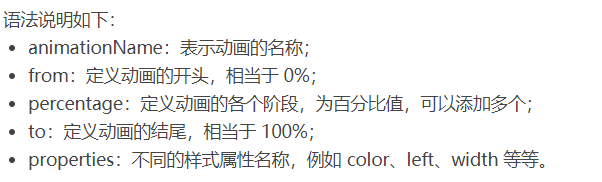
要创建 CSS 动画,您首先需要了解 @keyframes 规则,@keyframes 规则用来定义动画各个阶段的属性值,类似于 flash 动画中的关键帧,语法格式如下:
@keyframes animationName {

    from {

        properties: value;

    }

    percentage {

        properties: value;

    }

    to {

        properties: value;

    }

}

// 或者

@keyframes animationName {

    0% {

        properties: value;

    }

    percentage {

        properties: value;

    }

    100% {

        properties: value;

    }

}
下面我们来看一个简单的 @keyframes 规则示例:
@keyframes ball {

    0% { top: 0px; left: 0px;}

    25% { top: 0px; left: 350px;}

    50% { top: 200px; left: 350px;}

    75% { top: 200px; left: 0px;}

    100% { top: 0px; left: 0px;}

}

下面就来详细介绍一下上述属性的使用:
<!DOCTYPE html>

<html>

<head>

    <style>

        @keyframes ball {

            0% { top: 0px; left: 0px;}

            25% { top: 0px; left: 350px;}

            50% { top: 200px; left: 350px;}

            75% { top: 200px; left: 0px;}

            100% { top: 0px; left: 0px;}

        }

        div {

            width: 100px;

            height: 100px;

            border-radius: 50%;

            border: 3px solid black;

            position: relative;

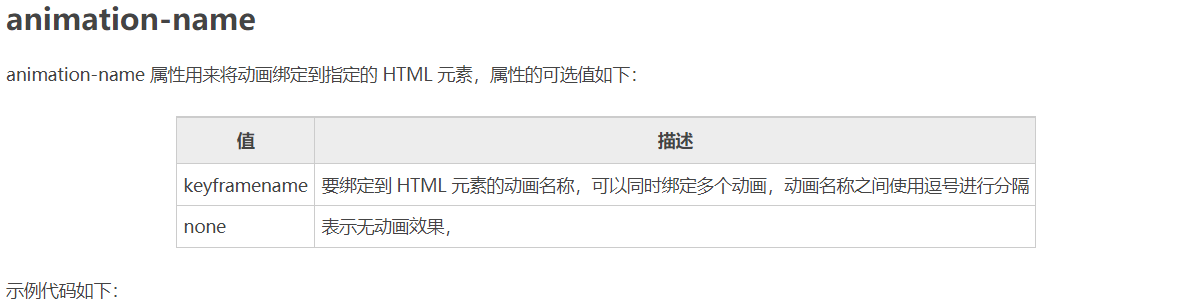
            animation-name: ball;

        }

    </style>

</head>

<body>

    <div></div>

</body>

</html>
注意:要想让动画成功播放,您还需要定义 animation-duration 属性,否则会因为 animation-duration 属性的默认值为 0,导致动画并不会播放。

<!DOCTYPE html>

<html>

<head>

    <style>

        @keyframes ball {

            0% { top: 0px; left: 0px;}

            25% { top: 0px; left: 350px;}

            50% { top: 200px; left: 350px;}

            75% { top: 200px; left: 0px;}

            100% { top: 0px; left: 0px;}

        }

        div {

            width: 100px;

            height: 100px;

            border-radius: 50%;

            border: 3px solid black;

            position: relative;

            animation-name: ball;

            animation-duration: 2s;

        }

    </style>

</head>

<body>

    <div></div>

</body>

</html>
提示:动画若想成功播放,必须要定义 animation-name 和 animation-duration 属性。
<!DOCTYPE html>

<html>

<head>

    <style>

        @keyframes ball {

            0% {left: 0px;}

            50% {left: 350px;}

            100% {left: 0px;}

        }

        div {

            width: 100px;

            height: 100px;

            border-radius: 50%;

            border: 3px solid black;

            text-align: center;

            line-height: 100px;

            position: relative;

            animation-name: ball;

            animation-duration: 2s;

        }

        .one {

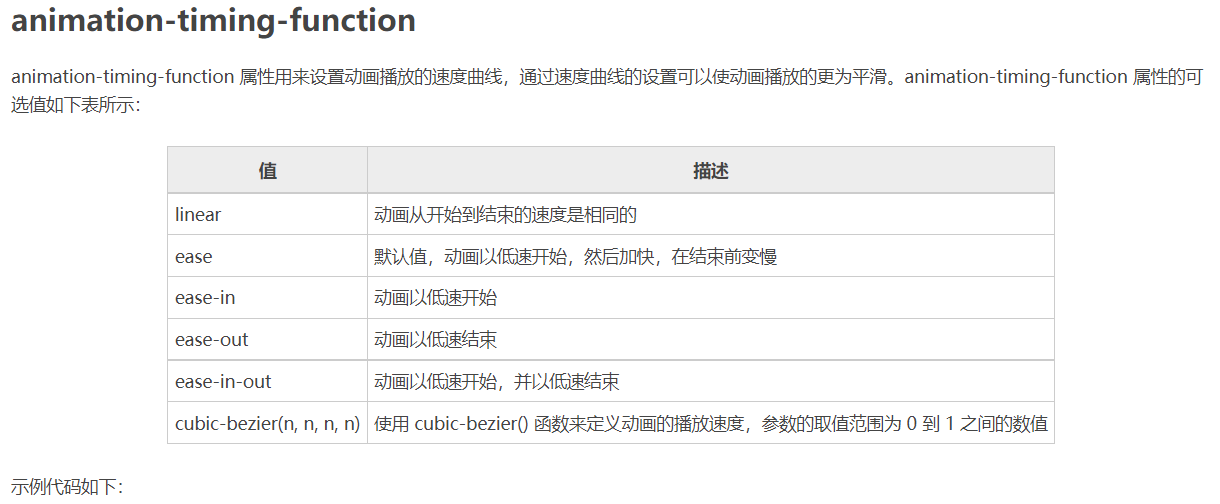
            animation-timing-function: ease;

        }

        .two {

            animation-timing-function: ease-in;

        }

        .three {

            animation-timing-function: ease-out;

        }

        .four {

            animation-timing-function: ease-in-out;

        }

    </style>

</head>

<body>

    <div class="one">ease</div>

    <div class="two">ease-in</div>

    <div class="three">ease-out</div>

    <div class="four">ease-in-out</div>

</body>

</html>
<!DOCTYPE html>

<html>

<head>

    <style>

        @keyframes box {

            0% {transform: rotate(0);}

            50% {transform: rotate(0.5turn);}

            100% {transform: rotate(1turn);}

        }

        div {

            width: 100px;

            height: 100px;

            border-radius: 50%;

            float: left;

            border: 3px solid black;

            text-align: center;

            line-height: 100px;

            position: relative;

            animation-name: box;

            animation-duration: 2s;

            animation-iteration-count: 1;

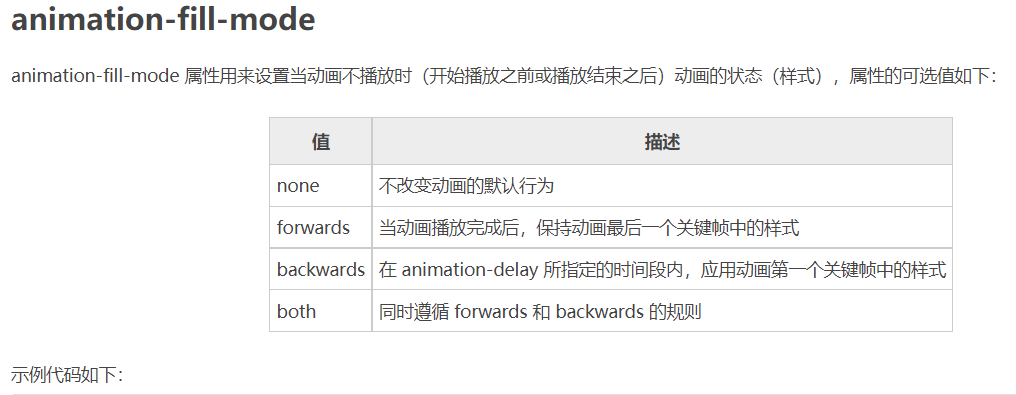
            animation-fill-mode: forwards;

        }

    </style>

</head>

<body>

    <div>forwards</div>

</body>

</html>
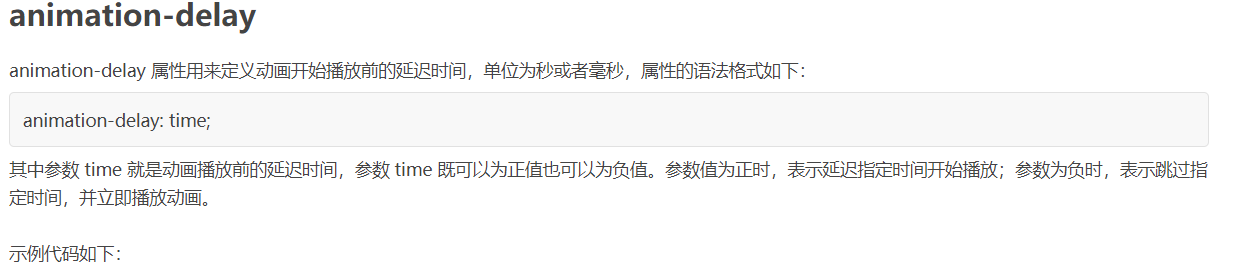
<!DOCTYPE html>

<html>

<head>

    <style>

        @keyframes ball {

            0% {left: 0px;}

            50% {left: 350px;}

            100% {left: 0px;}

        }

        div {

            width: 100px;

            height: 100px;

            border-radius: 50%;

            border: 3px solid black;

            text-align: center;

            line-height: 100px;

            position: relative;

            animation-name: ball;

            animation-duration: 2s;

        }

        .one {

            animation-delay: 0.5s;

        }

        .two {

            animation-delay: -0.5s;

        }

    </style>

</head>

<body>

    <div class="one">0.5s</div>

    <div class="two">-0.5s</div>

</body>

</html>
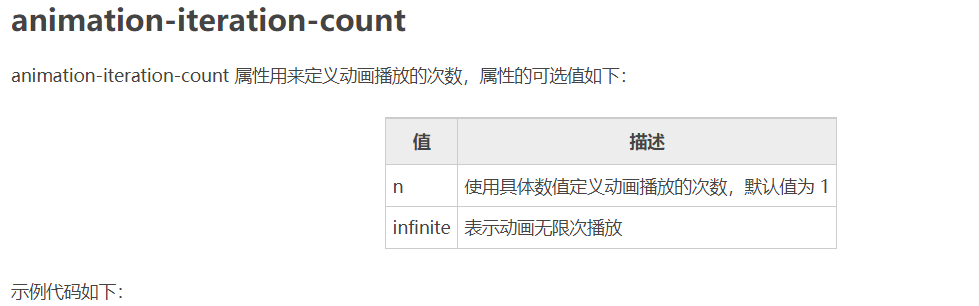
<!DOCTYPE html>

<html>

<head>

    <style>

        @keyframes box {

            0% {transform: rotate(0);}

            50% {transform: rotate(0.5turn);}

            100% {transform: rotate(1turn);}

        }

        div {

            width: 100px;

            height: 100px;

            float: left;

            border: 3px solid black;

            text-align: center;

            line-height: 100px;

            position: relative;

            animation-name: box;

            animation-duration: 2s;

        }

        .one {

            animation-iteration-count: 1;

        }

        .two {

            margin-left: 50px;

            animation-iteration-count: infinite;

        }

    </style>

</head>

<body>

    <div class="one">1</div>

    <div class="two">infinite</div>

</body>

</html>
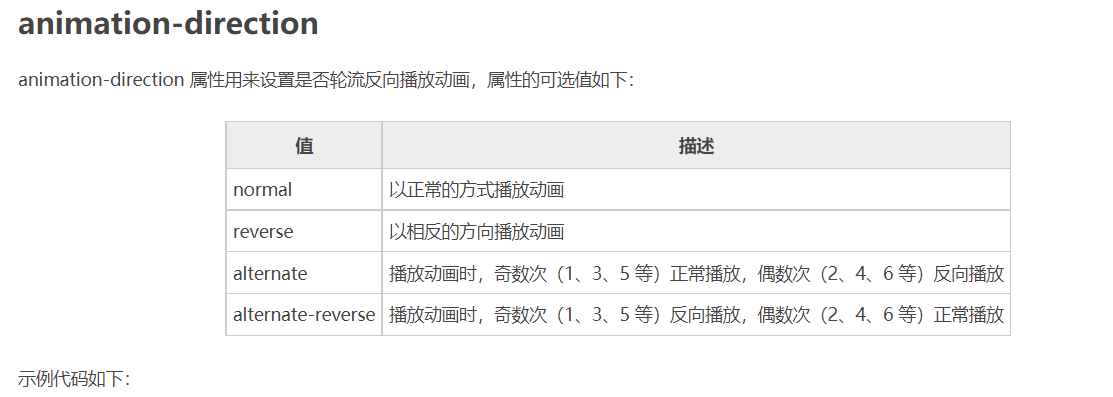
<!DOCTYPE html>

<html>

<head>

    <style>

        @keyframes box {

            0% {transform: rotate(0);}

            50% {transform: rotate(0.5turn);}

            100% {transform: rotate(1turn);}

        }

        div {

            width: 100px;

            height: 100px;

            float: left;

            border: 3px solid black;

            text-align: center;

            line-height: 100px;

            position: relative;

            animation-name: box;

            animation-duration: 2s;

            animation-iteration-count: infinite;

        }

        .one {

            animation-direction: reverse;

        }

        .two {

            margin-left: 50px;

            animation-direction: alternate;

        }

    </style>

</head>

<body>

    <div class="one">reverse</div>

    <div class="two">alternate</div>

</body>

</html>
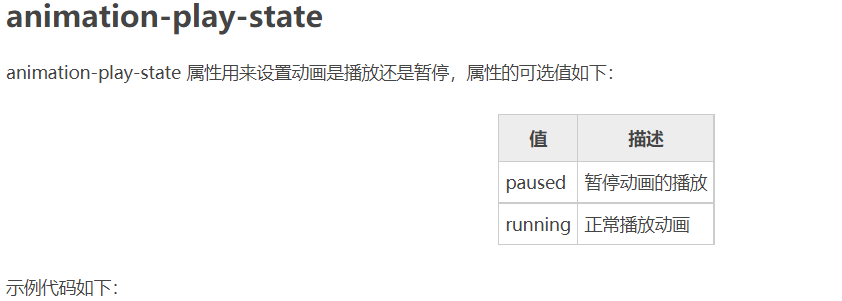
<!DOCTYPE html>

<html>

<head>

    <style>

        @keyframes box {

            0% {transform: rotate(0);}

            50% {transform: rotate(0.5turn);}

            100% {transform: rotate(1turn);}

        }

        div {

            width: 100px;

            height: 100px;

            float: left;

            border: 3px solid black;

            text-align: center;

            line-height: 100px;

            position: relative;

            animation-name: box;

            animation-duration: 2s;

            animation-iteration-count: infinite;

        }

        .one {

            animation-play-state: running;

        }

        .two {

            margin-left: 50px;

            animation-play-state: paused;

        }

    </style>

</head>

<body>

    <div class="one">running</div>

    <div class="two">paused</div>

</body>

</html>
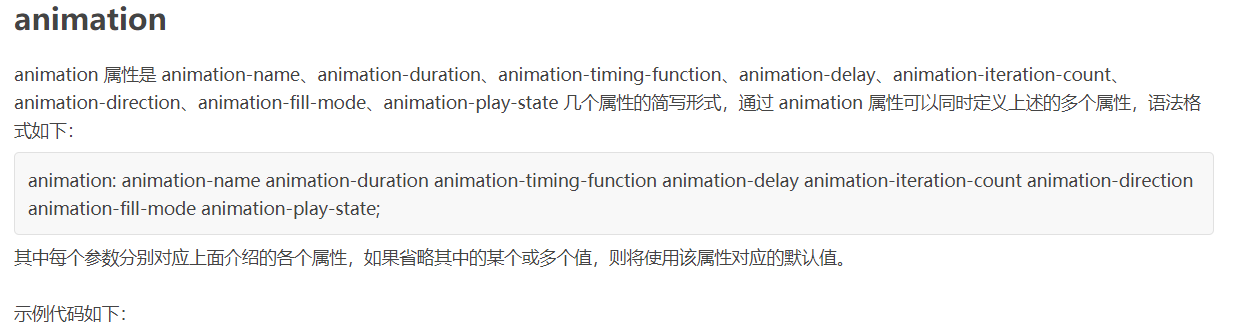
<!DOCTYPE html>

<html>

<head>

    <style>

        @keyframes box {

            0% {transform: rotate(0);}

            50% {transform: rotate(0.5turn);}

            100% {transform: rotate(1turn);}

        }

        div {

            width: 100px;

            height: 100px;

            border-radius: 50%;

            float: left;

            border: 3px solid black;

            text-align: center;

            line-height: 100px;

            position: relative;

            animation: box 2s linear 0s infinite alternate;

        }

    </style>

</head>

<body>

    <div>animation</div>

</body>

</html>
CSS——动画的更多相关文章
- 梅须逊雪三分白,雪却输梅一段香——CSS动画与JavaScript动画
CSS动画并不是绝对比JavaScript动画性能更优越,开源动画库Velocity.js等就展现了强劲的性能. 一.两者的主要区别 先开门见山的说说两者之间的区别. 1)CSS动画: 基于CSS的动 ...
- Css 动画的回调
在做项目中经常会遇到使用动画的情况.以前的情况是用js写动画,利用setTimeout函数或者window.requestAnimationFrame()实现目标元素的动画效果.虽然后者解决了刷新频率 ...
- 【译】css动画里的steps()用法详解
原文地址:http://designmodo.com/steps-c... 原文作者:Joni Trythall 我想你在css 动画里使用steps()会和我一样有很多困惑.一开始我不清楚怎样使用它 ...
- css动画属性性能
性能主要表现:流量.功耗与流畅度 在现有的前端动画体系中,通常有两种模式:JS动画与CSS3动画. JS动画是通过JS动态改写样式实现动画能力的一种方案,在PC端兼容低端浏览器中不失为一种推荐方案. ...
- Css动画形式弹出遮罩层,内容区上下左右居中于不定宽高的容器中
<!DOCTYPE html> <html> <head> </head> <body id="body"> <! ...
- css动画与js动画的区别
CSS动画 优点: (1)浏览器可以对动画进行优化. 1. 浏览器使用与 requestAnimationFrame 类似的机制,requestAnimationFrame比起setTimeout ...
- CSS动画与GPU
写在前面 满世界的动画性能优化技巧,例如: 只允许改变transform.opacity,其它属性不要动,避免重新计算布局(reflow) 对动画元素应用transform: translate3d( ...
- 15个来自 CodePen 的酷炫 CSS 动画效果【下篇】
CodePen 是一个在线的前端代码编辑和展示网站,能够编写代码并即时预览效果.你在上面可以在线分享自己的 Web 作品,也可以欣赏到世界各地的优秀开发者在网页中实现的各种令人惊奇的效果. 今天这篇文 ...
- 赞!15个来自 CodePen 的酷炫 CSS 动画效果
CodePen 是一个在线的前端代码编辑和展示网站,能够编写代码并即时预览效果.你在上面可以在线分享自己的 Web 作品,也可以欣赏到世界各地的优秀开发者在网页中实现的各种令人惊奇的效果. 今天这篇文 ...
- Animo.js :一款管理 CSS 动画的强大的小工具
Animo.js 是一个功能强大的小工具,用于管理 CSS 动画.它的特色功能包括像堆栈动画,创建跨浏览器的模糊,设置动画完成的回调等等.Animo 还包括惊人的 animate.css,为您提供了近 ...
随机推荐
- 动态规划(六)——树形dp
树形dp,又称树状dp,即在树上进行的dp,在设计动态规划算法时,一般就以节点从深到浅(子树从小到大)的顺序作为dp的"阶段",dp的状态表示中,第一维通常是节点编号(代表以该节点 ...
- 重走py 之路 ——普通操作与函数(三)
前言 本节主要介绍函数,但是函数是由操作组成的.那么就分为两部,一部分为操作一部分为函数. 正文 py世界中的操作. 操作 if: 在学习任何一门语言中,关系if,要关系另外一件事,那就是if是否只能 ...
- 我用这10招,能减少了80%的BUG
前言 对于大部分程序员来说,主要的工作时间是在开发和修复BUG. 有可能修改了一个BUG,会导致几个新BUG的产生,不断循环. 那么,有没有办法能够减少BUG,保证代码质量,提升工作效率? 答案是肯定 ...
- 特殊border的样式 -- CSS3实现三种切角效果
效果一: 代码:<div class="cornerCut">corner cutcorner cutcorner cutcorner cut</div> ...
- 国内首家!百度智能云宣布支持Llama3全系列训练推理
继18日Llama3的8B.70B大模型发布后,百度智能云千帆大模型平台19日宣布在国内首家推出针对Llama3全系列版本的训练推理方案,便于开发者进行再训练,搭建专属大模型,现已开放邀约测试. 目前 ...
- 为 Serverless Devs 插上 Terraform 的翅膀,实现企业级多环境部署(上)
简介: Serverless Devs 离不开对云资源的操作,但支持新资源时需要开发相应的组件代码:如果将环境模板的定义通过 Terraform IaC 来完成,在 Serverless Devs ...
- 如何使用 Serverless Devs 部署静态网站到函数计算
简介:手把手教你:如何使用 Serverless Devs 部署静态网站到函数计算. 前言 公司经常有一些网站需要发布上线,对比了几款不同的产品后,决定使用阿里云的函数计算(FC)来托管构建出来的静 ...
- 重磅官宣:Nacos2.0发布,性能提升10倍
简介: Nacos2.0 作为一个跨代版本,彻底解决了 Nacos1.X 的性能问题,将性能提升了 10 倍. 作者:席翁 继 Nacos 1.0 发布以来,Nacos 迅速被成千上万家企业采用,并 ...
- 来电科技:基于Flink+Hologres的实时数仓演进之路
简介: 本文将会讲述共享充电宝开创企业来电科技如何基于Flink+Hologres构建统一数据服务加速的实时数仓 作者:陈健新,来电科技数据仓库开发工程师,目前专注于负责来电科技大数据平台离线和实时架 ...
- WinDbg 设置在加载到某个 DLL 进入断点
本文记录如何在 WinDbg 里,设置在加载到某个 DLL 时,自动进入断点.通过此方式用来定位是哪个业务模块加载了某个 DLL 模块 在 WinDbg 里面,可以附加到现有进程,也可以启动某个进程. ...