
记一次艰难的jquery easy-ui ajax post 体验
分享的经验和教训是:
1、jquery easy-ui ajax post 复杂的Json给后端解析,后端如果接收和解析
2、asp.net webform jquery easy-ui datagrid通用excel导出转asp.net mvc
3、asp.net mvc 2 + jquery easy-ui搭建内部信息管理系统框架
由于本大叔超强的自学和动手能力,第一次正式玩asp.net mvc,由于mvc2不是使用Razor视图引擎,有webform的开发经验就不需要花很多时间去学习Razor语法,时间也很紧就选择了MVC2. 在玩ajax get的时候玩得很爽,不想在需要前端页面给后端Controller传递复杂Json时遇到get的url值超过长度的问题,那么搜索解决方案下来,需要使用Post方式来传递,Post简单啊,一番调试,傻眼了Request里我上下左右翻了个遍,就是找不到如何接收前端页面在HttpContext里如何取值。因为不是Post的是表单,而是复杂的Json字符串。看了很多文章还是不得要领啊,所以说是艰难的体验。整整2天才搞定,唉,苦啊,同事那里我是不指望可以获取帮助的,因为他们都是传统webform的拥护者。
很多老码农都以为啥技术想用就能用,稍微摸索一下就直接可以上手。其实也太自以为是了。基础知识其实真心很重要,别看搞了那么多年c/s,转b/s就是难,随便能搞定,门都没有!要不是一年前看过“[ASP.NET.MVC.2开发实战][黄保翕]“那本书,真的不能那么顺利就搞成了。
很多朋友喜欢说: no picture say g jb.或者说:我裤子都脱了,你给我看这个... 呵呵,上图了,高s清哦!
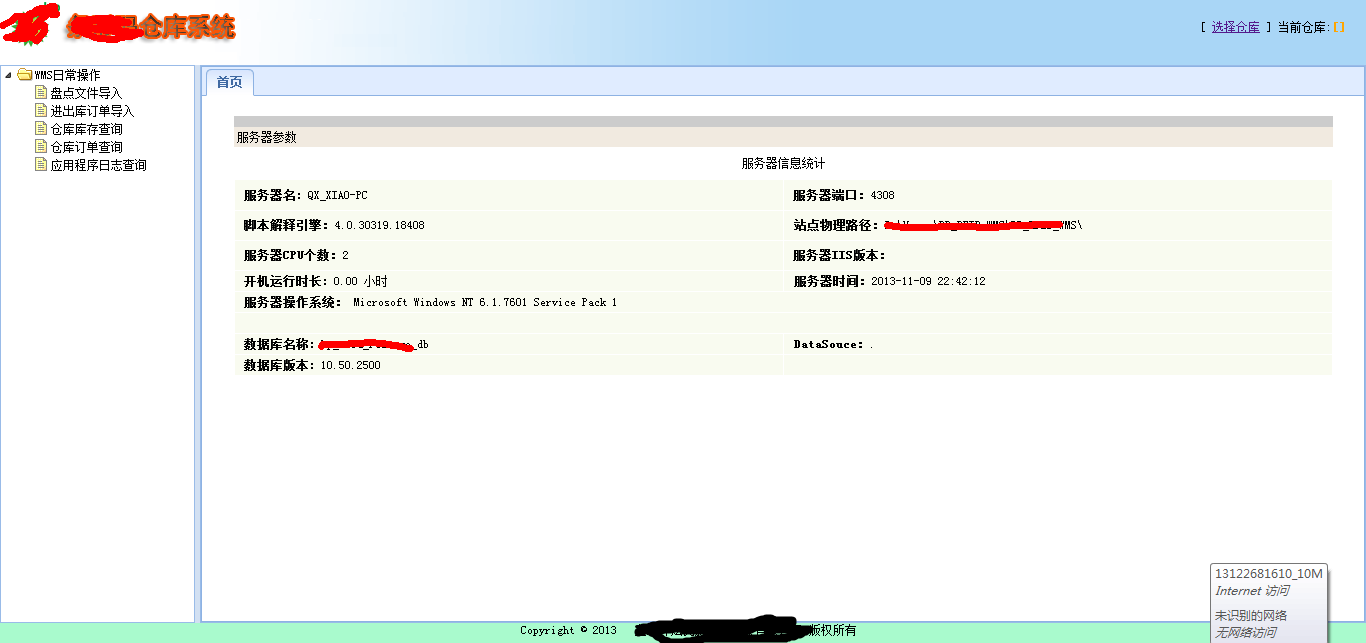
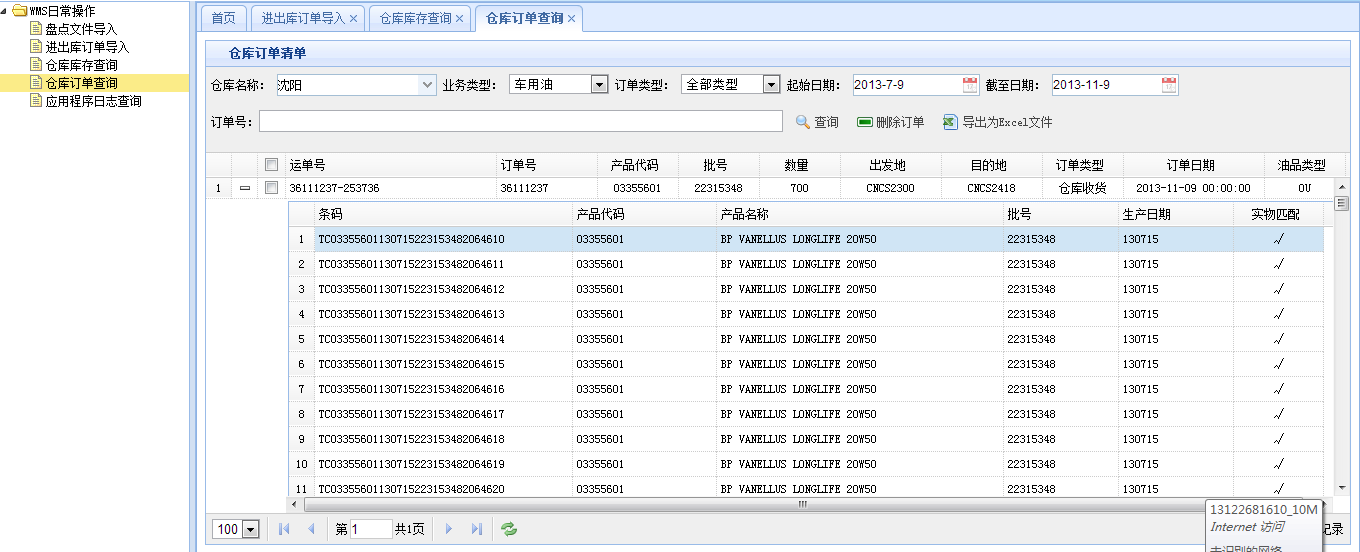
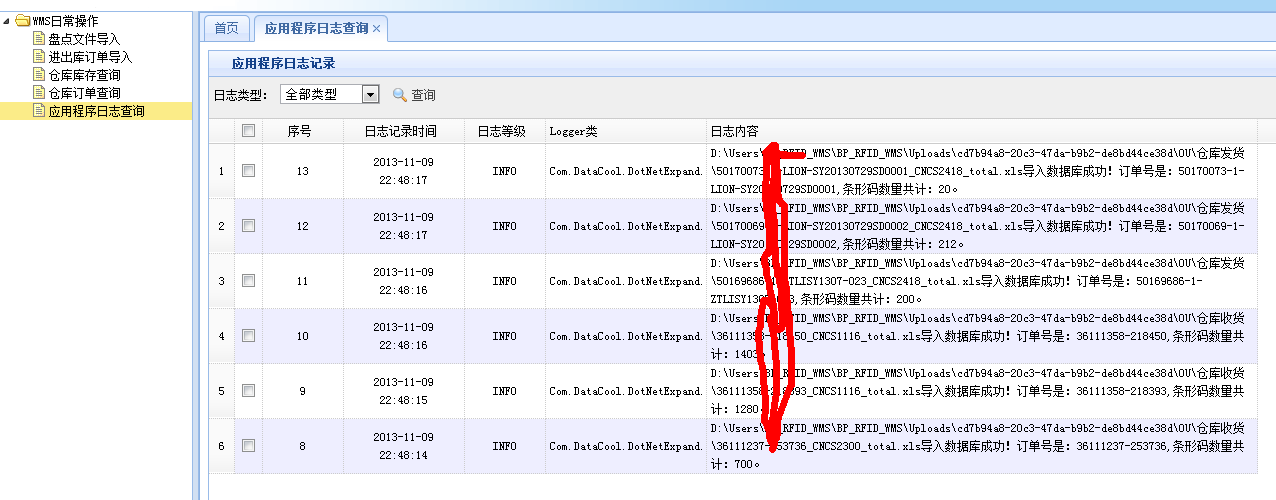
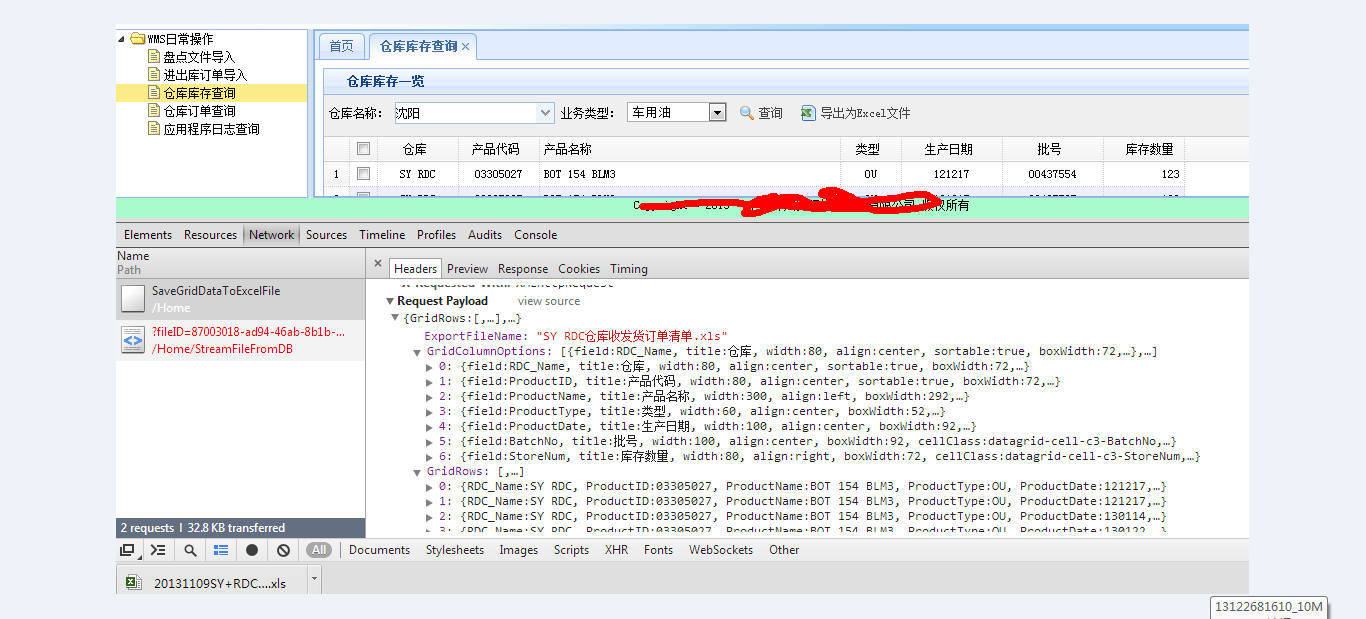
前戏太长,立即转入正题,艰难的ajax Post经历:
上源码咯(js):
//导出结果集到Excel

        function exportGrid() {

            if (getGridDataToExcelExport("StoreGrid").length == 0) {

                parent.$.messager.alert("系统提示", "记录数为0,不需要导出!", "error");

                return;

            }

            var entity = new Object();

            entity.GridRows = getGridDataToExcelExport("StoreGrid");

            entity.GridColumnOptions = getGridColumnFieldsOptions("StoreGrid");

            entity.ExportFileName = $("#RDC_Name").combobox('getValue') + '仓库收发货订单清单.xls';

            $.ajax({

                async: false,

                url: '/Home/SaveGridDataToExcelFile',

                type: 'POST',

                dataType: 'json',

                data: $.toJSON(entity),

                contentType: 'application/json; charset=utf-8',

                success: function (data) {

                    if (data) {

                        window.location = '/Home/StreamFileFromDB/?fileID=' + data.fileID.toString();

                    }

                }

            });

        }
上面有截图页面传递的Json那是相当的复杂啊,而且想要实现通用,就是datagrid的行和列这些是变化的,网上找的大都是后端拿到传递的参数是反序列化成DTO对象的例子,但是抄了代码发现也跟原文实现的不一致,比如:

单不说这种方式多么麻烦了,就是满足不了我需要通用的要求。于是我跳过了这种方式,继续找到下面的例子:
$("#create").click(function () {

    var contact = {

        UserName: "I love jQuery",

        Website: "http://www.google.com",

        Content: "Nice to meet you."

    };

    $.ajax({

        url: "/Contact",

        type: "POST",

        data: contact,

        dataType: "json",

        success: function (req) {

            $("#userTemplate").render(req).appendTo("#Contact");

        }

    });

});
[HttpPost]

public ActionResult Index(Contact contact)

{

    if (ModelState.IsValid)

    {

        android.Contact.AddObject(contact);

        android.SaveChanges();

    }

    var contacts = from c in android.Contact

                    where c.IsValid == 1

                    select c;

    return Json(contacts);

}
我测试下来断点调试发现传递的参数contact始终是null,不得要领啊。
后来我又搜啊搜,发现一篇文章,测试下来终于拿到页面的Json并反序列化了,“ASP.Net MCV 1.0 在Controller的Action Method中接收客户端发送的JSON对象”,
终于知道原来前端传过来的值是藏在HttpContext.Request.InputStream里啊,天啊,没有基础知识咋办啊!还好终于明白真相了。于是改写了JsonParamFilter为
JsonStringFilter达到了我只需要Json字符串的目的。
using System;

using System.Collections.Generic;

using System.IO;

using System.Runtime.Serialization;

using System.Runtime.Serialization.Json;

using System.Web;

using System.Web.Mvc;

namespace BP_RFID_WMS.Controllers

{

    public class JsonParamFilter : ActionFilterAttribute

    {

        ///<summary>

        ///类型名称

        ///</summary>

        public Type TargetType

        {

            get;

            set;

        }

        /// <summary>

        /// 参数

        /// </summary>

        public string Param

        {

            get;

            set;

        }

        /// <summary>

        /// 将ActionExecutingContext上下文对象里的Request.InputStream流反序列化为DTO对象

        /// 将 JSON 数据反序列化为对象

        /// </summary>

        /// <param name="filterContext"></param>

        public override void OnActionExecuting(ActionExecutingContext filterContext)

        {

            if ((filterContext.HttpContext.Request.ContentType ?? string.Empty).Contains("application/json"))

            {

                try

                {

                    object o = new DataContractJsonSerializer(TargetType).ReadObject(filterContext.HttpContext.Request.InputStream);

                    filterContext.ActionParameters[Param] = o;

                }

                catch (Exception ex)

                {

                    Com.DataCool.DotNetExpand.LogHelper.Error(ex);

                }

            }

        }

    }

}

using System;

using System.Collections.Generic;

using System.Linq;

using System.Web;

using System.Web.Mvc;

using System.Runtime.Serialization.Json;

namespace BP_RFID_WMS.Controllers

{

    /// <summary>

    /// Request.InputStream流筛选器

    /// </summary>

    public class JsonStringFilter : ActionFilterAttribute

    {

        /// <summary>

        /// 参数

        /// </summary>

        public string Param

        {

            get;

            set;

        }

        /// <summary>

        /// 接受Request.InputStream流的POST数据Encoding为utf-8编码的字符串

        /// </summary>

        /// <param name="filterContext"></param>

        public override void OnActionExecuting(ActionExecutingContext filterContext)

        {

            if ((filterContext.HttpContext.Request.ContentType ?? string.Empty).Contains("application/json"))

            {

                try

                {

                    byte[] byts = new byte[filterContext.HttpContext.Request.InputStream.Length];

                    filterContext.HttpContext.Request.InputStream.Read(byts, , byts.Length);

                    string req = System.Text.Encoding.UTF8.GetString(byts);

                    req = filterContext.HttpContext.Server.UrlDecode(req);

                    filterContext.ActionParameters[Param] = req;

                }

                catch (Exception ex)

                {

                    Com.DataCool.DotNetExpand.LogHelper.Error(ex);

                }

            }

        }

    }

}
使用的代码:
 /// <summary>

        /// 接受页面easy-ui datagrid的行列数据并转换成Excel文件存入数据库

        /// </summary>

        [JsonStringFilter(Param = "entity")]

        public JsonResult SaveGridDataToExcelFile(string entity)

        {

            if (!string.IsNullOrEmpty(entity))

            {

                JObject jsonParams = JObject.Parse(entity);

                var gridRows = (JArray)jsonParams["GridRows"];

                var gridOptions = (JArray)jsonParams["GridColumnOptions"];

                var gridOptionList = (JArray)gridOptions;

                //可见的列

                List<JObject> gridCols = new List<JObject>();

                foreach (JObject j in gridOptionList)

                {

                    if (j.ToString().IndexOf("hidden") == -)

                    {

                        gridCols.Add(j);

                    }

                }

                var fileName = jsonParams["ExportFileName"].Value<string>();

                string tempFileName = HttpContext.Server.MapPath("~/") + "TemplateFiles\\" + "CommonExcelFile.xls";

                FileStream fs = new FileStream(tempFileName, FileMode.Open, FileAccess.Read);

                var workBook = new HSSFWorkbook(fs);

                workBook.SetSheetName(, "sheet1");

                var sheet = workBook.GetSheetAt();

                //表头(列),第一行

                int newColIndex = ;

                var titleRow = sheet.CreateRow(newColIndex);

                int cIndex = ;

                foreach (JObject j in gridCols)

                {

                    titleRow.CreateCell(cIndex).SetCellValue(j["title"].Value<String>());

                    int width = j["width"].Value<int>() / ;

                    if (width > )

                        width = ;

                    sheet.SetColumnWidth(cIndex, width * );

                    cIndex++;

                }

                //行记录

                for (int rowIndex = ; rowIndex < gridRows.Count; rowIndex++)

                {

                    newColIndex++;

                    var row = sheet.CreateRow(newColIndex);

                    var jsonEntity = gridRows[rowIndex] as JObject;

                    for (int colIndex = ; colIndex < gridCols.Count; colIndex++)

                    {

                        string cellValue = string.Empty;

                        JObject colOption = (JObject)gridCols[colIndex];

                        string field = colOption["field"].Value<string>();

                        if (jsonEntity[field].ToString().Length != )

                            cellValue = jsonEntity[field].Value<String>();

                        row.CreateCell(colIndex).SetCellValue(cellValue);

                    }

                }

                MemoryStream newFile = new MemoryStream();

                sheet.Workbook.Write(newFile);

                using (Reserve_DbEntities db = new Reserve_DbEntities())

                {

                    var resultFile = new AppExportFile();

                    resultFile.FileGuid = Guid.NewGuid();

                    resultFile.FileName = fileName;

                    resultFile.FileCreateDateTime = DateTime.Now;

                    resultFile.FileStreamByte = newFile.GetBuffer();

                    db.AddToAppExportFile(resultFile);

                    db.SaveChanges();

                    var data = new { fileID = resultFile.FileGuid.ToString() };

                    return Json(data, JsonRequestBehavior.AllowGet);

                }

            }

            else return Json(string.Empty, JsonRequestBehavior.AllowGet);

        }
OK,终于成功了,还需要补充一点ajax post默认是异步的,在回调函数里写了很多alter类似的代码当时都没执行这些都难到了我,后来发现Chrome的F12开发者工具真是神器啊,OK无师自通了。当时感觉比老婆当初告诉我生的是女儿正和我意还要高兴。呵呵...
不好意思,夜已深,就此搁笔了,后续有空再补上。
记一次艰难的jquery easy-ui ajax post 体验的更多相关文章
- 玩转Web之Json(二)----jquery easy ui + Ajax +Json+SQL实现前后台数据交互
最近在学Json,在网上也找过一些资料,觉得有点乱,在这里,我以easy ui的登录界面为例来说一下怎样用Json实现前后台的数据交互 使用Json,首先需要导入一些jar包,这些资源可以在网上下载到 ...
- Jquery easy UI 上中下三栏布局 分类: ASP.NET 2015-02-06 09:19 368人阅读 评论(0) 收藏
效果图: 源代码: <!DOCTYPE html PUBLIC "-//W3C//DTD XHTML 1.0 Transitional//EN" "http://w ...
- jQuery Easy UI 开发笔记
1.jQuery Easy UI主要的运行原理是通过核心的代码调用插件来实现UI效果的 2.jQuery Easy UI插件与插件之间的关系是: 一.独立式插件: 独立式插件是指:不与其他的插件具有相 ...
- JQuery Easy Ui dataGrid 数据表格 ---制作查询下拉菜单
JQuery Easy Ui dataGrid 数据表格 数据表格 - DataGrid 继承$.fn.panel.defaults,使用$.fn.datagrid.defaults重载默认值.. 数 ...
- jQuery Easy UI (适应屏幕分辨率大小)布局(Layout)
一.jQuery Easy UI (适应屏幕分辨率大小)布局(Layout) 1.首先应用的是jquery-easyui-1.4 版本(版本不同,兼容性不同) 2.实现整个页面的布局( layout: ...
- jQuery Easy UI Resizable(调整大小)组件
Resizable(调整大小)组件,easyui基础组件之中的一个.调整大小就是能够对元素能够拖着调整大小,这个组件不依赖于其它组件,使用比較简单,相关的属性.事件都 在样例中介绍了. 演示样例: & ...
- jQuery Easy UI Droppable(放置)组件
Droppable(放置)组件也是一个基本组件,使用方法较简单,语法都在样例里面凝视了: 演示样例: <!DOCTYPE html> <html> <head> & ...
- JQuery Easy Ui (Tree树)详解(转)
第一讲:JQuery Easy Ui到底是什么呢? 首先咱们知道JQuery是对Java Script的封装,是一个js库,主要提供的功能是选择器,属性修改和事件绑定等等.. JQuery ui是在j ...
- jQuery Easy UI LinkButton(button)包
LinkButton(button)包,easyui其中一个基本组成部分 演示样例: <!DOCTYPE html> <html> <head> <title ...
- jQuery Easy UI Tooptip(提示框)组件
我们都知道DOM节点的title属性.Tooptip组件就是比較强大的title,它能够自由的设置自己的样式.位置以及有自己相关的触发事件. 演示样例: <!DOCTYPE html> & ...
随机推荐
- sqlserver 2017 docker安装(启动代理)
从 Docker Hub 中拉出 SQL Server 2017 Linux 容器映像. docker pull microsoft/mssql-server-linux:2017-latest 运行 ...
- C#微信公众号开发——获取access_token
access_token是公众号的全局唯一票据,公众号调用各接口时都需使用access_token.正常情况下access_token有效期为7200秒(两个小时),微信获取access_token接 ...
- Ext.net 3.1学习
主页面前台代码: <%@ Page Language="C#" AutoEventWireup="true" CodeBehind="MainF ...
- Linux Regulator Framework(2)_regulator driver
转自蜗窝科技:http://www.wowotech.net/pm_subsystem/regulator_driver.html 说实话,这篇好难懂啊... 1. 前言 本文从regulator d ...
- https证书概念
https://studygolang.com/articles/10776 http://www.360doc.com/content/15/0520/10/21412_471902987.shtm ...
- [转]extern "C"的作用
extern "C"的主要作用就是为了能够正确实现C++代码调用其它C语言代码. 加上extern “C”后,会指示编译器将这部分代码按C语言进行编译,而不是C++的.这是因为C+ ...
- Linux 小知识翻译 - 「版本号」的命名方式
包括OS,所有的软件都有版本号信息.一般来说,版本号的增大表示软件的功能增强了或者修正了一些Bug,也就是表示软件更新了. 版本号的命名方式没有统一的标准.每种软件都不一样. 大部分情况下,版本号以「 ...
- input 属性radio中设置checked 不生效
同一个页面中有许多地方都用到了单选按钮并设置了默认选中 , 结果在运行的时候发现单选按钮没有被默认选中 由于是复制然后修改个别属性 ,然后直接使用的 , 所以name值忘记修改了 , 单选框是根据na ...
- 截取字符串substr和subString的却别
substr 方法 返回一个从指定位置开始的指定长度的子字符串. stringvar.substr(start [, length ]) 参数 stringvar 必选项.要提取子字符串的字符串文字或 ...
- WebService Client Generation Error with JDK8
java.lang.AssertionError: org.xml.sax.SAXParseException; systemId: jar:file:/path/to/glassfish/modul ...